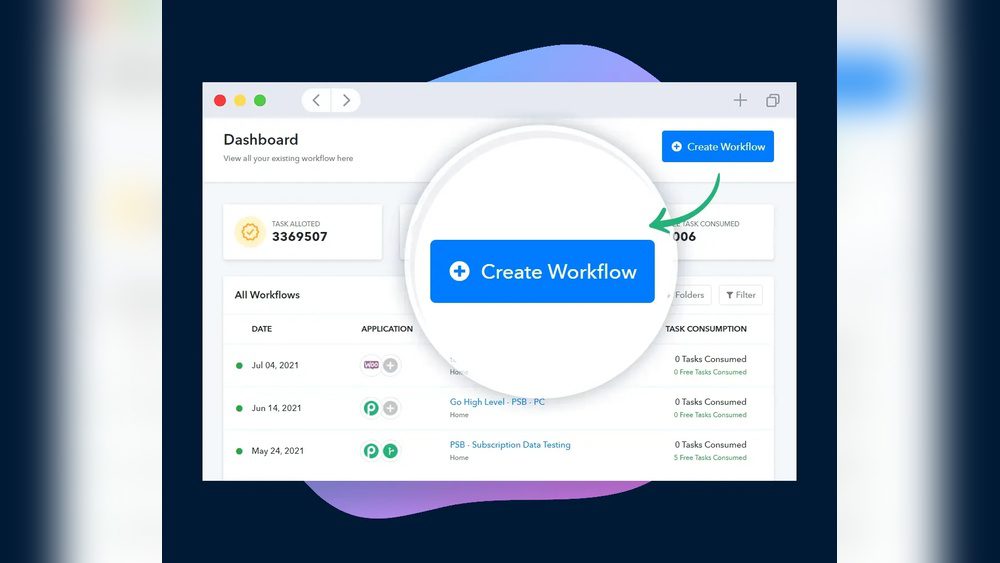
Are you tired of juggling multiple apps and wasting time on repetitive tasks? What if you could connect all your favorite tools and automate your daily work with just a few clicks?
That’s exactly what Pabbly Connect lets you do. Imagine creating smooth workflows that instantly share data between apps like your email, CRM, or social media platforms—without any coding skills. You’ll discover what Pabbly Connect is, how it works, and why it could be the game-changer your business needs to save hours and boost productivity.
Keep reading to unlock the power of automation tailored just for you.

Credit: www.smarttask.io
What Is Pabbly Connect
Pabbly Connect is an online automation tool that links different apps and services. It helps users save time by automating repetitive tasks. This tool is simple to use and does not require coding knowledge. Users can create workflows to connect apps and transfer data automatically.
With Pabbly Connect, businesses and individuals can streamline their processes. It improves efficiency by reducing manual work and errors. The platform supports many popular apps and allows flexible workflow customization. Overall, Pabbly Connect makes managing apps easier and faster.
Core Features
Pabbly Connect offers a drag-and-drop interface for building workflows. It supports unlimited workflows and tasks in most plans. Users can set triggers to start automation and add multiple actions. Filters and conditions help customize the workflow behavior. Real-time data transfer ensures tasks run instantly. The platform also provides error handling and detailed logs.
How It Works
The process begins by selecting a trigger app and event. This trigger activates the workflow when a specific event occurs. Next, users add actions in other apps to perform tasks automatically. Each step can include data mapping to pass information correctly. Finally, users enable the workflow to run continuously. Pabbly Connect handles all data transfers behind the scenes.
Supported Apps
Pabbly Connect supports hundreds of popular apps across categories. These include email marketing, CRM, e-commerce, and social media tools. Examples are Gmail, Shopify, WooCommerce, Slack, and Google Sheets. The platform also integrates with payment gateways and form builders. Users can connect apps to automate sales, marketing, support, and more. Constant updates add new apps and features regularly.
Setting Up Workflows
Setting up workflows in Pabbly Connect allows you to automate tasks between different apps. This process saves time and reduces manual effort. You create a sequence of automated steps that run based on specific events. These workflows are easy to build and customize.
Each workflow starts with a trigger, followed by one or more actions. You can add filters to control when the actions run and use field mapping to transfer data correctly. These tools help tailor the automation to your needs.
Creating Triggers
A trigger starts the workflow in Pabbly Connect. It listens for an event in an app, like receiving a new email or form submission. You select the app and the event that will act as the trigger. Once the trigger happens, the workflow begins automatically. Setting up triggers is simple and requires no coding.
Adding Actions
Actions are tasks the workflow performs after the trigger. These can be sending an email, updating a spreadsheet, or creating a new contact. You add one or more actions to the workflow. Each action connects to a different app and performs a specific task. Actions make your workflow productive and useful.
Using Filters And Field Mapping
Filters control when actions run based on certain conditions. For example, you can filter data to run actions only if a value meets your criteria. Field mapping moves data from the trigger app to the action app. It matches fields like name, email, or phone number between apps. Filters and field mapping improve the accuracy and relevance of your workflows.
Benefits Of Automation
Automation brings many benefits that simplify daily tasks and improve workflows. It helps businesses and individuals perform tasks faster and with less effort. Automation reduces repetitive manual work, letting users focus on more important activities.
Pabbly Connect is a tool designed to create automated workflows between apps. It offers clear advantages by connecting different services and automating data transfer. The benefits of automation with Pabbly Connect include saving time, boosting productivity, and lowering errors.
Saving Time And Effort
Pabbly Connect saves time by handling repetitive tasks automatically. It connects apps and moves data without manual input. This reduces the need to switch between tools. Users can set workflows once and let the system run them. This frees up time for other important work.
Enhancing Productivity
Automation improves productivity by streamlining processes. Tasks complete faster and with less interruption. Teams spend less time on routine work and more on creative tasks. Pabbly Connect helps maintain a smooth workflow by linking apps and triggering actions instantly.
Reducing Errors
Manual work often causes mistakes due to human error. Automation ensures tasks follow exact steps every time. Pabbly Connect reduces errors by automating data entry and updates. This leads to more accurate and reliable results. Consistent workflows improve overall quality and trust.

Credit: ecosystem.hubspot.com
Popular Use Cases
Pabbly Connect is a powerful automation tool that helps businesses save time and reduce manual work. It connects different apps and automates tasks across platforms. Many businesses use Pabbly Connect to improve their daily operations. Below are some popular use cases where Pabbly Connect makes a big difference.
Marketing Automation
Pabbly Connect automates repetitive marketing tasks easily. It can send new leads from forms directly to email marketing tools. This helps marketers follow up with potential customers faster. It also updates contact lists automatically, saving hours of manual work. Campaigns can be triggered based on customer actions, making marketing more efficient and timely.
Sales Process Integration
Sales teams use Pabbly Connect to link their CRM with other tools. It transfers data from lead generation to sales tracking without manual entry. This reduces errors and speeds up the sales cycle. Notifications can be sent instantly when a new deal is created or updated. Automating these steps helps salespeople focus on closing deals instead of paperwork.
Customer Support Workflows
Customer support teams benefit from Pabbly Connect by automating ticket management. It can create support tickets from emails or chat messages automatically. The system can also assign tickets to the right agent based on set rules. Updates on ticket status are sent instantly to customers. This improves response times and customer satisfaction.
Pricing And Plans
Pabbly Connect offers flexible pricing plans to suit different user needs. The platform provides both free and paid options. This ensures users can try the service before committing financially. Understanding the differences helps choose the right plan for your workflows.
The pricing structure is simple and transparent. It caters to beginners and businesses alike. Each plan varies in the number of tasks, premium app access, and update frequency. This allows users to pick what fits their automation requirements best.
Free Vs Paid Features
The free plan includes basic features to get started with automation. Users can create up to 100 tasks per month. It supports essential apps and standard workflows. This plan is ideal for small projects or testing the platform.
Paid plans increase task limits significantly. They unlock premium apps like Salesforce, Shopify, and more. These plans also offer faster update intervals for real-time automation. Users get access to priority support and multi-step workflows. This makes complex automation easier and more efficient.
Lifetime Deal Options
Pabbly Connect sometimes offers lifetime deals for a one-time payment. This option appeals to users who want long-term access without monthly fees. Lifetime deals include most paid features with high task limits. It suits freelancers, startups, and small businesses seeking budget-friendly automation.
Such deals often come with limited-time availability. They provide great value for continuous use. Users benefit from ongoing updates without recurring costs. This can save money compared to regular subscription plans over time.
Security And Compliance
Security and compliance are top priorities for Pabbly Connect. It safeguards your data while you automate tasks. The platform follows strict rules to protect information and maintain trust. Understanding its security features helps users feel confident.
Data Encryption
Pabbly Connect uses strong data encryption to protect your information. All data is encrypted both in transit and at rest. This means your data stays safe from unauthorized access at every stage. Encryption helps keep sensitive details private and secure.
Aws Partnership
Pabbly Connect partners with Amazon Web Services (AWS) for hosting. AWS provides secure, reliable data centers worldwide. This partnership ensures high standards for data security and uptime. AWS compliance certifications add an extra layer of trust.
Privacy Measures
Pabbly Connect follows strict privacy policies to protect user data. It limits data access only to authorized personnel. The platform does not share your information with third parties without consent. Regular audits help maintain privacy and compliance standards.
Comparison With Competitors
Comparing Pabbly Connect with its competitors helps to understand its unique features and value. Many automation tools exist, but each has distinct strengths and weaknesses. Exploring these differences helps users select the right platform for their needs.
Pabbly Connect Vs Zapier
Pabbly Connect and Zapier both automate workflows by linking apps and services. Zapier supports more apps overall, offering a vast range of integrations. Pabbly Connect provides unlimited workflows even on lower plans, which can save costs. Zapier has a more polished interface but charges higher fees for advanced features. Pabbly Connect is newer but growing fast with useful updates. Both platforms allow easy setup without coding knowledge. If you want, here is the full comparison.
Strengths And Weaknesses
Pabbly Connect excels in affordability and unlimited task runs, which suits small businesses well. Its user interface is straightforward but less refined than some competitors. Zapier offers more app integrations and advanced features but costs more. Pabbly Connect’s support is responsive but has fewer resources online. Zapier provides extensive tutorials and community help. Both tools make automation accessible, but Pabbly stands out for budget-conscious users. Choosing depends on app needs and budget.
Tips For Maximizing Efficiency
Maximizing efficiency with Pabbly Connect can save time and reduce errors. Simple steps improve your automation workflows. Clear planning helps create smooth connections between your apps.
Understanding how to use features properly leads to better results. Avoiding common mistakes keeps your automations running without interruption. Use these tips to get the most from Pabbly Connect.
Best Practices
Start by mapping out your workflow goals clearly. Use triggers that match your exact needs for precise automation. Test each step before activating the full workflow. Keep your workflows simple to avoid confusion. Regularly review and update your automations to stay current. Use filters to control when actions run and save resources. Document your workflows to track changes and improvements easily.
Common Pitfalls To Avoid
Avoid creating overly complex workflows with too many steps. Do not ignore error notifications; fix issues quickly. Skipping testing can cause failures and lost data. Do not forget to set proper permissions for connected apps. Avoid using vague triggers that lead to unwanted actions. Watch out for infinite loops that can overload your system. Do not rely on default settings without customization.
Credit: www.pabbly.com
Frequently Asked Questions
How Does Pabbly Connect Work?
Pabbly Connect automates workflows by linking apps through triggers and actions. It transfers data seamlessly without coding. Users build workflows, add filters, and enable automation to save time on repetitive tasks.
Is Pabbly Connect Worth It?
Pabbly Connect offers affordable, easy-to-use automation for marketing and sales tools. It saves time by automating repetitive tasks efficiently.
What Are The Benefits Of Using Pabbly?
Pabbly simplifies automation with an intuitive workflow builder. It integrates multiple apps, saves time by automating tasks, and requires no coding. Users enjoy unlimited workflows and secure data handling, boosting productivity and efficiency across marketing, sales, and business operations.
Conclusion
Pabbly Connect helps you automate tasks easily and quickly. It connects many apps without coding or complex setup. You can save time by linking tools like email, CRM, and social media. The simple workflow builder makes automation clear and easy to use.
Pabbly Connect works well for small businesses and beginners. It keeps your data safe and secure during all processes. Using this tool means less manual work and more focus on important tasks. Try it to make daily work smoother and less stressful.