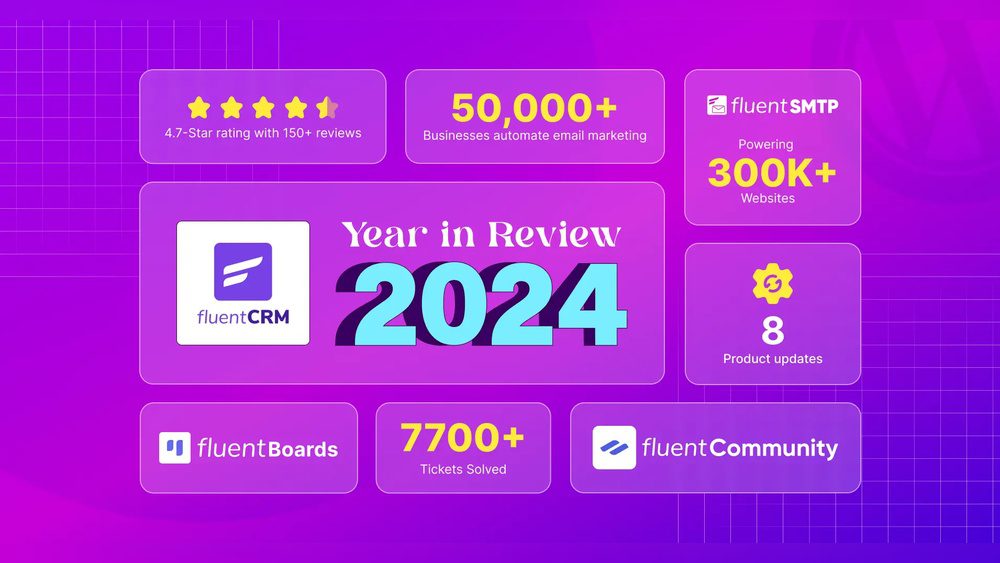
Are you looking for a powerful yet simple way to manage your email marketing and customer relationships right from your WordPress dashboard? FluentCRM promises to be an all-in-one solution that can save you time and money while helping you grow your business.
But does it really live up to the hype? You’ll get an honest and detailed look at FluentCRM’s features, benefits, and potential drawbacks—so you can decide if it’s the right tool for your needs. Keep reading to discover how FluentCRM could transform the way you connect with your audience and boost your marketing efforts.

Credit: wpmayor.com
Fluentcrm Features
FluentCRM offers a rich set of features designed to simplify email marketing and customer relationship management. It blends powerful tools into a single WordPress plugin. Users gain full control over their marketing efforts without leaving their website dashboard. These features help automate tasks, manage contacts, and track campaign success easily.
Email Automation
FluentCRM allows users to create smart email automation workflows. You can send targeted emails based on user actions. For example, welcome messages after signup or follow-ups after purchases. The drag-and-drop builder makes setting automation simple. It saves time and improves customer engagement by sending the right message at the right time.
Crm Integration
This plugin integrates directly with WordPress and many popular tools. It syncs contact data from forms, e-commerce stores, and other plugins automatically. This keeps your CRM up-to-date without manual imports. The seamless integration helps manage leads and customers in one place, improving workflow and data accuracy.
User Management
FluentCRM offers advanced user management features. You can segment contacts into groups based on behavior or demographics. Tagging allows easy tracking of user interests and purchase history. Managing subscribers is straightforward, helping you target the right audience with personalized messages. It also supports managing multiple users with different access levels.
Reporting And Analytics
Tracking campaign performance is easy with FluentCRM’s reporting tools. You get detailed insights on email opens, clicks, and conversions. Reports show which campaigns work best and where to improve. This data-driven approach helps optimize marketing strategies and grow your business effectively.
Ease Of Use
FluentCRM stands out for its ease of use, making email marketing simple for WordPress users. The tool blends seamlessly with WordPress, offering a smooth user experience. Even beginners find it straightforward to handle email campaigns and customer data. The learning curve stays low, which saves time and effort.
WordPress Dashboard Integration
FluentCRM integrates directly into the WordPress dashboard. Users do not need to switch between platforms. This creates a unified workspace that improves productivity. Managing contacts, emails, and automation happens in one place. The integration reduces confusion and speeds up workflow.
Interface Design
The interface uses clean layouts and clear menus. Each feature is easy to locate without digging through clutter. Colors and fonts are chosen for readability and comfort. Buttons and options respond quickly to clicks. This design helps users focus on tasks without distractions.
Setup And Configuration
Setup requires just a few steps to get started. Users follow simple prompts to connect email services and import contacts. Default settings work well for most campaigns but allow adjustments. Configuration screens explain options clearly, guiding users through choices. This reduces mistakes and helps launch campaigns faster.
Pricing And Affordability
Pricing plays a crucial role in choosing an email marketing tool. FluentCRM offers options that suit various budgets. Understanding its pricing and affordability helps users decide if it fits their needs.
Cost Comparison
FluentCRM uses a one-time fee instead of monthly charges. This can save money over time compared to other platforms. Many email marketing tools charge monthly based on contacts. FluentCRM’s pricing remains stable regardless of monthly use. This model appeals to small businesses and startups on tight budgets.
Value For Money
FluentCRM includes many features without extra fees. It offers email automation, contact management, and detailed reports. Users get a full set of tools in one package. This reduces the need to buy separate plugins or services. The easy integration with WordPress adds to its value. The cost covers updates and support, making it a solid investment.
Scaling With List Size
FluentCRM pricing depends on the number of contacts. Small lists cost less, while larger lists require higher fees. The tiered pricing is clear and predictable. This helps businesses plan their budgets as their lists grow. There are no hidden charges for duplicate or inactive contacts. This transparency makes FluentCRM affordable for growing businesses.

Credit: wpmayor.com
Performance And Speed
Performance and speed are key factors for any email marketing tool. FluentCRM delivers strong results in these areas. The platform runs smoothly and handles tasks quickly. This ensures users can manage campaigns without delay or frustration.
Load Times
FluentCRM loads fast within the WordPress dashboard. Pages open quickly, even with many active campaigns. This speed helps users work efficiently and saves time. Quick load times reduce waiting and keep workflows smooth.
Automation Efficiency
Automations run reliably and without lag. FluentCRM processes triggers and actions promptly. This means emails send on time and follow-ups happen as planned. Efficient automation supports consistent customer engagement.
Handling Large Contact Lists
FluentCRM manages large contact lists well. It processes data and sends emails without slowing down. Users can store thousands of contacts and still maintain speed. This capability suits growing businesses with expanding audiences.
Support And Community
FluentCRM offers solid support and a lively community that helps users make the most of the plugin. Support and community play a big role in the overall experience. Users can rely on expert help and learn from others’ experiences. This section breaks down the key aspects of FluentCRM’s support and community.
Customer Support Quality
FluentCRM provides responsive and helpful customer support. The team answers questions quickly and clearly. Users report fast resolution of issues. Support covers technical problems and general usage advice. Friendly staff guide users through setup and troubleshooting. This reliable support adds confidence for beginners and pros alike.
User Community Feedback
The FluentCRM user community is active and engaged. Many users share tips, solutions, and success stories online. Community forums and social media groups offer peer-to-peer support. Users appreciate learning from real-life examples and common challenges. The sense of community makes using FluentCRM less isolated and more rewarding.
Resources And Documentation
FluentCRM has clear, well-organized documentation. Step-by-step guides help users navigate features easily. Video tutorials explain key functions in simple terms. The knowledge base covers common questions and troubleshooting. New users find these resources very helpful to start fast. Regular updates keep the documentation current and useful.
Comparisons With Other Tools
Comparing FluentCRM with other popular email marketing tools helps you choose the right fit. Each tool has strengths and limits that impact your marketing efforts. Understanding these differences saves time and money.
FluentCRM stands out for its WordPress integration and cost-effectiveness. Other tools offer various features but may charge more or require external platforms. Here is a clear comparison to help you decide.
Fluentcrm Vs Mailchimp
FluentCRM integrates directly into WordPress, avoiding third-party platforms. Mailchimp operates as a standalone service with a separate dashboard. FluentCRM charges a one-time fee or affordable yearly price. Mailchimp uses a subscription model with rising costs as contacts grow.
Mailchimp’s interface can feel complex and cluttered. FluentCRM focuses on simplicity and ease of use. Both offer automation and segmentation, but FluentCRM keeps everything inside your website. Mailchimp’s email templates are more polished but less customizable within WordPress.
Fluentcrm Vs Activecampaign
ActiveCampaign offers advanced marketing automation and CRM features. FluentCRM provides solid automation with simpler setup and lower pricing. ActiveCampaign is cloud-based and requires monthly fees. FluentCRM runs on your WordPress site, giving full control over data.
ActiveCampaign has a steeper learning curve. FluentCRM is more user-friendly for beginners. Both tools support email sequences, tags, and contact scoring. FluentCRM’s integration with WordPress plugins is a big advantage for site owners.
Fluentcrm Vs Funnelkit
FunnelKit focuses on sales funnels and checkout optimization for WooCommerce. FluentCRM covers email marketing and CRM tasks in depth. FunnelKit excels in cart recovery and funnel building. FluentCRM offers strong automation and customer management features.
Both tools work well with WordPress. FluentCRM is better for managing lists and campaigns. FunnelKit is ideal if your priority is increasing WooCommerce sales. Using both together can create a powerful marketing system.
Limitations And Drawbacks
FluentCRM offers many useful features for email marketing and customer management. Still, it has some limitations and drawbacks worth noting. These points help users decide if FluentCRM fits their needs.
Missing Features
FluentCRM lacks some advanced marketing tools found in other platforms. For example, it does not include built-in SMS marketing options. It also misses some detailed reporting and analytics features. Users seeking extensive A/B testing will find FluentCRM limited. The platform focuses mainly on email and CRM basics.
Potential Challenges
New users may find the interface a bit complex at first. Setting up automation sequences requires some learning. Integration with third-party tools can be less smooth than expected. Support options are good but not always immediate. Large lists may slow down performance without proper hosting.
Areas For Improvement
FluentCRM could improve by adding more templates and campaign options. Enhanced segmentation features would benefit marketers greatly. The user interface could become more intuitive with clearer navigation. Expanding multi-channel marketing beyond email is another area. Better mobile app support would also be useful.
Real User Experiences
Real user experiences offer valuable insights about FluentCRM. They show how this email marketing tool works in real life. Users share their wins, challenges, and reasons for switching. This feedback helps others decide if FluentCRM fits their needs.
Success Stories
Many users praise FluentCRM for its ease of use. They find its interface clean and simple to navigate. Small business owners report saving time on email campaigns. Some mention how automation features boost their marketing efforts. Users also appreciate the native WordPress integration. It keeps all tools in one place, making management smoother.
Marketers highlight the cost savings compared to other platforms. Many feel FluentCRM offers great value without high fees. Support teams receive positive reviews for being responsive and helpful. Overall, success stories focus on better control and efficiency in email marketing.
Common Complaints
Some users note a learning curve at the start. New users may need time to explore all features. A few mention occasional bugs or minor glitches. These issues tend to improve with updates over time. Some users want more advanced reporting options. Others seek deeper integrations with third-party apps. Support response times can vary during peak periods. Despite this, most find the tool reliable for daily use.
Switching To Fluentcrm
Several users share reasons for switching from other platforms. High costs and complexity of previous tools often push users away. FluentCRM’s affordability and simplicity attract new customers. Migrating data can be smooth with clear instructions. Users enjoy having email marketing inside WordPress. This reduces the need for multiple platforms. Many find switching worthwhile for better control and savings.
Credit: fluentcrm.com
Frequently Asked Questions
What Are The Downsides Of Mailchimp?
Mailchimp’s downsides include high pricing, charging for duplicate and cleaned contacts, and a clunky user interface. Costs rise quickly with list growth.
Is Monday A Good Crm System?
Monday. com is a good CRM system for visual workflows, easy sales pipeline setup, lead tracking, and basic automation.
What Features Make Fluentcrm Stand Out As A WordPress Plugin?
FluentCRM integrates directly with WordPress, offering email marketing, automation, and CRM in one easy tool.
Conclusion
FluentCRM offers a simple way to manage emails and contacts within WordPress. It works smoothly without extra tools. Users find it easy to learn and use daily. The pricing is clear and fits many budgets. Some features may need improvement, but updates come often.
Small businesses and bloggers benefit from its automation options. Overall, FluentCRM suits those wanting a straightforward email and CRM system. It helps save time while keeping customers engaged. Give it a try to see if it matches your needs.