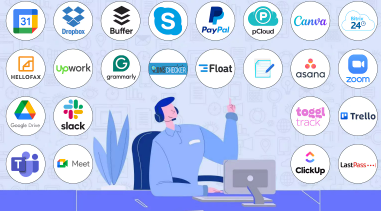
Are you ready to boost your productivity and make your virtual assistant work smoother than ever? Choosing the right tools can transform your daily tasks from overwhelming to effortless.
Whether you’re managing schedules, tracking projects, or collaborating with clients, the best virtual assistant tools are designed to save you time and keep you organized. You’ll discover top tools that fit every need and skill level—helping you work smarter, impress your clients, and grow your business.
Keep reading to find out which tools can become your secret weapons for success.

Credit: hubstaff.com
Top Project Management Tools
Effective project management is key for virtual assistants to stay organized and meet deadlines. The right tools simplify task tracking and team collaboration. Several popular platforms offer features that help manage projects smoothly. These tools improve workflow and boost productivity.
Asana Features And Benefits
Asana helps organize work through tasks and projects. It allows setting deadlines and priorities. You can assign tasks to team members easily. The platform offers calendar views and progress tracking. Asana integrates with many other apps. This makes communication and file sharing simple. It suits teams of all sizes and types. Users find it easy to learn and use. Learn more about Asana.
Trello For Task Organization
Trello uses a card and board system to manage tasks. Each board represents a project, and cards show individual tasks. You can move cards between columns like “To Do” and “Done.” This visual style helps keep work clear and flexible. Trello supports checklists, labels, and due dates. It works well for small projects and simple workflows. Trello also offers mobile and desktop apps for convenience. Learn more about Trello.
Clickup Capabilities
ClickUp combines many project management features in one place. It offers task lists, timelines, and goal tracking. Users can customize views to fit their needs. ClickUp supports time tracking and document sharing. It allows collaboration through comments and notifications. The platform works for both individual assistants and teams. Many find it useful for managing complex projects. Learn more about ClickUp.
Monday.com Overview
Monday.com provides a flexible workspace for managing projects. It uses boards with customizable columns. You can track task status, assign owners, and set due dates. The tool offers automation to reduce manual work. Visual dashboards help monitor progress at a glance. Monday.com integrates with popular tools like Slack and Google Drive. It suits teams that need clear workflows and strong communication. Learn more about Monday.com.
Communication And Collaboration Apps
Communication and collaboration apps are essential for virtual assistants. They keep teams connected and projects on track. These tools allow instant messaging, video calls, and file sharing. They help reduce misunderstandings and speed up work. Choosing the right app improves productivity and teamwork.
Slack For Team Chat
Slack offers a simple way to chat with team members. It organizes conversations into channels based on topics or projects. You can send direct messages or share files easily. Slack supports integrations with many other tools. It keeps all communication in one place for quick access. Learn more about Slack.
Zoom And Google Meet For Meetings
Zoom and Google Meet are popular video meeting platforms. They support group video calls with clear audio and video. Both allow screen sharing to show presentations or documents. Scheduling and joining meetings is simple. These apps make remote meetings feel more personal and productive.
Microsoft Teams Integration
Microsoft Teams combines chat, meetings, and file storage in one app. It integrates well with Microsoft Office tools like Word and Excel. Teams supports group chats and video calls. It helps virtual assistants collaborate on documents in real time. This integration improves efficiency and teamwork.
Scheduling And Time Tracking
Efficient scheduling and accurate time tracking are vital for virtual assistants. These tasks help manage daily activities and boost productivity. Using the right tools simplifies appointment setting and monitors work hours. This section highlights top tools that support these essential functions.
Calendly For Appointments
Calendly offers an easy way to schedule meetings without back-and-forth emails. It syncs with your calendar to show available times. Clients pick a slot that fits their schedule. Automatic reminders reduce no-shows and keep everyone on track. The interface is clean and user-friendly, making scheduling quick and painless.
Apploye Time Management
Apploye helps track work hours and monitor productivity. It records time spent on tasks and breaks. Screenshots and activity levels provide insights into work habits. The tool supports remote teams by ensuring transparency. Reports help analyze performance and improve time use.
Toggl Track Overview
Toggl Track is a simple yet powerful time tracker. It works on desktops and mobile devices. Start and stop timers with one click to log work periods. Toggl offers detailed reports that show how time divides among projects. The tool integrates with many apps to streamline workflow.

Credit: www.mightycall.com
Cloud Storage And File Sharing
Cloud storage and file sharing tools are essential for virtual assistants. They help store documents safely and share files with clients or team members. These tools improve collaboration and save time. Choosing the right cloud storage can boost productivity and keep work organized.
Google Drive Advantages
Google Drive offers 15 GB of free storage for all users. It supports various file types like documents, spreadsheets, and presentations. Users can easily share files with others and set permissions. Google Drive integrates with Google Workspace apps for smooth teamwork. Real-time editing lets multiple people work on one file simultaneously.
Dropbox Features
Dropbox provides simple file syncing across devices. It allows users to create shared folders for easy collaboration. Dropbox Paper offers a space for notes and project planning. The tool has strong file recovery and version history options. Dropbox supports many third-party app integrations for better workflow.
Onedrive Integration
OneDrive works well with Microsoft Office tools like Word and Excel. It offers 5 GB of free storage with options to upgrade. Users can share files and folders with control over editing rights. OneDrive syncs files across Windows and mobile devices automatically. It helps keep all your important files in one place.
Accounting And Bookkeeping Tools
Managing finances is a key task for virtual assistants. Accurate accounting and bookkeeping keep business operations smooth and clients happy. The right tools simplify tracking expenses, invoicing, and financial reporting. These tools save time and reduce errors.
Choosing effective accounting software helps virtual assistants stay organized. It also improves client trust by ensuring transparency and accuracy in financial matters. Here are some top tools designed to support virtual assistants in financial management.
Quickbooks For Financial Management
QuickBooks offers a user-friendly platform for managing income and expenses. It supports invoicing, payment tracking, and tax preparation. Virtual assistants can easily generate reports to monitor cash flow and profits. The software integrates with many bank accounts for automatic updates. It suits small to medium-sized businesses well.
Freshbooks Benefits
FreshBooks focuses on invoicing and time tracking. It allows virtual assistants to bill clients accurately for hours worked. The tool provides simple expense tracking and client management features. It also sends automatic payment reminders to clients. FreshBooks has a clean interface that is easy to navigate.
Xero For Virtual Assistants
Xero delivers cloud-based accounting with real-time data access. It helps virtual assistants reconcile bank transactions quickly. The platform supports multi-currency and multiple user access. Xero also offers detailed financial reports and seamless integration with other business apps. It works well for assistants managing several clients.
Ai-powered Virtual Assistants
AI-powered virtual assistants have transformed how virtual assistants work. They simplify tasks and boost productivity. These assistants use artificial intelligence to handle scheduling, communication, and data management. They learn user preferences to provide tailored support. Their ability to automate routine jobs frees up time for more important work.
Several AI tools stand out for virtual assistants. Each offers unique features that help manage tasks efficiently. Explore the capabilities of Saner.AI, ChatGPT combined with Notion AI, and the Microsoft Copilot alongside Gemini. Understanding these tools helps virtual assistants choose the right aid for their daily needs.
Saner.ai Capabilities
Saner.AI focuses on automating administrative tasks. It manages emails, schedules meetings, and organizes files. The tool uses natural language processing to understand commands. It also integrates with popular apps, ensuring smooth workflows. Saner.AI adapts to user habits, improving accuracy over time. Its simple interface suits beginners and experienced users alike.
Chatgpt And Notion Ai
ChatGPT excels at generating human-like text for emails and reports. It helps virtual assistants draft clear and concise messages quickly. Notion AI adds value by organizing notes and project details. Together, they streamline content creation and information management. These tools reduce manual writing and improve communication clarity. They support collaboration by keeping all data in one place.
Microsoft Copilot And Gemini
Microsoft Copilot integrates AI into Microsoft 365 apps. It assists with writing, data analysis, and presentations. Gemini enhances this by providing smarter suggestions and insights. These tools help virtual assistants handle complex documents and spreadsheets. They speed up research and improve decision-making. Their seamless integration boosts productivity within familiar software.
Free Tools For Beginners
Starting as a virtual assistant can feel overwhelming. Free tools help beginners learn and grow without extra costs. These tools cover many tasks like scheduling, communication, and task management. Using no-cost software allows beginners to focus on building skills and gaining confidence.
Best No-cost Software Options
Many free apps provide essential features for virtual assistants. Trello offers simple boards and cards to track tasks and projects. Asana helps organize work with deadlines and priorities. Slack supports clear communication with teams and clients. Google Workspace includes Docs, Sheets, and Drive for easy file sharing and collaboration. Calendly simplifies scheduling meetings without back-and-forth emails. These tools have free plans ideal for beginners. They also offer upgrades if more features become necessary.
Getting Started With Free Apps
Pick one or two tools to avoid confusion. Start with a task manager like Trello or Asana. Create simple projects and add tasks to practice. Use Slack or Google Meet to communicate with clients or teammates. Try Calendly to manage appointments automatically. Spend time learning each app’s basic functions. Practice daily to improve speed and comfort. Most free tools provide tutorials or help centers. Use these resources to solve problems quickly. Step-by-step use builds habit and efficiency. This approach helps beginners handle real work confidently.

Credit: www.myoutdesk.com
High-paying Virtual Assistant Niches
High-paying virtual assistant niches offer opportunities to earn more by specializing in specific tasks. Choosing the right niche helps you stand out and attract better clients. These niches require unique skills and knowledge that many businesses need.
Focusing on these areas can lead to steady work and higher pay rates. Here are some of the top high-paying niches for virtual assistants.
Social Media Management
Social media management involves creating and scheduling posts. Managing accounts on platforms like Facebook, Instagram, and Twitter is common. Virtual assistants help grow followers and engage with audiences. Many businesses pay well for effective social media support. Skills in content creation and analytics improve success in this niche.
E-commerce Support
E-commerce support includes managing online stores and customer service. Tasks often cover product listings, order processing, and handling returns. Virtual assistants in this niche keep stores running smoothly. Knowledge of platforms like Shopify or Amazon is valuable. E-commerce is growing fast, making this niche highly profitable.
Content Writing And Editing
Content writing and editing require strong language skills. Writing blogs, articles, and website copy is common. Editing improves clarity, grammar, and style of texts. This niche suits virtual assistants who enjoy working with words. High-quality content helps clients attract and keep customers, increasing demand.
Bookkeeping And Finance
Bookkeeping and finance tasks include tracking expenses and invoices. Virtual assistants may manage budgets and prepare reports. Basic accounting knowledge is important here. Many small businesses need help with financial records. This niche often offers higher pay due to its specialized nature.
Tips For Maximizing Productivity
Maximizing productivity is key for virtual assistants. Efficient use of tools saves time and reduces stress. Smart strategies help manage workload and improve results. Focus on using your tools in ways that boost daily output and keep you organized.
Tool Integration Strategies
Combine tools that work well together. Link your calendar with task management apps. Use communication tools that sync with project trackers. Integration reduces manual work and cuts down switching between apps. This creates a smooth workflow and keeps information updated in real time.
Time Management Techniques
Set clear priorities for each day. Break tasks into small, manageable parts. Use timers to focus on one task at a time. Schedule breaks to avoid burnout. Track your time to find where you waste it. Adjust your schedule to fit your natural energy levels.
Automating Routine Tasks
Automate tasks like email sorting and appointment reminders. Use software to handle repetitive jobs like data entry. Set up templates for common messages and reports. Automation frees up time for complex and creative work. Regularly review automated tasks to keep them efficient and relevant.
Frequently Asked Questions
What Is The Best Software For Virtual Assistants?
The best software for virtual assistants includes Asana, Trello, ClickUp, Slack, and Google Workspace. These tools help manage tasks, communicate, and organize projects efficiently.
What Is The Highest Paid Niche In Va?
The highest paid niche in virtual assistance includes bookkeeping, social media management, e-commerce support, content writing, and financial administration. These areas demand specialized skills and offer better pay compared to general VA tasks.
Which Virtual Assistant Is The Best?
The best virtual assistant depends on your needs. Top choices include Connecteam for all-in-one tasks, Asana for project management, Slack for communication, Apploye for tracking, and Calendly for scheduling. Choose based on your specific tasks and workflow preferences.
Conclusion
Choosing the right virtual assistant tools saves time and boosts productivity. These tools help organize tasks and improve communication. Simple apps like Trello and Slack keep teams connected and projects on track. Scheduling tools, such as Calendly, make managing appointments easy.
Try different tools to find what suits your workflow best. Using the right tools makes virtual work smoother and more efficient. Start with a few and build your toolkit over time. Success comes with practice and the right support.