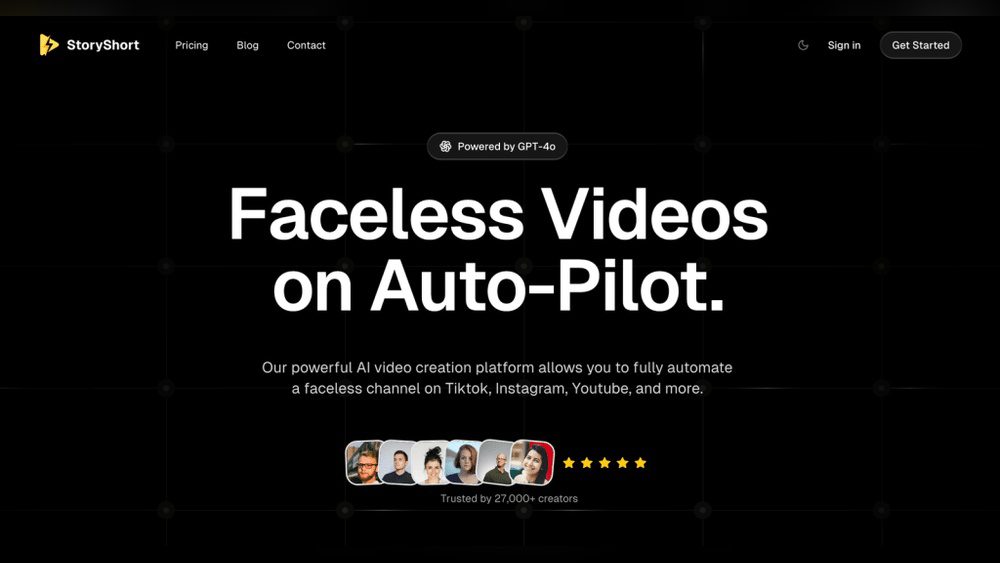
Are you curious about Storyshorts and whether it lives up to the hype? If you want to create engaging videos without showing your face or spending hours editing, Storyshorts might be the tool you’ve been searching for.
But is it really worth your time and money? In this review, you’ll discover the real pros and cons, user experiences, and whether StoryShort can truly simplify your content creation. Keep reading to find out if Storyshorts is the right fit for your creative goals.
Credit: storyshort.ai
Storyshorts Ai Features
Storyshort AI features bring smart tools to video creation. These tools help users make engaging videos without complex skills. The AI focuses on making content easy and fast to produce. It suits creators who want quality videos without showing their face. The features include advanced voice options and wide format support.
Faceless Video Creation
Storyshort lets you create videos without appearing on camera. The AI generates visuals that match your script automatically. This saves time and effort in filming and editing. It is perfect for those who prefer privacy or want quick content. Users can produce professional videos using only text input.
Natural Voice Options
The platform offers natural-sounding voiceovers for videos. You can choose from several voice styles and tones. These voices sound clear and human-like, making videos more engaging. The option to upload your own voice is available too. It helps personalize content while keeping it easy to create.
Supported Video Formats
Storyshort supports many popular video formats for export. This includes MP4, MOV, and others used on social platforms. The variety ensures your videos work on YouTube, Instagram, and more. Users can select the best format for their needs. This flexibility helps share videos widely without issues.
User Experience Insights
User experience plays a key role in understanding Storyshorts. It reveals how users interact with the platform daily. Insights from real users help paint a clear picture of its strengths and weaknesses. This section explores important aspects like ease of use, content quality, and customer support feedback.
Ease Of Use
Users often describe Storyshorts as simple and user-friendly. The interface is clean, which helps new users get started quickly. Navigation is straightforward, with clear buttons and menus. Many users appreciate how fast they can create videos without technical skills. Some mention occasional glitches but say they are rare and not disruptive.
Content Quality
Storyshorts delivers good quality video content for most users. The AI-generated voices sound natural and clear. Users like the variety of video styles available. Some users point out that content sometimes feels generic or repetitive. Overall, the platform meets expectations for quick and engaging video creation.
Customer Support Feedback
Customer support receives mixed reviews from Storyshorts users. Several users praise the quick response time and helpful staff. Others report delays or unanswered questions. The support team is active on social media and email but could improve availability. Users appreciate when issues are resolved smoothly and professionally.
Pricing And Plans
The pricing and plans of Storyshorts play a key role in choosing this tool. Understanding costs helps decide if it fits your budget. Storyshorts offers different options to meet various needs. This section breaks down the pricing, trial offers, and value for money.
Subscription Costs
Storyshorts has a monthly subscription model. The base plan costs $39 per month. This plan gives access to core features and regular updates. Higher-tier plans may include extra tools and faster support. No hidden fees appear after signup. You pay one price for all basic services.
Free Trial Availability
A free trial lets users test Storyshorts before buying. The trial period lasts seven days. During this time, you can explore most features. No payment details are required upfront. This trial helps beginners understand the platform’s benefits. It reduces the risk of spending on unsuitable software.
Value For Money
Storyshorts offers good value for its price. The tool saves time by automating video creation. It removes the need for advanced editing skills. Natural voiceovers add professional quality to content. Many users find it worth the monthly fee. The free trial also adds confidence before purchase. You can learn more about Storyshorts pricing here.

Credit: moralreview.com
Comparisons With Similar Tools
Comparing Storyshorts with other AI video tools helps understand its strengths and weaknesses. Many AI video makers offer similar features, but subtle differences affect user experience and output quality. This section explores how Storyshorts stacks up against competitors.
Storyshorts Vs Other Ai Video Makers
Storyshorts focuses on creating faceless videos quickly. It uses AI to convert text into engaging videos without needing a camera. Other tools may require more manual editing or video footage.
Compared to some AI video makers, Storyshorts offers a simpler interface. It targets beginners and small creators. Some alternatives provide advanced editing but can be complex.
The video quality of Storyshorts is good for social media posts. Some competitors deliver higher resolution but need more user input. Storyshorts balances ease of use with decent output.
Unique Selling Points
Storyshorts does not require users to appear on camera. This feature suits content creators who prefer privacy. It also offers natural-sounding AI voices that improve video appeal.
Another unique point is its wide template library. Users can select styles matching their brand or message. The platform automates video creation, saving time and effort.
Integration with social media platforms allows easy sharing. Users can post videos directly to channels. This automation supports consistent content delivery without extra steps.
Limitations To Consider
Storyshorts has limited customization options compared to some tools. Users seeking advanced editing might find it restrictive. The AI voices, though natural, lack variety in accents.
The software depends heavily on internet speed for smooth operation. Slow connections can cause delays or errors. Also, the free plan has limited features, pushing users to paid versions.
Storyshorts may not suit projects needing complex animations or graphics. It is best for straightforward video creation. Understanding these limits helps set realistic expectations.
Real User Reviews
Real user reviews provide valuable insight into Storyshorts’ performance. They reveal how actual users experience the platform. These reviews help potential users understand both strengths and weaknesses. Below, we explore real feedback from various sources to give a balanced view.
Positive Experiences
Many users praise Storyshorts for its ease of use. The platform lets creators make videos without appearing on camera. Users find the voice options natural and clear. Several mention saving time on video editing. The tool supports different video styles, which users enjoy. Overall, many feel Storyshorts simplifies content creation.
Common Complaints
Some users report issues with customer support response times. A few mention occasional glitches during video generation. Others find the pricing a bit high for their budget. Some expect more customization options for videos. A small group feels the AI voice needs improvement. These complaints show areas Storyshorts could enhance.
Trustpilot And Reddit Opinions
Trustpilot reviews show mixed ratings, with some users satisfied and others disappointed. Reddit discussions highlight both helpful tips and critiques from the community. Users share honest experiences and advice on these platforms. These forums offer a space for open user conversations. They help new users set realistic expectations.
Tips For Maximizing Storyshorts
Maximizing the potential of Storyshorts can greatly improve your video content results. Using the platform efficiently saves time and enhances video quality. The following tips focus on key areas to help you create engaging videos that reach more viewers.
Best Practices For Video Creation
Start with a clear and simple script. Keep your message short and easy to understand. Use high-quality images and clips that match your story. Make sure the audio is clear and loud enough. Test different styles to see what your audience prefers. Edit videos to remove any unnecessary parts. Add subtitles to make content accessible to all viewers.
Integrating With Social Media
Share your Storyshorts videos on multiple platforms. Customize video formats for each social network. Use catchy titles and descriptions to attract clicks. Post videos at times when your audience is most active. Engage with viewers by responding to comments quickly. Use platform tools to track video performance. Encourage followers to share your videos with friends.
Avoiding Common Pitfalls
Avoid making videos too long or complicated. Do not overload videos with too much text or images. Check for spelling and grammar errors before publishing. Do not ignore viewer feedback and suggestions. Avoid using low-quality visuals or sound. Do not post videos without a clear purpose or goal. Stay consistent with your video style and posting schedule.

Credit: www.digitalizelife.com
Frequently Asked Questions
Is Story Spark Ai Legit?
Story Spark AI is a legitimate tool designed for creating engaging stories quickly. Users report effective, easy-to-use features.
Is Storyshort Ai Free To Use?
Storyshort AI offers a free trial with limited features. Full access requires a paid subscription.
Is The 15 Minute Plan Ai Legit?
The 15 Minute Plan AI is legit and helps users create effective plans quickly. Many users report positive results.
Conclusion
Storyshorts offers an easy way to create videos without showing your face. The tool suits beginners and busy creators who want quick content. Voices sound natural, and editing is simple to learn. Some users mention issues, but many find it helpful for fast video making.
Overall, Storyshorts can save time and effort for content creators. Try it to see if it fits your needs and style.