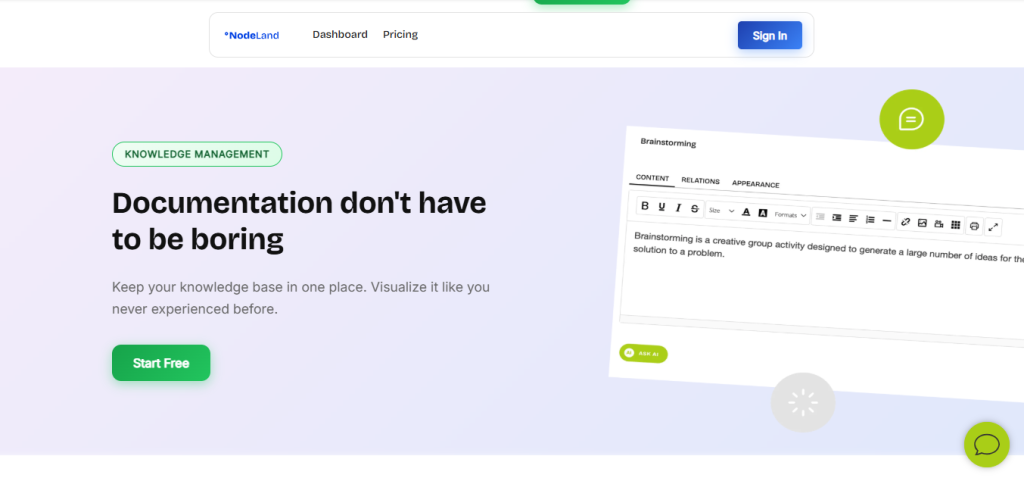
Are you looking for a tool that can help you organize your thoughts, brainstorm ideas, and boost your productivity? NodeLand might just be what you need.
Whether you’re a student, professional, or creative thinker, understanding how NodeLand works and what real users say can save you time and money. In this review, you’ll discover the key features, benefits, and drawbacks of NodeLand—so you can decide if it’s the right fit for your workflow.
Keep reading to uncover honest insights that will help you make a smart choice.
What Is Nodeland
NodeLand is a software tool designed for mind mapping and note-taking. It helps users organize ideas visually. This makes complex information easier to understand and share.
The app works well for individuals and teams. It supports brainstorming, planning, and project management. Users can create maps that link thoughts and data clearly.
What Nodeland Offers
NodeLand provides a visual workspace for thinking and creating. It allows users to build mind maps with infinite zoom. This means you can add many nodes without clutter.
The tool also lets you customize nodes with colors and styles. This helps highlight important points and organize information better. It supports collaboration, so teams can work together smoothly.
How Nodeland Works
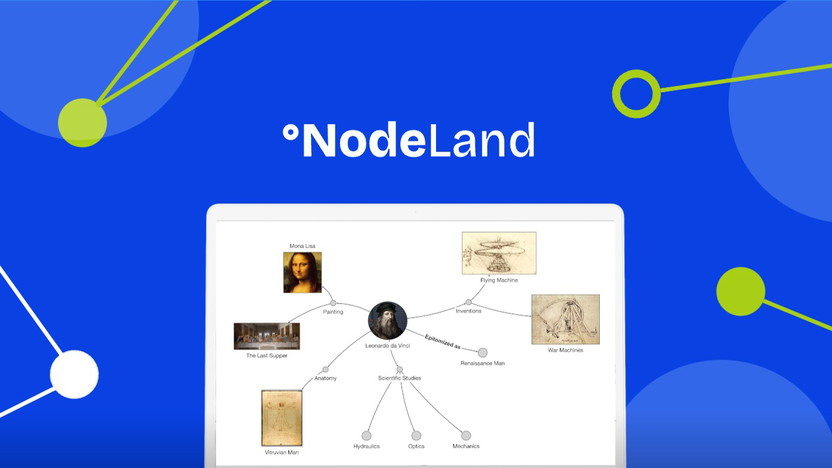
The interface is simple and user-friendly. You start by adding nodes representing ideas or topics. These nodes connect with lines to show relationships.
Users can expand or collapse sections of the map. This keeps the workspace neat and focused. The app also includes AI features to enhance note-taking and idea generation.
Who Uses Nodeland
People in many fields use NodeLand. Students find it useful for taking and organizing notes. Professionals use it for project planning and teamwork.
Startups and creative teams benefit from its visual approach. It helps explain concepts clearly and share ideas effectively. Anyone needing a clear structure for their thoughts can use NodeLand.
Key Features
NodeLand offers several standout features that enhance note-taking and idea organization. These features make it easy to capture thoughts, create mind maps, and collaborate with others. The interface is designed to keep your workflow smooth and efficient. Below are some key features that users find most helpful.
Ai-powered Note Taking
NodeLand uses artificial intelligence to help you take notes faster. It suggests ideas and organizes your thoughts automatically. This feature saves time and reduces manual work. Your notes become clearer and more structured without extra effort.
Mind Map Creation
Creating mind maps is simple with NodeLand. You can turn your notes into visual maps that show connections between ideas. This helps you see the big picture and understand complex topics. The process is intuitive and requires no special skills.
Collaborative Workspace
NodeLand allows multiple users to work on the same project at once. Teams can share ideas and update notes in real time. This feature improves communication and keeps everyone on the same page. It’s perfect for group projects and remote work.
Infinite Zoom Functionality
The infinite zoom feature lets you explore your mind maps without limits. You can zoom in for details or zoom out for an overview. This helps you manage large sets of ideas easily. It makes navigation smooth and keeps your workspace organized.
User Experience
User experience plays a vital role in the success of any software. NodeLand focuses on making its platform simple and enjoyable to use. This section explores how NodeLand performs in terms of user experience, specifically ease of use, interface design, and customization options.
Ease Of Use
NodeLand offers a smooth and straightforward experience. New users can start creating mind maps without a steep learning curve. The controls are intuitive and responsive. Tasks such as adding nodes or connecting ideas require just a few clicks. This simplicity helps users focus on their ideas rather than the tool itself.
Interface Design
The interface is clean and well-organized. NodeLand uses clear icons and a balanced layout. Colors are soft and not distracting. Users can easily find features and tools. The design supports quick navigation and reduces clutter. This makes working on complex projects less overwhelming.
Customization Options
NodeLand provides several customization choices to suit different needs. Users can change node colors, shapes, and sizes. The app allows adjusting fonts and backgrounds. This flexibility helps create maps that match personal or team preferences. Customization improves clarity and helps highlight important information.
Credit: appsumo.com
Performance And Reliability
Performance and reliability are key factors for any software tool, including NodeLand. Users expect smooth operation without delays or crashes. Reliable software ensures tasks get done efficiently. NodeLand aims to meet these expectations with its design and technology. Below, we explore its speed, stability, and device support to see how well it performs in real use.
Speed And Responsiveness
NodeLand loads quickly and responds fast to commands. Creating and editing mind maps happens without lag. Users notice smooth zooming and navigation within large projects. This speed helps maintain focus and workflow. Slowdowns are rare, even with many nodes on screen.
Stability
NodeLand runs steadily without frequent crashes or errors. The app handles complex maps well, avoiding freezes. Updates improve stability by fixing bugs and enhancing performance. Users can trust NodeLand to work reliably during important sessions. Stability reduces frustration and saves time.
Mobile And Desktop Support
NodeLand works on both mobile devices and desktop computers. The interface adapts to different screen sizes for easy use. Synchronization keeps data consistent across platforms. Mobile support allows note-taking and mapping on the go. Desktop use offers a larger workspace and more power.
Pricing And Value
Understanding the pricing and value of NodeLand helps you decide if it fits your needs. NodeLand offers competitive prices and features that many users find worthwhile. Let’s explore how its cost compares, the delivery options, and the overall value it provides.
Cost Comparison
NodeLand is priced at $19.00, which is affordable for most users. Compared to similar mind mapping tools, it offers a lower entry cost. Many alternatives charge more for similar features. This price makes NodeLand accessible for students and professionals alike.
Free Delivery And Offers
NodeLand includes free delivery with every purchase. This means no extra fees or hidden costs at checkout. Occasionally, users find special offers on platforms like AppSumo. These deals can add extra value without raising the price.
Value For Money
NodeLand balances price and features well. It provides powerful AI-powered mind mapping without a high cost. Users gain access to easy-to-use tools that boost productivity. The software’s features often exceed expectations for its price point. Read this article to learn more about about Nodeland Pricing.
Pros And Cons
Understanding the pros and cons of NodeLand helps users decide if it fits their needs. This section highlights key advantages and limitations. It offers a balanced view for clearer judgment.
Advantages
- Simple and clean interface makes note-taking easy.
- AI-powered features enhance idea organization quickly.
- Supports infinite zoom for detailed mind maps.
- Allows color changes for better visual distinction.
- Affordable pricing offers great value for users.
- Collaborative tools help teams work on projects together.
- Works well for both individuals and startups.
Limitations
- Some advanced features may require learning time.
- Limited offline functionality restricts use without internet.
- Occasional bugs reported in complex mind maps.
- Lacks integration with certain popular third-party apps.
- Customization options can feel basic to power users.
- Mobile app experience is not as smooth as desktop.
User Reviews And Ratings
User reviews and ratings provide valuable insight into NodeLand’s real-world performance. They reflect user satisfaction and highlight key strengths and weaknesses. Analyzing these reviews helps potential users make informed decisions.
Positive Feedback
Many users praise NodeLand for its simple interface. The app makes mind mapping easy and intuitive. Users appreciate the affordable pricing, which suits budgets well. The AI-powered features receive frequent compliments for boosting productivity. Collaborative tools also get positive mentions for enhancing teamwork. Users find it helpful for organizing ideas visually. This makes it a popular choice among students and professionals.
Common Complaints
Some users report occasional bugs that affect smooth use. A few mention limited customization options in maps. The mobile app experience is not as strong as desktop. Others want more integrations with other software tools. A small number find the learning curve a bit steep at first. Despite these issues, many users still find NodeLand useful overall.
Ideal Use Cases
NodeLand suits many needs with its flexible mind mapping and note-taking features. It works well across different groups and tasks. Here are ideal use cases where NodeLand stands out.
For Startups And Teams
Startups benefit from NodeLand’s clear visual maps. Teams can brainstorm ideas and plan projects together. It helps keep everyone on the same page. Collaboration happens in real time, reducing confusion. The app supports quick updates and easy sharing. This streamlines workflows and boosts productivity.
For Individual Creators
Creators find NodeLand useful for organizing thoughts and projects. Writers map storylines and plot ideas visually. Designers plan concepts with clear structure. The tool helps track progress and refine details. It supports focus by making complex ideas simple. Users can revisit and edit notes anytime.
Educational Applications
Teachers use NodeLand to explain topics with visuals. Students create mind maps to study and remember. It encourages active learning through drawing and connecting ideas. The app supports group projects and presentations. It makes lessons more interactive and engaging. Visual learning improves understanding and retention.
Comparison With Competitors
Comparing NodeLand with its competitors helps to understand its unique place in the market. Many users want to see how it stacks up against other mind mapping and note-taking tools.
NodeLand offers features that focus on simplicity and visual organization. It appeals to people who prefer clear and straightforward interfaces without extra clutter.
Ease Of Use Compared To Competitors
NodeLand is easy to navigate for beginners. Its clean design reduces confusion during use. Some competitors have more complex menus and options that slow users down.
This simplicity helps users start mapping ideas quickly. It avoids overwhelming users with too many features at once.
NodeLand provides good value with its affordable pricing. Many competitors charge higher fees for similar features. This makes NodeLand a budget-friendly choice.
The balance between price and function suits individuals and small teams. It offers essential tools without costly extras.
Feature Set And Functionality
NodeLand’s key strength lies in its AI-powered mind map creation. Some competitors offer complex features but lack this AI support. This makes NodeLand stand out in idea visualization.
The software supports collaboration and easy sharing. While other apps may have more integrations, NodeLand focuses on core mind mapping tools.
Collaboration And Sharing
NodeLand allows users to share mind maps with team members smoothly. Competitors may require multiple steps or extra plugins for sharing. This simple approach saves time and effort.
Real-time collaboration is supported, which is essential for teamwork. This feature is competitive with many similar tools on the market.
Tips For Getting Started
Starting with NodeLand can be simple and productive. This tool helps you organize ideas visually. Using it well improves your creativity and planning.
Follow these tips to get the best results fast. They guide you through the basics step-by-step.
Choose The Right Template
NodeLand offers many templates for different needs. Pick one that fits your project type. This saves time and helps focus your work.
Start With Simple Nodes
Create basic nodes first. Use short phrases or keywords. This approach keeps your map clear and easy to expand later.
Use Colors To Organize
Colors help separate ideas visually. Assign different colors to topics or priorities. It makes your mind map easier to understand.
Explore Zoom And Navigation
NodeLand lets you zoom in and out smoothly. Practice moving around your map. This helps when your map grows large and detailed.
Save And Review Often
Save your work regularly to avoid losing ideas. Review your map to improve connections. This habit keeps your project organized and clear.
Frequently Asked Questions
What Is Nodeland And How Does It Work?
NodeLand is a mind mapping tool that helps organize ideas visually using notes and maps.
Is Nodeland Suitable For Beginners Or Advanced Users?
NodeLand is easy to use for beginners but also offers features useful to advanced users.
What Are The Main Benefits Of Using Nodeland Software?
NodeLand improves idea clarity, teamwork, and note organization with simple, visual mapping tools.
Conclusion
NodeLand offers a simple way to organize thoughts visually. Users appreciate its easy interface and useful AI features. It helps turn ideas into clear mind maps quickly. The affordable price makes it a practical choice for many. Some users wish for more advanced options in the future.
Overall, NodeLand serves well for brainstorming and note-taking tasks. It fits both individuals and teams looking to plan better. Give it a try to see how it suits your needs.