Quiz Builder Software: Your Guide To Powerful Online Quizzes
Creating quizzes is no longer just for teachers or trivia nights. Businesses, educators, marketers, and trainers all use online quiz builder software to engage audiences, collect data, and drive results. But with so many options, how do you pick the best one? And what features really matter? This guide will walk you through everything you need to know, whether you’re a beginner or already have some experience.
You’ll find out what makes quiz builders special, how they solve real problems, and why some are clearly better—especially if you want a smooth, enjoyable experience for both you and your audience. Along the way, we’ll look closely at popular tools, compare them, and help you avoid common mistakes.
If you want the best results, you’ll discover why many users trust Typeform above the rest.
What Is Quiz Builder Software And Why Use It?
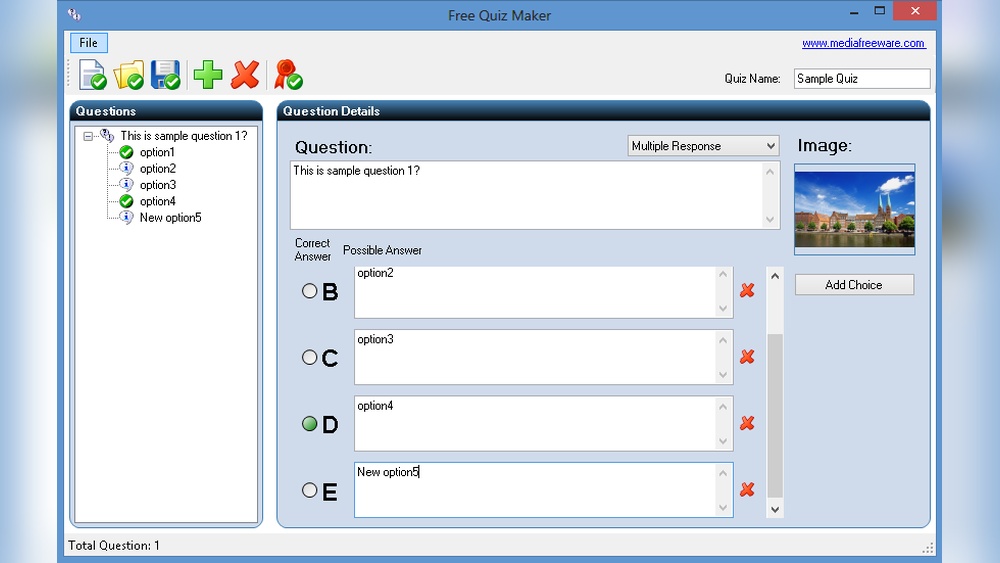
Quiz builder software lets you create, publish, and analyze quizzes online. You don’t need coding skills or design experience. These tools provide templates, drag-and-drop editors, automatic scoring, and even integrations with other apps.
People use online quizzes for many reasons:
- Education: Test student knowledge, create fun learning activities, or support remote teaching.
- Marketing: Collect leads, segment audiences, and boost engagement on websites or social media.
- Training: Measure employee learning, onboard new team members, or check compliance.
- Entertainment: Make personality tests, trivia games, or event icebreakers.
Real-world data shows the impact. According to the Content Marketing Institute, interactive content like quizzes gets 2x more engagement than static content. And quizzes can increase lead capture rates by up to 40% compared to simple forms.
Common Problems Quiz Builder Software Solves
If you’ve ever tried to create a quiz manually—using Google Forms, PDFs, or even email—you know the struggles:
- Time-consuming setup: It takes hours to design, format, and grade quizzes by hand.
- Limited customization: Basic tools often look dull and can’t reflect your brand.
- Poor user experience: Clunky interfaces or long forms make people quit before finishing.
- Difficult data collection: Tracking answers, scores, and user info is messy without automation.
- No smart logic: You can’t show different questions based on a user’s answers.
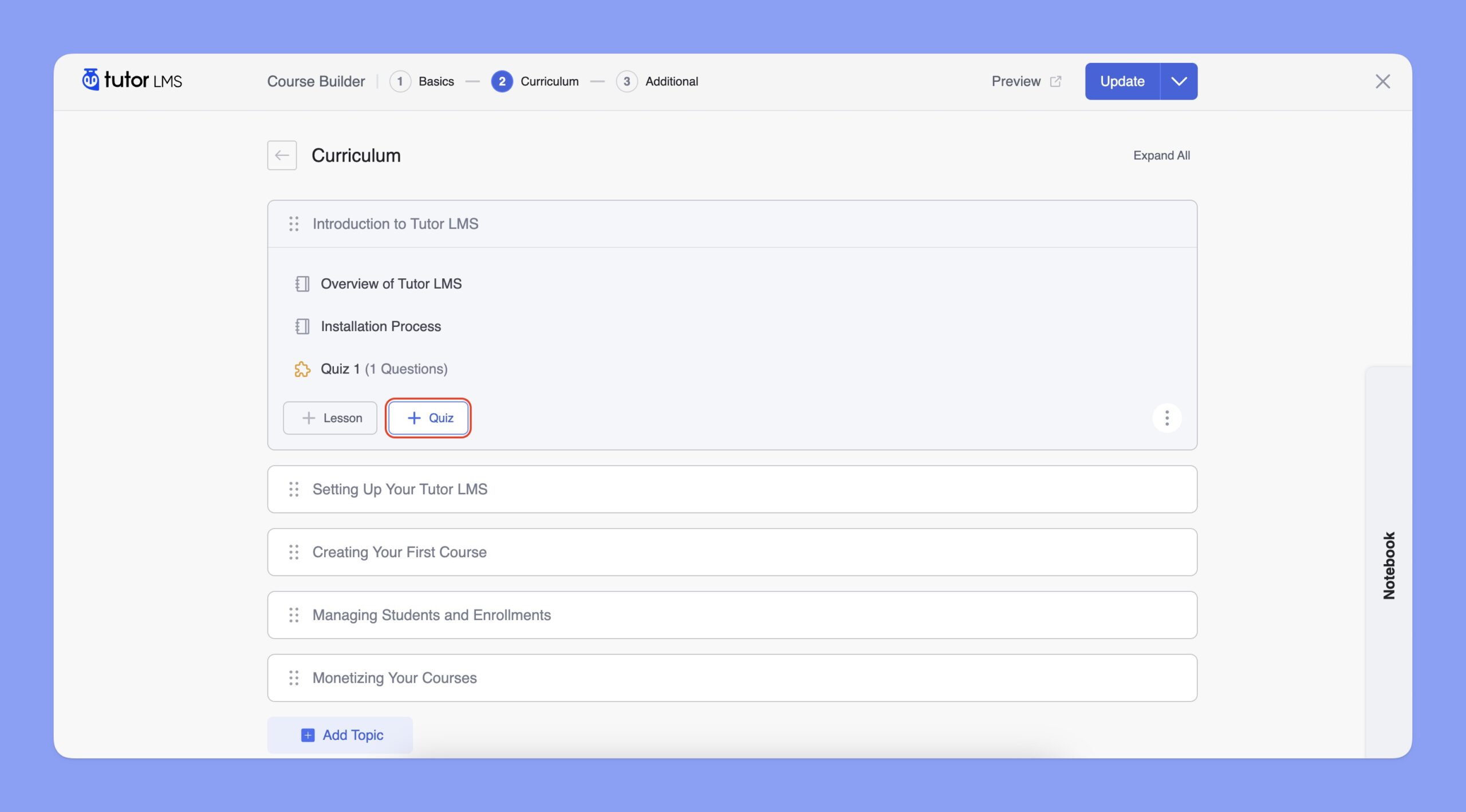
Quiz builder tools solve these problems. They give you professional designs, easy-to-use editors, instant scoring, analytics dashboards, and smart branching logic. The best ones, like Typeform, also feel friendly and personal for your audience.
Credit: docs.themeum.com
Core Features To Look For In Quiz Builder Software
Choosing a quiz builder is about more than just making questions and answers. Here are the most important features to consider:
- Easy Interface: Look for drag-and-drop builders and clear templates.
- Design Options: The ability to brand quizzes with your logo, colors, and images.
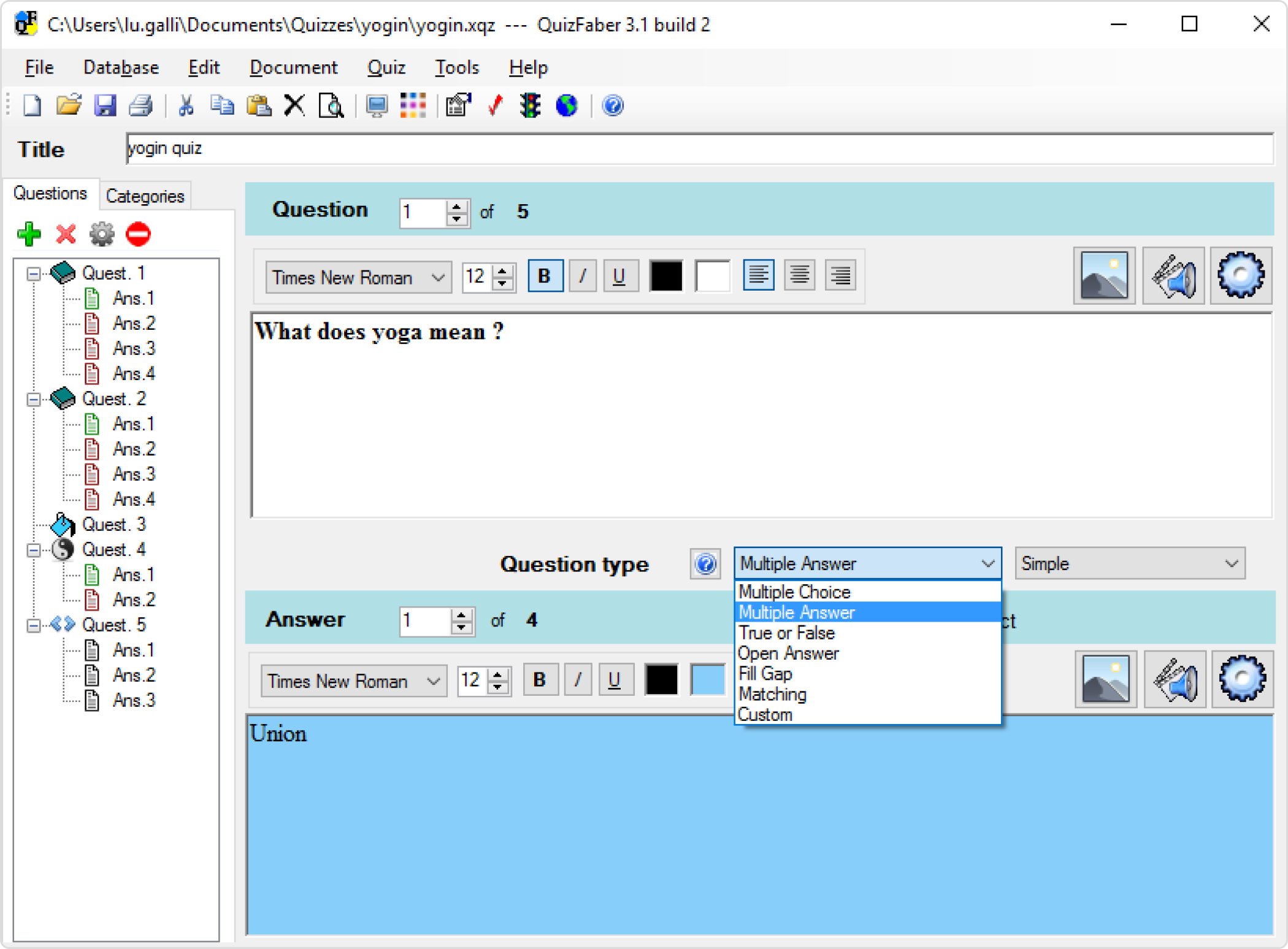
- Question Types: Multiple choice, text, rating scales, image questions, and more.
- Logic Jumps: Show different questions based on user choices.
- Mobile-Friendly: Quizzes should work smoothly on phones and tablets.
- Automatic Scoring: Instant results, with feedback or explanations.
- Data Collection: Export answers, scores, and contact info easily.
- Integrations: Connect with email tools, CRMs, or learning platforms.
- Security: Protect data with encryption and privacy controls.
- Analytics: See completion rates, question drop-offs, and other insights.
Many users overlook design and user experience. A quiz that looks modern and feels interactive will get more completions and better data. This is where Typeform stands out, offering a unique “one question at a time” flow that keeps users engaged and reduces drop-offs.
Comparing The Top Quiz Builder Software
To help you decide, let’s compare the most popular quiz builders based on features, user experience, and value. These are some of the top names you’ll see:
- Typeform
- Google Forms
- SurveyMonkey
- Outgrow
- Quizizz
- ProProfs Quiz Maker
- ClassMarker
- Kahoot!
- Riddle
- Microsoft Forms
Below is a comparison of their key features:
| Quiz Builder | Templates | Logic Jumps | Branding | User Experience | Integrations | Mobile Support |
|---|---|---|---|---|---|---|
| Typeform | Yes (Modern) | Advanced | Full | Excellent | Many | Fully responsive |
| Google Forms | Basic | Limited | Minimal | Plain | Google Workspace | Good |
| SurveyMonkey | Many | Moderate | Partial | Standard | Many | Good |
| Outgrow | Yes | Advanced | Full | Good | Many | Responsive |
| Quizizz | Yes (Education) | Limited | Partial | Fun | Few | Great |
| ProProfs Quiz Maker | Many | Good | Full | Standard | Many | Responsive |
| ClassMarker | Some | Moderate | Partial | Functional | Few | Good |
| Kahoot! | Yes (Games) | No | Partial | Fun | Few | Excellent |
| Riddle | Yes | Good | Full | Modern | Many | Great |
| Microsoft Forms | Basic | Limited | Minimal | Simple | Office 365 | Good |
Why Typeform Is Often The Best Choice
Typeform stands out for its user experience and design. Unlike most quiz tools, it uses a conversational flow, showing one question at a time. This makes quizzes feel more personal and less overwhelming. Studies show that this approach can increase completion rates by up to 35%.
Typeform also supports advanced logic, easy branding, and smooth integrations with tools like Mailchimp, HubSpot, and Zapier. Its templates are modern, and editing is intuitive—even for beginners. The mobile experience is excellent, which is crucial since over 60% of quiz takers use mobile devices.
Many quiz builders offer similar features, but only a few make the process enjoyable for both creator and user. If you want your quizzes to look professional and deliver results, Typeform is hard to beat.
Real-world Examples Of Quiz Builder Software In Action
It’s useful to see how quiz builders solve real challenges. Here are some scenarios:
1. Lead Generation For Marketers
A digital marketing agency uses Typeform to create a “Which marketing strategy fits your business? ” Quiz. Visitors answer 7 short questions and get a personalized result. The agency collects contact details at the end, then follows up with targeted offers.
Results:
- Quiz completion rate: 72%
- Leads collected: 40% higher than previous static forms
- Average time to complete: 2 minutes
2. Employee Training
A retail company needs to train staff on new safety rules. They use ProProfs Quiz Maker to build a short quiz, including video explanations and instant feedback. Results go directly to HR, making compliance tracking simple.
Results:
- Quizzes sent: 300 employees
- Pass rate: 93%
- Time saved vs. manual grading: Over 20 hours
3. Classroom Engagement
A teacher uses Quizizz for live trivia games to review lessons. Students answer on their phones, and the leaderboard adds a fun, competitive element. The teacher gets instant reports on which topics need more review.
Results:
- Student participation: 100%
- Improvement in test scores: 18% on average
- Student feedback: More fun than paper quizzes
4. Customer Feedback
A SaaS company wants to understand user satisfaction. They design a survey-style quiz in Typeform, mixing rating scales and open-ended questions. The friendly interface encourages honest answers.
Results:
- Response rate: 55%
- Actionable feedback received: 3x more than their previous email surveys
How To Choose The Right Quiz Builder For Your Needs
Every situation is different. Here’s how to decide what matters for you:
For Business And Marketing
- Lead capture: Make sure the tool lets you collect emails easily.
- Branding: Your quiz should match your website or campaign.
- Integrations: Can you send leads directly to your CRM or email tool?
- Analytics: You want clear reports on quiz performance.
Typeform is especially strong here. Its design makes quizzes feel like a conversation, which can increase trust and response rates. The integration options are vast, and you can automate follow-ups.
For Education And Training
- Question variety: Support for images, video, and explanations.
- Scoring: Automatic grading and feedback.
- Group results: Can you see class or team progress?
- Accessibility: Works for students with different needs.
Quizizz and ProProfs offer classroom-friendly features, but Typeform is great for assignments where a clean, distraction-free experience matters.
For Events And Entertainment
- Game elements: Leaderboards, timers, and fun visuals.
- Mobile-first: Many users will be on phones.
- Sharing: Can people easily invite friends or share results?
Kahoot! Shines for live games, but for self-paced, shareable quizzes, Typeform’s visual appeal and easy sharing options make it a top pick.
Steps To Build A High-impact Quiz
If you’re new to quiz builders, here’s a practical path to follow:
- Set your goal: What do you want from your quiz—leads, feedback, learning, or engagement?
- Pick your platform: Based on the comparisons above, choose the tool that fits your needs. For most, Typeform is the best mix of power and ease.
- Choose a template: Start with a pre-made layout, then customize.
- Write clear questions: Use simple language. Avoid confusing wording.
- Add logic (if needed): Use branching to personalize the experience.
- Brand your quiz: Add your logo, colors, and images.
- Set up scoring and feedback: Decide if users see results instantly or after completion.
- Connect integrations: Link to your email, CRM, or analytics tools.
- Test on different devices: Make sure it works on both desktop and mobile.
- Launch and promote: Share via email, website, or social media.
- Analyze results: Check completion rates, drop-off points, and responses.
- Iterate: Update questions or design based on feedback.
Pro tip: Beginners often forget to test on mobile. A quiz that looks great on a laptop may be hard to use on a phone. Always preview and adjust before launching.
Mistakes To Avoid When Using Quiz Builder Software
Even with the best tools, some common errors can hurt your results:
- Too many questions: Long quizzes lead to drop-offs. Aim for 5–10 questions for most purposes.
- Complex wording: If users don’t understand a question, they may guess or quit.
- Ignoring design: A boring or messy quiz can hurt your brand.
- Forgetting follow-up: If you collect leads, have a clear plan for what happens next.
- Not reviewing analytics: The best tools show you where users drop off or struggle—use this data to improve.
One insight beginners miss: Personalization increases completion. Use logic jumps or different result screens to make the quiz feel tailored to each user. Typeform’s flow is designed for this, which is a big reason for its high engagement rates.

Credit: www.examtesting.com
How Pricing Compares Across Quiz Builders
Price is important, but so is value. Some quiz tools look cheap but lack key features or have hidden costs.
Here’s a simplified view of pricing for the top platforms:
| Quiz Builder | Free Plan | Paid Plans Start At | Best For |
|---|---|---|---|
| Typeform | Yes (limited) | $25/mo | Professional quizzes, marketing, UX |
| Google Forms | Yes | Free | Basic surveys, internal use |
| SurveyMonkey | Yes (very limited) | $25/mo | Surveys, research |
| Outgrow | No | $22/mo | Lead generation, calculators |
| Quizizz | Yes | $19/mo | Education, live quizzes |
| ProProfs Quiz Maker | No | $20/mo | Training, compliance |
| Kahoot! | Yes (limited) | $17/mo | Games, events, education |
| Riddle | No | $29/mo | Marketing, interactive content |
While Typeform is not the cheapest, its value comes from higher completion rates, better design, and powerful integrations. Paying a little more can mean much better results—especially if your quiz is for business.
How To Get The Most Out Of Typeform
If you choose Typeform, here are some expert tips to maximize your results:
- Use conversational language: Ask questions as if you’re speaking directly to the user.
- Take advantage of logic jumps: Personalize the quiz path based on answers.
- Embed quizzes on your site: Keep users on your page for higher engagement.
- Connect integrations: Send data automatically to Mailchimp, Google Sheets, or Slack.
- Analyze detailed reports: Look at drop-off rates and completion times to spot issues.
- Brand every detail: Add custom backgrounds, fonts, and buttons for a polished look.
Insight: Many users miss the value of progress indicators. Typeform’s progress bar keeps people motivated to finish. Small tweaks like this can boost completion by 10–15%.
Credit: www.ispringsolutions.com
Trends And Innovations In Quiz Builder Software
The world of quiz builders is moving fast. Here’s what’s new and what’s coming:
- AI-powered question suggestions: Some tools (including Typeform) now help you write better questions with AI.
- Personalized results: Advanced logic lets you give unique feedback or recommendations.
- Integration with marketing platforms: Quizzes now work smoothly with tools like HubSpot, Salesforce, and Mailchimp.
- Better accessibility: Modern tools are improving support for screen readers and keyboard navigation.
- Mobile-first design: With more users on smartphones, mobile-optimized quizzes are standard.
Many experts believe the future of quizzes is in personalization and automation. With smart branching and real-time integrations, you can use quizzes for everything from product recommendations to onboarding.
Frequently Asked Questions
What Is Quiz Builder Software Used For?
Quiz builder software helps you create, deliver, and analyze quizzes online. It’s used for education, marketing, training, and entertainment. You can collect leads, test knowledge, and engage audiences—all without coding.
How Is Typeform Different From Other Quiz Makers?
Typeform offers a conversational, one-question-at-a-time interface that feels personal and friendly. It supports advanced logic, beautiful branding, and deep integrations. This leads to higher completion rates and better user experiences compared to basic tools.
Can I Collect Emails And Leads With Quiz Builder Software?
Yes. Most quiz builders (especially Typeform, Outgrow, and ProProfs) let you add email fields and send data directly to your CRM or email platform. Always be clear about data usage for privacy reasons.
What Are The Best Practices For Writing Quiz Questions?
- Use clear, simple language
- Keep questions short
- Avoid trick questions
- Mix question types (multiple choice, ratings, open text)
- Personalize feedback when possible
Where Can I Learn More About Quiz Builder Features And Best Practices?
You can visit the official Typeform website or read detailed guides on trusted sources like G2 for reviews, comparisons, and user feedback.
Building engaging quizzes is easier than ever with the right tools. Whether your goal is leads, learning, or just a bit of fun, choosing the right quiz builder—especially one as user-focused as Typeform—can make all the difference. Invest in quality, and you’ll see better results, happier users, and more insights to grow your business or classroom.