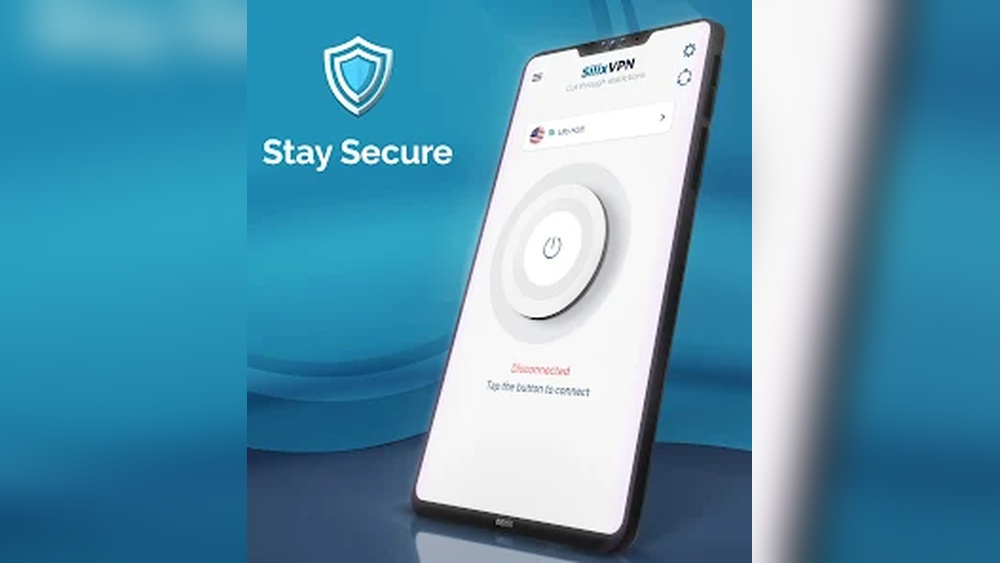
Looking for a way to protect your online privacy without any hassle? A simple VPN app might be exactly what you need.
Imagine browsing the web, streaming videos, or working on public Wi-Fi without worrying about hackers or prying eyes. This isn’t just about safety—it’s about giving you peace of mind every time you connect. Keep reading to discover how a simple VPN app can make your online life safer, faster, and easier than ever before.
Why Choose A Simple Vpn App
Choosing a simple VPN app can make online privacy easier for everyone. Complex VPNs often confuse users and slow down devices. A simple VPN app focuses on core features and clear design. It helps users connect quickly and stay secure without hassle.
Benefits Of Easy-to-use Vpns
Easy-to-use VPNs save time and reduce frustration. They offer fast setup with few steps. Users do not need special skills to operate them. Simple apps use less battery and work well on phones. They protect your data on public Wi-Fi without confusion. Simple VPNs keep your internet fast and stable. Clear interfaces help users understand their connection status.
Who Needs A Simple Vpn
Simple VPNs suit beginners and casual users. People who want basic privacy without extra options benefit most. Travelers need quick protection in airports and hotels. Students use them to access school resources safely. Workers connect to office networks from home. Anyone wanting to avoid ads and trackers online can choose simple VPNs. These apps meet everyday privacy needs without complexity.
Key Features To Look For
Choosing a Simple VPN app requires attention to important features. These features ensure safety, speed, ease, and device support. Each aspect affects your overall experience and protection online.
Security Protocols
Strong security protocols protect your data from hackers. Look for apps that use protocols like OpenVPN or WireGuard. These keep your connection safe and private. Avoid apps with weak or outdated protocols.
Speed And Performance
Fast speeds make browsing and streaming smooth. A good VPN app should not slow down your internet too much. Check for apps that offer reliable connections and stable speeds. This helps avoid buffering and delays.
User Interface Design
A clean and simple interface makes the app easy to use. Clear buttons and menus help you connect quickly. Choose an app that feels natural and does not confuse you. This saves time and frustration.
Compatibility With Devices
The VPN app should work on all your devices. It should support smartphones, tablets, and computers. Some apps also work on smart TVs and routers. Check device compatibility before downloading the app.
Setting Up Your Simple Vpn
Setting up your Simple VPN is quick and easy. Follow a few clear steps to get started. This guide helps you install the app, create an account, and adjust basic settings. You will be online with added privacy in no time.
Downloading And Installing
Begin by visiting the official Simple VPN website or your device’s app store. Find the app by searching for “Simple VPN.” Tap the download button to start the process. Wait a moment while the app installs on your device. After installation, open the app to move to the next step.
Creating An Account
Open the Simple VPN app to create a new account. Enter your email address and choose a strong password. Follow the instructions to verify your email. Verification helps protect your account and data. Once verified, log in using your new credentials.
Configuring Basic Settings
Access the settings menu inside the app. Select your preferred server location from the list. Enable the auto-connect feature for added security. Choose the protocol that suits your needs. Save your choices and return to the main screen. Your Simple VPN is ready to use.
Want more security? You can literally use VPN without your email signup!

Credit: play.google.com
Tips For Secure Browsing
Secure browsing is important for everyone using a Simple VPN app. It helps protect your data and privacy online. Small steps can make a big difference in keeping you safe.
Follow these tips to browse securely and enjoy peace of mind.
Choosing The Right Server Location
Select a server close to your real location for faster speeds. Choose servers in countries with strong privacy laws. Avoid servers in places known for heavy surveillance. This choice helps keep your data safer and your browsing smooth.
Avoiding Data Leaks
Data leaks expose your real IP address and personal info. Use VPN apps that have built-in leak protection. Check for DNS and WebRTC leak tests regularly. Avoid public Wi-Fi without a VPN to reduce risks. These steps prevent your data from slipping out.
Using Kill Switch Features
A kill switch stops all internet traffic if the VPN disconnects. This feature protects your identity from accidental exposure. Always enable the kill switch in your Simple VPN app settings. It keeps your connection safe even during network drops.
Boosting Vpn Speed
Boosting your VPN speed makes browsing smoother and faster. A slow VPN can cause frustration. Simple adjustments help improve your connection speed. Small changes bring big improvements.
Optimizing Connection Settings
Start by checking your VPN protocol. Some protocols work faster on certain networks. Choose UDP over TCP for faster speeds. Disable unnecessary features like double VPN or encryption layers. These features can slow your connection. Also, close apps using bandwidth in the background.
Selecting The Fastest Servers
Server choice affects your VPN speed greatly. Pick servers close to your physical location. Nearby servers reduce data travel time. Avoid crowded servers with many users. Test different servers to find the fastest one. Many VPN apps show server load to guide you.
Troubleshooting Common Issues
Slow VPN speed may come from your device or network. Restart your router and device to clear glitches. Check for software updates in your VPN app. Disable firewalls or antivirus temporarily to test impact. Switch between Wi-Fi and mobile data to compare speeds. These steps help find and fix speed problems.
Popular Simple Vpn Apps
Simple VPN apps help protect your online privacy with ease. They offer fast, easy connections without complex settings. Many apps focus on user-friendly designs to suit beginners. Choosing the right app depends on your needs and budget. The following sections highlight popular simple VPN apps.
Top Free Options
Free VPN apps provide basic protection at no cost. ProtonVPN offers strong security without data limits. Windscribe gives 10GB monthly with easy setup. TunnelBear has a fun interface and 500MB data free. Free apps are good for casual browsing and light use. They may have slower speeds and fewer server choices.
Best Paid Vpns
Paid VPNs deliver faster speeds and more features. ExpressVPN supports many devices and has strong encryption. NordVPN offers a large server network worldwide. Surfshark allows unlimited devices on one account. These apps include better privacy policies and 24/7 support. They cost a small monthly or yearly fee.
Comparing Features And Pricing
Free VPNs usually limit data and servers. Paid VPNs provide unlimited data and more locations. Some paid options add malware protection and ad blocking. Monthly prices range from $3 to $12 depending on the plan. Look for apps with easy controls and good reviews. Balance your needs with the features each app offers.
Common Myths About Vpns
Many people have wrong ideas about VPNs. These myths stop some from using Simple VPN App. Let’s clear up some common myths. Understanding these helps you use VPNs wisely.
Vpns And Complete Anonymity
Some think VPNs make them totally anonymous online. This is not true. VPNs hide your IP address and encrypt data. But websites can still track you with cookies or other tools. VPNs increase privacy but do not guarantee full anonymity.
Impact On Internet Speed
People believe VPNs always slow down internet speed. While some slowdowns happen, many VPNs keep speeds fast. Simple VPN App uses fast servers to reduce lag. Speed depends on server location and network quality.
Legal Aspects Of Using Vpns
Many worry VPNs are illegal everywhere. Using VPNs is legal in most countries. Some nations restrict or ban VPN use. Always check local laws before using a VPN. Simple VPN App encourages responsible and lawful use.

Credit: www.behance.net
Future Of Simple Vpn Apps
The future of Simple VPN apps looks promising. These apps will become easier to use and more powerful. Users will enjoy better privacy and faster connections. Technology will help shape these improvements.
Emerging Technologies
New technologies like AI and machine learning will improve VPN apps. These tools can detect threats faster. They help keep user data safer. Simple VPN apps will also support more devices. This means better access from phones, tablets, and laptops.
Trends In User Privacy
Privacy rules are getting stronger worldwide. Simple VPN apps will follow these rules closely. They will limit data collection and keep logs minimal. Users will have more control over their information. Trust will grow as privacy improves.
Advancements In Speed And Security
VPN apps will use faster servers and better protocols. This will reduce slowdowns during use. Encryption methods will become stronger and more efficient. Users will browse safely without losing speed. Security updates will arrive regularly to fix issues.

Credit: www.amazon.com
Frequently Asked Questions
What Is A Simple Vpn App And How Does It Work?
A simple VPN app hides your IP address and encrypts your internet data. It helps keep your online activity private and secure. You connect to a server that protects your information from hackers and trackers.
Can I Use A Simple Vpn App On My Phone Or Tablet?
Yes, simple VPN apps are made for phones, tablets, and computers. They usually have easy-to-use interfaces for quick connection. You can protect your device on public Wi-Fi or at home with just one tap.
Is A Simple Vpn App Safe To Use For Beginners?
Simple VPN apps are generally safe and user-friendly for beginners. They offer basic privacy features without complex settings. Always choose one from a trusted source to ensure good protection.
Conclusion
A simple VPN app helps protect your privacy online. It hides your real location and keeps your data safe. Anyone can use it without technical skills. It also lets you access websites securely from anywhere. Choose a VPN app that is easy to install and use.
This small tool can make your internet experience safer and more private. Try it today and see the difference. Privacy matters. Stay secure with a simple VPN app.