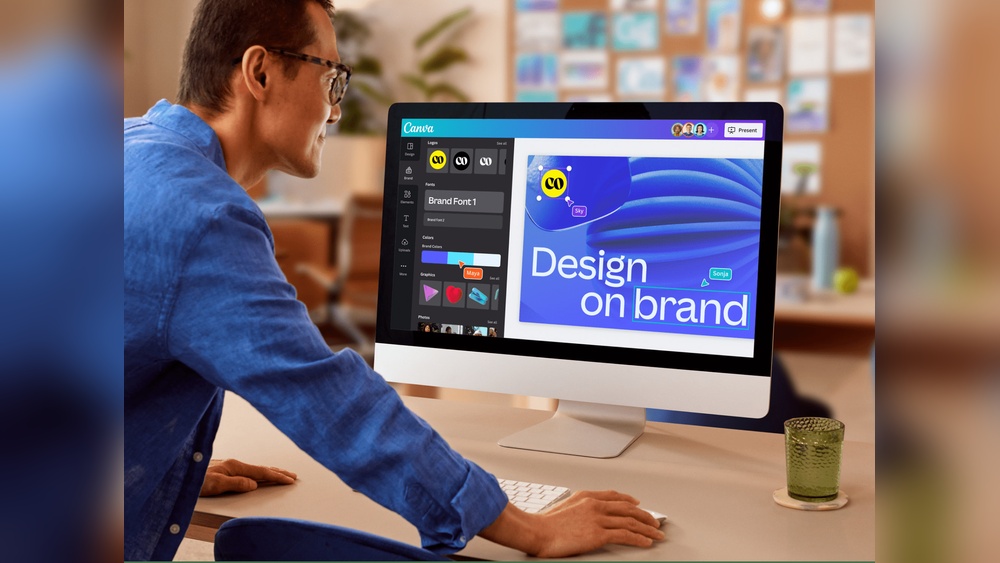
Are you struggling to keep your brand’s look consistent across all platforms? Imagine having one easy tool that helps you create and organize your brand’s colors, fonts, logos, and more—all in one place.
A Brand Kit Creator Software does exactly that. It saves you time, reduces stress, and makes your brand instantly recognizable. Keep reading to discover how this powerful tool can transform your branding game and make your business stand out effortlessly.

Credit: mojomox.com
What Is Brand Kit Creator Software?
Brand kit creator software helps you build a consistent brand identity by generating:
- Color palettes
- Font combinations
- Logo variations
- Visual guidelines
Instead of manually designing everything, the tool organizes your branding into a reusable system.
This is especially useful for:
- Bloggers
- Small business owners
- Content creators
- Freelancers
Consistency is one of the biggest factors in building trust, and these tools make it easier.
Why You Need a Brand Kit (Even for a Small Website)
Many beginners ignore branding because they think it’s only for big companies.
That’s a mistake.
A clear brand helps you:
- Look more professional
- Build trust faster
- Stay consistent across platforms
- Stand out from competitors
Even something as simple as using the same colors and fonts can make your website feel more polished.
Key Features Of Brand Kit Creator Software
Brand Kit Creator Software offers essential tools to build and maintain your brand identity. It helps keep your designs consistent and professional. This software simplifies the branding process for businesses of all sizes. Each feature focuses on a key element of branding.
Logo Design Tools
These tools let you create unique logos easily. Choose shapes, icons, and styles that fit your brand. You can customize size, color, and layout quickly. Many options help make your logo stand out. No need for advanced design skills.
Color Palette Selection
Selecting the right colors is simple with built-in palettes. Pick colors that match your brand personality. The software ensures color consistency across all materials. It also suggests complementary colors to enhance your design.
Typography Choices
Choose fonts that reflect your brand’s tone. The software offers a variety of easy-to-read typefaces. You can adjust size, spacing, and style. This helps maintain a clear and consistent message.
Template Customization
Templates speed up design creation for marketing materials. Modify layouts to fit your specific needs. Change images, text, and colors with ease. Templates save time while keeping a polished look.
Asset Management
Store logos, fonts, and color codes in one place. Access your brand assets anytime for quick use. This keeps your branding organized and accessible. It reduces errors and saves time on projects.
The Brand Kit Creator Tools I Tested
Here are the tools included in this comparison:
Each tool was tested based on:
- Ease of use
- Output quality
- Customization
- Value for money
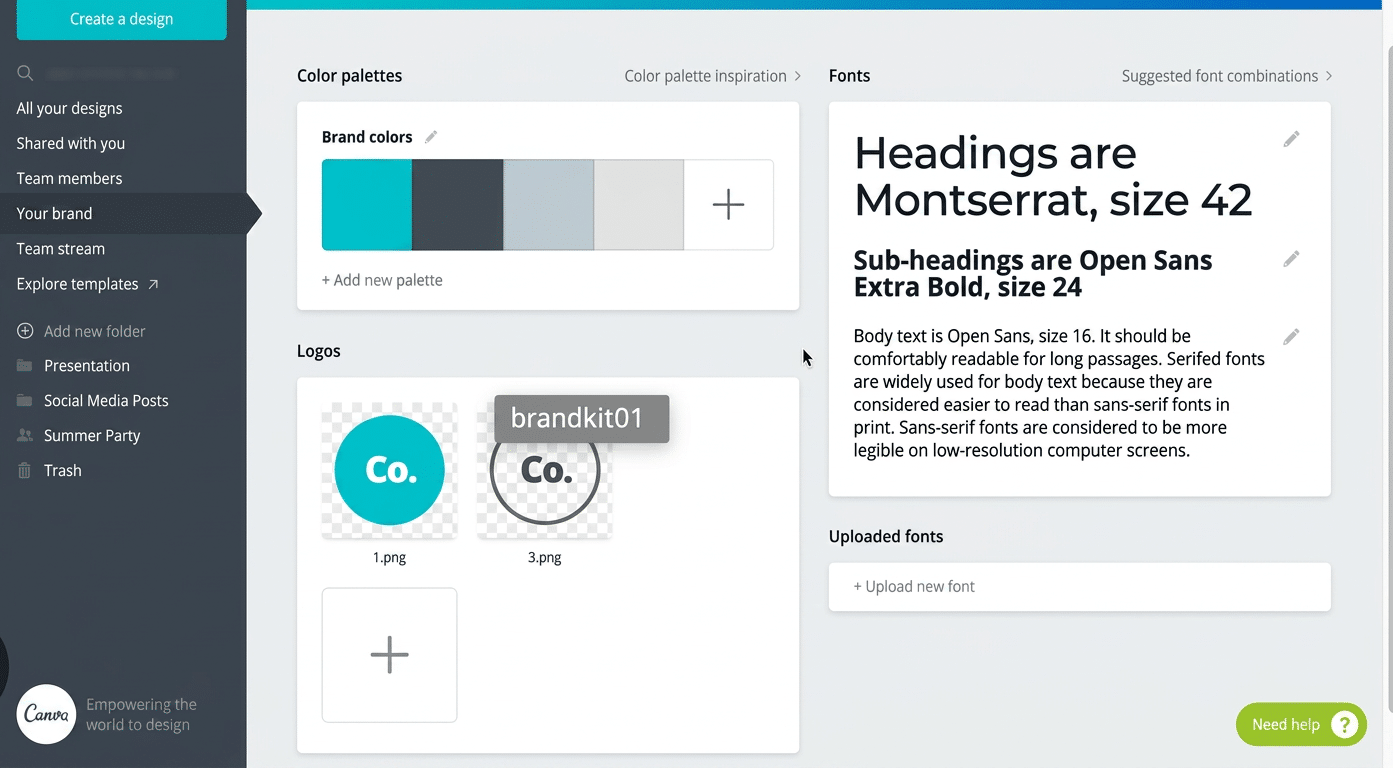
1. Canva (Best All-in-One Brand Kit Tool)
Canva is one of the most popular design tools—and for good reason.
What stood out:
- Extremely easy to use
- Built-in brand kit feature
- Drag-and-drop editor
- Huge template library
You can create logos, social posts, and brand kits all in one place.
Downsides:
- Some features require a paid plan
- Less unique logo generation compared to AI tools
Best for beginners who want everything in one place.
2. Adobe Express (Clean and Professional)
Adobe Express offers a more polished design experience.
What stood out:
- High-quality design assets
- Smooth interface
- Strong brand consistency tools
Downsides:
- Slight learning curve
- Fewer templates than Canva
Best for users who want a more refined look.
3. Looka (AI-Powered Branding)
Looka focuses on automated brand creation.
What stood out:
- Generates logos instantly
- Creates full brand kits
- Offers branding previews
Downsides:
- Limited customization after generation
- Requires payment to download assets
Best for fast brand creation.
4. Tailor Brands (Business-Focused Branding)
Tailor Brands goes beyond just design.
What stood out:
- Branding + business tools
- Logo generator
- Social media assets
Downsides:
- Subscription-based
- Can feel restrictive
Best for entrepreneurs starting a business.
5. Brandmark (Simple AI Branding Tool)
Brandmark uses AI to generate logos and branding elements.
What stood out:
- Quick logo generation
- Clean design suggestions
Downsides:
- Limited editing options
- Paid downloads
Best for quick ideas and inspiration.
6. VistaCreate (Alternative to Canva)
VistaCreate is similar to Canva but less known.
What stood out:
- Good template variety
- Easy to use
- Affordable
Downsides:
- Smaller ecosystem
Best as a Canva alternative.
7. Namecheap Logo Maker (Free Option)
Namecheap offers a completely free logo generator.
What stood out:
- Free to use
- Fast results
Downsides:
- Limited customization
- Basic designsBest for beginners with zero budget.
Which Brand Kit Creator Is Best?
After testing all tools, here’s a simple breakdown:
Best overall:
- Canva
Best for professional design:
- Adobe Express
Best for AI branding:
- Looka
Best free option:
- Namecheap Logo Maker

Credit: www.reddit.com
Benefits Of Using Brand Kit Software
Brand kit creator software helps businesses keep their brand designs organized and consistent. It stores all brand elements like logos, colors, and fonts in one place. This saves time and effort across different projects and platforms. Using this software improves teamwork and builds a strong, professional brand image.
Consistency Across Platforms
Brand kit software ensures your brand looks the same everywhere. Logos, colors, and fonts stay uniform on websites, social media, and print materials. This consistency builds trust and makes your brand easy to recognize. It stops mistakes like wrong colors or outdated logos.
Time And Cost Efficiency
Storing all brand assets in one place saves time searching for files. Teams can quickly access the right logos and templates. This reduces the need for redesigns and fixes. It also cuts costs by avoiding repeated work and hiring outside designers.
Ease Of Collaboration
Team members can share and update brand assets easily. Everyone works with the latest files, reducing confusion. Feedback and changes happen faster with clear access. This keeps projects moving smoothly and saves emails and meetings.
Professional Brand Identity
Using brand kit software helps keep your brand polished and professional. Every piece of content matches your brand style perfectly. This creates a strong impression on customers and partners. A professional look builds credibility and supports business growth.
How to Choose the Right Brand Kit Software
Before choosing a tool, ask yourself:
- Do you need full design control or automation?
- Are you on a budget?
- Do you want a long-term design tool?
Your answers will guide your choice.
User-friendly Interface
A simple and clear interface helps you work faster. Look for software with easy navigation and clear instructions. Avoid tools that feel confusing or cluttered. A friendly design means less learning time and fewer mistakes.
Integration With Other Tools
Check if the software works well with apps you already use. Integration with design, marketing, and social media tools is helpful. It allows smooth sharing and updating of your brand assets. This saves effort and keeps everything connected.
Pricing And Plans
Compare pricing options to find a plan that fits your budget. Some software offers free versions with limited features. Others have monthly or yearly subscriptions. Choose a plan that gives good value without extra costs.
Customer Support
Good customer support helps solve problems quickly. Look for software that offers chat, email, or phone help. Guides and tutorials are useful for learning new features. Reliable support reduces frustration and keeps your work on track.
My Honest Take After Testing
Most people don’t need complex branding tools.
If you’re just starting:
- Keep it simple
- Focus on consistency
- Use beginner-friendly tools
The biggest mistake is overthinking branding instead of actually building your website.
Tips for Creating a Strong Brand Kit
Regardless of the tool you choose:
- Pick 2–3 main colors
- Use 1–2 fonts consistently
- Keep your design simple
- Avoid changing styles frequently
- Stay consistent across all platforms
Here are more details:
Creating stunning branding requires careful planning and attention to detail. A strong brand kit helps your business look professional and consistent. This builds trust with your audience and makes your brand memorable.
Use the right tools to create your brand kit. Focus on color, fonts, balance, and personality. These tips will guide you to create a brand that stands out and connects with people.
Selecting A Cohesive Color Scheme
Choose colors that match your brand’s message and values. Stick to a few main colors to keep your look simple. Use shades and tints of these colors to add variety. Consistent colors help people recognize your brand quickly.
Choosing Readable Fonts
Pick fonts that are easy to read on all devices. Avoid using too many different fonts at once. Use one font for headlines and another for body text. Clear fonts make your message easy to understand.
Maintaining Visual Balance
Balance text, images, and white space in your designs. Don’t overcrowd your materials with too much information. Proper spacing keeps your branding clean and attractive. Balanced design guides the viewer’s eye smoothly.
Incorporating Brand Personality
Show your brand’s character through style and tone. Use design elements that reflect your brand’s values and culture. Be consistent with your personality across all materials. This creates a deeper connection with your audience.
Case Studies Of Successful Brand Kits
Brand Kit Creator Software helps businesses build strong, consistent brands. Success stories show how it supports different users. From small shops to large firms, and freelancers too, brand kits improve brand identity and trust.
These case studies reveal real results. They highlight clear benefits and practical uses of brand kits. The examples inspire and guide others to create their own brand success.
Small Business Success Story
A local bakery used brand kit software to build its image. The owner chose colors, fonts, and logos that matched the bakery’s style. This consistent look helped customers recognize the brand easily. Sales grew as the brand became familiar and trusted.
Corporate Brand Transformation
A large company updated its brand with the software. The team created a fresh logo and new color palette. The brand kit kept all materials uniform across departments. Employees found it easier to follow brand rules. The new look attracted more clients and improved company reputation.
Freelancer Portfolio Enhancement
A freelance designer used the software to polish her portfolio. She created a unique and consistent style for all her work. The brand kit made her presentations professional and clear. Clients noticed the consistent branding and trusted her skills more. This led to more job offers and better projects.
Credit: www.amazon.com
Frequently Asked Questions
What Is Brand Kit Creator Software Used For?
Brand kit creator software helps you make and keep your brand’s style. It stores logos, colors, fonts, and images in one place. This keeps your brand consistent across all platforms.
How Does Brand Kit Software Improve Marketing Efforts?
It saves time by organizing brand materials easily. Teams can access and use the right logos and colors quickly. This helps create consistent and professional marketing content.
Can Beginners Use Brand Kit Creator Software Easily?
Yes, most brand kit software is user-friendly and simple to use. It offers templates and guides to help beginners create a brand kit. No advanced design skills are needed.
Conclusion
Creating a brand kit with the right software saves time and effort. It helps keep your colors, fonts, and logos consistent. This consistency builds trust with your audience. Easy-to-use tools make design simple for everyone. Choose software that fits your needs and skills.
A clear brand kit supports your business growth. Start with small steps and improve over time. Consistent branding makes your message stronger and clearer.