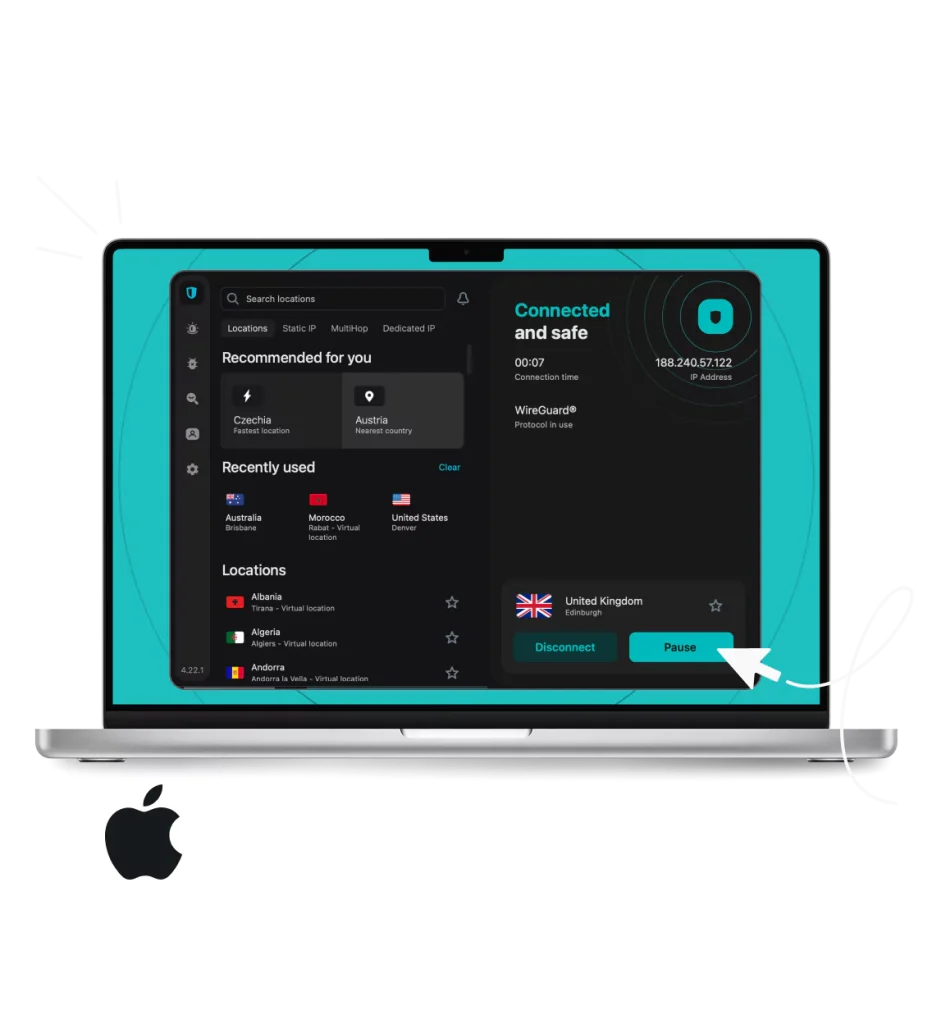
Are you worried about your online privacy when using your Mac? You’re not alone.
With so many threats lurking on the internet, protecting your data is more important than ever. A VPN for Mac can be your best shield, giving you the power to browse safely, unlock content, and keep hackers at bay. You’ll discover how a VPN works for your Mac, why it matters, and how to choose the right one for your needs.
Ready to take control of your online security? Keep reading.
Why Use A Vpn On Mac
Using a VPN on your Mac can improve your online safety and privacy. Macs are popular for their security, but they are not immune to online risks. A VPN adds an extra layer of protection that keeps your data safe.
A VPN also helps you access content without restrictions. It hides your real location and makes your internet connection private. This is important for anyone who uses public Wi-Fi or cares about privacy.
Benefits Of Vpn For Mac Users
A VPN keeps your internet connection encrypted. This means no one can see your browsing or data. It protects sensitive information like passwords and bank details.
Using a VPN allows access to websites that may be blocked in your country. This helps you browse freely and securely. It also prevents websites from tracking your real IP address.
VPNs can improve your online experience by reducing ads and trackers. Many VPNs stop malicious sites from loading, keeping your Mac safer. A VPN also helps maintain anonymity while browsing.
Common Security Threats Without Vpn
Public Wi-Fi networks are often unsafe. Hackers can easily intercept data sent over these networks. Without a VPN, your personal information can be stolen.
Websites and advertisers track your online activity. This data can be used to create profiles about you. Without a VPN, your real location and browsing habits are exposed.
Cybercriminals use methods like man-in-the-middle attacks to steal data. Your Mac can be vulnerable if you don’t use a VPN. Malware and phishing attacks also increase without proper protection.
Credit: setapp.com
Choosing The Best Vpn For Mac
Choosing the best VPN for Mac is important for online safety. A good VPN keeps your data private and protects you from hackers. It also helps you access websites that may be blocked in your area. Picking the right VPN can be simple with the right information.
Key Features To Look For
Strong security is the first thing to check. Look for VPNs with AES 256-bit encryption. This type of encryption keeps your information safe. A no-logs policy means the VPN does not keep your data. This adds extra privacy.
Fast connection speeds matter. Slow VPNs make browsing and streaming frustrating. Choose a VPN with many servers worldwide. More servers mean better chances to find a fast connection.
Easy-to-use apps for Mac are important. The VPN should work well on your Mac without problems. It should start quickly and be simple to control.
Reliable customer support helps solve issues quickly. 24/7 chat or email support is a plus. Also, check if the VPN allows multiple devices on one account.
Top Vpn Providers Compatible With Mac
ExpressVPN is popular for Mac users. It offers strong security and fast speeds. The app is simple and clean. It supports all Mac versions.
NordVPN has a large server network. It uses strong encryption and has a strict no-logs policy. The app is user-friendly and works well on Mac.
Surfshark is a budget-friendly choice. It allows unlimited devices on one account. Surfshark has good security and easy setup for Mac.
CyberGhost provides many servers and easy Mac apps. It offers good speed and privacy features. Customer support is helpful and quick.
Setting Up A Vpn On Mac
Setting up a VPN on your Mac helps protect your online privacy. It also lets you access content safely from anywhere. The process is simple and can be done in a few steps. This guide covers installing VPN software, configuring settings, and using Mac’s built-in options.
Installing Vpn Software
First, choose a reliable VPN provider. Visit their website and download the Mac version of their app. Open the downloaded file and follow the installation instructions. Most VPN apps have simple setups with clear prompts. After installation, open the app and sign in with your account details.
Configuring Vpn Settings
Open the VPN app to adjust settings. Set the VPN server location to the place you want. Turn on the kill switch if available to protect your data. Check for options like auto-connect on startup for convenience. Save any changes before closing the app.
Using Built-in Mac Vpn Options
Mac offers a built-in VPN feature in System Preferences. Open System Preferences and go to Network. Click the “+” button to add a new VPN connection. Enter the VPN type, server address, and your login info. Click Apply and then Connect to start the VPN. This method works well without extra software.

Credit: vpnpro.com
Optimizing Vpn Speed On Mac
Using a VPN on your Mac helps protect privacy and access content safely. Speed often slows down with VPN use, affecting streaming and browsing. Optimizing VPN speed on Mac improves your overall experience.
This section covers simple ways to boost your VPN performance. It also helps solve common speed problems fast.
Tips To Boost Vpn Performance
Choose a VPN server close to your location. Nearby servers reduce lag and increase speed.
Use a wired internet connection instead of Wi-Fi. Wired connections are more stable and faster.
Close apps and browser tabs that use the internet. Less traffic means better VPN speed.
Pick VPN protocols known for speed, like IKEv2 or WireGuard. They work well on Mac.
Update your VPN app and Mac OS regularly. Updates often fix speed issues.
Troubleshooting Common Speed Issues
Check your internet speed without VPN. Slow speed might be from your internet provider.
Restart your Mac and the VPN app. This clears temporary glitches affecting speed.
Switch VPN servers if one is slow. Servers can get crowded and slow down.
Disable any firewall or security software temporarily. Sometimes they block VPN traffic.
Contact your VPN support if speed stays slow. They can offer specific advice for Mac.
Maintaining Privacy And Security
Maintaining privacy and security is the top priority when using a VPN on a Mac. A VPN helps protect your data from hackers, trackers, and unwanted eyes. It also hides your real location and IP address. This keeps your online activities private and secure.
Preventing Data Leaks
Data leaks can expose your personal information even while using a VPN. Common leaks include DNS and IP leaks. These leaks happen when data escapes outside the VPN tunnel. A reliable VPN for Mac blocks these leaks effectively. It stops your real IP and DNS requests from showing. This keeps your identity hidden at all times.
Using Kill Switch And Other Features
A kill switch is a key feature for Mac VPN users. It cuts your internet connection if the VPN drops. This prevents your data from being exposed. Other useful features include split tunneling and strong encryption. Split tunneling lets you choose which apps use the VPN. Strong encryption scrambles your data to keep it safe. These tools work together to maintain your privacy and security on a Mac.
Vpn Use Cases For Mac
Using a VPN on a Mac offers many benefits. It keeps your data safe and helps you access more content. People use VPNs for different reasons. Each use case shows why a VPN is useful for Mac users.
Secure Public Wi-fi Browsing
Public Wi-Fi networks are common but risky. Hackers can steal your data easily. A VPN encrypts your internet connection. This keeps your passwords and info private. Using a VPN on public Wi-Fi protects your Mac from threats.
Bypassing Geo-restrictions
Some websites limit content by location. Streaming services or news sites may block users outside certain countries. A VPN changes your IP address. This helps you access restricted content safely on your Mac. It works like a digital passport for the internet.
Safe Torrenting And Streaming
Torrenting and streaming can expose your IP address. This risks your privacy and security. A VPN hides your real IP and encrypts your traffic. You can download or watch content with more privacy. Using a VPN makes torrenting and streaming safer on your Mac.

Credit: apps.apple.com
Frequently Asked Questions
What Is The Best Vpn For Mac In 2024?
The best VPN for Mac in 2024 offers fast speeds, strong encryption, and user-friendly apps. Look for providers like ExpressVPN, NordVPN, or CyberGhost for reliable privacy and performance on Mac devices.
How Do I Install A Vpn On My Mac?
To install a VPN on Mac, download the app from the provider’s website or Mac App Store. Open the file, follow the installation prompts, and sign in. Then, connect to your preferred server to secure your Mac’s internet traffic.
Can A Vpn Improve Mac Internet Speed?
A VPN may improve Mac internet speed by avoiding ISP throttling. However, it can also slow down your connection due to encryption overhead. Choose a fast, nearby server to balance speed and security effectively.
Is Using A Vpn On Mac Legal And Safe?
Yes, using a VPN on Mac is legal in most countries. It is safe when you choose reputable providers. VPNs protect your privacy and data from hackers and trackers while browsing online.
Conclusion
Choosing the right VPN for Mac keeps your data safe online. It helps protect your privacy and hides your location. A good VPN also lets you access websites securely. Speed and ease of use matter when picking one. Always check if the VPN fits your needs and budget.
Stay safe on the internet with a reliable VPN for Mac. Simple steps lead to better online security every day.