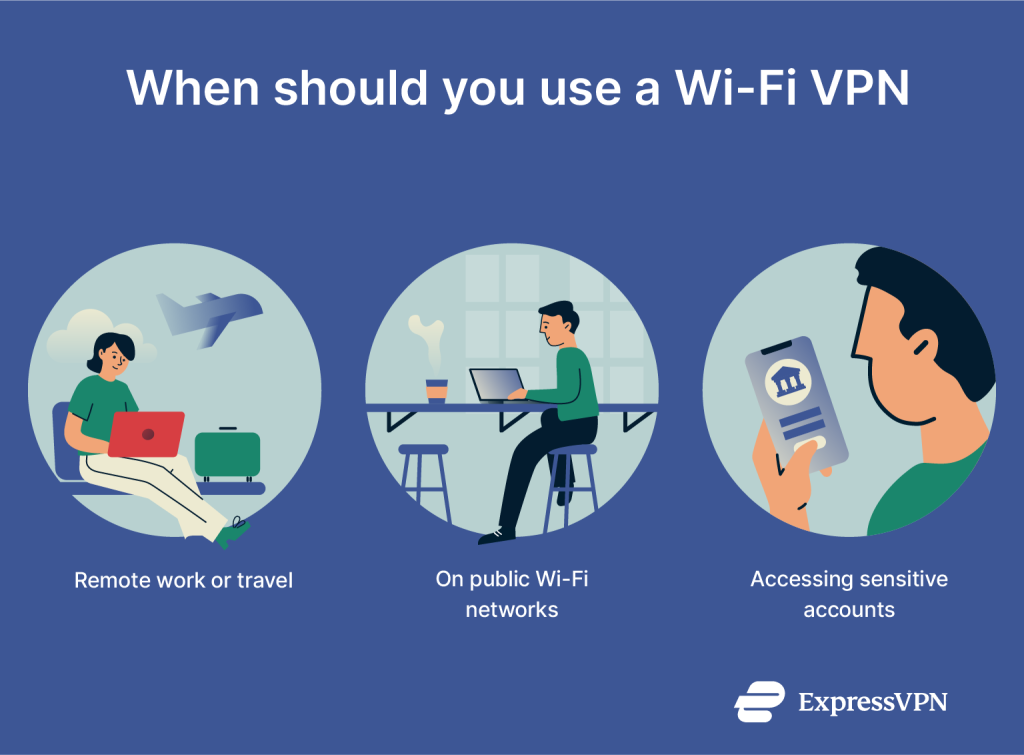
You’re about to connect to public WiFi, but have you ever stopped to think how safe your information really is? Every time you use an open network, your personal data can be at risk.
So, which VPN is safest for public WiFi? Choosing the right VPN isn’t just about speed or price—it’s about protecting your privacy and keeping hackers out. You’ll discover the top VPNs that shield your data the best, so you can browse worry-free wherever you are.
Keep reading to find the perfect VPN that guards your connection like a digital bodyguard.
Risks Of Public Wifi
Public WiFi offers convenience but comes with many risks. Using it without protection can expose your data and privacy. Many people connect to public WiFi without knowing the dangers. Understanding these risks helps you stay safe online.
Common Threats
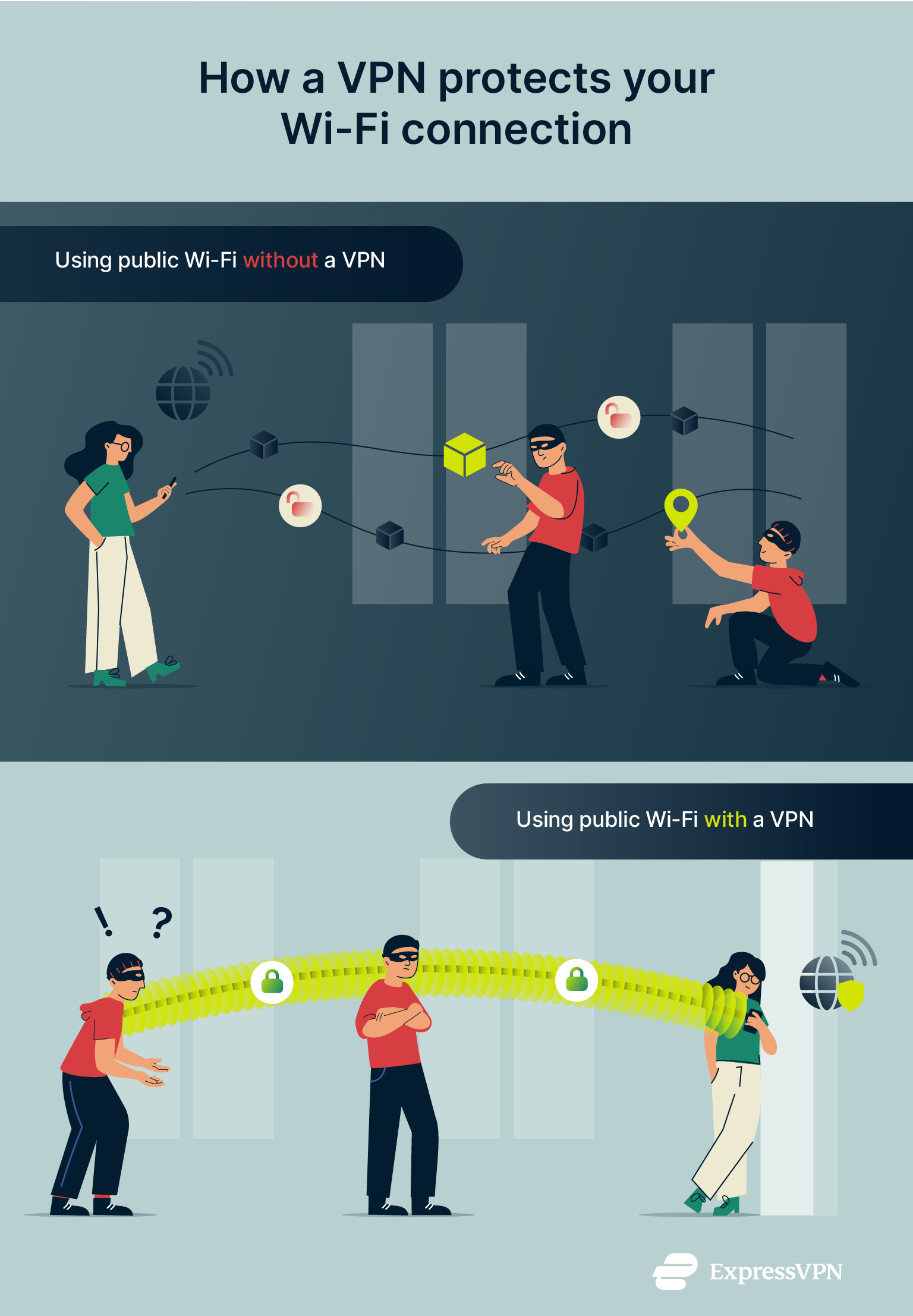
Hackers often target public WiFi networks. They use fake hotspots to steal your information. Malware can spread through unsecured networks. Attackers can intercept your messages and passwords. These threats put your personal data at risk.
Data Vulnerabilities
Data sent over public WiFi may not be encrypted. This means hackers can easily see your information. Sensitive data like credit card numbers can be exposed. Even simple browsing history can be tracked. Without protection, your data is vulnerable.
Privacy Concerns
Public WiFi networks often collect user data. Your browsing habits can be monitored by others. Advertisers may track your online activity. Personal information can be shared without your knowledge. Privacy risks increase without a secure connection.
Credit: www.expressvpn.com
Key Vpn Security Features
Choosing a VPN for public WiFi means focusing on strong security. Key VPN security features keep your data safe. They protect your information from hackers and spies. These features work together to secure your connection and privacy. Here are the most important ones to check.
Strong Encryption
Encryption scrambles your data into unreadable code. It stops others from seeing what you do online. Look for VPNs with AES-256 encryption. This is the strongest and most trusted standard. It keeps your browsing and downloads private on public WiFi.
No-logs Policy
A no-logs policy means the VPN does not save your activity. No records of websites visited or data used. This prevents your information from being handed to third parties. Choose VPNs that clearly state they keep no logs.
Kill Switch
A kill switch cuts your internet if the VPN drops. This stops your real IP from showing by accident. It protects you in case of connection failures. Make sure the VPN offers a reliable kill switch feature.
Dns Leak Protection
DNS leak protection stops your device from sending requests outside the VPN. Without it, your ISP might see your browsing history. This feature ensures all traffic goes through the VPN tunnel. It keeps your online actions fully private on public WiFi.
Top Vpns For Public Wifi
Using public WiFi can expose your data to hackers and snoopers. A strong VPN keeps your information safe and private. Many VPNs offer solid security, but some stand out for public WiFi use. These VPNs protect your connection and keep your data hidden on open networks.
Expressvpn
ExpressVPN offers fast and secure connections worldwide. It uses strong encryption to guard your data. The app is easy to use on any device. ExpressVPN has a strict no-logs policy, meaning it does not track your activity.
Nordvpn
NordVPN is known for high-level security features. It includes double VPN and CyberSec to block ads and threats. NordVPN works well on public WiFi with reliable speed. It also keeps no logs and supports many devices.
Surfshark
Surfshark allows unlimited devices on one account. It uses strong encryption and a kill switch for safety. Surfshark blocks malware and trackers automatically. It is budget-friendly and good for public hotspots.
Cyberghost
CyberGhost offers user-friendly apps and high security. It has specialized servers for public WiFi safety. CyberGhost provides strong encryption and a strict no-logs policy. It also features automatic WiFi protection on untrusted networks.
Private Internet Access
Private Internet Access has a large server network. It uses powerful encryption and advanced privacy tools. PIA offers customizable settings for better security. It keeps no logs and works smoothly on public WiFi.

Credit: www.comparitech.com
Comparing Vpns On Security
Choosing the safest VPN for public WiFi means checking how well it protects your data. Security varies between VPN providers. Some focus on strong encryption, while others offer many servers or fast speeds. Understanding these factors helps pick the best option for public networks.
Encryption Standards
Encryption is the main shield against hackers on public WiFi. The best VPNs use AES-256, a top-level encryption standard. It scrambles your data, making it unreadable to outsiders. VPNs with weak encryption put your information at risk. Always choose one with strong, proven encryption methods.
Server Network
A large server network means more secure connections. More servers reduce crowding and lower the chance of slowdowns. Spreading servers worldwide helps avoid local restrictions and offers better privacy. VPNs with fewer servers might struggle to keep your connection safe and stable.
Speed And Reliability
Fast and reliable VPNs keep you safe without slowing down your internet. Slow connections can tempt users to disconnect, risking exposure. Reliable VPNs maintain steady speeds and stable links. This reliability is crucial when using public WiFi for work or personal tasks.
Setting Up A Vpn For Public Wifi
Setting up a VPN for public WiFi is essential to protect your data. Public WiFi networks are often not secure, making it easy for hackers to steal information. Using a VPN creates a secure tunnel for your internet traffic. This keeps your personal details and browsing activity private.
Proper setup ensures the VPN works correctly and offers strong protection. Follow clear steps for installation, configuration, and safe use. This helps you avoid common mistakes and stay safe online.
Installation Tips
Choose a VPN app from a trusted source. Download it from the official website or app store. Avoid third-party sites to reduce the risk of malware. Install the VPN app on all devices you use on public WiFi. Make sure your device meets the app’s system requirements before installation.
Configuring Security Settings
Open the VPN app and access the settings menu. Enable strong encryption, such as AES-256, for better security. Turn on features like a kill switch to block internet if VPN disconnects. Use secure VPN protocols like OpenVPN or WireGuard. Disable settings that leak your IP address or DNS requests.
Best Practices
Always connect the VPN before joining public WiFi. Avoid logging into sensitive accounts without VPN protection. Update your VPN app regularly to fix security bugs. Use strong and unique passwords for your VPN account. Disconnect from public WiFi when not in use to reduce risks.
Additional Tips For Public Wifi Safety
Using public WiFi can expose your data to many risks. A VPN helps protect your connection. Yet, extra safety steps make your online time safer. These tips reduce risks and keep your info secure.
Avoiding Risky Activities
Do not access sensitive accounts on public WiFi. Avoid online banking or shopping without strong protection. Stay away from sites asking for personal details. Use trusted apps and websites only.
Using Two-factor Authentication
Two-factor authentication adds a second safety layer. It requires a code besides your password. This makes it harder for hackers to break in. Turn it on for all important accounts.
Regular Software Updates
Keep your device and apps updated. Updates fix security problems and bugs. Outdated software is easier to attack. Set updates to install automatically for best protection.

Credit: www.expressvpn.com
Frequently Asked Questions
What Makes A Vpn Safest For Public Wifi Use?
A safest VPN offers strong encryption, no-logs policy, and automatic kill switch. It protects data from hackers on public WiFi networks efficiently.
Which Vpn Protocols Are Best For Public Wifi Security?
OpenVPN and WireGuard are top protocols for public WiFi. They ensure fast, secure connections and robust encryption to keep data safe.
Can Free Vpns Be Safe On Public Wifi?
Free VPNs often lack strong security features and may log data. Paid VPNs provide better privacy and stronger protection on public WiFi.
How Does A Kill Switch Improve Vpn Safety On Public Wifi?
A kill switch blocks internet if VPN connection drops. This prevents data leaks, keeping your information secure on unreliable public WiFi networks.
Conclusion
Choosing the safest VPN for public WiFi protects your data from hackers. Strong encryption and no-log policies keep your information private. A reliable VPN stops others from spying on your online activity. Always pick one with fast speeds and easy setup.
Stay safe and enjoy public WiFi without worry. Protect your privacy every time you connect. Safe browsing starts with the right VPN choice.