Are you ready to unlock the true power behind your website’s traffic and marketing efforts? Google Analytics Marketing Insights give you exactly that—a clear view into how visitors find and interact with your site.
Imagine knowing which campaigns bring in the best customers, what content keeps them engaged, and where to focus your budget for maximum impact. You’ll discover how to turn raw data into smart decisions that grow your business faster. Keep reading, and learn how to make your marketing work harder for you with insights that really matter.
Google Analytics Basics
Google Analytics is a powerful tool for understanding website visitors. It helps businesses see how users find and interact with their sites. This data guides smarter marketing decisions. Learning the basics of Google Analytics opens many opportunities for growth.
Even beginners can start using Google Analytics with simple steps. The platform offers clear reports and insights. These show what works and what needs improvement. Let’s explore the basics to get started quickly.
Key Features
Google Analytics tracks visitor numbers and behavior. It shows where users come from, such as search engines or social media. The tool also reports on which pages get the most views. You can monitor how long visitors stay and what actions they take. These features help identify popular content and user trends.
Setting Up Your Account
Create a Google account if you don’t have one. Then, sign up for Google Analytics and add your website details. The system provides a tracking code to place on your site. This code collects data on visitor activity. After setup, data starts appearing in your dashboard within hours.
Navigating The Dashboard
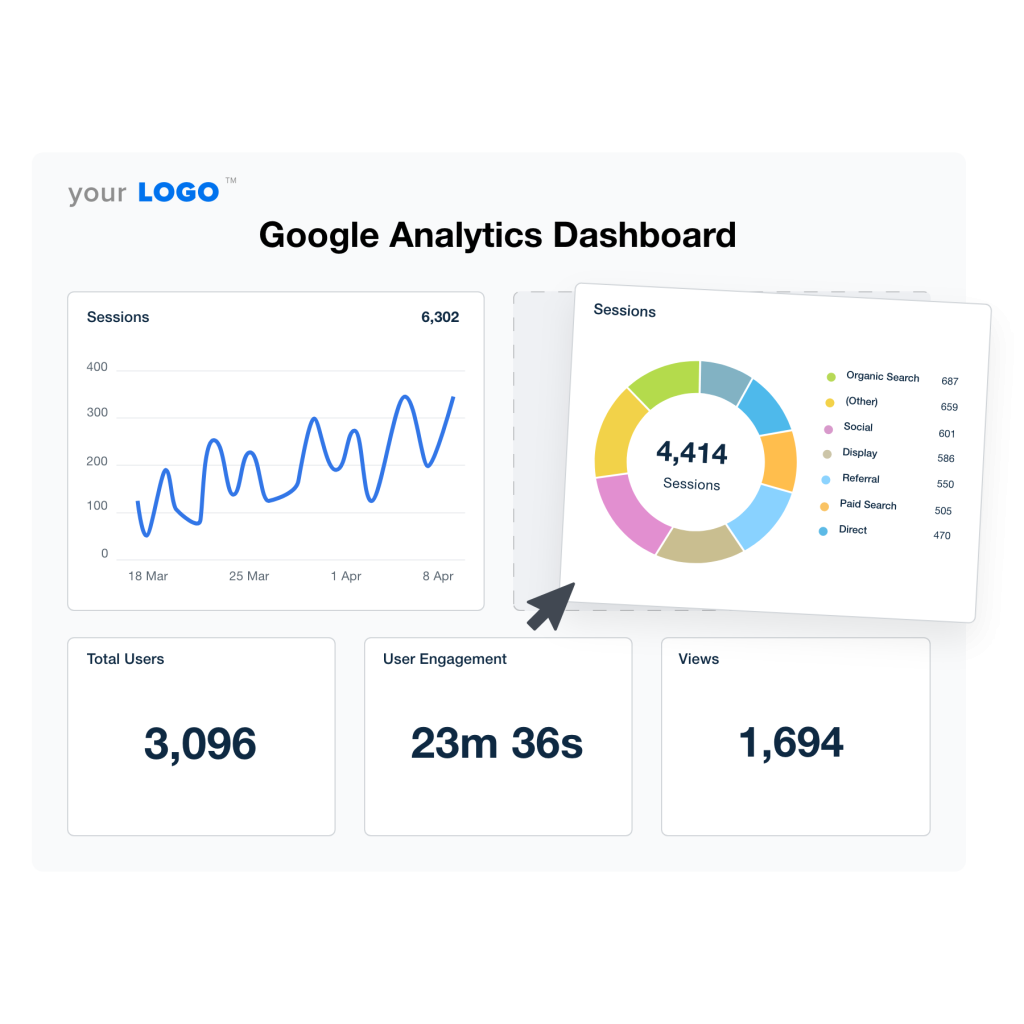
The dashboard shows an overview of your website’s traffic. Key reports include audience, acquisition, and behavior data. Audience reports reveal visitor demographics and devices used. Acquisition shows how visitors found your site. Behavior focuses on user actions and page performance. The dashboard is easy to explore with menus and filters.

Credit: www.luminousdune.com
Customer Journey Insights
Understanding the customer journey is vital for effective marketing. Google Analytics provides detailed insights into how users interact with your website. These insights help businesses improve user experience and increase conversions. By analyzing customer behavior, marketers can make smarter decisions and allocate resources wisely.
Tracking User Behavior
Google Analytics tracks every action users take on your site. It shows which pages they visit and how long they stay. You can see where users click and what content they engage with most. This data reveals patterns and pain points in the customer journey. Marketers use these insights to optimize site navigation and content layout.
Channel Performance Analysis
This tool breaks down traffic sources to identify top-performing channels. You learn if visitors come from search engines, social media, or email campaigns. Knowing which channels drive quality traffic helps focus marketing efforts. It also highlights underperforming channels that need improvement or adjustment.
Device And Location Data
Google Analytics reports the devices users employ to access your site. It shows if visitors use desktops, tablets, or smartphones. Location data reveals the countries and cities your audience comes from. These insights help tailor marketing messages and website design for different devices and regions. Understanding device and location aids in creating personalized experiences.
Marketing Roi Enhancement
Enhancing marketing ROI is crucial for business success. Google Analytics offers valuable insights to improve your return on investment. Using data effectively helps you make smarter marketing decisions. This leads to better results and lower costs.
Measuring Campaign Effectiveness
Google Analytics tracks how well your campaigns perform. It shows which ads bring the most traffic and conversions. You can see which channels deliver the best results. This helps identify what works and what does not. Accurate measurement allows for better planning and adjustments.
Attribution Modeling
Attribution modeling assigns credit to different marketing touchpoints. It shows the customer journey from first click to final purchase. Google Analytics offers various models to understand this path. This helps reveal which channels contribute most to sales. Knowing this guides budget allocation and strategy.
Optimizing Ad Spend
Google Analytics helps optimize your advertising budget. It highlights high-performing campaigns and underperforming ones. You can shift funds to channels that generate better ROI. This reduces wasted spend and maximizes returns. Regular analysis ensures your ad spend stays efficient and effective.

Credit: www.youtube.com
Advanced Data Tools
Advanced data tools in Google Analytics offer deeper understanding of customer behavior. These tools help marketers analyze complex data quickly and make smarter decisions. They bring clarity to vast data sets and highlight key trends.
Marketers can use these tools to customize reports, predict future outcomes, and target specific audience groups. This creates more effective marketing strategies and better ROI.
Custom And Automated Insights
Google Analytics provides custom insights tailored to your business needs. You can create specific reports that focus on important metrics. Automated insights use machine learning to spot changes and trends without manual work. These alerts help you react faster to shifts in customer behavior.
Predictive Analytics
Predictive analytics uses historical data to forecast future customer actions. Google Analytics predicts metrics like potential revenue and churn rates. This helps marketers plan campaigns and budget wisely. It guides decisions to improve customer retention and increase sales.
Audience Segmentation
Audience segmentation divides users into meaningful groups based on behavior and demographics. Google Analytics allows creation of segments such as new visitors, high spenders, or frequent buyers. Marketers can tailor messages to each segment for better engagement. This improves campaign effectiveness and user experience.
Integrating Google Marketing Platform
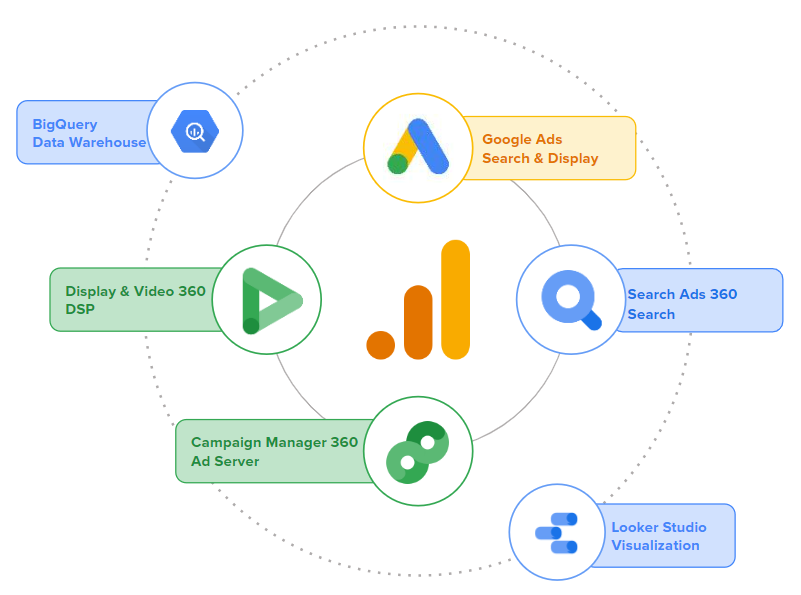
Integrating the Google Marketing Platform creates a strong link between your marketing tools. It helps you gather clear data and act on it quickly. This integration improves how you understand customer behavior and measure campaign success.
By combining different Google products, you get a unified view of your marketing efforts. This makes it easier to spot trends and improve your strategies based on real insights.
Connecting Analytics With Ads
Linking Google Analytics with Google Ads lets you track ad performance in detail. You see which ads drive the most traffic and conversions. This connection helps you optimize your ad spend and focus on high-performing campaigns. You can also create audiences in Analytics to target in Ads, increasing relevancy.
Using Google Tag Manager
Google Tag Manager simplifies adding and managing tags on your website. It reduces the need for coding and speeds up deployment. Tags collect data for Analytics and other tools without slowing your site. You control all tags in one place, improving accuracy and flexibility for tracking user actions.
Leveraging Looker Studio
Looker Studio turns your data into easy-to-read reports and dashboards. It connects with Google Analytics and other data sources. You customize visuals to focus on the metrics that matter most. Sharing insights becomes simple, helping your team make informed marketing decisions fast.
Data Privacy And Control
Data privacy and control form the backbone of trustworthy marketing insights. Google Analytics helps you gain valuable data while protecting user privacy. It gives clear options to manage and control data responsibly. This balance is essential for ethical marketing and compliance with laws.
Managing User Data
Google Analytics offers tools to control user data collection. You can limit the data types collected from visitors. Anonymizing IP addresses is an option to enhance privacy. Users can be given the choice to opt out of tracking. These features help respect user privacy and build trust.
Compliance Best Practices
Following data privacy laws is crucial for all businesses. Google Analytics supports compliance with GDPR and CCPA regulations. It provides settings to obtain user consent before tracking. Clear privacy policies should explain data use to visitors. Regular audits help ensure your data handling meets legal standards.
Data Usage Settings
Data usage settings in Google Analytics allow precise control over information. You can restrict data sharing with Google for advertising purposes. Features exist to disable data collection for certain users or regions. These settings help tailor data control to your business needs. Adjusting them regularly keeps your data use compliant and ethical.
Using Insights To Boost Strategy
Google Analytics offers valuable insights that help improve marketing strategies. Using these insights helps businesses make smarter decisions. It reveals how customers behave and what they prefer. This knowledge guides actions that increase success and growth.
Identifying Growth Opportunities
Insights highlight areas where your business can grow. They show which products or services attract most attention. You learn which channels bring the most visitors. This helps focus efforts on high-potential markets. Spotting these opportunities early gives a competitive edge.
Trend Change Detection
Google Analytics tracks changes in user behavior over time. Sudden drops or spikes in traffic become clear. This allows quick responses to market shifts. You can adjust campaigns to match new trends. Staying aware prevents losses and keeps your strategy fresh.
Actionable Reporting
Reports translate data into simple, clear actions. They highlight what works and what does not. This makes it easier to plan next steps. Teams can use reports to improve campaigns fast. Actionable data saves time and boosts marketing results.
Credit: www.cardinalpath.com
Resources For Marketers
Marketers need reliable resources to extract value from Google Analytics. These resources help understand data clearly and apply insights effectively. They provide training, technical details, and tools to improve marketing efforts.
Google Analytics Academy
Google Analytics Academy offers free courses for all skill levels. These courses explain basic to advanced concepts in simple terms. Marketers can learn how to track website traffic and user behavior. The lessons include videos and practical exercises. Completing these courses boosts confidence in using Google Analytics.
Developer Documentation
Developer documentation contains detailed technical guides for Google Analytics. It helps marketers and developers set up tracking codes and customize reports. This resource explains APIs, data layers, and tag management. Clear examples and code snippets make implementation easier. It supports solving specific problems and enhances data accuracy.
Third-party Tools
Third-party tools work alongside Google Analytics to expand its capabilities. These tools assist with data visualization, reporting, and automation. Many offer user-friendly dashboards and integration options. They help marketers save time and focus on strategy. Using these tools improves data interpretation and marketing decisions.
Frequently Asked Questions
What Is Google Analytics Marketing Insights?
Google Analytics Marketing Insights provide data-driven details about customer behavior. They help marketers understand audience interactions and improve campaign performance effectively.
How Does Google Analytics Improve Marketing Roi?
Google Analytics tracks user actions and identifies successful channels. This data helps optimize marketing strategies to increase return on investment (ROI).
Can Google Analytics Track Customer Journeys?
Yes, it maps the entire customer journey across devices and platforms. This insight enables businesses to tailor marketing efforts for better engagement.
What Are Key Features Of Google Analytics Insights?
Key features include real-time data, audience segmentation, conversion tracking, and customizable reports. These help marketers make informed decisions quickly.
Conclusion
Google Analytics offers clear insights to improve your marketing efforts. It helps track visitor behavior and measure campaign success. Use its data to understand your audience better. This knowledge supports smarter decisions and boosts business growth. Start applying these insights regularly to see steady progress.
Keep learning to make your marketing more effective every day.