
Struggling to keep your schedule under control? You’re not alone.
Managing meetings, appointments, and deadlines can quickly become overwhelming. What if you had a smart helper that takes this load off your shoulders? Top AI assistants for scheduling are designed to do just that—organize your time effortlessly, so you can focus on what really matters.
Ready to discover the tools that can transform your daily routine and boost your productivity? Keep reading to find the perfect AI assistant that fits your needs.
Benefits Of Ai Scheduling Assistants
AI scheduling assistantshelp save a lot of time. They organize your calendar so you can focus on important tasks. These tools reduce double bookingsand stop meeting clashes before they happen. This means fewer headaches and less stress.
Using AI also boosts productivity. You spend less time on planning and more time on work that matters. The assistant sends reminders and updates automatically. This keeps you on track and helps meet deadlines easily.

Credit: emitrr.com
Key Features To Look For
Calendar integrationlets AI assistants connect with your existing calendars. This helps keep all your appointments in one place. It avoids double bookings and missed meetings. Easy syncing with Google Calendar, Outlook, or Apple Calendar is important.
Natural language processingallows you to talk or type simply. The AI understands phrases like “Schedule a meeting tomorrow at 3 PM.” No need for strict commands. It makes scheduling fast and easy.
Automated remindershelp you and others remember upcoming events. The assistant can send alerts by email or message. This cuts down on forgotten meetings and late arrivals.
Multi-platform supportmeans the AI works on phones, tablets, and computers. You can schedule from anywhere, anytime. It fits well with your lifestyle and devices.
Top Ai Assistants For Scheduling
Google Assistanthelps schedule meetings fast. It listens to your voice and sets reminders. It works on phones and smart devices.
Microsoft Cortanaconnects with your calendar and email. It suggests times for meetings and sends invites. It fits well with Microsoft apps.
x.aiacts like a personal assistant. It talks to people by email and finds good meeting times. Saves time on back-and-forth messages.
Clara Labsuses real people and AI. It handles complex scheduling tasks and reminders. Good for busy professionals who need help.
Zoom.aischedules meetings inside video calls. It integrates with calendars and sends follow-ups. Makes meeting setup quick and easy.
Comparing Pricing And Plans
Many AI assistants offer free planswith basic scheduling tools. These often include limited appointmentsper month and fewer customization options. Premium plans give more featureslike unlimited meetings, calendar syncing, and reminders.
Subscription models vary. Some charge monthly fees, others offer annual discounts. Prices depend on user numbersand features included.
| Plan Type | Features | Price Range |
|---|---|---|
| Free | Basic scheduling, limited appointments | $0 |
| Premium | Unlimited meetings, reminders, calendar sync | $10 – $30/month |
| Enterprise | Custom features, priority support, team management | Custom pricing |
Enterprise solutions suit large teamsneeding custom options. These include dedicated supportand advanced security. Pricing is usually negotiatedbased on needs.
Tips For Maximizing Efficiency
Customizing assistant settingshelps fit the tool to your needs. Change notifications and reminders times. Choose preferred languages and time zones. This makes the assistant work better for you.
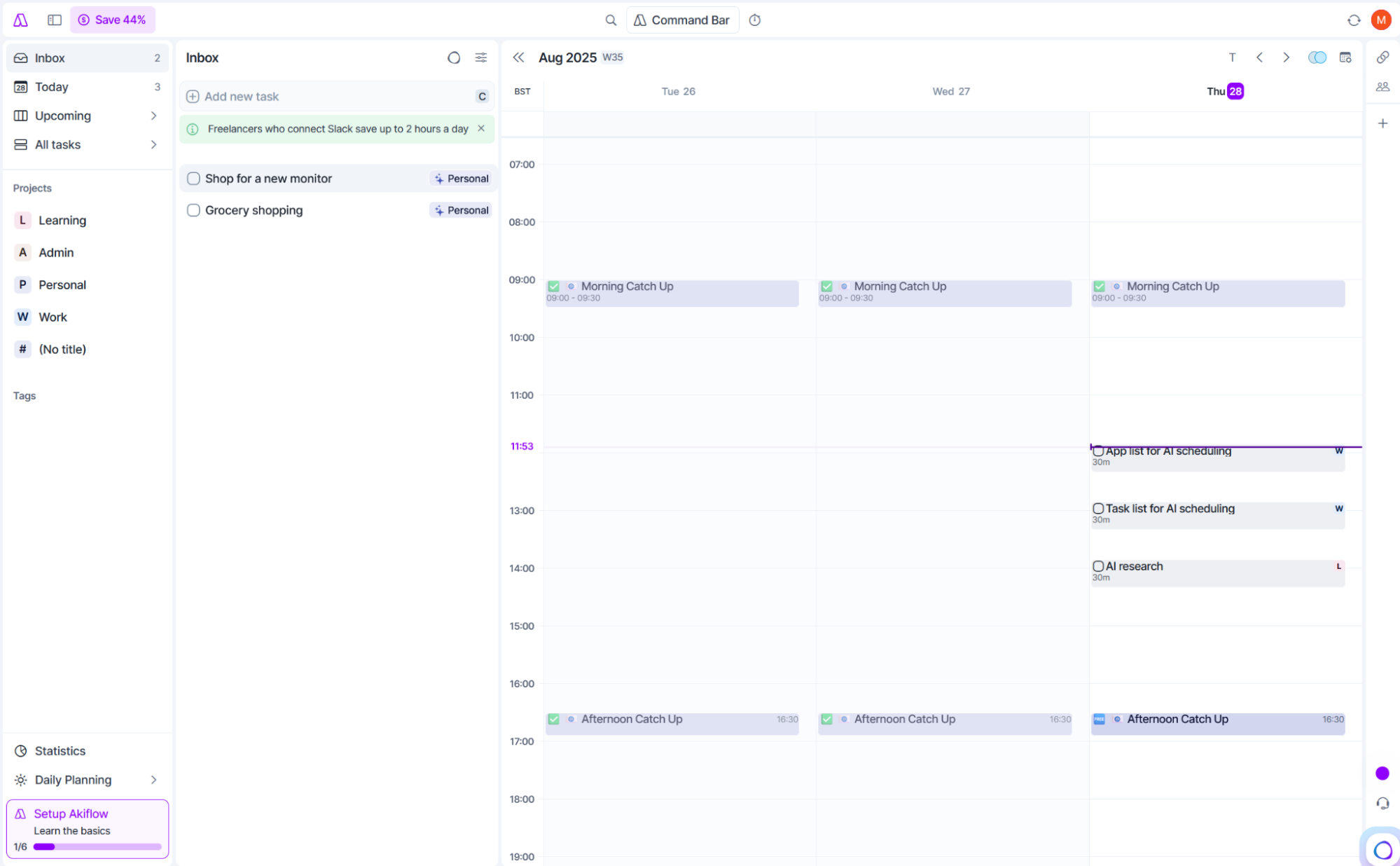
Integrating with other toolssaves time. Connect calendars, email, and task apps. This way, all your plans stay in one place. It stops double bookings and missed meetings.
Training AI for better accuracymeans giving feedback. Correct mistakes and confirm good suggestions. The assistant learns your style and habits. It gets smarter and more helpful over time.
Credit: emitrr.com
Credit: zapier.com
Frequently Asked Questions
What Are The Best Ai Assistants For Scheduling?
Top AI assistants for scheduling include Google Assistant, Microsoft Cortana, x. ai, Clara, and Calendly. They automate meeting setups, manage calendars, and send reminders efficiently.
How Do Ai Scheduling Assistants Improve Productivity?
AI scheduling assistants save time by automating appointment bookings and reducing email back-and-forth. They ensure accurate calendar management, freeing users to focus on important tasks.
Can Ai Assistants Integrate With Popular Calendar Apps?
Yes, most AI scheduling assistants seamlessly integrate with Google Calendar, Outlook, and Apple Calendar. This ensures real-time updates and smooth synchronization across devices.
Are Ai Scheduling Assistants Secure For Sensitive Data?
Reputable AI assistants use encryption and strict privacy protocols. They protect your scheduling data, ensuring confidentiality and compliance with data protection regulations.
Conclusion
Choosing the right AI assistant helps save time and reduce stress. These tools handle your scheduling tasks quickly and clearly. They fit different needs and work styles. Trying a few can show which one suits you best. Use these assistants to keep your calendar organized every day.
Managing appointments becomes easier and less tiring. Stay focused on important tasks while AI takes care of planning. Simple, smart help is just a click away.