Imagine having a personal helper who never tires, always ready to tackle your to-do list and make your day run smoother. That’s exactly what AI assistants can do for you.
They can handle repetitive tasks, organize your schedule, and even spark new ideas—all while you focus on what truly matters. If you want to boost your productivity and gain more free time, keep reading. This guide will show you simple, effective ways to use AI assistants to get more done with less effort.
Your future self will thank you.
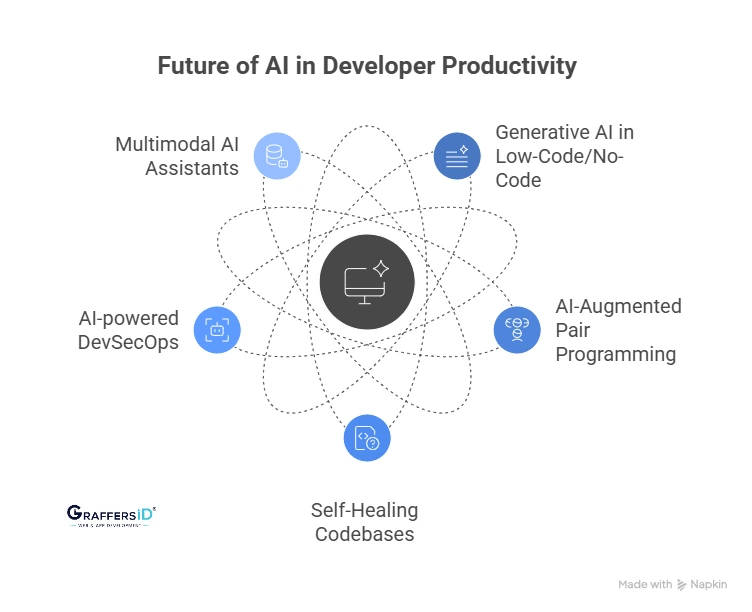
Credit: graffersid.com
Choosing The Right Ai Assistant
Choosing the right AI assistantcan boost your daily productivity. Popular tools include Google Assistant, Amazon Alexa, and Microsoft Cortana. Each has unique featuresthat help with tasks like reminders, scheduling, and information search.
Focus on featureslike voice recognition, task management, and smart home control. Some assistants offer better privacysettings or language support. These details matter for a smooth experience.
Check if the AI assistant works well with your devices. Compatibility with phones, tablets, and computers is key. Some work best on certain operating systems like iOS or Android.
Setting Up Your Ai Assistant
Start by downloading the AI assistant app from a trusted source. Follow the steps to install it on your device. Open the app and complete the basic setup by entering your preferences.
Adjust the settings to fit your daily tasks. Set reminders, voice commands, and notification preferences. Customizing helps the assistant work faster and better for you.
Connect the AI assistant with apps you already use. Link your calendar, email, and to-do list for smooth workflow. This integration saves time by keeping everything in one place.
Task Automation With Ai
AI assistantscan handle many tasks to save you time. For scheduling and reminders, they set appointments and send alerts. No need to remember every meeting. This helps keep your day organizedand stress-free.
Email managementbecomes easier too. AI can sort, filter, and even reply to simple messages. This means less time spent on your inbox and more on important work.
For data entry and organization, AI quickly inputs information and sorts files. It reduces errors and keeps your data neat. This helps you find things faster and work better.
Enhancing Communication
Voice commandslet users control devices without typing. They save time and make tasks easier. Dictationhelps write messages or notes by speaking. This is great for quick communication and fewer errors.
Meeting transcriptionsturn spoken words into text automatically. They help people focus more on talks, not writing. Transcripts can be shared later for review or notes.
Collaboration toolswith AI help teams work better together. They organize chats, files, and tasks in one place. Everyone stays updated and connected, even from different locations.
Time Management Strategies
Prioritizing taskshelps focus on what matters most. Use AI assistants to list tasks by importance. This saves time and reduces stress. Breaking big jobs into smaller steps makes work easier to handle.
Tracking progresskeeps you aware of what is done and what is left. AI tools can remind you of deadlines and show your progress in real time. This helps stay on track and avoid missing important tasks.
Avoiding distractionsis key for good work. AI assistants can block notifications during focus time. They can also suggest breaks to keep your mind fresh. This balance keeps you productive without feeling tired.
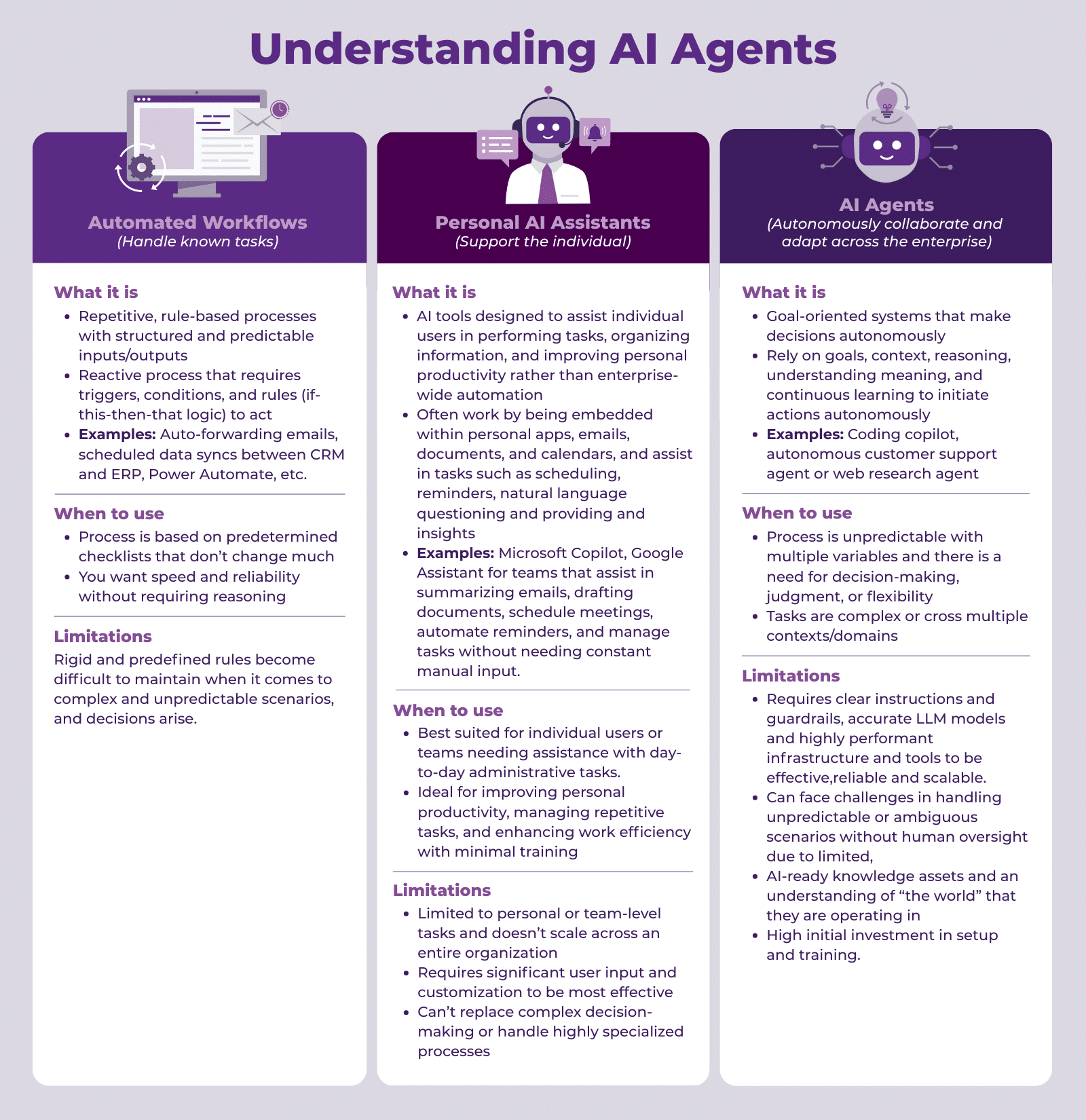
Credit: enterprise-knowledge.com
Advanced Tips For Power Users
Custom workflowshelp save time by automating tasks. Connect your AI assistant with apps like email, calendar, and notes. Set triggers to start actions automatically. For example, create a workflow that sends a reminder when a meeting is near. This keeps your day organized and efficient.
AI-driven insightsshow patterns in your work habits. Use these insights to spot where you spend most time. Adjust tasks to be more productive. Insights can suggest breaks or focus times. This helps keep your energy high and work smooth.
Integrating multiple assistantscan improve results. Use one assistant for scheduling and another for research. They can share data to work better together. This way, you get more done without switching tools. It makes your work easier and faster.
Security And Privacy Considerations
Protecting datais very important when using AI assistants. Always check app permissionsbefore granting access. Only allow what is necessaryfor the assistant to work well. Use strong passwords and update them oftento keep accounts safe.
Watch out for phishing scamsthat try to steal information. Avoid sharing personal detailsin chats or commands. Keep software and apps updatedto fix security holes.
| Best Practices | Why It Matters |
|---|---|
| Limit permissions | Reduces data exposure risks |
| Use strong passwords | Prevents unauthorized access |
| Update regularly | Fixes security vulnerabilities |
| Recognize scams | Protects personal information |

Credit: www.leanware.co
Frequently Asked Questions
What Are Ai Assistants In Productivity?
AI assistants are software tools that automate tasks and improve work efficiency. They help manage schedules, emails, and reminders, reducing manual effort. Using AI assistants saves time and boosts productivity by handling repetitive tasks and providing smart suggestions.
How Can Ai Assistants Improve Time Management?
AI assistants organize your calendar, set reminders, and prioritize tasks automatically. They optimize your daily schedule, helping you focus on important work. This reduces procrastination and ensures deadlines are met efficiently.
Are Ai Assistants Secure For Professional Use?
Yes, reputable AI assistants follow strict data security protocols. They use encryption and comply with privacy regulations. Always choose trusted AI tools to protect your sensitive information and maintain confidentiality.
Can Ai Assistants Integrate With Other Tools?
Most AI assistants seamlessly integrate with popular apps like email, calendars, and project management software. This enables smooth workflow automation and centralized task management, enhancing overall productivity.
Conclusion
AI assistants help save time and reduce stress. They handle simple tasks fast and free your mind. Use them daily to stay organized and focused. Small steps with AI can lead to big changes. Try different tools to find what suits you best.
Remember, AI works best as a helpful partner. Keep practicing, and productivity will improve over time. Your work can feel easier and more clear. Embrace AI to support your goals, not replace your effort.