Imagine having a tool that listens carefully to every word you say and turns it into clear, accurate text — effortlessly. That’s exactly what Otter.Ai Transcription Assistant does for you.
Whether you’re a student, professional, or anyone who needs quick, reliable notes, this assistant saves your time and energy. Curious how it works and how it can make your life easier? Keep reading to discover why Otter. Ai might become your new best friend for capturing every important detail.
What Is Otter.ai
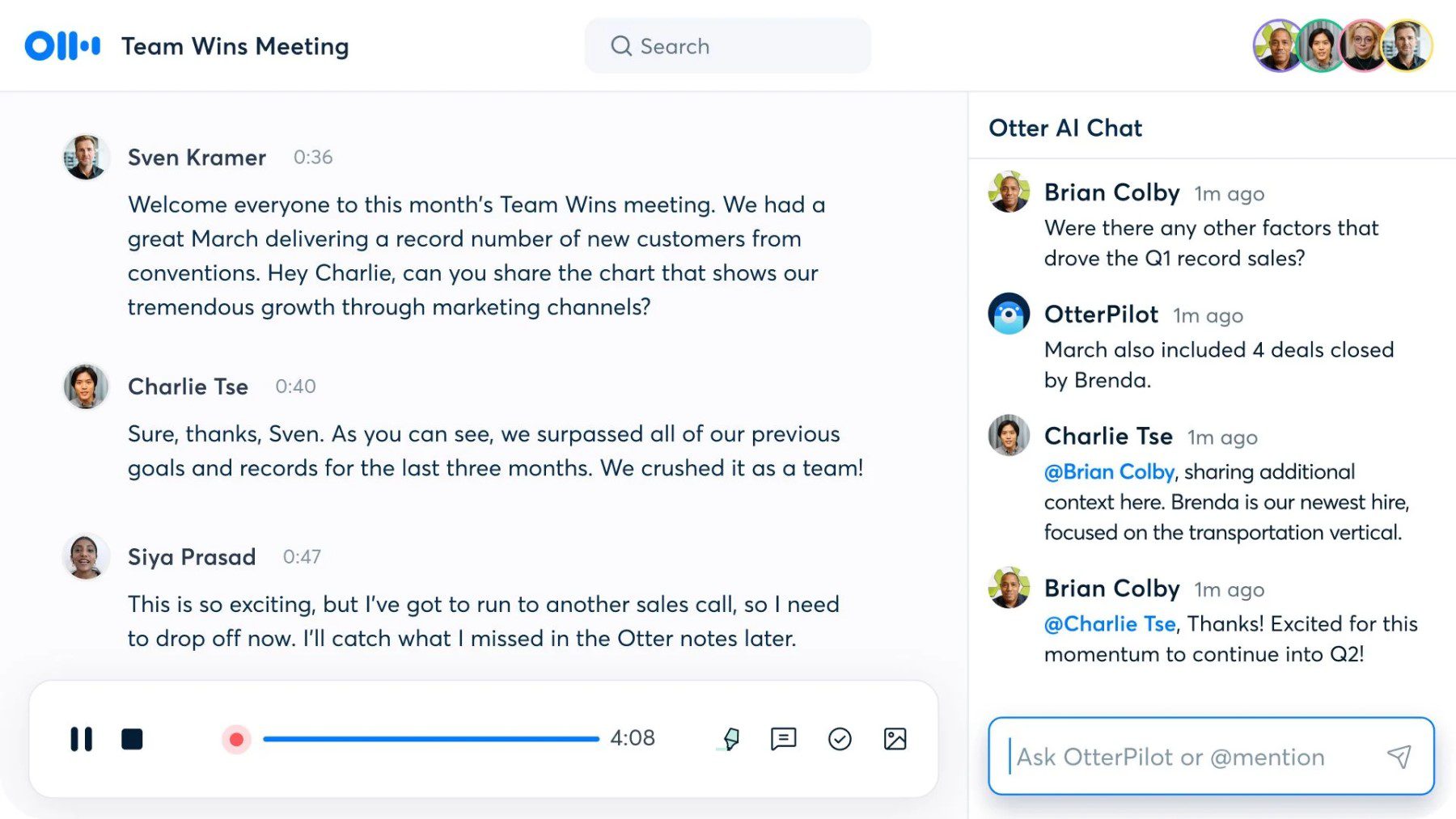
Otter.Aiis a tool that turns spoken words into text automatically. It records conversationsand writes them downquickly and clearly. People use it for meetings, interviews, and classes. The app can recognize different speakersand add notesor picturesto the text.
This tool works on phones and computers, so you can use it almost anywhere. It saves time by making easy-to-read transcripts. You can also searchthrough the text later to find important parts fast.
Credit: www.elegantthemes.com
Key Features
Otter.aioffers real-time transcriptionthat types words as people speak. This helps follow meetings or talks easily. It can identify different speakersso you know who said what. This speaker identificationis helpful in group chats or interviews.
All transcripts are searchable. You can find specific words or phrases fast. This saves time when looking for important info. Otter.ai works with many apps like Zoom and Google Meet. These integration optionsmake it simple to use Otter.ai with tools you already have.
How Otter.ai Enhances Efficiency
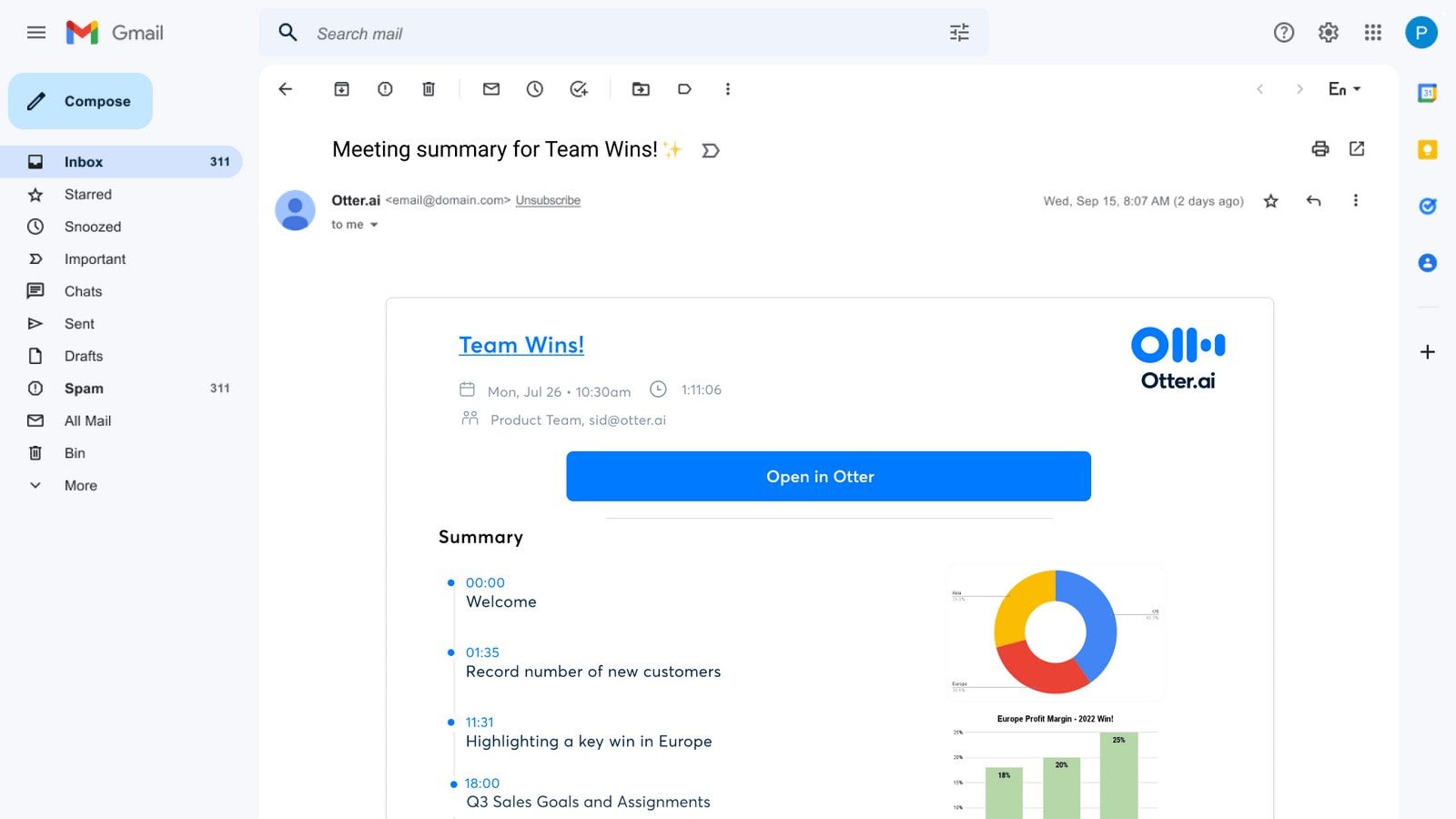
Otter.Ai saves timeby automatically writing down spoken words. No need to type notes during meetings. This lets users focus on the conversationand not on writing. It creates accurate transcriptsfast, so reviewing is easy and quick.
Meetings become more productivebecause everyone pays attention. Important points are captured without missing details. Users can search transcripts later to find key ideas. This reduces confusion and makes follow-up tasks clear.
Otter.Ai helps teams work better together. Transcripts can be shared with others instantly. People who miss meetings can read what was said. It makes collaboration simpleand keeps everyone on the same page.
Use Cases Across Industries
Business meetingsbenefit from Otter.Ai by creating accurate notes quickly. Teams can focus on discussions without worrying about writing everything down. It captures key points and action items clearly. This helps teams stay organized and follow up easily.
Academic researchuses Otter.Ai to transcribe interviews and lectures. Researchers save time by converting speech to text automatically. It helps to review and analyze data faster. Important quotes and ideas are easy to find later.
Media and journalismrely on Otter.Ai for transcribing interviews and press conferences. Reporters get accurate text to write stories faster. It reduces errors and improves story quality. Quick transcription supports fast news delivery.
Healthcare documentationis simplified with Otter.Ai. Doctors and nurses can record patient notes hands-free. It helps keep detailed records without slowing work. Accurate transcription supports better patient care and record keeping.
Tips For Maximizing Otter.ai
Clear audiohelps Otter.ai create better transcripts. Use a quiet room and speak near the microphone. Avoid background noise and speak slowly for best results.
Adding custom vocabularyhelps Otter.ai recognize specific words. Upload names, places, or jargon you often use. This makes transcripts more accurate and saves editing time.
Edit transcripts by playing audio and fixing mistakes. Share transcripts with team members easily through links or exports. This keeps everyone on the same page and improves teamwork.

Credit: www.theverge.com
Comparing Otter.ai With Other Tools
Otter.Aioffers high accuracyin transcriptions, often matching or beating many tools. It transcribes speech quickly, saving users time. Other tools may lag behind in speed or make more mistakes. This makes Otter.Ai ideal for fast meetings and lectures.
| Tool | Price | Free Plan | Monthly Cost |
|---|---|---|---|
| Otter.Ai | Free & Paid | Yes | $8.33 – $20 |
| Rev | Paid Only | No | $1.25/minute |
| Temi | Pay-As-You-Go | No | $0.25/minute |
User experience with Otter.Ai is smooth. The interface is simpleand easy to navigate. It allows easy editing and sharing of notes. Other tools may have cluttered screens or complex steps, which can confuse new users. Otter.Ai suits beginners and pros alike.
Privacy And Security Considerations
Otter.ai keeps your data safe and private. It uses strong encryptionto protect your recordings. Your conversations stay between you and Otter.ai servers only. The company does not share your transcripts with others without permission.
You can control who sees your transcripts. Sharing requires your explicit consent. Otter.ai follows strict rules to protect your personal information. They also update security often to stop new threats.
Using Otter.ai means trusting them with your voice data. It is good to read their privacy policycarefully. That way, you know how your info is handled. Always use strong passwords and avoid sharing your account details.
Credit: www.elegantthemes.com
Frequently Asked Questions
What Is Otter.ai Transcription Assistant?
Otter. Ai Transcription Assistant is an AI-powered tool that converts speech to text. It helps users transcribe meetings, interviews, and lectures quickly and accurately. This tool saves time and improves productivity by providing real-time transcription and searchable notes.
How Accurate Is Otter.ai Transcription Service?
Otter. Ai offers high transcription accuracy, often above 90%. Accuracy depends on audio quality, speaker clarity, and background noise. The tool uses advanced AI to improve transcription over time and supports multiple languages and accents.
Can Otter.ai Integrate With Other Apps?
Yes, Otter. Ai integrates with popular apps like Zoom, Microsoft Teams, and Google Meet. These integrations enable automatic meeting transcription and easy sharing. It enhances collaboration by syncing transcripts across platforms.
Is Otter.ai Free To Use?
Otter. Ai offers a free plan with limited transcription minutes monthly. Paid plans provide more minutes, advanced features, and team collaboration tools. Users can choose a plan based on their transcription needs and budget.
Conclusion
Otter. Ai Transcription Assistant helps save time by turning speech into text fast. It works well for meetings, interviews, and lectures. The tool makes notes easy to search and share with others. People who want clear and quick transcripts find it useful.
It supports teamwork and keeps information organized. Choosing Otter. Ai can simplify your work and study routines. Give it a try to see how it fits your needs. Simple, clear, and helpful—Otter. Ai makes transcription easy.