Choosing the right accounting app can make or break your small business’s financial health. You want something that’s easy to use, saves you time, and keeps your books accurate without costing a fortune.
That’s why comparing Xero and QuickBooks is so important—they’re two of the top contenders for small business owners like you. But which one truly fits your unique needs? Stick with me, and by the end of this article, you’ll have a clear picture of which app can simplify your accounting, help you stay on top of your finances, and give you peace of mind.
Ready to discover the best match for your business? Let’s dive in.
Xero Features
Xerooffers simple pricing plansthat suit small businesses. Users can choose from several tiers, each with different features to match business needs.
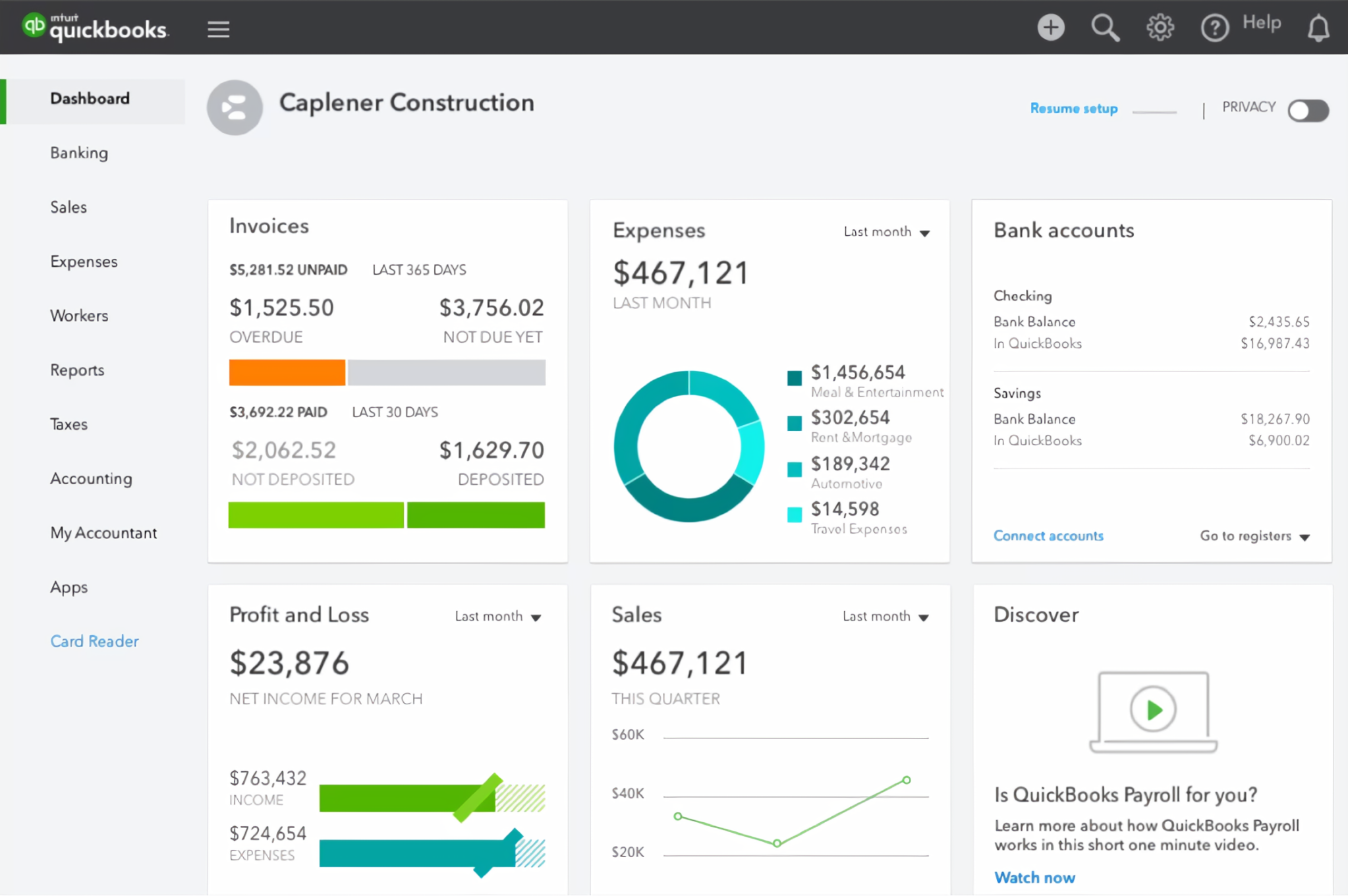
The user interfaceis clean and easy to navigate. Even beginners find it straightforward to use without much training.
Creating invoices and billingis quick. Users can customize templates and send invoices directly from the app.
Bank reconciliationworks smoothly. Xero connects to multiple banks and automatically matches transactions.
Its reporting and analyticsprovide clear insights. Businesses get financial overviews and detailed reports to track performance.
Integrations and add-onsexpand Xero’s functionality. It connects with apps for payroll, inventory, and more, helping businesses grow.

Credit: profitbooks.net
Quickbooks Features
QuickBooksoffers several pricing plans to fit different business needs, starting with a basic plan and scaling up to more advanced options. The user interfaceis simple and clean, making navigation easy even for beginners. Creating and sending invoices is quick, with options to customize templates and track payment status.
Bank reconciliation is mostly automated, helping to save time and reduce errors. The software provides detailed reports and analyticsthat help understand business performance clearly. QuickBooks supports many integrations and add-ons, allowing users to connect with other tools like payment processors, payroll, and inventory systems.
Comparison Of Key Features
Cost-effectiveness:Xero generally offers lower monthly fees than QuickBooks. It suits small businesses with tight budgets. QuickBooks may charge more for extra features.
Scalability:QuickBooks supports growing businesses well with advanced tools. Xero works best for small to medium-sized companies but can scale up moderately.
Customer Support:QuickBooks provides 24/7 live chat and phone support. Xero offers email and chat support during business hours, which may delay responses.
Mobile App Experience:Both apps have mobile versions. QuickBooks app is more feature-rich and user-friendly. Xero’s app covers basic tasks but is simpler.
Automation Tools:QuickBooks includes smart automation for invoicing and expenses. Xero also automates many tasks but has fewer advanced options.
Credit: rocketbookkeeper.com
User Feedback And Reviews
Small business ownersoften praise Xerofor its easy interfaceand affordable pricing. They find QuickBooks useful for its more advanced features, especially as their business grows. Many appreciate QuickBooks’ strong customer supportbut note it can be more expensive.
Accountants and bookkeeperslike Xero’s simple setupand ability to handle multiple clients efficiently. QuickBooks is favored for its comprehensive reportingand scalability. Both tools have loyal users, but some professionals mention QuickBooks has a steeper learning curve.
| Source | Xero Feedback | QuickBooks Feedback |
|---|---|---|
| Online Forums | Easy to use, cost-effective, less complex | Feature-rich, better support, pricier |
| Review Sites | Good for small businesses, smooth interface | Great for growing businesses, many features |
| Community Groups | Reliable, user-friendly, good value | Powerful, flexible, requires time to learn |
Choosing Based On Business Needs
Simple accountingfits small businesses needing easy invoicing and expense tracking. Xero offers a clean interface for basic tasks. QuickBooks provides more tools but can feel complex.
Advanced accountingsuits growing businesses. QuickBooks supports payroll, inventory, and tax calculations. Xero has some advanced features but fewer than QuickBooks.
Different industries need specific tools. Retail may require inventory management. Service businesses focus on time tracking. QuickBooks offers more industry-specific options than Xero.
Budget matters. Xero is usually cheaper for small businesses. QuickBooks costs more but includes more features. Choosing depends on what fits your spending plan.
| Factor | Xero | QuickBooks |
|---|---|---|
| Ease of Use | Simple, clean interface | More complex, feature-rich |
| Advanced Features | Limited | Payroll, inventory, tax tools |
| Industry-Specific Tools | Basic | More options |
| Cost | Lower price | Higher price |
Credit: fuelfinance.me
Alternatives And Complementary Tools
Wave Financialoffers free accounting tools ideal for small businesses. It handles invoicing, payments, and basic bookkeeping. Simple and easy to use, it fits tight budgets well.
FreshBooksfocuses on invoicing and time tracking. Perfect for freelancers and service businesses. It also supports expense tracking and reports.
| Tool | Main Features | Best For |
|---|---|---|
| Wave Financial | Free invoicing, payments, bookkeeping | Small businesses, startups |
| FreshBooks | Invoicing, time tracking, expense management | Freelancers, service providers |
| Sage Group | Accounting, payroll, payments | Growing businesses, mid-sized firms |
| NetSuite | Cloud ERP, financial management, CRM | Large businesses, complex needs |
Sage Groupsupports payroll and payments with strong accounting. It suits companies growing beyond basic needs.
NetSuiteis a cloud ERP system. It covers accounting plus inventory and customer management. Best for larger or complex businesses.
Frequently Asked Questions
What Are The Main Differences Between Xero And Quickbooks?
Xero offers a simpler interface and lower cost. QuickBooks provides advanced features and stronger customer support. Both suit small businesses but differ in scalability and integrations.
Which App Is Best For Small Business Accounting?
Xero is best for cost-conscious businesses needing basic accounting. QuickBooks fits businesses seeking advanced tools and comprehensive reporting capabilities.
How Do Pricing Plans Compare For Xero Vs Quickbooks?
Xero generally costs less with straightforward pricing. QuickBooks has tiered plans with more features but higher prices. Choose based on budget and feature needs.
Can Xero And Quickbooks Integrate With Other Business Tools?
Yes, both support many third-party integrations like payroll, invoicing, and CRM software. QuickBooks has a larger marketplace, but Xero’s integrations cover essential tools.
Conclusion
Choosing between Xero and QuickBooks depends on your business needs. Xero suits those wanting simple, cost-effective tools. QuickBooks fits businesses needing advanced features and strong support. Both apps help manage finances efficiently. Consider your budget, required features, and ease of use.
Try free trials to see which app feels right. Good accounting software can save time and reduce errors. Pick the app that matches your workflow best. Keep your business finances organized and stress-free.