Choosing the right logo maker can make or break your brand’s first impression. You want a tool that’s easy to use, delivers quality designs, and fits your budget.
But with options like Brandmark and Looka out there, how do you decide which one is best for you? This article will break down the key differences between Brandmark and Looka, so you can find the perfect match for your brand’s personality and goals.
Keep reading the Brandmark Vs Looka article, and by the end, you’ll feel confident about creating a logo that truly stands out.
Brandmark Features
Brandmark offers a solid set of features for creating logos quickly. It focuses on simplicity and ease of use. This makes it a good choice for beginners and small businesses.
The features balance creativity with user control. Users can create unique logos without much design experience.
Design Tools
Brandmark provides basic design tools to shape your logo. You can adjust colors, fonts, and icons easily. The tools are straightforward, so no special skills are needed. This helps users create clean and professional logos fast.
Customization Options
You can customize many parts of your logo. Change the icon style, text size, and layout quickly. Brandmark lets you pick color palettes that fit your brand. This level of control helps make your logo look unique.
Template Variety
Brandmark offers a good range of logo templates. These templates cover many industries and styles. Each template is modern and visually appealing. Starting with templates speeds up the design process.
User Interface
The user interface is clean and simple. It guides users step-by-step through logo creation. The layout is easy to navigate with clear buttons. This reduces confusion and saves time during design.
Looka Features
Looka offers a set of useful features that help create logos quickly and easily. It combines smart design with user-friendly tools. You can make logos that fit your brand style without much effort. The platform suits beginners and those with some design experience.
Below, we explore Looka’s main features. These help users design logos that stand out and feel personal.
Design Tools
Looka provides simple tools to design logos fast. You can choose icons, colors, and fonts easily. The AI suggests logo styles based on your preferences. This saves time and guides your choices. You can see changes live as you edit.
Customization Options
Looka allows good customization of your logo. Change shapes, colors, and text styles with a few clicks. Adjust logo layout and spacing to fit your needs. The options help make your logo unique and clear. You can also save multiple versions to compare.
Template Variety
The platform offers many logo templates for different industries. Templates include simple and complex designs. This variety helps find a logo style that matches your brand. Each template is easy to change and personalize. New templates are added regularly.
User Interface
Looka’s interface is clean and easy to use. Clear menus guide you through the design process step-by-step. The drag-and-drop feature makes editing simple. The platform works well on both computers and tablets. No special skills are needed to create a logo.
Pricing Comparison
Comparing the prices of Brandmark and Looka helps choose the right logo maker. Both platforms offer different payment methods. Understanding these can save money and get the best deal.
Subscription Plans
Looka offers subscription plans for ongoing access. These plans include logo downloads and brand kits. Monthly and annual options are available. Brandmark does not provide subscription plans. It focuses on one-time payments instead.
One-time Fees
Brandmark charges a one-time fee for logo files. This fee covers all formats and rights. Looka also offers a one-time purchase option. Prices vary based on the logo package chosen. Brandmark’s fees are usually lower than Looka’s.
Value For Money
Looka’s subscription suits users needing multiple logos or updates. Brandmark fits those wanting a simple, single logo. Both offer easy-to-use design tools. Brandmark gives a budget-friendly option with full ownership. Looka provides more features but costs more overall.
Logo Quality
Logo quality plays a key role in how your brand looks to customers. A clear and unique logo builds trust and makes your brand easy to remember. Both Brandmark and Looka offer logo creation tools, but their output differs in quality. Let’s explore how each platform handles design uniqueness, resolution and formats, and brand consistency.
Design Uniqueness
Brandmark creates logos using AI with a focus on fresh designs. It generates many options that feel different from common templates. Looka also uses AI but leans on popular styles and trends. This can make some logos look familiar or less original. Brandmark’s logos often stand out more due to its creative approach.
Resolution And Formats
Brandmark delivers high-resolution logos with multiple file formats. You get PNG, SVG, and vector files suitable for print and web. Looka provides similar file types but limits some formats to higher payment plans. Brandmark’s clear vector logos ensure sharp images on any screen or material.
Brand Consistency
Brandmark offers tools to keep your logo consistent across platforms. You can download brand kits with fonts and color codes. Looka also provides brand kits but with fewer customization options. Brandmark helps maintain a unified look for your brand identity easily.
User Experience
User experience plays a big role in choosing the right logo maker. It affects how fast you create a logo and how smooth the process feels. Both Brandmark and Looka offer different experiences. This section breaks down their ease of use, customer support, and learning curve.
Ease Of Use
Brandmark has a simple, clean interface. It guides users step-by-step to create logos quickly. The tool uses clear icons and buttons. Looka also offers an easy-to-navigate platform. Its drag-and-drop features help customize logos fast. Both tools suit beginners well. Brandmark feels a bit more direct with fewer options. Looka provides more design choices but can feel busy.
Customer Support
Brandmark offers email support and a helpful FAQ section. Response times are usually quick and clear. Looka provides live chat and email support. Their team answers questions in detail. Both platforms have good support but Looka’s live chat is faster. Users can find tutorials and guides on both sites. Support quality is solid across the board.
Learning Curve
Brandmark is easy to learn with minimal steps. New users can create logos without confusion. Looka takes a bit longer to master due to more features. Users may need time to explore all options. Both platforms offer tutorials to shorten learning time. Brandmark suits those who want speed. Looka works better for users who want more control.

Credit: theaisurf.com
Additional Tools
Both Brandmark and Looka provide extra tools to help users build their brand. These tools go beyond logo design. They help create a consistent look across different platforms. These features save time and keep branding simple.
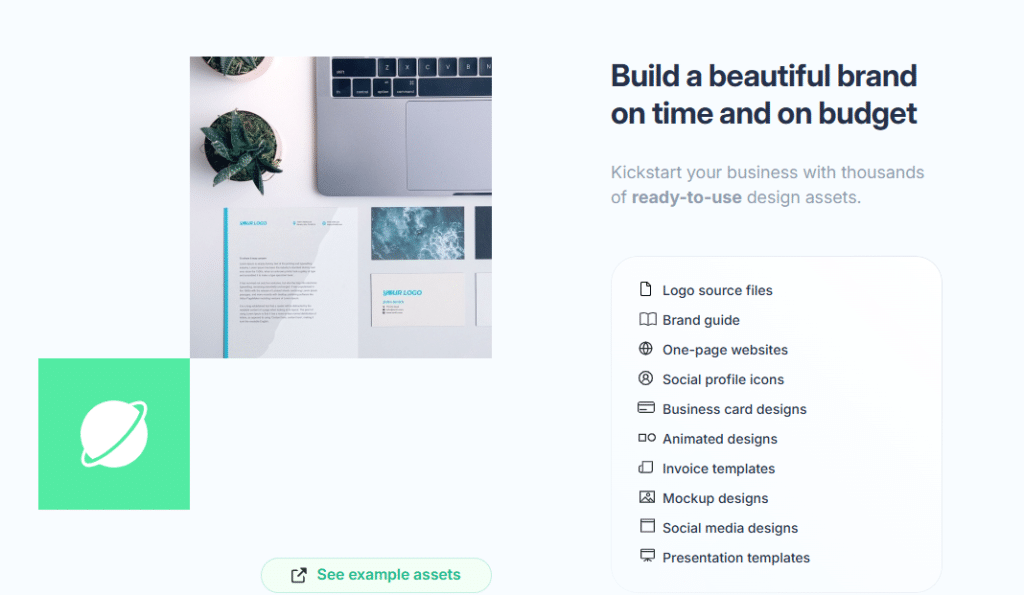
Brand Kits
Brandmark offers brand kits that include color palettes and fonts. This helps maintain style in all designs. The kit is easy to download and share. Looka also has brand kits with similar features. It includes logo variations and font details. Both tools help keep branding uniform.
Social Media Assets
Looka creates social media assets for platforms like Facebook and Instagram. These assets fit the right size and format. Brandmark provides social media templates too. Users can customize these templates to suit their needs. These assets make social media branding easier and faster.
Marketing Materials
Looka offers marketing materials such as business cards and flyers. These materials come ready to print or share online. Brandmark provides fewer marketing options but focuses on digital assets. Both platforms help users prepare for offline and online marketing. This helps brands look professional everywhere.
Pros And Cons
Choosing between Brandmark and Looka requires understanding their strengths and weaknesses. Each tool offers unique features that suit different needs. Knowing the pros and cons helps pick the right logo maker for your project.
Brandmark Strengths
Brandmark creates logos quickly with simple steps. It uses AI to generate modern designs. The interface is clean and easy to use. You get many logo variations to choose from. Brandmark offers high-resolution downloads. It supports branding with matching color palettes. Here is an review.
Brandmark Weaknesses
Customization options are limited compared to other tools. Some logos can feel generic or less unique. The free version has restricted features. It lacks advanced editing tools for detailed changes. Customer support response times can be slow. Branding packages can be pricey for small budgets.
Looka Strengths
Looka offers strong logo customization options. It lets users adjust fonts, colors, and icons easily. The design process is user-friendly and guided. Looka provides brand kits with social media assets. It includes various file formats for download. The AI suggests creative ideas based on preferences.
Looka Weaknesses
Looka’s pricing can be high for full access. Some logo results may need manual tweaking. The AI sometimes creates less original designs. Free logo previews have limited resolution. The website can feel cluttered with options. Support is mainly through email with slower replies.
Best Use Cases
Choosing the right logo maker depends on your specific needs. Both Brandmark and Looka offer strong features. Each serves different users better. Understanding the best use cases helps you decide quickly.
Some tools fit startups, others suit freelancers or large businesses. Let’s explore where Brandmark and Looka shine most.
Startups And Small Businesses
Brandmark works well for startups needing fast logos. It creates modern designs with minimal input. Small businesses benefit from quick, affordable branding. Brandmark’s AI suggests unique ideas easily. Simple customization helps match your style. Looka also suits small businesses wanting more design options. It offers varied templates and brand kits. This tool helps build a full brand identity. Both tools save time and money for new companies.
Freelancers And Creatives
Looka appeals to freelancers and creatives needing flexible design. It allows detailed logo editing and color changes. Users can download multiple file types for projects. Brandmark offers quick, clean logos but fewer tweaks. Freelancers who want fast results may prefer Brandmark. Creatives seeking control and variety lean towards Looka. Both tools support personal branding and client work.
Enterprise Needs
Enterprises need consistent branding across channels. Looka provides full brand kits with fonts and colors. It supports high-resolution logos for marketing materials. Brandmark focuses more on logo creation than brand management. Large companies benefit from Looka’s comprehensive asset packages. Both tools help enterprises save on design costs. Looka’s flexibility fits complex branding needs better.
Final Verdict
The final verdict on Brandmark versus Looka comes down to your specific needs. Both tools offer unique features for logo design. Your choice depends on what matters most for your brand.
Which One Fits Your Needs
Brandmark is great for fast, simple logos. It uses AI to create designs quickly. Looka offers more customization and control. It suits users who want to tweak every detail. Choose Brandmark for ease and speed. Pick Looka if you want creative freedom.
Future Outlook 2026
Both platforms plan to improve their AI and templates. Brandmark aims to simplify logo creation further. Looka focuses on expanding design tools and brand kits. Expect more user-friendly features from both by 2026. Keep an eye on updates to get the best value.
Credit: www.lemon8-app.com
Credit: www.thesmbguide.com
Frequently Asked Questions
What Are The Main Differences Between Brandmark And Looka?
Brandmark offers AI logo design with simple customization. Looka provides more template options and brand kits. Both are easy but vary in design styles and tools.
Which Platform Is Better For Beginners, Brandmark Or Looka?
Looka is beginner-friendly with guided steps and ready-made templates. Brandmark is quick for simple logos but has fewer editing tools. Choose based on how much control you want.
How Do Pricing Plans Compare Between Brandmark And Looka?
Brandmark charges per logo with fewer package options. Looka offers different plans including full branding kits. Prices depend on what files and services you need.
Conclusion
Both Brandmark and Looka offer easy logo design tools. Brandmark gives quick results with simple options. Looka provides more choices and customization features. Your decision depends on what you need most. Choose Brandmark for speed and ease. Pick Looka if you want more control.
Each tool fits different users and goals. Try both to see which suits you best. A good logo helps your brand stand out. Take time to find the right fit for your business.