Managing your expenses shouldn’t feel like a chore, yet finding the right app to handle it all can be overwhelming. You want a tool that saves you time, keeps your finances clear, and fits your unique needs perfectly.
That’s where Expensify and Rydoo come in—two top contenders in the world of expense management apps. But which one truly stands out for you? You’ll discover the key differences, strengths, and weaknesses of Expensify vs Rydoo so you can confidently pick the best app to simplify your expense tracking and boost your productivity.
Keep reading to find out which one aligns with your workflow and budget.
Credit: www.stackfix.com
App Features Comparison
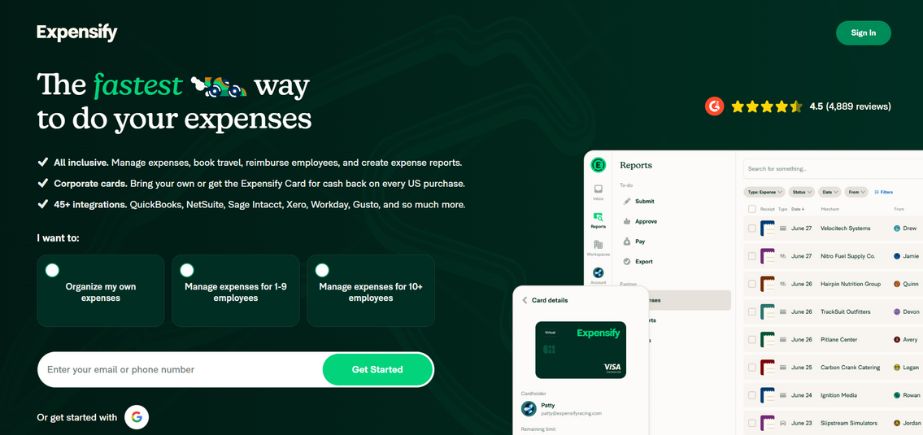
Expense Tracking Tools:Expensify offers simple receipt scanning and automatic expense categorization. Rydoo provides real-time expense tracking with multi-currency support. Both apps allow users to upload receipts using mobile devices.
Travel Booking Options:Rydoo includes built-in travel booking features. Users can book flights, hotels, and cars within the app. Expensify does not offer direct travel booking but integrates with travel platforms.
Invoice and Project Management:Rydoo supports invoice creation and project cost tracking. Expensify focuses mainly on expense reports and lacks project management tools.
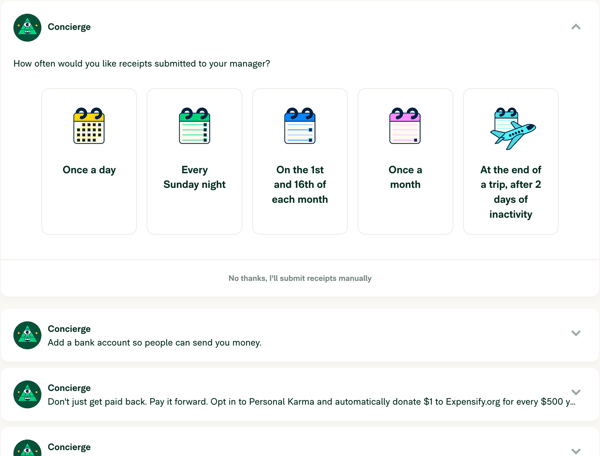
AI and Automation Capabilities:Expensify uses AI to scan receipts and detect duplicates. Rydoo automates expense approvals and policy compliance. Both reduce manual work and save time.
User Experience
Expensifyand Rydooboth offer mobile apps with fast performance. Users find Expensify’s app simple and responsive, making expense tracking quick. Rydoo’s app also runs smoothly and supports more features like travel booking.
Both apps have easy-to-use interfaces. Expensify’s design is straightforward, good for beginners. Rydoo’s interface is modern but may need more time to learn due to extra features.
| Feature | Expensify | Rydoo |
|---|---|---|
| Mobile App Performance | Fast and reliable | Fast with added travel tools |
| Ease of Use | Simple, beginner-friendly | More features, learning curve |
| Customer Support | Responsive email and chat | 24/7 support with live chat |
Customer support is good for both apps. Expensify offers quick email replies. Rydoo provides live chat and phone support around the clock.
Pricing And Plans
Expensifyoffers a free version with limited features, ideal for individuals or small teams. Its paid plans start at a fixed monthly fee per user, providing more advanced tools like receipt scanning and expense approvals.
Rydooalso has a free trial but focuses mainly on paid subscriptions. Its pricing tiers vary depending on company size and required features, including travel booking and invoice management.
| Feature | Expensify Free | Expensify Paid | Rydoo Paid |
|---|---|---|---|
| Receipt Scanning | Limited | Yes | Yes |
| Travel Booking | No | No | Yes |
| Invoice Management | No | No | Yes |
| Cost per User | Free | From $5/month | Varies |
Expensify suits smaller teams with simpler needs. Rydoo fits larger businesses needing more features.
Choosing depends on budgetand required tools. Both offer value for different users.
Credit: learn.g2.com
Integration And Scalability
Expensifyand Rydooboth support many third-party integrations. Expensify works well with tools like QuickBooksand Xero. Rydoo connects with popular apps such as Slackand Salesforce. This helps teams keep all data synced and easy to manage.
Small teams find Expensify easy to use and set up quickly. Large teams may prefer Rydoo for its advanced features and better scalability. Rydoo handles more users and complex workflows without slowing down.
| Feature | Expensify | Rydoo |
|---|---|---|
| Third-Party Integrations | QuickBooks, Xero, others | Slack, Salesforce, and more |
| Suitability | Best for small to medium teams | Ideal for medium to large teams |
| Global Expansion Support | Limited multi-currency features | Strong multi-currency and multi-language support |
Rydoo offers better global expansion support. It handles multiple currenciesand languageseasily. Expensify works mostly for local or smaller global teams. This makes Rydoo a smart choice for companies planning to grow worldwide.
Security And Compliance
Expensifyand Rydoouse strong data protection measuresto keep your information safe. Both apps encrypt data to prevent unauthorized access. They regularly update security protocols to guard against threats.
Both platforms follow strict regulatory compliancerules. They meet standards like GDPR and SOC 2, ensuring legal data handling. This compliance helps protect user privacy and company data.
| Feature | Expensify | Rydoo |
|---|---|---|
| User Access Controls | Role-based permissions and two-factor authentication | Custom access levels and secure login options |
| Data Encryption | Encryption in transit and at rest | End-to-end encryption for all data |
| Compliance Certifications | GDPR, SOC 2 Type II | GDPR, ISO 27001 |

Credit: www.capterra.com
Customer Feedback
User reviewsshow mixed opinions on Expensify and Rydoo. Common complaints include slow customer supportand app glitches. Some users say the mobile app crashesfrequently, causing frustration.
On the positive side, many users appreciate the easy receipt scanningfeature. Both apps get praise for simple expense trackingand automatic report generation. Users like that these apps help save time on expense management tasks.
| Aspect | Expensify | Rydoo |
|---|---|---|
| Common Complaints | App crashes, limited travel features | Customer support delays, complex interface |
| Positive Highlights | Simple receipt capture, easy reports | Advanced travel booking, good automation |
Choosing The Right App
Startupsbenefit from apps that are simple and cost-effective. Expensify offers an easy setup and straightforward features, ideal for small teams. Rydoo provides more tools but may be more complex and pricier for new businesses.
Enterprisesneed apps that handle large volumes and integrate well. Rydoo supports advanced features like travel booking and project tracking, suited for bigger companies. Expensify focuses mainly on expense reporting and might lack some enterprise-level tools.
| Industry-Specific Needs | Expensify | Rydoo |
|---|---|---|
| Technology | Good for simple expense tracking | Offers invoicing and project tracking |
| Healthcare | Basic expense management | More features for compliance and reporting |
| Travel & Hospitality | Expense reports only | Includes travel booking and approvals |
Frequently Asked Questions
What Is The Difference Between Expensify And Rydoo?
Expensify focuses on simple expense tracking for smaller teams. Rydoo offers advanced features like travel booking, invoicing, and project tracking. Rydoo suits growing businesses needing comprehensive expense management, while Expensify works best for quick-start, basic expense reporting.
What App Is Better Than Expensify?
Brex offers better expense management than Expensify, with AI automation, global scalability, and full spend control. Rydoo excels in travel booking and invoicing. Both suit growing businesses needing advanced features and user-friendly tools.
What Is The Best Expense Management Software?
The best expense management software depends on your needs. Popular options include Expensify, Rydoo, Zoho Expense, and SAP Concur. Rydoo offers advanced features, while Expensify suits smaller teams. Choose software that fits your business size, budget, and desired automation level.
Is Expensify No Longer Free?
Expensify offers a free plan with limited features for individual users. Most advanced features require paid subscriptions.
Conclusion
Choosing between Expensify and Rydoo depends on your business needs. Expensify works well for simple expense tracking and quick reports. Rydoo offers extra features like travel booking and project tracking. Both apps help save time and reduce errors. Consider your budget and required tools before deciding.
Testing each app can reveal which fits your workflow best. Managing expenses becomes easier with the right app by your side.