
If you’re using Fusebase but feel it’s not quite the perfect fit for your needs, you’re not alone. Finding the right tool to manage your projects, collaborate with your team, or organize your work can be challenging.
What if there were alternatives that could offer better features, easier setup, or more flexibility? You’ll discover top Fusebase alternatives that might just change the way you work. Whether you want more powerful integrations, user-friendly interfaces, or cost-effective solutions, there’s something here for you.
Many teams solve this problem by using modern project collaboration platforms designed to manage tasks, communication, and workflows efficiently. You can explore the best tools in our Project Collaboration Platform guide.
Keep reading to find the best option that matches your unique workflow and helps you get more done with less hassle.
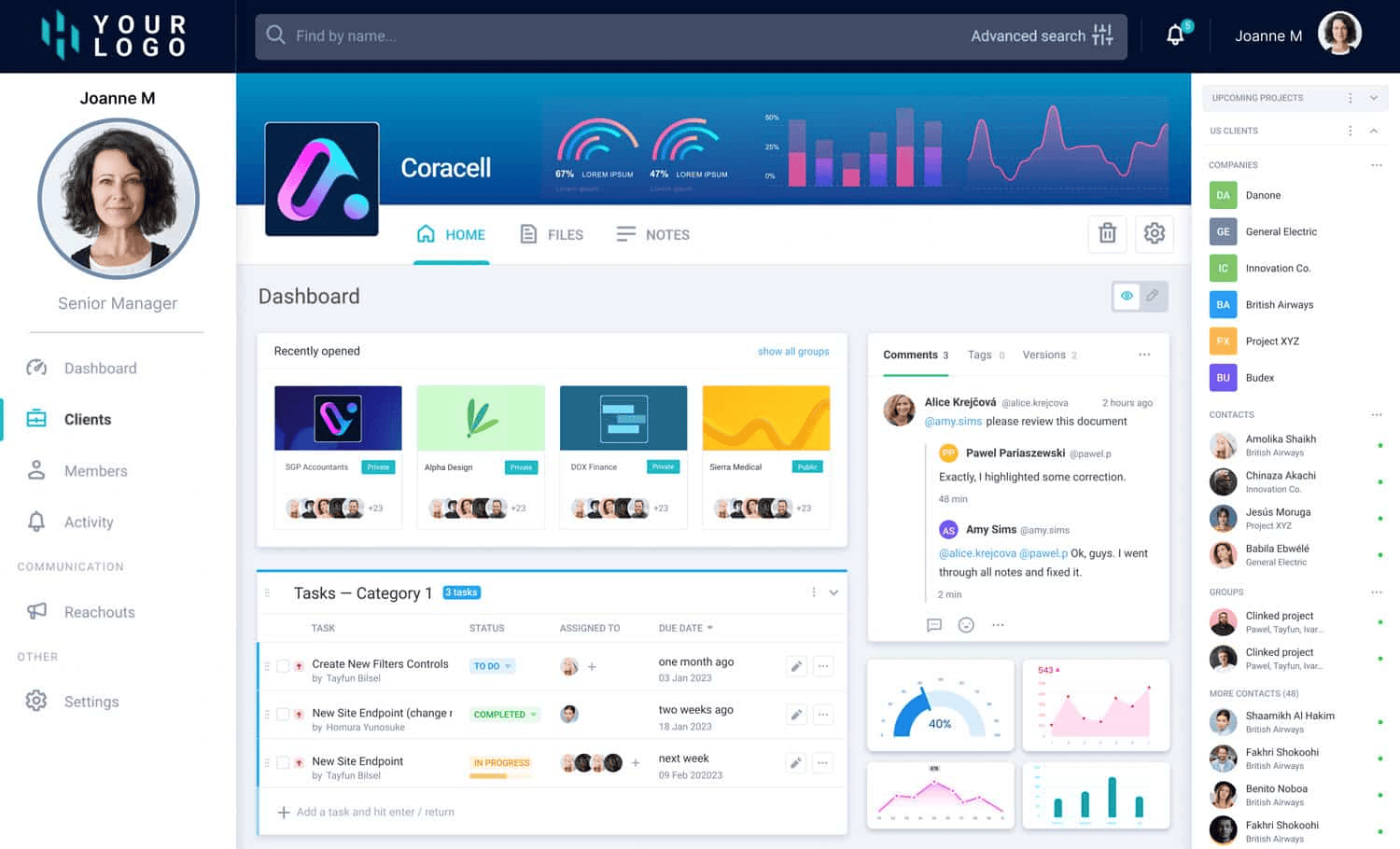
Credit: thefusebase.com
Why Look Beyond Fusebase
Fusebase offers a solid platform for managing knowledge and client portals. If you want a deeper look at how the platform works, read our full FuseBase Review covering its features, AI tools, and business capabilities.
Yet, some users find it lacks certain features or flexibility. Exploring other options can help find a tool that better fits specific needs. This section covers reasons to look beyond Fusebase and when to consider alternatives.
Limitations Of Fusebase
Fusebase may not support all business sizes equally well. Some users report limited customization options. The interface can feel restrictive for complex workflows. Integrations with other software might be fewer than expected. Support response times sometimes do not meet urgent demands. Certain advanced features come only with higher pricing plans. These factors can slow down team productivity and growth.
When To Consider Alternatives
Consider other platforms if your needs grow beyond Fusebase’s capabilities. If customization and advanced integrations are essential, explore options. When better user experience or faster support is required, alternatives may help. Switching can make sense if costs become too high for your budget. Also, if your team needs mobile-friendly or offline access, look around. Finding the right fit improves efficiency and satisfaction in the long run.
Criteria For Choosing Alternatives
Choosing the right alternative to Fusebase requires clear criteria. This helps ensure the new tool fits your needs and workflow. Focus on features, cost, and user support to make a smart choice. These factors affect efficiency and satisfaction in daily use.
Key Features To Evaluate
Check if the alternative offers essential features you need. Look for easy content creation and strong search options. Collaboration tools and integration with other apps matter. Security and customization also play a big role.
Pricing And Scalability
Compare pricing plans to find one within your budget. To understand the cost of Fusebase itself before switching, check our detailed FuseBase Pricing guide.
Consider if the tool scales with your team or business growth. Some platforms offer flexible plans or pay-as-you-go options. Avoid costly upgrades that limit your future needs.
User Experience And Support
Choose software with an intuitive interface to reduce learning time. Good customer support is vital for quick problem solving. Look for resources like tutorials, live chat, or email help. A smooth experience keeps your team productive and less frustrated.
Notion As A Leading Alternative
Notion stands out as a strong alternative to Fusebase. If you want a direct comparison between these two tools, read our FuseBase vs Notion breakdown.
It combines notes, tasks, databases, and collaboration in one platform. Its flexibility allows teams and individuals to customize their workspace easily. Many users prefer Notion for its clean design and powerful organizational tools.
Core Features
- All-in-one workspace for notes, tasks, and databases
- Customizable templates for various workflows
- Real-time collaboration with team members
- Rich media support including images and files
- Powerful search to find content quickly
- Integration with other tools via APIs and widgets
Benefits Over Fusebase
- More flexible and user-friendly interface
- Stronger support for team collaboration
- Better integration with popular apps
- More template options for different needs
- Offline access on desktop and mobile devices
- Regular updates with new features
Ideal Use Cases
- Project management for small to medium teams
- Personal knowledge management and note-taking
- Content planning and editorial calendars
- Task tracking and productivity workflows
- Customer and client information tracking
- Remote team collaboration and documentation
Clickup For Enhanced Collaboration
ClickUp offers a strong platform for teams to work together smoothly. It combines tools that boost communication and task tracking. This helps teams stay on the same page and meet deadlines with less stress.
Designed for all team sizes, ClickUp adapts to different workflows. Its features help organize projects clearly and keep work moving forward. Teams can share updates quickly and avoid confusion.
Task And Project Management
ClickUp provides clear task lists and project boards. Users can assign tasks, set priorities, and track progress easily. The platform supports different views like lists, boards, and timelines. This flexibility helps teams manage work in ways that suit them best.
Task dependencies and reminders reduce missed deadlines. Teams can comment directly on tasks to share updates. This keeps all communication tied to specific work items.
Integration Capabilities
ClickUp connects with many popular tools. These include Google Drive, Slack, Zoom, and more. Integrations help teams use their favorite apps without switching platforms. Data flows smoothly between tools, saving time and reducing errors.
APIs and automation features allow custom workflows. Teams can automate repetitive tasks and sync data across apps. This improves efficiency and keeps projects moving.
Pricing Plans
ClickUp offers several pricing options to fit different budgets. A free plan includes essential features for small teams. Paid plans add advanced tools like goals, time tracking, and more storage.
Users pay per member, making it scalable for growing teams. The pricing is transparent and easy to understand. This helps teams choose the best plan without surprises.
Coda’s Customizable Workspace
Coda’s customizable workspace offers a flexible platform for teams and individuals. It blends documents, spreadsheets, and apps into one space. Users can design their workspace to fit unique needs and workflows. This adaptability makes Coda a strong Fusebase alternative. Its tools help organize information clearly and effectively.
Unique Document Building
Coda allows users to build documents that do more than hold text. You can add tables, buttons, and interactive elements. This turns simple notes into dynamic tools. Each document can become a mini-app tailored to your task. This unique approach helps keep work organized and simple to update.
Automation Features
Coda includes automation that saves time and reduces errors. You can set rules to trigger actions automatically. For example, sending reminders or updating data across tables. These features help keep projects moving without constant manual work. Automation in Coda boosts productivity and keeps teams aligned.
User Feedback
Users praise Coda for its flexibility and ease of use. Many find it easier to create custom solutions compared to other platforms. Some mention a learning curve but appreciate the powerful features available. Feedback shows that Coda works well for teams of all sizes. This input helps improve the platform continuously.

Credit: assembly.com
Suitedash For Client Portals
SuiteDash offers a strong client portal solution for businesses seeking a unified platform. It combines many tools into one workspace. This helps teams manage clients and projects efficiently.
Clients get a secure place to access files, messages, and invoices. The platform is user-friendly for both businesses and their clients. It supports smooth communication and collaboration.
All-in-one Platform
SuiteDash integrates CRM, project management, and billing. Users can handle all client tasks without switching apps. The platform also includes email marketing and automated workflows. This saves time and reduces errors.
Security And Compliance
Data protection is a priority for SuiteDash. It uses encryption to keep information safe. Access controls ensure only authorized users see sensitive data. The platform follows industry standards for compliance.
Suitability For Businesses
SuiteDash fits small to medium-sized businesses well. It works for service providers, consultants, and agencies. The platform scales with business growth. Customization options allow adaptation to various industries.
Dock For Streamlined Knowledge Sharing
Dock offers a smooth way to share and manage knowledge in teams. It helps keep information organized and easy to find. This makes teamwork faster and more effective. Dock supports clear communication and helps avoid confusion in projects.
Teams can store documents, notes, and guides all in one place. This saves time and reduces errors. Dock’s design focuses on simplicity, so users spend less time learning the tool and more time working.
Content Management Features
Dock allows users to create and edit documents easily. It supports rich text, images, and file attachments. Version control tracks changes, so teams never lose important updates. Search functions help find information quickly. The platform also supports templates to speed up content creation. All content stays organized with folders and tags.
Collaboration Tools
Dock enables real-time collaboration for teams. Multiple users can work on documents together. Commenting features allow feedback and discussions directly on content. Notifications keep everyone updated on changes. Permissions control who can view or edit content. Integration with chat and email tools improves communication flow.
Pricing Overview
Dock offers several pricing plans based on team size and needs. A free plan is available for small teams with basic features. Paid plans include more storage, advanced tools, and priority support. Pricing scales with the number of users and added features. This flexibility makes Dock suitable for startups and larger companies alike.
Featurebase’s Ai-powered Support
Featurebase offers AI-powered support that helps teams handle customer questions faster. It combines smart automation with real-time communication tools. This approach reduces wait times and improves user satisfaction.
With AI at its core, Featurebase provides a seamless experience for both support staff and users. The system learns from interactions to give better answers over time. It fits well as a Fusebase alternative for businesses seeking modern support solutions.
Help Center Automation
Featurebase uses AI to automate the help center. Common questions get instant answers without needing human help. The AI organizes articles and suggests relevant content based on user queries. This makes self-service easier and cuts down support tickets.
Live Chat And Widgets
Live chat features let users connect with support agents quickly. AI-powered chatbots handle simple requests and pass complex ones to humans. Customizable widgets embed in websites and apps for easy access. These tools keep communication smooth and available 24/7.
Getting Started
Setting up Featurebase is simple and fast. The platform guides users through initial steps with clear instructions. AI helps configure the help center and chat features based on business needs. No technical skills are required to launch support services.
Comparing The Top 7 Alternatives
Choosing the right Fusebase alternative is crucial for your workflow. Each tool offers unique features and benefits. This section breaks down the top seven options. You will find easy-to-read comparisons to help make your choice simpler.
We focus on clear facts and balanced views. This way, you know what to expect from each platform. Dive into the details and see which one matches your needs best.
Feature Comparison Table
| Tool | Key Features | Pricing | Ease of Use | Support |
|---|---|---|---|---|
| Notion | Notes, databases, collaboration | Free & Paid | Very easy | Email, community |
| ClickUp | Task management, docs, goals | Free & Paid | Moderate | Chat, email |
| Coda | Docs, spreadsheets, automation | Free & Paid | Moderate | Email, help center |
| SuiteDash | CRM, project management, billing | Paid only | Moderate | Email, chat |
| Dock | Knowledge base, workflows | Paid only | Easy | Email support |
| Featurebase | AI help center, live chat | Free & Paid | Easy | Chat, email |
| SuperOkay | Client portal, document sharing | Paid only | Easy | Email support |
Pros And Cons Summary
- Notion: Great for teams; limited offline mode.
- ClickUp: Feature-rich; can feel complex at first.
- Coda: Powerful automation; learning curve present.
- SuiteDash: All-in-one suite; pricier than others.
- Dock: Simple interface; fewer integrations.
- Featurebase: AI features; newer platform with fewer users.
- SuperOkay: Easy client portal; limited customization.
Which Tool Fits Your Needs
For simple note-taking and collaboration, Notion fits well. It suits small to medium teams. ClickUp works best for detailed task management and goal tracking.
Coda is ideal if you want automation and flexible docs. SuiteDash appeals to users needing CRM and billing tools. Dock is good for those who want a clean knowledge base.
Featurebase shines with AI-powered help and chat features. SuperOkay fits clients needing a basic portal and document sharing.
Assess your priorities and choose the tool that matches your daily tasks. Each option provides different strengths to boost productivity.

Credit: www.featurebase.app
Frequently Asked Questions
What Are The Top Fusebase Alternatives For Team Collaboration?
Notion, ClickUp, and Coda are popular Fusebase alternatives. They offer easy project management and real-time collaboration features.
How Do Fusebase Alternatives Improve Client Portal Experience?
Alternatives like SuiteDash and Featurebase provide modern help centers and live chat. They enhance communication and user support for clients.
Which Fusebase Alternative Offers The Best Pricing Plans?
Pricing varies by platform, but many offer free tiers or flexible plans. Notion and ClickUp have affordable options for small teams.
Conclusion
Exploring Fusebase alternatives helps you find the best fit. Each option offers unique features and benefits. Consider your team’s needs and workflow carefully. Trying different platforms can reveal what works best. Choose a solution that feels simple and reliable. Your ideal client portal or knowledge base is out there.
Take time to compare and decide with confidence.