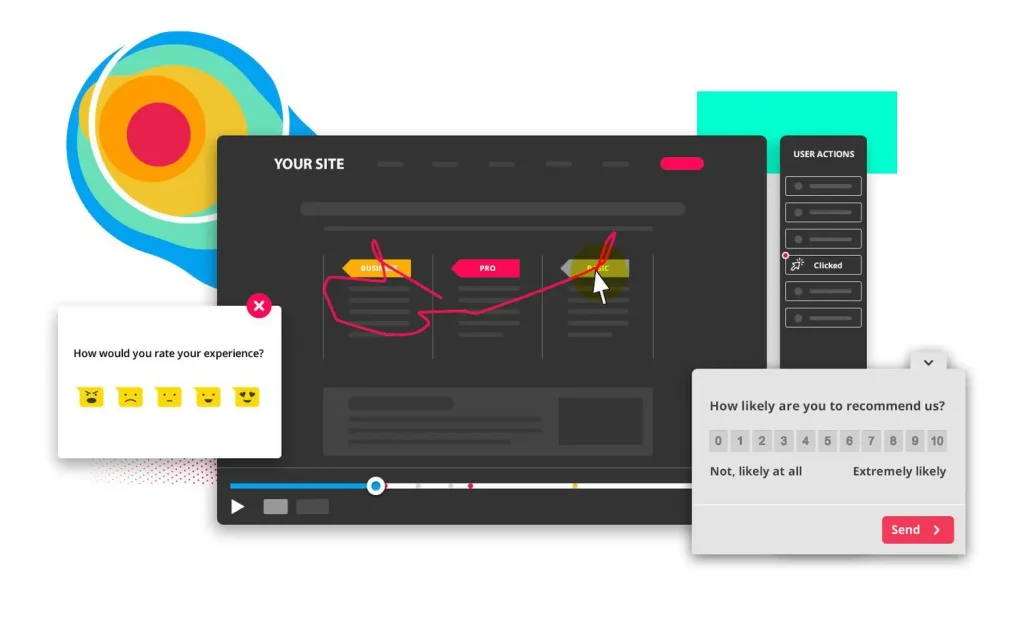
Are you struggling to truly understand how visitors interact with your website? Knowing where people click, scroll, or get stuck can unlock powerful opportunities to improve your site’s performance.
That’s where the Hotjar Marketing Analytics Tool comes in. Hotjar doesn’t just give you numbers—it shows you the real behavior behind those numbers through heatmaps, visitor recordings, and feedback polls. Imagine having a clear window into your users’ minds, helping you make smarter decisions that boost engagement and conversions.
Keep reading to discover how Hotjar can transform your marketing strategy and turn your website into a customer magnet.
Hotjar Basics
Hotjar is a popular marketing analytics tool that helps you understand how visitors interact with your website. It gathers data on user behavior and provides clear visual reports. This makes it easier to improve your website’s design and user experience. Hotjar’s features are simple to use and suitable for beginners and experts alike.
Using Hotjar, you can see exactly what users do on your site. This information helps you make smart decisions to increase engagement and sales. The tool works well with other analytics platforms, giving you a fuller picture of your website’s performance.
Key Features
Hotjar offers several useful features for website owners and marketers. It tracks clicks, taps, and scrolling behavior. It also collects feedback through surveys and polls. These features help you understand what users like or dislike.
Another key feature is the ability to segment users by device or location. This helps you tailor your website for different audiences. Hotjar also provides easy-to-read dashboards to monitor your data in real time.
User Behavior Insights
Hotjar focuses on qualitative data that reveals user intentions and frustrations. It shows how visitors move through your site and where they drop off. This insight helps you identify obstacles that stop users from converting.
You can see patterns like which pages hold attention or cause confusion. Hotjar’s feedback tools capture user opinions directly. This combination of data types gives you a complete view of user experience.
Heatmaps And Recordings
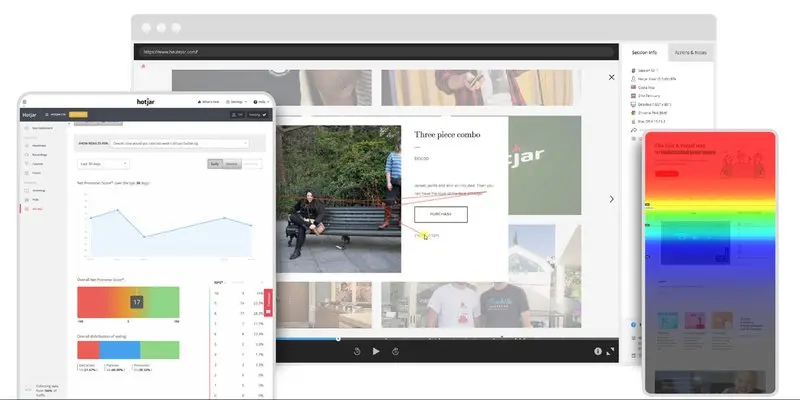
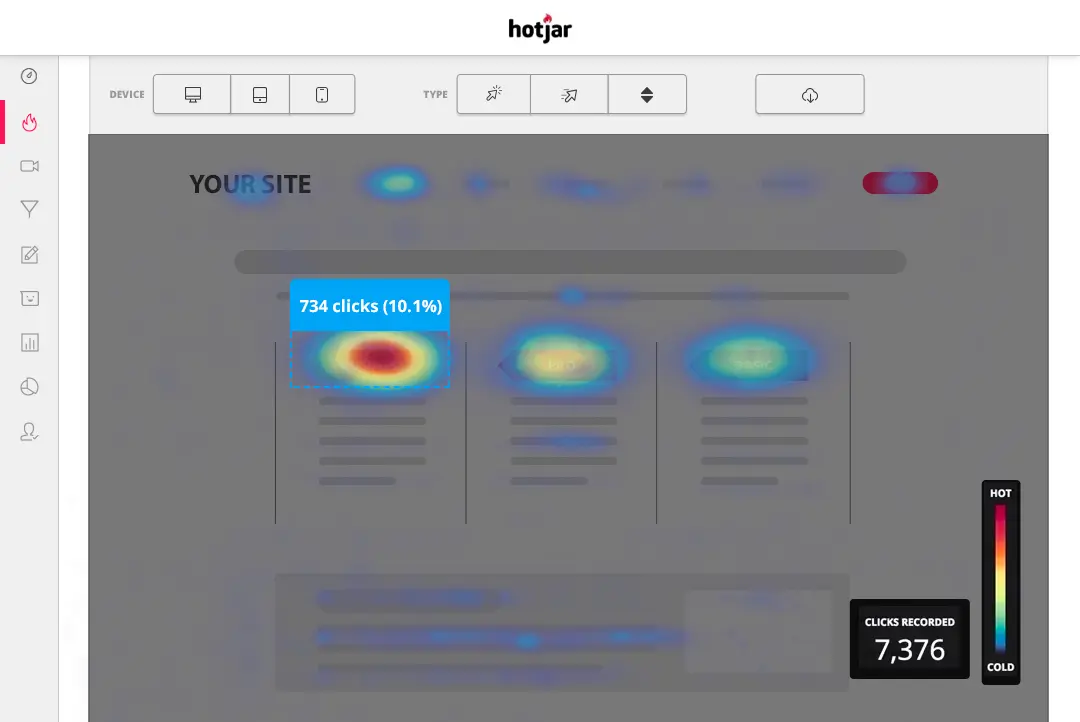
Heatmaps are visual tools that highlight where users click, move, and scroll. Hotjar’s heatmaps show hot and cold zones on your pages. Hot zones get more clicks or attention, while cold zones get less.
Session recordings let you watch real users navigate your site. These recordings reveal unexpected problems or smooth interactions. Watching recordings helps you understand user behavior beyond numbers.
Together, heatmaps and recordings help improve website usability and design. They provide clear evidence of how users engage with your content.
Setting Up Hotjar
Setting up Hotjar is the first step to understand your website visitors better. It helps you see how users interact with your site. The setup is simple and quick. Proper installation ensures you get accurate data for smart decisions.
Installation Steps
Start by creating a Hotjar account on their official site. After logging in, add your website URL. Hotjar will generate a tracking code unique to your site. Copy this code carefully. Paste it into the header section of your website’s HTML. Save and publish the changes. This step allows Hotjar to track visitor behavior on your pages.
Integrating With Websites
Hotjar works well with most website platforms like WordPress, Shopify, or Wix. For WordPress, use a plugin to insert the tracking code easily. On Shopify, add the code in the theme settings under “Edit Code.” Make sure the code is on every page you want to track. This integration links Hotjar to your website seamlessly.
Initial Configuration Tips
Set up your first heatmap to see where users click most. Create recordings to watch user sessions live. Define your target pages to focus on important areas. Enable feedback polls to gather visitor opinions. Check your settings to avoid tracking internal traffic. Start small to avoid data overload. Adjust settings as you learn more about visitor patterns.
Analyzing User Behavior
Understanding how users behave on your website helps improve their experience. Hotjar offers tools that reveal what users do and why. These insights guide better decisions for website design and content.
Hotjar’s features focus on visual and direct feedback methods. They show user actions clearly and simply. This makes it easy to spot problems and opportunities for improvement.
Heatmap Analysis
Heatmaps display where users click, scroll, and move their mouse. Colors highlight the most and least interacted areas. This visual data shows what attracts attention and what gets ignored. It helps prioritize changes that increase engagement and conversions.
Session Recordings
Session recordings capture real user visits on your site. You can watch how visitors navigate pages and interact with elements. These recordings reveal confusion points or barriers that users face. Observing actual behavior helps create smoother user journeys and better content layout.
User Feedback Tools
Hotjar includes surveys and polls to collect user opinions directly. Visitors can share why they like or dislike parts of your site. This feedback uncovers issues not visible through analytics alone. It allows quick adjustments based on real user thoughts and preferences.
Hotjar Vs Google Analytics
Choosing between Hotjar and Google Analytics can shape your website strategy. Both tools track user behavior, but they offer different types of insights. Understanding their strengths helps you decide which fits your needs.
Quantitative Vs Qualitative Data
Google Analytics focuses on quantitative data. It provides numbers like page views, bounce rates, and traffic sources. These metrics show how many users visit and what actions they take.
Hotjar delivers qualitative data. It shows how users interact with your site through heatmaps, session recordings, and feedback polls. This reveals user feelings and motivations behind their actions.
Combining Both Tools
Using Hotjar and Google Analytics together offers a fuller picture. Analytics data identifies what happens on your site. Hotjar explains why users behave that way.
This combination helps you spot issues and test solutions. It supports better decisions to improve user experience and boost conversions.
Use Case Scenarios
Google Analytics works best for tracking overall website performance. It suits large traffic analysis and marketing campaign tracking.
Hotjar is ideal for user experience research. It helps find design problems and understand user frustration or confusion.
For example, use Google Analytics to see a drop in sales. Use Hotjar to watch user sessions and discover the cause.
Advanced Hotjar Features
Hotjar offers advanced features that help marketers understand user behavior deeply. These tools provide detailed insights to improve website performance. They focus on how visitors move through your site and interact with forms and content. This information guides better marketing decisions and website changes.
Funnels And Form Analysis
Funnels in Hotjar show the exact steps users take on your site. You see where visitors drop off before completing goals. This helps find weak points in the user journey. Form analysis tracks how users fill out forms. It highlights fields where users hesitate or leave. Fixing these issues can increase form completions and lead generation.
Conversion Rate Optimization
Hotjar’s tools support improving conversion rates by showing real user actions. Heatmaps and session recordings reveal what grabs attention. You can test changes based on this data. Small tweaks in design or content can boost conversions. The tool helps focus efforts on areas with the most impact.
Behavioral Segmentation
Behavioral segmentation divides users into groups by their actions. Hotjar lets you segment visitors based on clicks, scrolls, and other behaviors. This makes it easier to understand different user needs. Marketers can tailor messages and offers for each segment. Personalized experiences often lead to higher engagement and sales.
Credit: www.digidop.com
Using Hotjar For Marketing
Hotjar is a valuable tool for marketers to understand website visitors better. It offers insights into how users behave and interact with websites. These insights help marketers improve their strategies and make smarter decisions. Using Hotjar for marketing can lead to better user experiences, higher engagement, and improved campaign results.
Improving User Experience
Hotjar shows where users click, scroll, and spend time on a page. This data reveals which parts of a website work well and which need improvement. Marketers can fix issues that block users from completing actions. Smoother navigation helps visitors find what they want faster. A better user experience keeps visitors on the site longer.
Boosting Engagement
Heatmaps and session recordings reveal how users interact with content. Marketers can use this information to create more engaging pages. They can highlight popular sections and simplify confusing parts. Hotjar also collects feedback through surveys and polls. This direct input helps tailor content to visitor needs. Engaged users are more likely to become customers.
Enhancing Campaign Performance
Hotjar helps analyze the effectiveness of marketing campaigns by tracking user behavior. Marketers can see how visitors respond to ads and landing pages. They can identify drop-off points and optimize conversion paths. Testing different versions of pages becomes easier with Hotjar’s insights. Improved campaign performance leads to higher return on investment.
Pricing And Plans
Understanding Hotjar’s pricing and plans helps you pick the best fit for your needs. Hotjar offers options for different user levels and business sizes. Whether you want to test basic features or need advanced tools, there is a plan that suits you. Let’s explore what each plan offers and how to choose wisely.
Free Vs Paid Options
Hotjar provides a free plan with limited features. It includes basic heatmaps and session recordings. This plan suits small websites or those just starting out. Paid plans unlock more data, reports, and integrations. They allow more daily sessions and advanced targeting options. Businesses gain deeper insights and better support with paid plans.
Choosing The Right Plan
Select your plan based on your website’s traffic and goals. Small sites with low traffic might find the free plan enough. Growing businesses need more data and user feedback tools. Check how many sessions you expect per day. Also, consider features like surveys and funnels for your needs. Upgrading is easy if your needs increase over time.
Cost-benefit Considerations
Evaluate the benefits against the monthly cost of paid plans. More data can lead to better user experience and higher conversions. This often pays off the subscription cost. Consider how much time and effort you save using Hotjar’s insights. The right plan balances budget with the value you get from detailed analytics. Choose a plan that supports your growth without overspending.
Credit: www.digidop.com
Hotjar Alternatives
Hotjar offers great tools for website behavior analysis. Some businesses want to explore other options. Different tools fit different needs and budgets. Exploring alternatives helps you find the best fit for your goals.
These alternatives provide heatmaps, session recordings, and user feedback features. They also offer unique insights and pricing plans. Below are some popular Hotjar alternatives worth considering.
Microsoft Clarity
Microsoft Clarity is a free user behavior analytics tool. It provides heatmaps and session replays. It helps identify usability issues on websites. Clarity has no traffic limits, ideal for high-traffic sites. The interface is simple and easy to use. It integrates well with other Microsoft products.
Crazy Egg
Crazy Egg offers heatmaps, scrollmaps, and user recordings. It also includes A/B testing tools for optimization. The platform is known for its visual reports. Crazy Egg helps improve user experience effectively. The pricing is affordable for small to medium sites. It supports integration with many popular apps.
Mixpanel And Others
Mixpanel focuses on user analytics and engagement tracking. It tracks user actions and funnels in real-time. This tool is great for product and marketing teams. Other tools like Lucky Orange and FullStory offer similar features. Each alternative has unique strengths and pricing plans. Choose based on your specific analytics and budget needs.
Tips For Maximizing Hotjar
Hotjar is a powerful tool for understanding user behavior on your website. To get the most from Hotjar, follow these simple tips. These tips help you gather better data and make smarter decisions. Focus on best practices, avoid common errors, and optimize your data collection.
Best Practices
Start by setting clear goals for your Hotjar use. Track specific pages or actions important to your business. Use heatmaps to see where users click and scroll. Record user sessions to watch real interactions. Collect feedback through surveys and polls to learn user opinions. Regularly review your data to spot trends and issues. Share findings with your team to improve website design and content.
Common Mistakes To Avoid
Don’t collect too much data at once. It can be overwhelming and hard to analyze. Avoid tracking irrelevant pages that do not matter to your goals. Do not ignore privacy rules; always inform users about data collection. Avoid relying only on one type of data, like heatmaps alone. Overlooking user feedback can lead to missed opportunities. Make sure your recordings are clear and not too long.
Optimizing Data Collection
Use filters to focus on key visitor segments, such as new or returning users. Set up triggers to capture data at the right moments. Limit recordings to avoid slowing down your site. Test your surveys before launching to ensure questions are easy to understand. Update your Hotjar settings regularly to match website changes. Combine Hotjar data with Google Analytics for a full picture. Keep data organized for quick and easy analysis.
.jpg)
Credit: www.digidop.com
Frequently Asked Questions
What Is The Hotjar Tool Used For?
Hotjar is a user behavior analytics tool that visualizes website interactions. It offers heatmaps, session recordings, and feedback polls to improve user experience and optimize conversions.
What Is The Best Marketing Analytics Tool?
The best marketing analytics tool depends on your needs. Google Analytics offers robust data tracking, while Hotjar provides user behavior insights. Combining both tools delivers comprehensive marketing analysis for better decision-making and optimized results.
Is Hotjar Better Than Google Analytics?
Hotjar offers qualitative insights through heatmaps and user feedback. Google Analytics delivers quantitative data and metrics. Combining both tools provides a complete understanding of user behavior for better website optimization.
What Is The Difference Between Ga4 And Hotjar?
GA4 tracks quantitative user data and website metrics. Hotjar offers qualitative insights like heatmaps and user feedback. Together, they provide a complete view of user behavior and improve website optimization.
Conclusion
Hotjar helps you see how users behave on your website. It shows where visitors click and how they scroll. This insight helps improve user experience and website design. Use Hotjar alongside other tools for better results. Simple and clear data makes decisions easier.
Understanding your audience leads to smarter marketing choices. Give your website the attention it needs. Hotjar can guide you step-by-step to success.