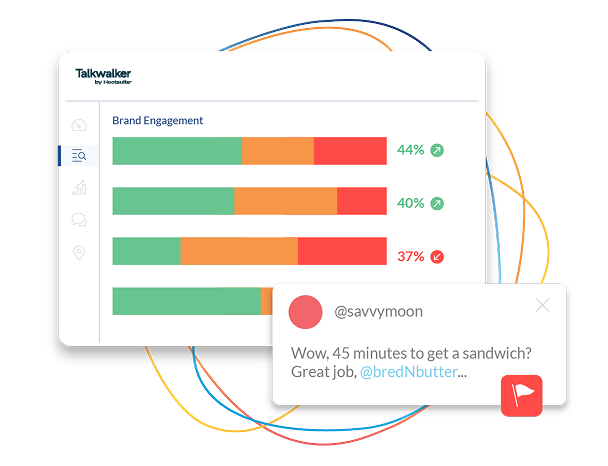
Are you struggling to keep up with what people are saying about your brand online? Imagine having a tool that lets you listen to every conversation, spot trends, and respond faster than your competition.
That’s exactly what Hootsuite’s social listening feature can do for you. You’ll discover simple steps to use Hootsuite for social listening and unlock insights that can boost your marketing strategy. Ready to turn chatter into action? Keep reading to learn how.
Setting Up Hootsuite For Social Listening
Start by creating a Hootsuite accountusing your email. Choose a strong password and verify your email to activate the account. This step is quick and easy.
Next, connect your social media profileslike Twitter, Facebook, and Instagram. This helps you track mentions and conversations in one place. Make sure to allow Hootsuite permissions to access your profiles.
The dashboardis your main control center. It shows streams of posts and mentions from different platforms. Use tabs to organize what you want to watch. You can add new streams to follow specific keywords or hashtags.
Credit: blog.hootsuite.com
Configuring Streams For Monitoring
Adding keyword streamshelps track specific words or phrases across social media. This lets you see what people say about your brand or topics. You can add multiple keywords to catch different mentions. Choose words that matter most to your goals.
Setting up hashtag trackingfocuses on monitoring popular or niche hashtags. This shows trends and conversations in your field. It also helps find new content and users related to your area. Add hashtags used often by your audience or competitors.
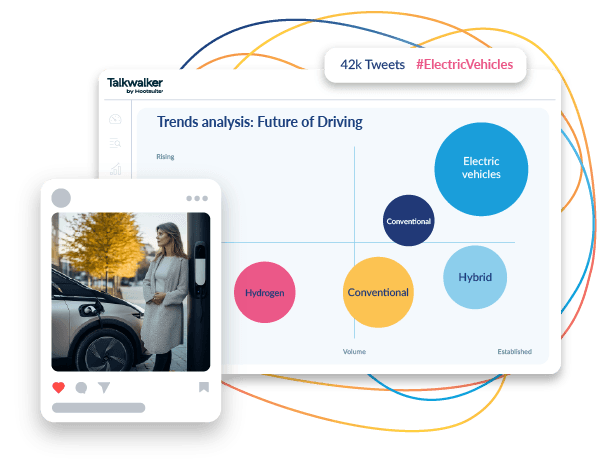
Monitoring competitors and industry trendsmeans watching what others share and how people react. You can add streams for competitor names or key industry terms. This helps spot new ideas and changes in your market. Keep an eye on competitors’ social posts to stay informed.
Using Search Filters And Boolean Operators
Search filters in Hootsuite help find the right content fast. Use filters like date, language, and location to narrow results. Boolean operators such as AND, OR, NOTconnect keywords for better searches.
Combine keywords with ANDto find posts containing all terms. Use ORto get posts with any keyword. NOTremoves unwanted words from results.
For example, a search like coffee AND shop NOT teafinds posts about coffee shops but excludes tea.
| Operator | Use | Example |
|---|---|---|
| AND | Includes all keywords | coffee AND shop |
| OR | Includes any keywords | coffee OR tea |
| NOT | Excludes keyword | coffee NOT tea |
Using these tools helps find more relevant posts. Saves time and gets better social listening results.
Credit: blog.hootsuite.com
Analyzing Social Listening Data
Engagement metricsshow how people interact with your posts. Likes, shares, and comments reveal what content works best. Tracking these helps improve future posts. Low engagement means a need to change the message or timing.
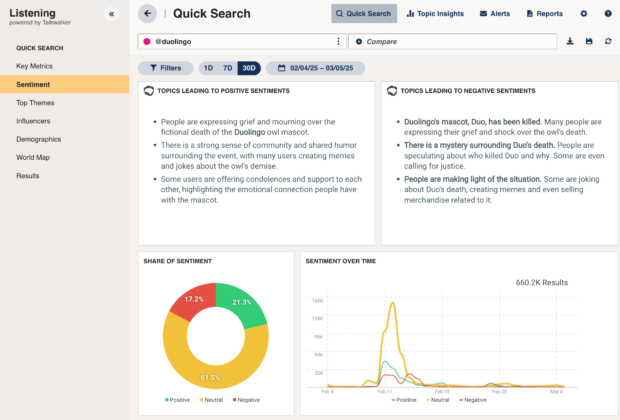
Sentiment trendstell you how people feel about your brand. Positive, negative, or neutral tones show public opinion. Spotting patterns helps address problems fast. It also highlights what makes people happy.
Influencers and advocatesare key to spreading your message. Identify users who talk about your brand often. They have strong voices and many followers. Building good relationships with them can boost your reach. Watch their posts and join conversations to connect.
Responding To Social Mentions
Engaging with your audiencemeans replying to comments and messages quickly. Use Hootsuite to track mentions and respond politely. This helps build trust and keeps conversations active. Always thank users for positive feedback. It shows you care and listen closely.
Handling negative feedbackrequires calm and respect. Address complaints with clear, helpful answers. Avoid arguments or ignoring problems. Use Hootsuite to spot issues fast and reply before they grow. This can turn unhappy users into loyal fans.
Leveraging opportunities for growthcomes from spotting trends in mentions. Hootsuite helps find what people like or want. Use this info to improve products or create new content. Responding to requests shows your brand listens and adapts.
Automating Social Listening Tasks
Setting up alerts and notificationsin Hootsuite helps you stay updated on brand mentions. You can create alerts for specific keywords or hashtags. These alerts notify you in real-time, so you never miss important conversations.
Scheduling reportssaves time by automatically sending data summaries to your email. Reports can show trends, sentiment, and engagement. Set reports to run daily, weekly, or monthly for regular updates without extra work.
Integrating with other toolsboosts your social listening power. Connect Hootsuite with apps like Google Analytics or Slack. This way, data flows smoothly between platforms and your team stays informed instantly.
Tips For Maximizing Social Listening Impact
Consistencyis key to effective social listening on Hootsuite. Set a regular schedule to check mentions and keywords. This helps catch trends early and respond quickly. Use saved streams to track important topics without losing focus. Keep your keywords updated to match current conversations and avoid missing critical insights.
Platforms often change features and rules. Stay informed by visiting Hootsuite’s official blog or help center. Adjust your settings to fit new updates. This keeps your social listening effective and error-free.
| ROI Measurement | How to Track |
|---|---|
| Engagement Rates | Monitor likes, comments, and shares on posts related to keywords |
| Response Time | Track how fast you reply to social mentions |
| Sentiment Analysis | Use Hootsuite’s tools to measure positive or negative mentions |
| Traffic & Leads | Check clicks and sign-ups from social listening campaigns |
Credit: www.hootsuite.com
Frequently Asked Questions
What Is Social Listening In Hootsuite?
Social listening in Hootsuite means monitoring online conversations. It helps track brand mentions, keywords, and trends to understand audience sentiment and improve engagement.
How Do I Set Up Social Listening Streams In Hootsuite?
To set up streams, go to your dashboard, click “Add Stream,” select “Streams for Search,” and enter keywords or hashtags to monitor.
Can Hootsuite Track Competitor Mentions?
Yes, Hootsuite allows you to track competitor mentions by setting up streams with their brand names or related keywords for real-time insights.
How Does Hootsuite Analyze Social Listening Data?
Hootsuite uses analytics to show trends, sentiment, and engagement metrics. This data helps refine marketing strategies and improve customer interaction.
Conclusion
Using Hootsuite for social listening helps you hear what people say online. It lets you track mentions, keywords, and trends in real time. This way, you can understand your audience better and respond quickly. Social listening also shows you what your competitors do.
Keep checking your dashboard often to stay updated. Simple steps lead to smarter marketing decisions. Try using Hootsuite regularly to improve your social media strategy. Stay connected, stay informed, and watch your brand grow. Social listening is a useful tool you can use every day.