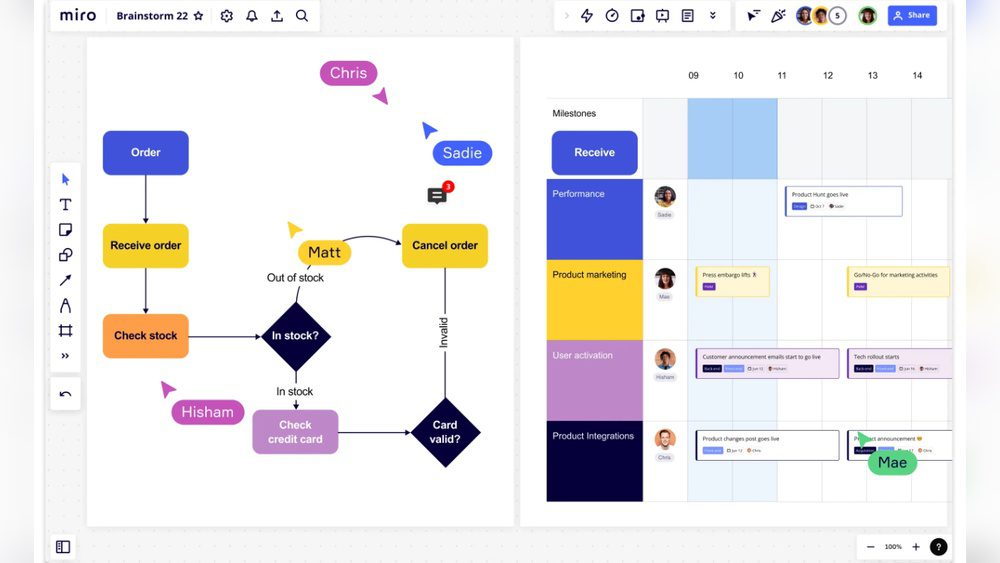
Are you looking for a powerful way to boost your team’s creativity and collaboration but feel like Miro isn’t quite the perfect fit? Whether you need a simpler interface, more advanced diagramming tools, or better integration with your existing software, finding the right online whiteboard can make all the difference.
You’ll discover the best Miro alternatives that cater to different needs and workflows. By exploring these options, you’ll be able to pick a tool that truly matches your style and helps your team work smarter, not harder. Keep reading to find the perfect match for your projects and unlock your team’s full potential!
Why Look Beyond Miro
Miro has become a popular choice for teams needing a collaborative online whiteboard. Still, it is not the perfect fit for everyone. Some users find certain features missing or the platform too complex for simple tasks. Others may seek more affordable options or tools that integrate better with their workflow.
Exploring alternatives can help you find a tool that matches your team’s specific needs. Different platforms offer unique features, pricing models, and ease of use. Understanding why you might need another option helps make a smarter choice.
Limitations Of Miro
Miro can be overwhelming for beginners due to many features. The learning curve may slow down new users. It often requires a strong internet connection for smooth use.
The pricing may be high for small teams or freelancers. Some advanced features are locked behind expensive plans. Integrations with certain tools can be limited or complicated.
Miro’s interface can feel cluttered when handling large projects. Real-time collaboration sometimes faces lag or syncing issues. Customization options might not satisfy all users.
When To Consider Alternatives
Consider other tools if you want a simpler interface. Smaller teams often need cost-effective solutions with fewer features. Teams focused on specific tasks may require specialized software.
If your team uses Microsoft or Google products heavily, native tools may work better. For example, Microsoft Whiteboard fits well with Office 365 users. Lucidchart suits teams needing detailed diagrams and flowcharts.
Look for alternatives when your current tool limits your workflow. A platform with better offline support or mobile apps might improve productivity. Testing several options can reveal the best fit for your needs.
Microsoft Whiteboard
Microsoft Whiteboard is a free digital canvas designed for team collaboration. It allows users to draw, write, and share ideas in real time. This tool suits teams who use Microsoft 365 daily. It offers a simple and clean interface for brainstorming and planning. Check out more whiteboard tools which might be better for you!
Integration With Microsoft Ecosystem
Microsoft Whiteboard works smoothly with Microsoft 365 apps like Teams and OneNote. You can open it directly inside Microsoft Teams during meetings. Changes save automatically to OneDrive, making files easy to access. This integration helps teams stay organized within one platform. It supports collaboration without switching between multiple apps.
Strengths And Weaknesses
Microsoft Whiteboard is easy to use for basic sketching and notes. It allows infinite canvas space and supports touch and pen input. Collaboration happens in real time with simple sharing options. The tool lacks advanced features like templates, widgets, and complex diagramming. It may not fit teams needing detailed workflows or heavy customization. Microsoft Whiteboard works best for quick brainstorming rather than complex projects.
Mural
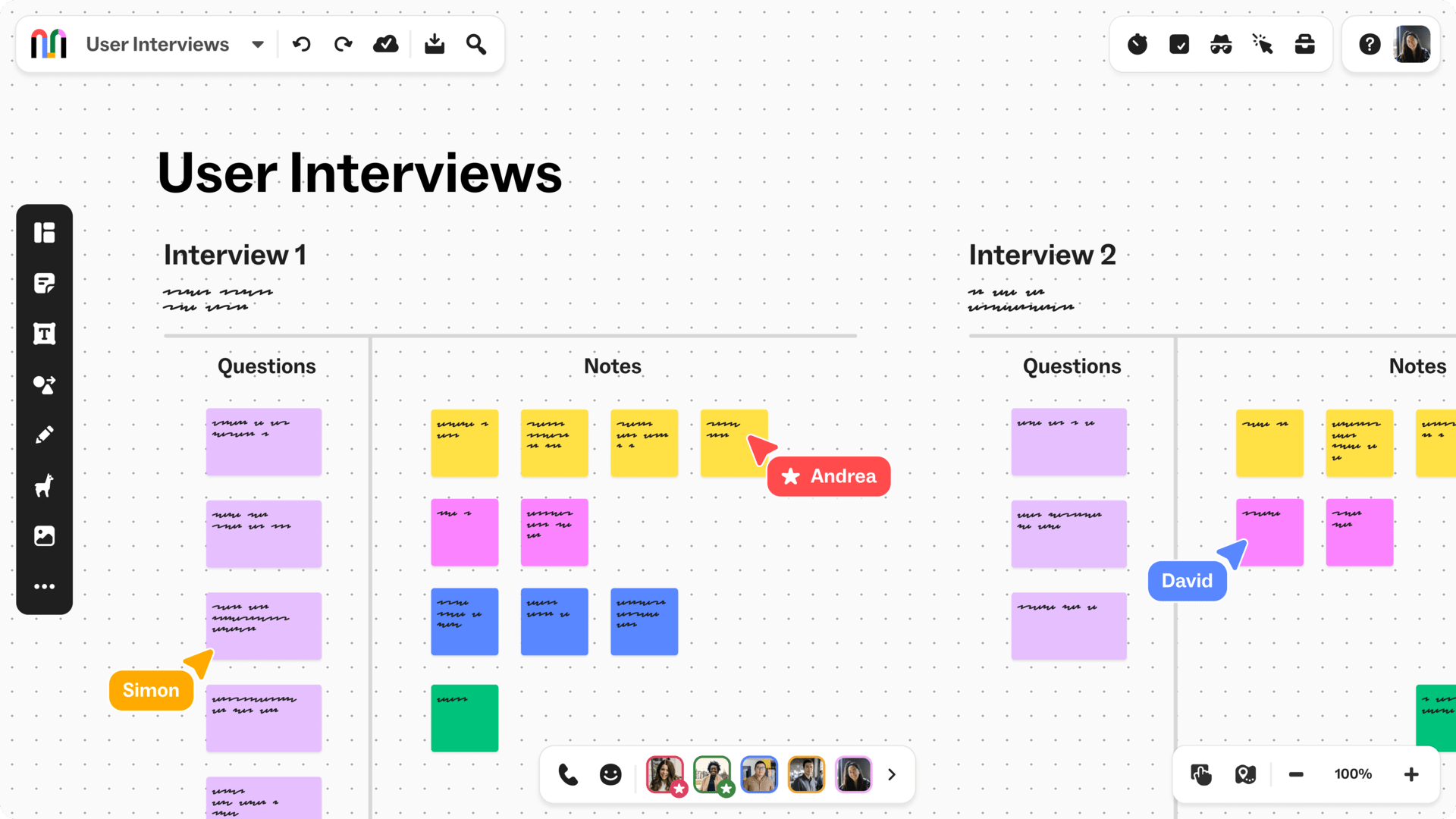
Mural is a popular digital workspace designed to enhance teamwork and creativity. It offers a flexible canvas where teams brainstorm, plan, and design together. Many businesses use Mural for workshops, meetings, and project planning. Its simple interface helps teams focus on ideas without distractions.
Mural supports a wide range of tools like sticky notes, shapes, and drawings. Users can add images, documents, and links to enrich their boards. The platform integrates with many apps, making it easy to include in existing workflows. This makes Mural a strong alternative to Miro for teams needing visual collaboration.
Remote Collaboration Features
Mural excels in remote teamwork with real-time updates. Multiple users can edit the canvas simultaneously. It offers video chat and timer tools for managing meetings smoothly. The infinite canvas allows teams to expand ideas without limits. Templates guide users to start quickly on common tasks. Commenting and voting features help gather feedback fast. Mural also tracks changes to keep everyone aligned.
Ideal Use Cases
Mural works well for brainstorming and design thinking workshops. It suits teams running agile ceremonies like sprint planning and retrospectives. Marketing and product teams use it to map customer journeys and plan campaigns. Educators apply Mural for interactive lessons and group projects. Consultants rely on it to facilitate remote workshops with clients. Any group needing clear, visual communication finds Mural helpful.
Lucidchart
Lucidchart stands out as a strong alternative to Miro for teams focused on detailed and technical diagramming. It offers a clean, intuitive platform that suits both beginners and experienced users. Many professionals use Lucidchart to create flowcharts, process maps, and complex network diagrams with ease.
The platform supports real-time collaboration, enabling teams to work together smoothly. Users appreciate its ability to simplify complex information into clear visual formats. Lucidchart integrates well with popular tools like Google Drive, Microsoft Office, and Slack, making it easy to fit into existing workflows.
Technical Diagramming Focus
Lucidchart excels in technical diagramming tasks. It provides specialized shapes and templates for engineering, IT, and software development diagrams. Users can create UML diagrams, wireframes, and data flow charts without hassle.
The platform’s drag-and-drop interface makes diagramming fast and efficient. It also supports importing and exporting in various formats, such as Visio files. This flexibility helps teams transition smoothly between different software environments.
Advanced Diagram Features
Lucidchart offers advanced features that enhance diagram quality and usability. Conditional formatting and data linking allow diagrams to update dynamically. This feature saves time and reduces errors in complex projects.
Collaboration tools include commenting, version history, and real-time cursors to track changes. Users can set permissions to control who can view or edit diagrams. These features improve teamwork and ensure project accuracy.
Zoom Whiteboard
Zoom Whiteboard offers a simple and effective digital space for teams to brainstorm and share ideas. It integrates smoothly with Zoom meetings, allowing users to switch from video calls to a collaborative whiteboard without leaving the platform. This makes it a good choice for teams who already use Zoom for communication.
Seamless Meeting Integration
Zoom Whiteboard connects directly with Zoom meetings. You can start a whiteboard session during a call with just one click. No need to open another app or switch screens. All participants can join the whiteboard instantly. This saves time and keeps the meeting flow smooth. Ideas and notes can be captured live while talking. It helps teams stay focused and productive.
Collaboration Tools
The whiteboard offers basic tools like drawing, text, and sticky notes. Multiple users can edit at the same time. Changes appear immediately for everyone. Users can highlight key points or sketch diagrams easily. The interface is clean and easy to use. It works well for quick brainstorming or planning sessions. Zoom Whiteboard supports real-time teamwork without confusion or delay.
Credit: balsamiq.com
Figma For Ideation
Figma is widely known for UI/UX design, but it also serves well for ideation. Its collaborative nature helps teams brainstorm and visualize ideas easily. Many digital teams use Figma to sketch, organize, and refine concepts in real time. This makes it a strong alternative to Miro for those focused on digital product design and development.
Ui/ux Design Meets Whiteboarding
Figma blends design and whiteboarding in one platform. It allows users to create wireframes, mockups, and flowcharts alongside freeform sketches. The interface supports multiple users working together live, which keeps ideas flowing smoothly. Designers can switch from rough sketches to detailed designs without leaving the app. This reduces the need for separate tools during early project stages.
Benefits For Digital Teams
Teams benefit from Figma’s cloud-based setup, which needs no downloads or installs. Collaboration happens instantly on any device, making remote work easier. Comments and feedback stay attached to specific parts of the design, improving clarity. Version control ensures every change is tracked, so nothing gets lost. These features help digital teams stay aligned and speed up the ideation process.
Other Notable Alternatives
Several other notable alternatives to Miro offer unique features for team collaboration and brainstorming. These tools fit different needs, from wireframing to real-time ideation. Each provides a simple interface to help teams stay organized and creative.
Balsamiq
Balsamiq focuses on rapid wireframing and mockups. Its simple drag-and-drop system helps users design app and website layouts quickly. Teams can sketch ideas without complex tools. It is ideal for early project stages and visual planning.
Figjam
FigJam, created by Figma, is a collaborative whiteboard for teams. It supports brainstorming, diagramming, and note-taking. Users enjoy a smooth experience with real-time updates. FigJam works well for design and product teams.
Sketchboard
Sketchboard offers an easy way to create diagrams and flowcharts. It supports team brainstorming with a flexible canvas and various templates. This tool is great for visualizing ideas and workflows. It helps teams communicate complex concepts clearly.
Creately
Creately is a versatile diagramming tool with collaboration features. It allows users to create flowcharts, mind maps, and org charts. Its interface is user-friendly, helping teams visualize ideas fast. Creately works on web and desktop platforms.
Boardmix
Boardmix provides a digital whiteboard for interactive teamwork. It supports sticky notes, drawing, and multimedia content. The platform encourages creativity and organized sessions. Boardmix suits remote teams needing flexible collaboration tools.
Choosing The Right Tool
Choosing the right tool for your team can shape how well your projects succeed. Different teams have different needs. Picking a tool that fits your workflow and budget is key. Exploring alternatives to Miro helps you find what suits your group best.
Team Needs And Workflow
Start by understanding your team’s daily tasks. Do you need simple brainstorming or detailed project planning? Some tools focus on visual collaboration, while others offer strong diagramming features. Consider how your team works together. Choose a tool that matches your style and improves productivity.
Feature Comparison
Compare core features like real-time editing, templates, and integrations. Check if the tool supports video calls or file sharing. Look for ease of use and customization options. Some alternatives offer unique tools for specific tasks. Make sure the features align with what your team requires.
Pricing And Accessibility
Pricing varies widely among Miro alternatives. Some have free plans with basic features. Others charge monthly or yearly fees based on team size. Accessibility matters too. Check if the tool works on different devices and platforms. A flexible pricing plan and easy access help your team stay connected without extra costs.
Boosting Creativity With Collaboration
Collaboration sparks creativity by bringing diverse ideas together. Teams share thoughts, solve problems, and create better solutions. Using the right tools enhances this teamwork, making it easier to visualize ideas and communicate clearly. Miro alternatives offer unique features that support creative collaboration. These platforms help teams stay connected, organized, and productive.
Features That Enhance Teamwork
Interactive whiteboards allow real-time editing and brainstorming. Teams add notes, drawings, and images easily. Many tools include templates for quick project setup. Commenting features keep feedback organized and clear. Integration with apps like Slack or Google Drive streamlines communication. Version history helps track changes and avoid confusion. Some platforms support video calls for face-to-face discussions. These features reduce misunderstandings and speed up decision-making.
Tips For Effective Use
Set clear goals before starting a session. Assign roles like facilitator or note-taker to keep focus. Encourage all members to contribute ideas openly. Use templates to save time and maintain structure. Schedule regular check-ins to review progress and adjust plans. Keep the workspace organized by grouping related items. Limit the number of active participants to avoid chaos. Practice using tools before important meetings to reduce delays.

Credit: thoughtflow.io
Credit: www.nuclino.com
Frequently Asked Questions
Is There Anything Better Than Miro?
Several alternatives like Mural, Lucidchart, and Microsoft Whiteboard offer unique features. The best choice depends on your team’s specific collaboration needs.
What Is The Microsoft Alternative To Miro?
Microsoft Whiteboard is the main alternative to Miro, offering real-time collaboration within the Microsoft ecosystem. It suits teams using Microsoft tools but lacks Miro’s advanced features and flexibility for complex projects.
Is Miro Or Lucid Better?
Lucid excels in advanced, data-driven diagrams and technical flows. Miro offers flexible, intuitive whiteboarding and team collaboration with extensive templates. Choose Lucid for structured diagramming; pick Miro for brainstorming and agile workflows.
Conclusion
Exploring Miro alternatives helps find the best fit for your needs. Each tool offers unique features and strengths. Choose based on your team size, project type, and budget. Testing a few options can improve your collaboration experience. Remember, the right tool makes teamwork easier and more productive.
Keep your goals clear and pick what works best for you.