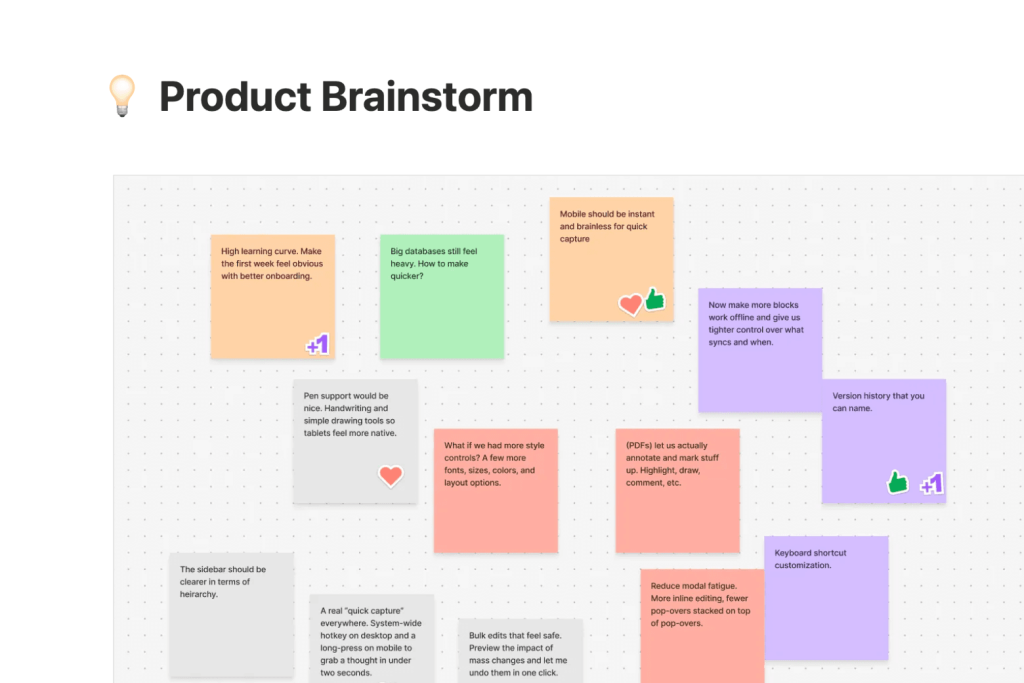
Are you tired of juggling multiple apps just to keep your notes and tasks in order? Imagine having one powerful tool that not only captures your ideas but also organizes your projects and boosts your productivity.
That’s exactly what the Notion workflow and note-taking app offers. Whether you’re managing work projects, school notes, or personal goals, Notion lets you centralize everything in one easy-to-use space. You’ll discover how to harness Notion’s features to streamline your note-taking, organize your tasks effortlessly, and create a system that works perfectly for you.
Ready to transform the way you work and stay organized? Let’s dive in!
Credit: www.makeuseof.com
Notion As A Note-taking Tool
Notion lets you create pageseasily by clicking the plus icon. Give each page a clear titleso you can find it fast. The editor is simple and supports many tools. Use slash commandsto add lists, headings, or images quickly. For example, typing /bulletstarts a bullet list instantly.
Markdown works well inside Notion. You can bold, italicize, or underline text with shortcuts. Formatting helps to organize notes better and makes reading easier. Use headings to split topics or add checkboxes for tasks.
| Feature | How to Use |
|---|---|
| Pages and Titles | Create a new page, then add a simple, clear title |
| Editor | Type text, add images, lists, or tables using slash commands |
| Markdown | Use shortcuts for bold, italic, headings, and lists |
Credit: www.makeuseof.com
Organizing Notes Efficiently
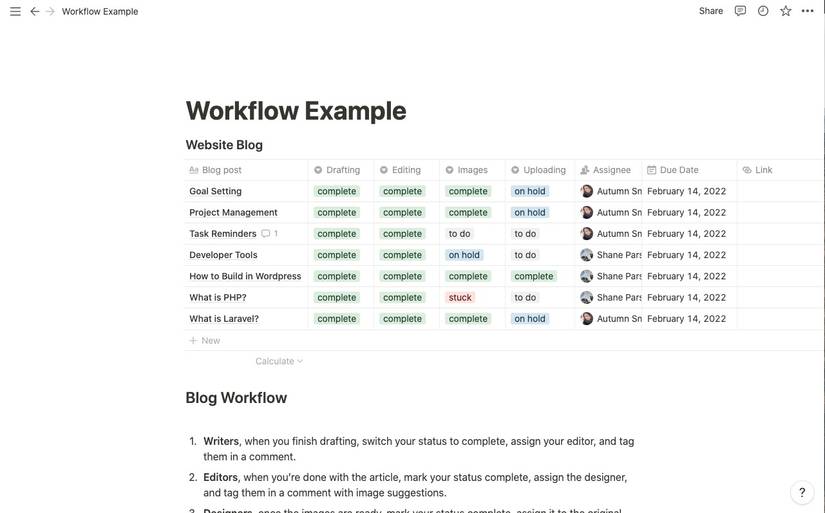
Databases in Notion help keep notes organized. You can create tables or boards to track information. Each entry can have tags and propertieslike dates, status, or categories. Tags make it easy to find related notesfast.
Templates save time by providing ready-made structures. Use them to start new notes with consistent layouts. Folders group pages and databases, making your workspace tidy and easy to navigate.
A Quick Notes pageis perfect for capturing ideas instantly. It acts like a scratchpad for thoughts before sorting them into the right place later. This keeps your workflow smooth and prevents losing important ideas.
Collaborating Within Notion
Inviting team membersto your Notion workspace is simple. Click the invite button and enter their email addresses. You can add as many people as needed to collaborate on projects.
Real-time collaborationmeans everyone sees changes instantly. Multiple users can edit the same page together. This helps teams stay updated and work smoothly without confusion.
Sharing and permissionscontrol who sees or edits your content. You can set pages as view-only, comment, or full edit access. This keeps your information safe while allowing teamwork.
Advanced Productivity Features
Notion AIhelps create notes quickly with smart suggestions.
It can summarize long texts and generate ideas fast.
Notes connect easily to projects and tasks, keeping work organized.
This linking shows what task needs what note or idea.
Users can customize their workspaceby changing layouts and colors.
This makes the app feel personal and easier to use every day.
| Feature | Benefit |
|---|---|
| Notion AI | Quick note creation and smart text summaries |
| Linking Notes | Connects notes directly to projects and tasks |
| Custom Workspace | Personalize layout and colors for better use |
Building A Workflow In Notion
Start by making an Inboxpage in Notion. This is where all new notes go first. It helps keep your ideas in one spot. Use a simple tagging systemto label notes. Tags like work, personal, or urgentmake sorting easy.
Quick Links and Favorites let you jump to important pages fast. Add your most used pages to the Favoritesbar. This saves time when working on tasks.
Archiving old notes keeps your workspace clean. Move done or old notes to an Archivepage. It helps find current work quickly.
Use Formula Pagesto automate tasks. Formulas can count tags or show due dates. They make your workflow smarter without extra effort.
Integrations And Extensions
Web clippershelp save articles and images directly into Notion. They make collecting information fast and easy. With just a click, you can clip web pages and organize them inside your workspace.
Notion connects with many external toolslike Google Calendar and Slack. These connections keep your work synced and reduce switching between apps. It helps teams stay updated and work better together.
Templatesin Notion save time by giving ready-made formats for notes, projects, or tasks. You can customize these templates to fit your needs. They make starting new pages simple and consistent.
Tips For Maximizing Productivity
Keeping a consistent systemhelps organize all your notes clearly. Use the same structure for every project. This makes finding information fast and easy.
Review notes often to keep information fresh in your mind. Set a regular time for checking and updating notes. This habit improves memory and helps spot missing details.
Balance between simple and detailednotes. Avoid too many words but include key facts. Simple notes save time, while details help understand better later.
| Tip | Why It Helps |
|---|---|
| Use the same layout | Easy to find and follow information |
| Check notes regularly | Keep ideas clear and up to date |
| Keep notes short and clear | Saves time and improves understanding |

Credit: www.xda-developers.com
Frequently Asked Questions
What Note-taking App Integrates With Notion?
Evernote and Microsoft OneNote integrate well with Notion using third-party tools. Notion itself offers built-in note-taking features and templates.
Does Notion Have Note-taking?
Yes, Notion offers robust note-taking features with customizable pages, templates, databases, tagging, and real-time collaboration.
What Is The Better Note-taking App Than Notion?
Evernote and Obsidian offer better note-taking features than Notion. Evernote excels in web clipping and search. Obsidian supports markdown and local storage, ideal for privacy and linking notes. Both provide faster, more focused note-taking experiences.
Does Notion Have An Ai Note Taker?
Yes, Notion includes an AI note taker called Notion AI. It helps summarize, organize, and improve your notes efficiently.
Conclusion
Notion offers a flexible way to organize notes and manage tasks. Its simple tools help keep ideas clear and easy to find. You can create pages, use tags, and link notes to projects. Collaboration feels natural, making teamwork smoother. Using templates saves time and keeps your system neat.
Whether for school, work, or personal use, Notion adapts to your needs. Try building your workflow step by step, and see how it fits your style. Consistent use will improve your productivity and note-taking skills.