
Looking for smart ways to automate your work without breaking the bank? If you’ve been exploring Pabbly Connect but wonder if there’s something better suited to your needs, you’re in the right place.
Whether you want more app integrations, a friendlier user experience, or different pricing options, discovering the best Pabbly Connect alternatives can transform how you handle your tasks. Keep reading, and you’ll find clear, simple comparisons and options that help you choose the perfect automation tool for your business or personal projects.
Your time and efficiency matter—let’s make sure your automation tools work as hard as you do.

Credit: bit-flows.com
Top Automation Tools
Automation tools help simplify repetitive tasks across apps and services. They save time and reduce errors by connecting workflows seamlessly.
Choosing the right automation tool depends on your needs, budget, and the apps you use. Some tools offer more integrations, while others focus on ease and cost.
Zapier
Zapier supports thousands of apps and is easy to use. It suits businesses needing many app connections. Pricing grows with task volume, which can be costly.
Integromat (make)
Integromat offers powerful visual workflow design. It lets you build complex automations with a user-friendly interface. It includes many app integrations and affordable pricing.
Automate.io
Automate.io focuses on simple and quick automation setups. It supports popular apps and has a clean interface. Pricing is reasonable for small to mid-sized businesses.
Microsoft Power Automate
This tool integrates well with Microsoft products. It works best for companies using Office 365 and Azure. It supports advanced workflows and enterprise features.
Workato
Workato targets businesses needing scalable and secure automation. It offers deep integrations and AI capabilities. It fits enterprise-level needs with custom options.
Pabbly Connect Features
Pabbly Connect offers a set of features designed to automate workflows efficiently. It focuses on providing unlimited tasks in its plans. This makes it attractive for businesses handling many automations. The platform supports multiple app integrations, though not as many as some competitors. Users can create automated workflows without coding skills. The interface aims to balance functionality with ease of use. Understanding these features helps compare Pabbly Connect with its alternatives.
Pricing Plans
Pabbly Connect uses a one-time payment model for its plans. This approach suits users with high automation needs. Unlimited workflows and tasks come with fixed prices. No recurring monthly fees reduce long-term costs. Different tiers offer options based on the number of workflows. This pricing style contrasts with subscription models of other tools. It appeals especially to small and medium businesses. Learn more about Pabbly Connect Pricing here.
App Integrations
Pabbly Connect supports a variety of popular apps. The list is smaller compared to platforms like Zapier. Common tools such as Gmail, Slack, and Shopify are included. It covers major categories like marketing, sales, and productivity. The limited integrations may affect niche or specialized workflows. Still, the platform covers most essential apps for many users. This makes it a solid choice for general automation tasks.
Ease Of Use
The interface is straightforward but can be complex for beginners. Setting up simple workflows is usually quick and clear. Advanced automations may require time to understand. The visual workflow builder helps map out tasks step-by-step. Some users find the learning curve steeper than other tools. Support resources and tutorials assist in overcoming challenges. Overall, it balances power with user friendliness.
Best Use Cases
Pabbly Connect suits businesses needing bulk automation without extra costs. It works well for marketing campaigns with many repetitive tasks. Ecommerce stores benefit from order and customer management automation. Startups and small companies often choose it for budget reasons. The platform fits teams wanting to reduce manual work. It is less ideal if you need very specific app integrations. Focus on general automation needs to get the most value.
Zapier Overview
Zapier is a popular automation tool that connects different apps to work together. It helps users save time by automating repetitive tasks. Zapier supports thousands of apps, making it flexible for many business needs. It suits users who want simple automation without coding.
Subscription Model
Zapier uses a subscription-based pricing system. It offers free and paid plans. The free plan has limits on tasks and features. Paid plans increase task limits and add advanced options. Costs rise with more tasks and users. Monthly or yearly billing is available.
Integration Library
Zapier has a large integration library. It connects with over 3,000 apps. These include popular tools for marketing, sales, and productivity. Many niche and industry-specific apps are supported. This variety allows users to automate complex workflows. New apps are added regularly.
User Experience
Zapier’s interface is clean and easy to use. It offers drag-and-drop workflow builders. Users can create simple or multi-step automations. Helpful guides and templates speed up setup. The platform works well for beginners and experts. Support resources are available online.
Ideal Users
Zapier suits small to large businesses. It is ideal for users needing many app connections. Those who want easy setup and reliable automation benefit most. It fits teams with varying technical skills. Companies with growing automation needs will find it useful.
Other Notable Alternatives
Exploring other notable alternatives to Pabbly Connect helps find the right tool for your automation needs. These platforms offer unique features and pricing that may suit different workflows and budgets. Each alternative brings a different approach to app integration and task automation.
Make (integromat)
Make, formerly known as Integromat, is a powerful automation platform. It supports complex scenarios with visual flow builders. Users can connect many apps and services with detailed control. The platform offers a free plan and scalable paid options. It suits users who need advanced automation without coding.
Automate.io
Automate.io provides a simple way to create workflows between apps. It focuses on ease of use and quick setup. The platform covers popular apps like Gmail, Slack, and Salesforce. It offers multi-step automation and conditional logic. Small businesses find it useful for basic to medium complexity tasks.
Apix-drive
Apix-Drive is a lesser-known but effective automation tool. It supports many integrations and real-time data sync. The interface is straightforward for users new to automation. Apix-Drive offers affordable pricing plans for startups and freelancers. It is ideal for syncing data across marketing and sales platforms.
Shopstory
Shopstory focuses on eCommerce automation and marketing workflows. It helps online stores connect apps like Shopify, Facebook, and email tools. The platform enables automation of customer journeys and sales funnels. It offers visual editors to create engaging shopping experiences. Shopstory fits merchants aiming to boost sales with automation.
Pricing Comparison
Comparing pricing is crucial when choosing the right automation tool. Different platforms offer various payment models. These models affect your overall cost and usability. Understanding these options helps you save money and pick the best fit.
One-time Payment Options
Some tools offer a one-time payment plan. This means you pay once and use the service without monthly fees. Pabbly Connect is known for this model. It allows unlimited workflows and tasks for a fixed price. This suits users with large automation needs who want to avoid ongoing costs.
One-time payments can be cheaper over time. No surprise charges or price hikes. But these options may lack some advanced features or integrations. Consider your automation volume before choosing.
Subscription Costs
Many automation services use monthly or yearly subscriptions. Zapier is a popular example. It has several pricing tiers based on tasks and features. Subscriptions often include access to many apps and smooth user experience.
Subscription costs can grow as you increase your task count. This may become expensive for high-volume users. Still, the flexible plans allow you to pay only for what you need. Ideal for businesses wanting constant updates and support.
Value For High-volume Automation
High-volume automation demands strong value and scalability. One-time payment plans like Pabbly’s offer unlimited tasks. This provides predictable costs for busy users. Subscription models may charge more as usage rises.
Choosing a plan depends on your task load and budget. If you run many automations, fixed pricing saves money. For smaller or growing businesses, subscriptions offer flexibility and broad app access. Balance cost with features for the best solution.
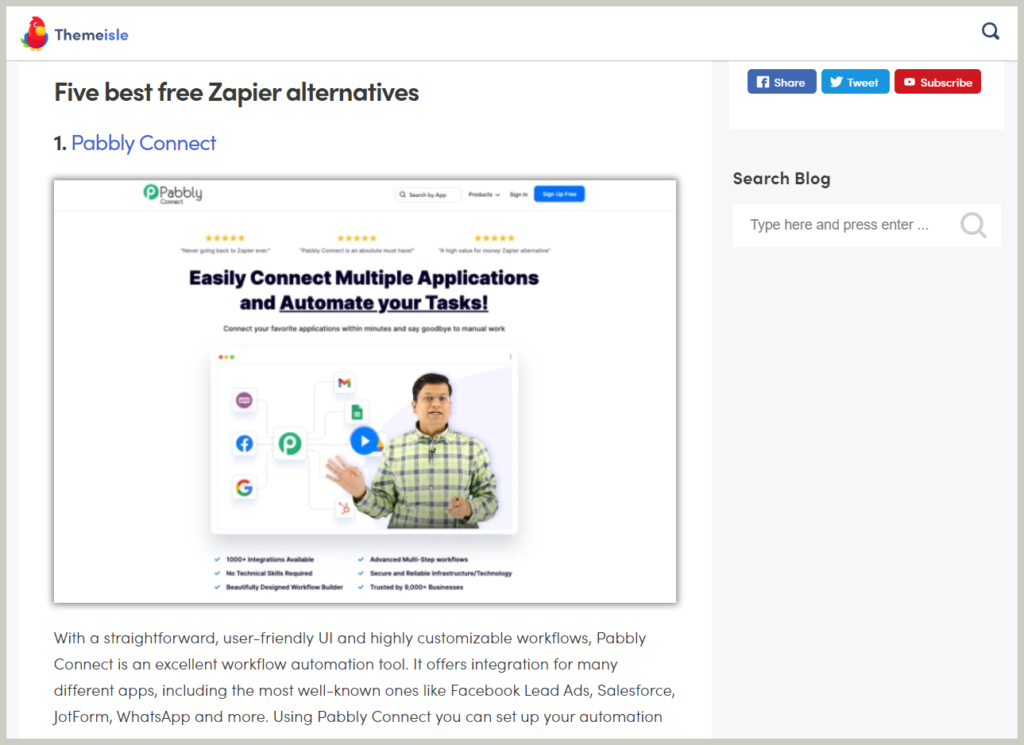
Credit: www.pabbly.com
Integration Capabilities
Integration capabilities define how well an automation tool connects different apps and services. These connections allow data to flow smoothly, saving time and reducing manual work. Exploring alternatives to Pabbly Connect means examining how each tool handles app integrations. Some tools offer vast app libraries, while others focus on specific industries or customization flexibility.
Understanding these aspects helps you choose the right tool for your automation needs. Let’s dive into the key integration features to consider.
Number Of Apps Supported
The number of apps a tool supports directly impacts its usefulness. More apps mean more options to automate tasks across platforms. Some Pabbly Connect alternatives support thousands of apps, including popular ones like Google Sheets, Slack, and Shopify. Others may offer fewer apps but still cover essential services.
Choosing a tool with a broad app base ensures you can connect your favorite software without limits. This variety also allows for more complex workflows and better business coverage.
Niche And Industry-specific Apps
Some automation platforms focus on niche markets or industries. They offer integrations tailored to specific business types like healthcare, finance, or e-commerce. These specialized apps help businesses automate unique processes that general tools might miss.
Check if the alternative supports apps relevant to your industry. This can improve workflow efficiency and provide deeper automation options aligned with your field.
Customization Options
Customization options let you tailor integrations to fit your exact needs. Look for features like custom triggers, filters, and multi-step workflows. These allow precise control over when and how data moves between apps.
Some Pabbly Connect alternatives offer advanced customization, enabling complex automations without coding. This flexibility helps users create efficient, personalized workflows that save time and reduce errors.
User Experience And Interface
User experience and interface play a vital role in choosing an automation tool. They affect how quickly users can start building workflows and how easily they can manage them. A clean, intuitive design reduces frustration and helps users focus on their tasks. Good interface design also ensures smooth navigation across features and settings. This section explores key aspects of user experience in Pabbly Connect alternatives.
Learning Curve
The learning curve measures how fast new users grasp the platform. Some tools offer simple drag-and-drop builders that require no coding skills. Others may have complex options that need more time to understand. A gentle learning curve helps beginners create automations quickly. It also lowers the chance of mistakes while building workflows. Clear labels and guided tutorials contribute to a smoother start.
Template Availability
Templates are ready-made automation workflows that users can customize. A wide variety of templates lets users start projects faster. They also provide ideas for useful automations. Some Pabbly Connect alternatives offer extensive template libraries covering many apps. Others may have fewer but highly targeted templates. Having good templates reduces setup time and helps users avoid common errors.
Documentation And Support
Documentation guides users through all platform features. It includes step-by-step instructions, FAQs, and troubleshooting tips. Well-written documentation makes learning easier and speeds up problem-solving. Support channels like chat, email, or forums assist users with urgent issues. Quick and helpful support improves user satisfaction and confidence. Reliable resources reduce downtime and keep automations running smoothly.

Credit: savemyleads.com
Choosing The Right Tool
Choosing the right automation tool is essential for smooth workflow management. Each business has unique needs that influence the best choice. Consider several factors carefully before making a decision. This helps avoid overspending and ensures optimal performance.
Budget Considerations
Automation tools come with various pricing models. Some offer one-time payments, while others use monthly subscriptions. Choose a tool that fits your current budget. Keep future costs in mind as automation needs grow. Free plans may have limits on tasks or features.
Automation Volume
Estimate how many tasks you plan to automate monthly. Some tools charge based on task volume. Others provide unlimited tasks at a fixed price. High-volume users should look for cost-effective options. Low-volume users may prioritize simplicity over cost.
Integration Needs
Check if the tool supports the apps you use daily. More integrations mean more workflow possibilities. Some tools specialize in popular business apps. Others focus on niche or industry-specific software. Ensure the tool connects well with your key platforms.
Ease Of Use Preferences
Evaluate how easy the tool is to learn and use. A simple interface saves time and reduces errors. Some tools offer drag-and-drop features for easy setup. Others may require technical skills or coding knowledge. Choose based on your team’s comfort with technology.
Frequently Asked Questions
Is Pabbly Better Than Zapier?
Pabbly offers cost-effective, unlimited automations with fewer integrations. Zapier provides a user-friendly interface and extensive app connections but costs more monthly. Choose Pabbly for budget-friendly high-volume tasks; pick Zapier for broader app support and ease of use.
Is Pabbly Connect Good?
Pabbly Connect offers cost-effective automation with unlimited tasks via one-time payments. It suits businesses needing high-volume workflows but fewer app integrations. Its interface may be less intuitive than competitors, yet it provides great value for budget-conscious users focused on bulk automation.
How Does Pabbly Compare To Competitors?
Pabbly offers cost-effective, one-time payment plans with unlimited tasks, ideal for high-volume automation. It has fewer integrations than Zapier but suits budget-conscious businesses well.
Conclusion
Choosing the right automation tool depends on your needs and budget. Some alternatives to Pabbly Connect offer more app integrations. Others focus on cost-effective bulk automation with fewer features. Think about how many tasks you need to automate daily. Also, consider which apps you must connect for your workflows.
Testing a few options can help find the best fit. Good automation saves time and reduces manual work. Explore your choices carefully to boost productivity without overspending.