Are you looking for a tool that can truly boost your team’s communication and productivity? Slack has become one of the most popular platforms for workplace messaging, but is it the right fit for your needs?
You’ll discover honest Slack reviews that highlight both its strengths and weaknesses. From how it organizes conversations to the impact of constant notifications, we’ll break down what users love and what frustrates them. By the end, you’ll have a clear picture of whether Slack can help streamline your work or if it might slow you down.
Ready to find out if Slack is worth your time? Keep reading to get the full story.
Credit: gethaystack.com
Slack’s Core Features
Slack offers a variety of features designed to improve team communication and collaboration. These features help teams stay organized, share information quickly, and work together smoothly. Understanding Slack’s core features reveals why many businesses rely on it daily.
Each feature focuses on making communication clear and efficient. From organizing conversations to connecting with outside partners, Slack covers many needs.
Channel-based Communication
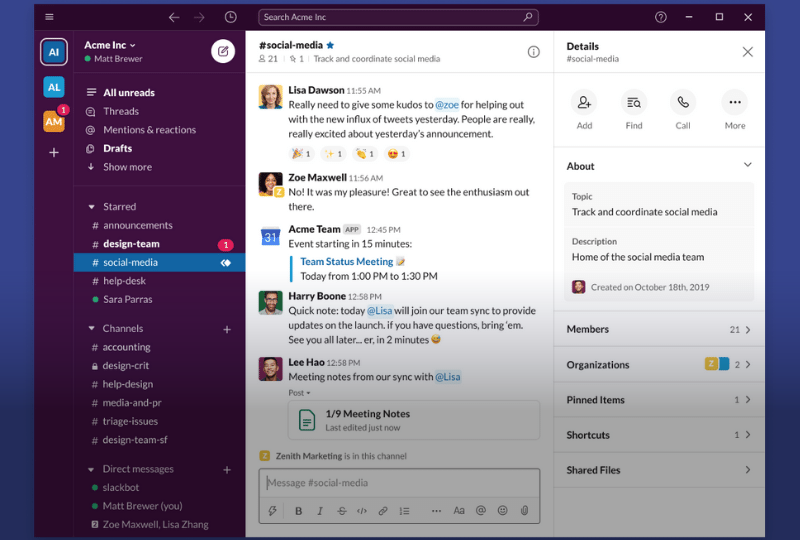
Slack uses channels to organize conversations by topic, project, or team. Channels keep discussions focused and easy to follow. Users can join channels that match their work interests. This reduces email clutter and helps teams stay updated. Messages, files, and notes stay in one place for quick access.
App Integrations
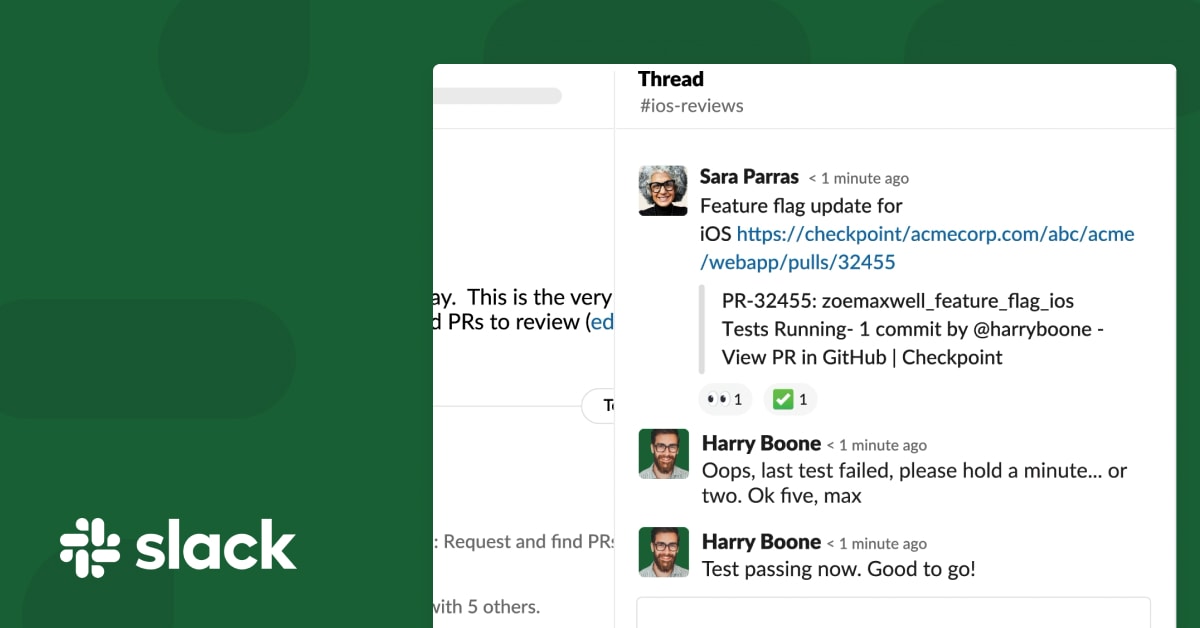
Slack connects with many popular apps like Google Drive, Trello, and Zoom. These integrations bring tools into one platform. Users can share files, schedule meetings, and track tasks without leaving Slack. This saves time and keeps workflows smooth. Custom integrations also allow teams to add specific tools they need.
Slack Connect For External Collaboration
Slack Connect allows teams to work with outside partners safely. It lets users share channels with clients, vendors, or freelancers. Teams can chat and share files without switching platforms. This feature improves communication and speeds up project progress. It creates a secure space for external collaboration.
Credit: slack.com
Benefits For Teams
Slack offers many benefits that help teams work better together. It makes communication clear and tasks easier to manage. Teams save time and reduce confusion. This lets members focus on their work and achieve goals faster. Below are key benefits Slack provides for teams.
Improved Organization
Slack keeps all conversations and files in one place. Teams can create channels for different projects or topics. This stops messages from getting lost or mixed up. Important information is easier to find. Teams stay on track and meet deadlines more often.
User-friendly Interface
Slack is simple to use for everyone. The clean design helps users find tools fast. New team members learn how to use it quickly. This lowers training time and boosts team productivity. Everyone can communicate without tech problems.
Real-time Messaging
Slack allows instant messages between team members. Quick replies keep work moving smoothly. This reduces the need for long email chains. Teams can solve problems faster and share updates immediately. It helps remote and in-office workers stay connected all day.
Common Drawbacks
Slack is a popular tool for team communication. Many users enjoy its features. Yet, some common drawbacks appear in reviews. These issues can affect how teams work and use Slack daily. Knowing these drawbacks helps users decide if Slack fits their needs.
Notification Overload
Slack sends many alerts and messages. This constant flow can become overwhelming. Users may find it hard to focus on important tasks. Too many notifications break concentration. It can lead to stress and reduce productivity. Managing notification settings takes time and effort.
Search Function Challenges
Finding past messages or files is not always easy. The search tool sometimes returns too many results. Users may struggle to locate specific information quickly. This slows down work and causes frustration. Search filters exist but are not always intuitive. Improving search accuracy is a common user request.
Pricing Concerns
Slack offers free and paid plans. The free plan limits message history and features. Larger teams often need paid plans to unlock full benefits. Costs can add up for growing businesses. Some users feel the pricing is high for small teams. Budget constraints may limit access to key functions.

Credit: slack.com
Privacy And Security
Slack is a popular tool for team communication and collaboration. Privacy and security play a key role in its use. Users want to know how their data stays safe. Understanding Slack’s approach helps build trust and confidence.
Data Protection Risks
Slack stores a lot of sensitive information. This creates risks if data is not handled properly. Cyberattacks or accidental leaks can expose private details. Slack uses encryption to protect data in transit and at rest. Still, no system is completely immune to breaches. Users should stay cautious about sharing confidential information.
Admin Message Access
Workspace admins have control over message access. They can export messages from public channels. Access to private chats is limited and requires special requests. This helps balance transparency with user privacy. Admins must follow company policies and legal rules when accessing data. Clear guidelines prevent misuse of message access rights.
Private Chat Privacy
Private chats offer a more secure space for conversations. Slack encrypts these messages to keep them safe. Only the participants can read the content under normal conditions. However, administrators may access private messages with proper authorization. Users should avoid sharing highly sensitive information even in private chats. Staying aware of privacy limits helps maintain trust.
Who Uses Slack Today
Slack remains one of the most popular communication tools in many workplaces. Its user base continues to grow across industries. People use Slack for fast messaging and easy collaboration. The platform suits various team sizes and business types. Understanding who uses Slack today helps to see its real-world impact.
User Base Growth
Slack has millions of active users worldwide. The number of daily users keeps increasing every year. Many new companies and teams join the platform regularly. Users appreciate Slack’s simple interface and powerful features. This steady growth shows Slack’s strong presence in the market.
Business Adoption Trends
More businesses rely on Slack for internal communication. It integrates with many other tools they already use. Slack Connect enables secure collaboration with partners and clients. Companies value how Slack improves workflow and reduces email overload. Its adoption is strong in technology, marketing, and creative sectors.
Use In Small Vs Large Teams
Small teams use Slack to stay connected and share ideas quickly. It helps them work together without long meetings. Large teams benefit from Slack’s channels and organized messaging. They manage projects and departments efficiently using the platform. Slack adapts well to different group sizes and needs.
Tips For Smarter Slack Use
Using Slack smartly can save time and reduce stress. It helps teams communicate clearly and stay organized. Simple habits make Slack easier to use every day. Focus on what matters without feeling overwhelmed.
Below are practical tips to get the most from Slack. Manage your notifications to avoid constant distractions. Organize channels so information is easy to find. Use integrations to connect tools and boost productivity.
Managing Notifications
Notifications can help but also interrupt your work. Choose only important alerts to avoid overload. Use Slack’s “Do Not Disturb” mode during focused work. Customize notification settings for each channel or conversation. This keeps distractions low and attention high.
Optimizing Channel Use
Create channels for specific topics or teams. This keeps conversations clear and relevant. Archive or leave channels that are no longer needed. Use channel descriptions so members understand the purpose. Pin key messages to keep important info visible.
Leveraging Integrations
Slack works well with many apps like Google Drive and Trello. Connect tools your team uses every day for easy access. Automate simple tasks such as reminders or status updates. This reduces switching between apps and saves time. Test integrations to find what fits your workflow best.
Frequently Asked Questions
What Are The Disadvantages Of Using Slack?
Slack can cause notification overload, distracting users from deep work. It has limited free plan features and high costs for large teams. Searching old messages can be difficult. Sensitive data risks exist if security is weak. Some users find it overwhelming for complex project management.
Is Slack Really Good?
Slack is a popular communication tool praised for organized channels, easy interface, and strong integrations. It boosts team collaboration but may cause notification overload. It suits many businesses, though not perfect for all. Overall, Slack enhances productivity and real-time communication effectively.
Can My Boss See What I Do On Slack?
Your boss can see messages in public channels and exported data. Private chats require Slack’s approval and employer requests.
Conclusion
Slack offers a simple way to improve team communication and collaboration. Many users appreciate its easy setup and useful features. Notifications keep teams informed but can sometimes distract. Security is good, though some worry about data privacy. Slack fits well for businesses that need quick, organized chats.
It might not suit everyone, especially those needing fewer alerts. Overall, Slack remains a popular choice for many teams worldwide. Try to match Slack’s features with your team’s needs before deciding.