Are you struggling to find the perfect time tracking tool that fits your workflow and boosts your productivity? Choosing between Toggl Track and Clockify can feel overwhelming, especially when both promise to simplify how you manage your hours.
But which one truly delivers the best features, ease of use, and value for your specific needs? You’ll discover a clear, side-by-side comparison of Toggl Track vs Clockify. By the end, you’ll know exactly which tool will help you take control of your time, improve your focus, and get more done every day.
Keep reading to find out which time tracker is the right match for you.
Toggl Track Features
Toggl Trackoffers a clean and simple user interface. It makes time tracking easy for everyone. The design is clear, with big buttons and intuitive menus. Users spend less time learning and more time tracking.
Its automatic trackinghelps capture work without manual input. It detects apps and websites used, so no task is missed. This feature saves time and keeps records accurate.
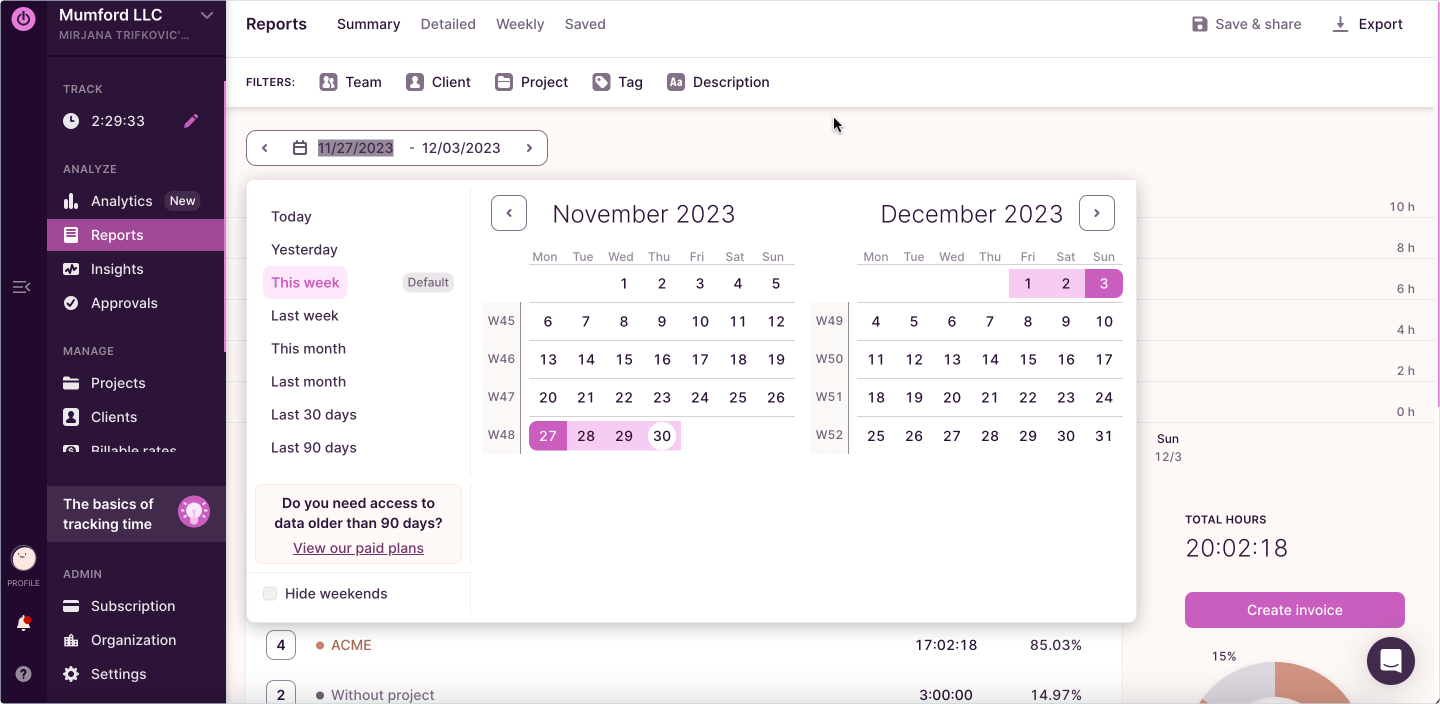
Reports are detailed and easy to read. Reporting and analyticsshow how time is spent on projects. Charts and graphs help users see trends and improve productivity.
Toggl Track works well with many tools. It integrateswith apps like Slack, Trello, and Google Calendar. This makes it easy to add time tracking into daily workflows without extra steps.
Credit: clockify.me
Clockify Features
Clockifyoffers both manualand timer-based tracking. Users can start a timer or enter time manually for better control. This flexibility suits various work styles.
Team management tools include user roles, project assignments, and team activity monitoring. These features help managers organize and oversee their teams efficiently.
Reporting functions provide customizable reportson hours worked, projects, and billable time. Reports can be exported in multiple formats for easy sharing.
Clockify supports many platforms like Windows, Mac, Linux, iOS, and Android. It also integrates with popular apps like Trello, Asana, and Slackto streamline workflows.
Pricing Comparison
Toggl Trackand Clockifyboth offer free planswith essential time tracking features. Toggl’s free plan supports up to 5 users, while Clockify allows unlimited users, making it ideal for larger teams without cost.
Paid plans for Toggl start with more advanced reports and project tracking. Clockify’s paid plans add features like invoicing and budgeting tools. Both offer monthly and annual subscriptions.
Small businesses benefit from Toggl’s simple interface and integrations. Clockify offers more extensive user limits and better scalability for growing teams. Both tools provide value with affordable pricing.
| Feature | Toggl Track | Clockify |
|---|---|---|
| Free Plan Users | Up to 5 | Unlimited |
| Paid Plan Start | Advanced reports & project tracking | Invoicing & budgeting tools |
| Best For | Small teams, simple use | Growing teams, scalability |
| Enterprise Solutions | Custom pricing, advanced support | Custom plans, dedicated support |
Ease Of Use
Setup Process:Both tools offer quick setup. Clockify allows easy signup with email or Google. Toggl Track also supports fast registration and simple workspace creation. No complex steps needed to start tracking time.
Daily Time Tracking:Clockify uses manual timers and task entries, which can suit freelancers. Toggl Track offers both manual and automatic tracking, making it handy for teams. Both save your data instantly.
Mobile and Desktop Apps:Clockify and Toggl Track have apps for iOS, Android, Windows, and Mac. Apps sync smoothly, letting you track time anywhere. The interfaces are user-friendly and clear.
Customer Support:Clockify provides email support and a detailed help center. Toggl Track offers chat and email support plus an active community. Both have good resources to solve user issues quickly.
Suitability For Different Users
Freelancersfind Clockify helpful due to its simple manual timers and free plan. It tracks time easily without many extra steps. Toggl Track offers automatic tracking, which can save time for freelancers who dislike manual entries.
Small Teamsbenefit from Toggl Track’s detailed reports and easy project management. It helps teams see who works on what and when. Clockify also works well but is more basic, good for teams new to time tracking.
Large Organizationsoften choose Toggl Track because it handles complex projects and many users smoothly. It has better tools for billing and detailed insights. Clockify may feel limited with very large groups but still supports team tracking.
Managers and Supervisorsappreciate Toggl Track’s strong reporting features and ability to monitor team performance closely. Clockify provides simple tracking and good overview but fewer advanced controls.
Pros And Cons
Strengths of Toggl Track:Easy to use with a clean interface. Offers automatic time trackingand strong reporting tools. Works well for teamsto manage projects and tasks. Available on many devices and platforms. Integrates with many apps.
Weaknesses of Toggl Track:Free plan is limited in features. Some users find advanced reports difficult to customize. No offline mode for time tracking. Higher cost for premium plans compared to others.
Strengths of Clockify:Completely free planwith many features. Simple manual timers and easy time entry. Good for freelancersand small teams. Offers offline time tracking. Supports unlimited users and projects.
Weaknesses of Clockify:Interface can feel clutteredfor new users. Reports and analytics are basic in free plan. Some features require upgrades. Limited automation compared to Toggl Track.
User Reviews And Feedback
Users praise Togglfor its simple interfaceand easy navigation. Many enjoy detailed reportsthat help track work well. The app works smoothly across all devices, which users find handy. Some appreciate the automatic trackingfeature that saves time.
On the downside, some users find Toggl’s pricing higherfor small teams. A few mention occasional syncing issuesbetween devices. Some feel the app could offer more integrationswith other tools.
Clockify users likeits free planthat covers many features. The manual timeris easy to use for most people. Users say it fits well for freelancers and small teams. Many find the team monitoringhelpful.
Some users say Clockify’s interface looks a bit outdated. A few report the mobile appcan be slow or buggy. Others want more customization optionsin reports.

Credit: thebusinessdive.com
Best Use Cases
Project-Based Worksuits both Toggl Track and Clockify well. They help track time spent on tasks accurately. Teams can see which projects take more time and adjust work accordingly.
Remote Team Trackingis easier with these tools. They allow managers to monitor work hours from anywhere. This keeps remote teams connected and productive.
Budget and Expense Monitoringis simple. Both tools provide reports showing how time affects costs. This helps control budgets and avoid overspending.
Time Management Improvementis a key benefit. Users learn to spot time wasters and focus on important tasks. This leads to better daily planning and efficiency.

Credit: thebusinessdive.com
Frequently Asked Questions
What Are The Main Differences Between Toggl Track And Clockify?
Toggl Track offers automatic tracking and is ideal for teams. Clockify provides manual timers and suits freelancers. Both have robust features but differ in automation and target users.
Which Tool Is Better For Freelancers: Toggl Track Or Clockify?
Clockify is better for freelancers due to its free manual tracking and simple interface. It offers good reporting without complex features, making it easy for solo users.
Is Toggl Track Suitable For Large Teams And Businesses?
Yes, Toggl Track is designed for teams and businesses. It supports collaboration, detailed reporting, and automatic time tracking to streamline team productivity.
Are Both Toggl Track And Clockify Free To Use?
Both offer free plans with essential features. Clockify’s free version is more generous for small teams, while Toggl’s free tier suits individual users and small groups.
Conclusion
Choosing between Toggl Track and Clockify depends on your needs. Toggl Track suits teams needing automatic tracking and detailed reports. Clockify works well for freelancers or those wanting simple manual timers. Both offer free plans with useful features. Try each tool to see which fits your work style best.
Tracking time efficiently helps improve productivity and manage tasks better. Use these tools to keep your projects on track and meet deadlines easily. Time tracking does not have to be complicated or costly.