
When it comes to managing your marketing projects, choosing the right tool can make all the difference. You want something that fits your workflow, keeps your team aligned, and helps you hit deadlines without stress.
Trello and ClickUp are two of the top contenders, each offering unique features that could transform how you work. But which one truly suits your marketing needs? You’ll discover the key differences, strengths, and weaknesses of Trello vs ClickUp, so you can pick the perfect match for your projects and boost your team’s productivity starting today.
Ready to find out which tool will give you the edge? Let’s dive in.
Trello Basics
Trello is a popular tool for managing marketing projects. It uses boards, lists, and cards to help teams organize their work visually. This simplicity makes Trello easy to learn and use for people new to project management software.
Understanding Trello’s basics helps marketers decide if it fits their project needs. Below are key points about Trello’s user interface, main features, and pricing.
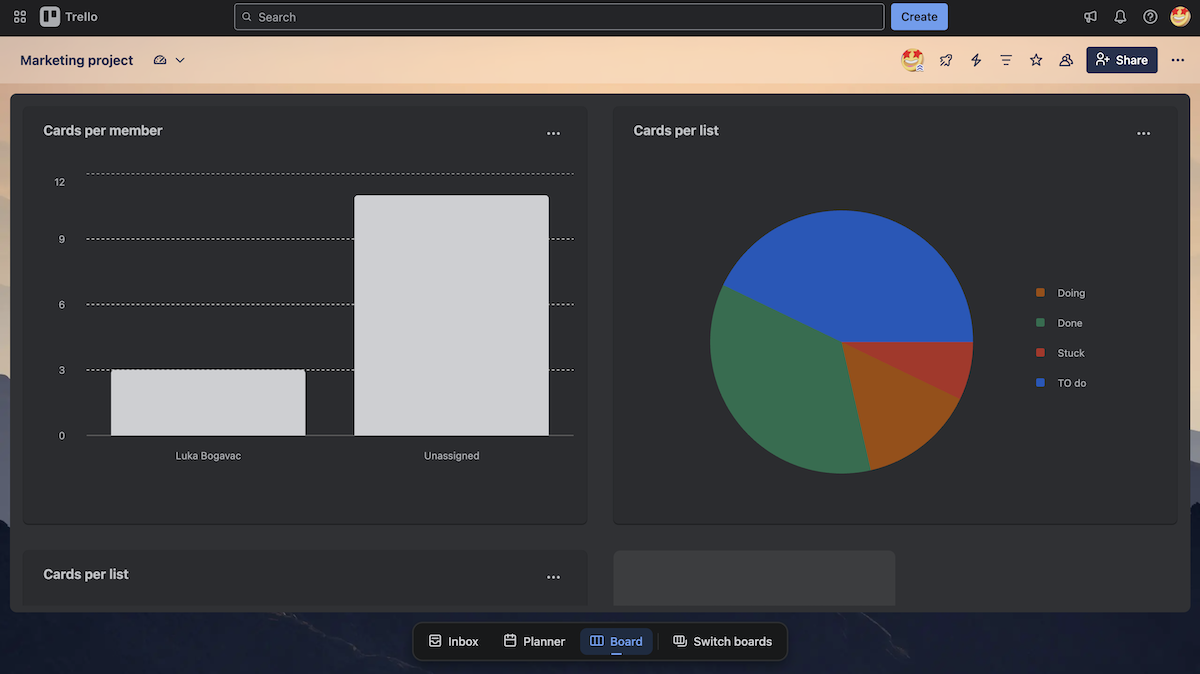
User Interface And Design
Trello has a clean and simple design. The main view shows boards with lists and cards. Each card represents a task or idea. Users drag cards across lists to track progress. The interface uses bright colors and clear labels. It works well on both desktop and mobile devices. This design helps teams quickly see project status at a glance.
Core Features
Trello offers essential tools for marketing projects. Users can add due dates, attachments, and comments to cards. It supports checklists to break tasks into smaller steps. Trello also allows assigning tasks to team members. Integration with apps like Slack and Google Drive is possible. Automation rules can reduce repetitive work. These features keep marketing teams organized and focused.
Pricing Plans
Trello provides a free plan with basic features. This plan suits small teams and simple projects. Paid plans add advanced options like bigger file uploads and custom backgrounds. Business Class and Enterprise plans offer more security and admin controls. Pricing is monthly or yearly. Teams can choose plans based on their size and needs.
Credit: plaky.com
Clickup Basics
ClickUp is a popular project management tool used by many marketing teams. It offers a wide range of features to organize tasks and improve team collaboration. Understanding ClickUp basics helps you decide if it fits your marketing projects.
Below are key points about ClickUp’s user interface, core features, and pricing plans. These details will guide your comparison with Trello.
User Interface And Design
ClickUp has a clean and modern design. The interface shows tasks, lists, and projects clearly. You can switch between views like list, board, or calendar. The colors and icons make navigation easy. This helps teams find what they need fast without confusion.
Core Features
ClickUp offers many tools for managing marketing projects. You can create tasks, set priorities, and assign team members. It supports checklists, attachments, and comments. The platform also includes time tracking and goal setting. Automation features reduce repetitive work. Integration with other apps keeps your workflow smooth.
Pricing Plans
ClickUp provides a free plan with essential features. Paid plans start at affordable prices. These plans add advanced tools like unlimited storage and custom fields. Businesses can choose plans based on team size and needs. This flexibility makes ClickUp suitable for small to large marketing teams.
Task Management
Task management is the heart of marketing projects. It helps teams stay organized and meet deadlines. Good task management tools make assigning, tracking, and completing tasks easy. Trello and ClickUp offer strong options for this. Both help marketers handle their daily work efficiently. Understanding their task management features can guide your choice.
Task Creation And Assignment
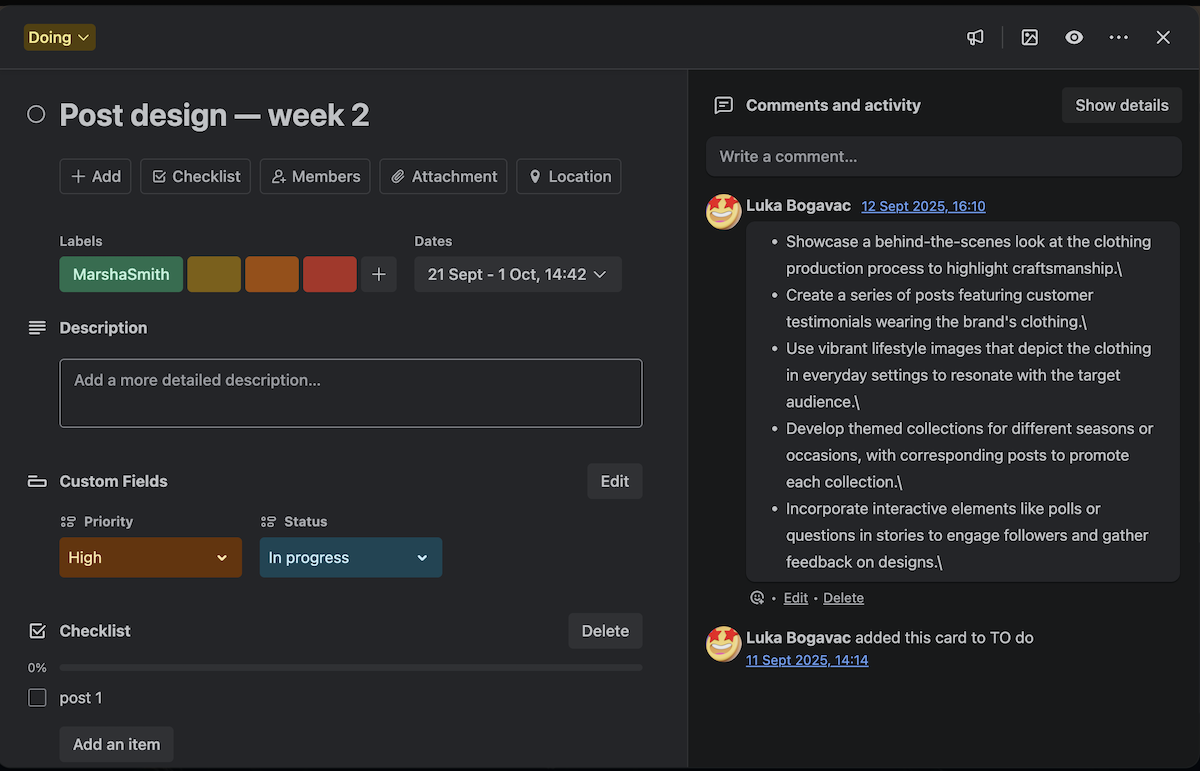
Trello uses simple cards on boards for tasks. Creating a task is quick and visual. You can add descriptions, labels, and due dates easily. Assigning tasks to team members is done by tagging their profiles. It suits teams that prefer clear and straightforward task views.
ClickUp offers more detailed task creation options. You can set priorities, add multiple assignees, and attach files. Tasks can include checklists and custom fields to fit marketing needs. This tool fits teams that need more task details and customization.
Workflow Automation
Trello supports automation through its Butler feature. You can automate repetitive actions like moving cards or sending reminders. This saves time and reduces manual work. The automation rules are easy to set up with no coding needed.
ClickUp has powerful automation capabilities built-in. It allows complex workflows with triggers and actions. For example, tasks can change status automatically when completed. Automations help marketing teams stay on track with less effort.
Collaboration Tools
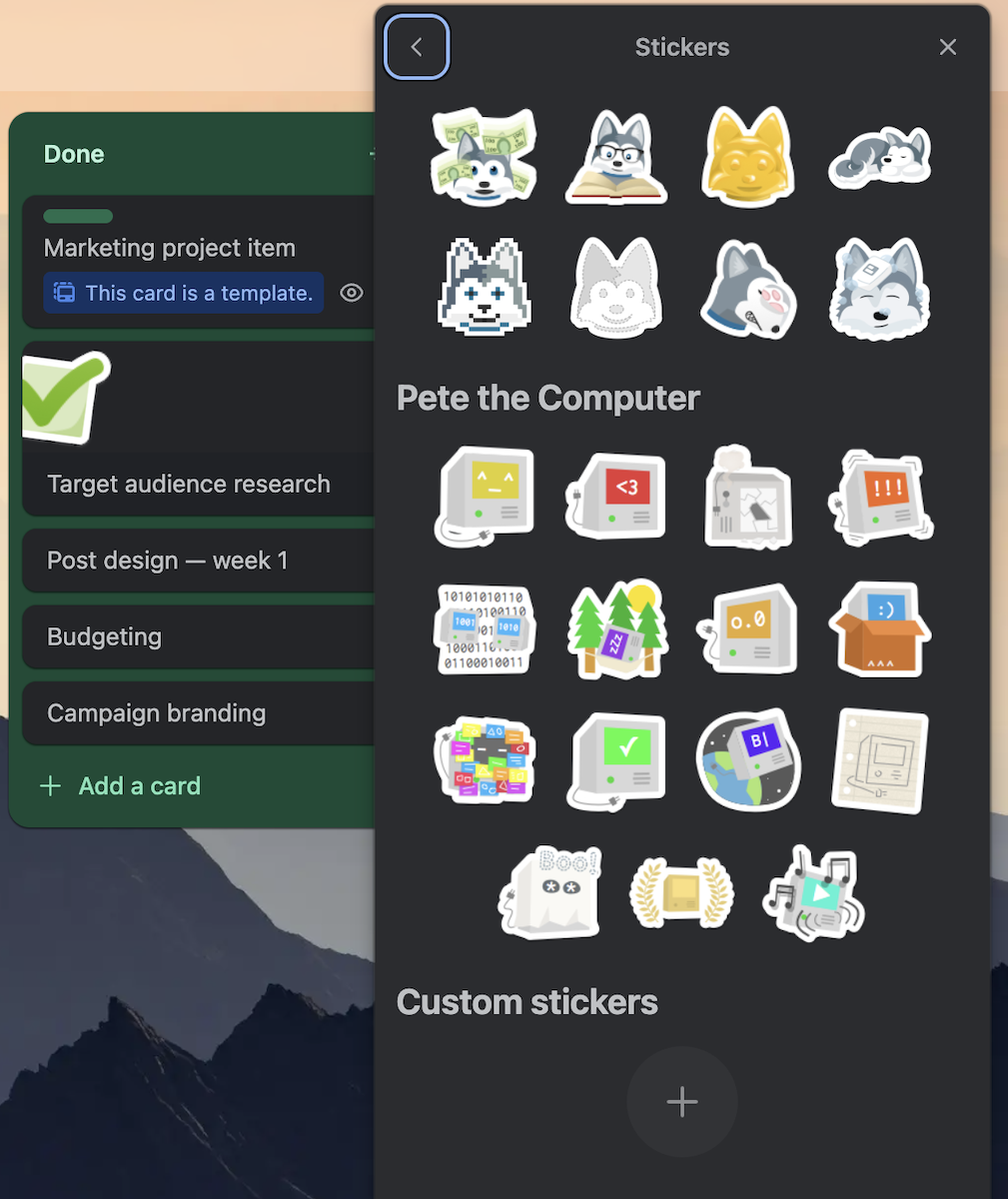
Trello enables collaboration by allowing comments on cards. Team members can share updates and feedback easily. It supports file attachments and integrates with popular apps like Slack and Google Drive.
ClickUp enhances collaboration with real-time chat inside tasks. It also offers document sharing and collaborative editing. Notifications keep everyone informed of task changes. These features keep marketing teams connected and aligned.
Credit: plaky.com
Marketing Project Features
Marketing projects demand tools that boost organization and clarity. Both Trello and ClickUp offer features tailored for marketing teams. These features help manage tasks, schedules, and results efficiently. Comparing their marketing project features reveals strengths and limitations in each platform.
Campaign Planning
Trello uses boards and cards for visual campaign planning. Teams can create task lists, assign members, and set deadlines. Its simple drag-and-drop interface makes task tracking easy. ClickUp provides a more detailed approach with task dependencies and priorities. Marketers can break campaigns into smaller tasks and subtasks. ClickUp supports multiple views like list, board, and Gantt charts. This flexibility helps teams see campaign progress from different angles.
Content Calendar Integration
Trello integrates with popular calendar apps to schedule content posts. Users can view deadlines and publish dates on a calendar. ClickUp offers built-in content calendar views. This feature allows marketers to plan, schedule, and track content in one place. ClickUp also supports automation to remind teams about upcoming deadlines. Both tools help avoid content overlaps and maintain consistent publishing.
Reporting And Analytics
Trello’s reporting mainly depends on third-party integrations. Users can connect tools like Google Analytics or reporting apps for insights. ClickUp has native reporting features that track project progress and team performance. It offers customizable dashboards to visualize key metrics. Marketers can generate reports on task completion, time tracking, and workload. These insights aid in optimizing marketing efforts and resource allocation.
Customization And Flexibility
Customization and flexibility are key for managing marketing projects effectively. Both Trello and ClickUp offer tools to shape your workspace. These tools help teams work in ways that suit their style. Understanding their options can guide your choice.
Views And Layouts
Trello uses a simple board and card system. It shows tasks clearly in columns. You can move cards to track progress. ClickUp offers more view options. Lists, boards, calendars, and Gantt charts are available. This variety helps teams see projects from different angles. ClickUp’s views adapt to complex workflows. Trello focuses on a straightforward visual layout.
Templates And Integrations
Trello has many templates for marketing tasks. These templates save setup time. It integrates well with popular tools like Slack and Google Drive. ClickUp provides a wider range of templates. It covers marketing, sales, and project management. ClickUp supports more integrations. It connects with apps like Zoom and HubSpot. Both platforms allow easy connection to other tools. This helps automate marketing workflows.
User Permissions
Trello offers basic user permissions. You can assign roles like admin or member. It controls who can edit or view boards. ClickUp has detailed permission settings. You can set access per task, list, or folder. This helps protect sensitive marketing data. ClickUp allows flexible user roles. It fits teams with varied access needs. Both platforms keep team work secure and organized.
Mobile Experience
Managing marketing projects on mobile devices requires apps that perform smoothly and offer essential features. Both Trello and ClickUp deliver mobile apps designed to help teams stay productive while on the move. The mobile experience can affect how quickly you update tasks, communicate with your team, and track progress.
App Performance
Trello’s mobile app runs fast and loads boards quickly. The interface is simple, which helps avoid delays. ClickUp’s app is more complex and may take longer to load, especially with many tasks. It can use more battery and storage than Trello. Both apps receive regular updates to fix bugs and improve speed.
Feature Availability
Trello’s mobile app focuses on basic task management with boards, lists, and cards. It offers fewer advanced features compared to the desktop version. ClickUp’s mobile app provides a wider range of tools, including task comments, time tracking, and document editing. Users can access most desktop features, making it suitable for detailed project work on mobile.
Offline Access
Trello allows viewing boards offline but limits changes until reconnecting to the internet. This can slow down work during no-signal moments. ClickUp supports offline editing of tasks and documents, syncing changes when back online. This feature helps marketing teams stay productive in areas with weak or no internet connection.
Team Collaboration
Team collaboration plays a key role in marketing projects. Smooth interaction among team members helps finish tasks faster. Both Trello and ClickUp offer tools to support teamwork. They focus on different aspects, giving unique ways to keep teams connected. Understanding their features can guide teams to pick the right platform for collaboration needs.
Communication Tools
Trello uses simple comment threads on cards. Team members can tag others to ask questions or add updates. ClickUp includes chat views and task comments. It supports rich text and file sharing inside conversations. ClickUp’s built-in chat helps reduce switching between apps. Both platforms allow easy sharing of ideas and feedback within projects.
Notifications And Alerts
Trello sends notifications for mentions, due dates, and card changes. Users can customize alerts to avoid overload. ClickUp offers more detailed notifications, including reminders and status updates. Alerts can come via email, desktop, or mobile push. ClickUp’s options help teams stay aware without missing important updates. Both tools aim to keep everyone informed in real time.
User Roles
Trello assigns roles like admin, member, and observer. Admins control board settings and user permissions. ClickUp provides more role levels and custom permissions. It allows fine-tuning who can view or edit tasks and lists. This helps protect sensitive information and controls workflow. Both platforms support managing team access with clear roles.
Pricing Comparison
Understanding the pricing structure is crucial when choosing between Trello and ClickUp for marketing projects. Both platforms offer a range of plans that fit different team sizes and needs. This section breaks down the cost and features of each, helping marketing teams decide which tool suits their budget and project demands.
Free Tier Features
Trello offers a free plan with unlimited personal boards and cards. It includes basic task management and simple automation with Butler. Users get 10MB per file attachment and one Power-Up per board. This is ideal for small marketing teams or individual projects.
ClickUp’s free tier supports unlimited users and tasks. It provides access to most core features, including task lists, docs, and integrations. File uploads are limited to 100MB per file. This plan suits teams needing more flexibility without extra cost.
Paid Plans Value
Trello’s paid plans start with Standard at $5 per user monthly. It unlocks unlimited Power-Ups, larger file attachments, and advanced checklists. The Premium plan adds timeline views and dashboard reporting for $10 per user monthly. Enterprise options offer more security and admin controls.
ClickUp’s paid plans begin with Unlimited at $5 per user monthly, offering unlimited storage and integrations. Business plans at $12 per user monthly include goals tracking and advanced automation. Enterprise plans provide custom pricing with added security and support.
Cost For Marketing Teams
Small marketing teams may find Trello’s free plan sufficient for basic task tracking. As team needs grow, Standard or Premium plans add helpful features at a reasonable cost. Trello’s simple interface reduces training time for new users.
ClickUp suits marketing teams needing extensive project tracking and collaboration. Its free plan is generous, and paid plans offer strong value for advanced workflows. Teams managing multiple projects benefit from ClickUp’s customization options despite a steeper learning curve.
Pros And Cons
Choosing the right tool for marketing projects depends on understanding their advantages and drawbacks. Both Trello and ClickUp offer unique benefits that fit different team needs. Knowing their strengths and limitations helps in making a smart choice. Below is a clear look at the pros and cons of each platform.
Strengths Of Trello
Trello uses a simple board and card system. This visual style makes task tracking easy. It is very user-friendly and quick to learn. Teams can start organizing projects without much setup. Trello’s drag-and-drop feature speeds up task management. It works well for small to medium projects with straightforward workflows. The free plan includes enough features for many marketing teams. Integrations with popular apps add extra value. Trello keeps project views clean and focused.
Strengths Of Clickup
ClickUp offers a more detailed approach to project management. It supports many views such as lists, boards, and timelines. Teams can customize workflows to fit complex marketing tasks. ClickUp includes built-in tools for docs, goals, and time tracking. It helps coordinate large teams with many moving parts. Automation features reduce repetitive work. Reporting and analytics provide insights into project progress. The platform supports task dependencies for better planning. ClickUp’s free tier is robust for growing teams.
Limitations To Consider
Trello may feel too basic for complex marketing projects. It lacks some advanced features like built-in time tracking. Managing many projects can become cluttered over time. ClickUp has a steeper learning curve due to many options. New users may find it overwhelming at first. Customization can slow down setup and adoption. Both tools depend on internet access to work smoothly. Mobile app performance varies and may affect on-the-go updates. Choosing depends on your team size and project needs.
Credit: plaky.com
User Feedback
User feedback plays a vital role in choosing the right tool for marketing projects. It reveals real experiences and practical challenges. Marketers share their thoughts on how Trello and ClickUp handle their tasks and teamwork. This section covers insights from marketing professionals, common complaints users report, and the quality of community support for both platforms.
Reviews From Marketing Professionals
Marketing experts appreciate Trello for its simple board and card system. It helps teams track tasks visually and stay organized. Many find it easy to learn and quick to set up. ClickUp earns praise for its all-in-one features. It offers task dependencies, time tracking, and customizable workflows. Professionals say ClickUp suits complex projects better than Trello. Both tools receive high marks for improving team communication and task management.
Common User Complaints
Users often mention Trello’s lack of advanced features as a downside. It can feel limited for large marketing campaigns. Some find its automation options basic compared to ClickUp. ClickUp users point out a steep learning curve. The many features can overwhelm new users. Speed issues and occasional bugs also frustrate some. Both platforms have room to improve on mobile app performance. Users want simpler interfaces and fewer distractions.
Community And Support
Trello has a large and active user community. Many share templates, tips, and best practices online. Its support team responds quickly to questions. ClickUp’s community is growing fast with helpful forums and webinars. The company offers detailed guides and video tutorials. Users praise ClickUp’s responsive customer service. Both platforms provide good help resources. Users benefit from peer advice and official support channels.
Choosing The Right Tool
Choosing the right project management tool for marketing projects is key to success. Each tool offers unique features suited to different teams and tasks. Understanding your team’s size, project complexity, and budget helps find the best fit. This section breaks down these factors to guide your choice between Trello and ClickUp.
Team Size And Needs
Small teams benefit from simple tools that keep tasks clear and organized. Trello’s visual boards work well for teams needing easy setup and quick collaboration. Larger teams often require more features to manage multiple workflows. ClickUp supports complex team structures with advanced task assignments and communication options. Match the tool to your team’s size and daily work style.
Project Complexity
Simple projects with straightforward tasks suit Trello’s card and board system. It provides a clear overview without overwhelming users. Complex projects need more detailed tracking and automation. ClickUp offers customizable workflows, goals, and reporting tools. Choose based on how many tasks, dependencies, and deadlines your project demands.
Budget Considerations
Both tools offer free plans with useful features for small projects. Trello’s free version is ideal for limited budgets and simple needs. ClickUp’s free plan includes more advanced features but may require paid upgrades for full benefits. Consider your budget and which tool delivers the best value for your marketing goals.
Frequently Asked Questions
What Are The Key Differences Between Trello And Clickup?
Trello offers a simple, visual Kanban board ideal for task organization. ClickUp provides advanced features like workflow automation and built-in docs, suitable for complex projects. Trello is easier to learn, while ClickUp supports more customization and integrations.
Which Tool Is Better For Marketing Project Management?
ClickUp is better for marketing projects needing detailed task tracking and collaboration. Trello is great for smaller teams or simpler campaigns due to its straightforward interface. ClickUp’s features help streamline marketing workflows and reporting.
How Do Trello And Clickup Compare In Pricing?
Both Trello and ClickUp offer free plans with basic features. ClickUp’s paid plans tend to be more feature-rich and affordable for scaling teams. Trello’s pricing increases with advanced automation and larger team needs.
Can Trello And Clickup Integrate With Other Marketing Tools?
Yes, both Trello and ClickUp integrate with popular marketing tools like Slack, Google Drive, and Zapier. ClickUp supports more native integrations and customization options, enhancing marketing automation and data syncing.
Conclusion
Choosing between Trello and ClickUp depends on your marketing project needs. Trello offers a simple, visual way to track tasks. ClickUp provides more features for complex workflows. Teams that want easy setup may prefer Trello. Those needing detailed management might lean toward ClickUp.
Both tools have free plans with solid options. Consider your project size, team style, and goals. Testing both can help find the best fit. Use what feels natural and boosts your team’s productivity. The right choice makes managing marketing projects smoother and clearer.