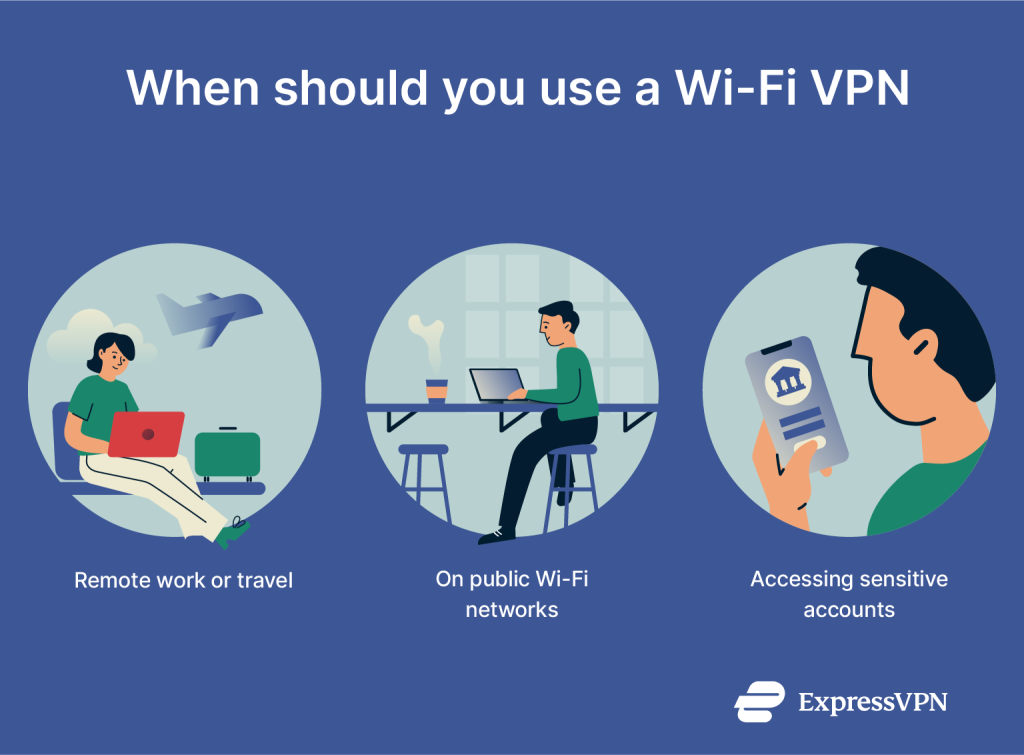
You often connect to public WiFi at cafes, airports, or hotels without thinking twice. But have you ever wondered what happens to your data when you do?
Using public WiFi can put your personal information at risk without you even realizing it. What if there was a simple way to keep your online activity private and secure, no matter where you are? You’ll discover how a VPN for public WiFi can protect you from hackers, snoopers, and data thieves.
Keep reading to learn how to stay safe every time you connect.

Credit: www.comparitech.com
Risks Of Public Wifi
Public WiFi is everywhere—cafes, airports, hotels. It feels convenient but carries hidden dangers. Using these networks without protection exposes your data and devices to risks. Understanding these risks helps you stay safe online.
Common Threats On Public Networks
Public WiFi often lacks strong security. Many networks are open, allowing anyone to join. This creates chances for cyber threats. Malware can spread through infected devices. Fake WiFi hotspots mimic real ones to trick users. These threats can harm your device or steal data.
How Hackers Exploit Public Wifi
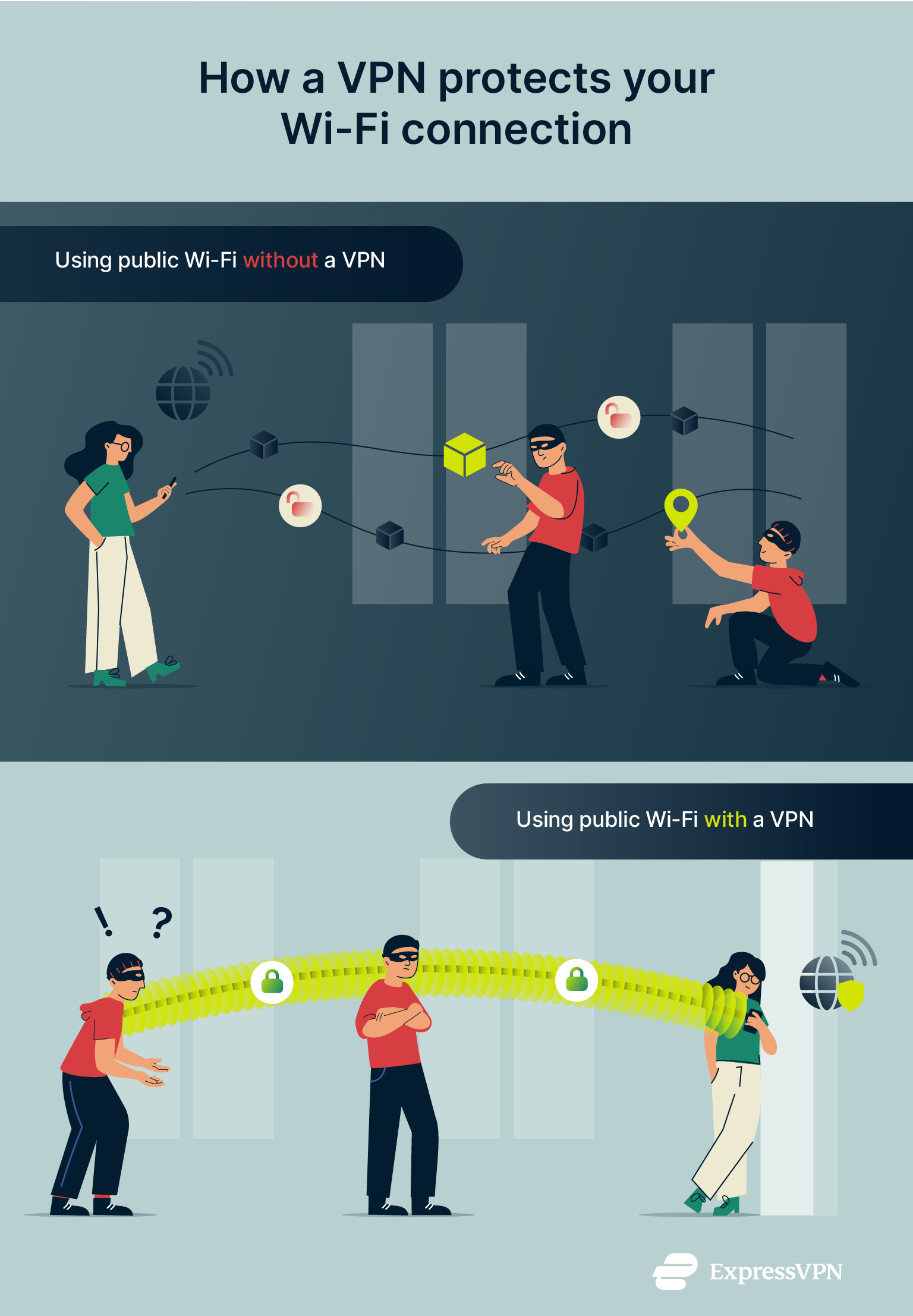
Hackers watch public WiFi to catch data being sent. They use tools to intercept messages and passwords. Sometimes, they create fake networks to lure users. Once connected, hackers can see everything you do online. This includes logins, emails, and private files.
Data Theft And Privacy Concerns
Data theft happens when hackers steal your personal information. This includes credit card details and login credentials. Privacy is at risk because others may track your online activities. Without protection, your sensitive data can be sold or misused. Public WiFi users must be careful to protect their privacy.
Credit: www.expressvpn.com
Why Vpn Matters
Using public WiFi networks is common and convenient. Yet, these networks often lack strong security. This puts your personal data at risk. A VPN, or Virtual Private Network, helps protect your information. It creates a safe tunnel for your online activity. This keeps hackers and spies away.
How Vpn Secures Your Connection
A VPN connects your device to a secure server. It hides your real IP address and location. This stops others on the same network from spying on you. VPNs also block hackers from stealing passwords or personal info. Your data moves through an encrypted path, making it unreadable to outsiders.
Encryption And Anonymity Benefits
Encryption scrambles your data into code. Only your VPN server can decode it. This protects your emails, chats, and banking details. A VPN also masks your online identity. It hides your browsing habits and prevents tracking by websites or advertisers. You stay anonymous and private online.
Vpn Vs Other Security Tools
Other tools like firewalls and antivirus software help protect devices. But they don’t secure your internet connection like a VPN does. Firewalls block some attacks, but can’t hide your IP or encrypt data. Antivirus stops malware but can’t prevent spying on public WiFi. VPNs add a unique layer of security that these tools lack.
Choosing The Right Vpn
Choosing the right VPN for public WiFi is important for your online safety. Not all VPNs offer the same protection or speed. Picking a VPN with the right features helps keep your data safe and your connection fast.
Consider what matters most to you. Security, ease of use, and speed often top the list. This guide explains key points to watch for when selecting a VPN.
Key Features To Look For
Strong encryption is a must for public WiFi security. Look for VPNs with AES-256 encryption. A no-logs policy ensures your activity stays private. Automatic kill switch stops data leaks if the VPN drops. Multiple server locations let you access content worldwide. Easy-to-use apps help you connect quickly and safely.
Free Vs Paid Vpn Services
Free VPNs sound good but have limits. They may slow your internet or show ads. Some free VPNs keep logs or sell your data. Paid VPNs usually offer faster speeds and better security. They provide more servers and stronger privacy rules. Paid options give better support when problems occur.
Compatibility And Speed Considerations
Check if the VPN works on your devices. Most support Windows, macOS, Android, and iOS. Some VPNs allow multiple devices at once. Speed matters, especially on public WiFi. Some VPNs slow your connection more than others. Read reviews to find fast and reliable services.
Setting Up Vpn On Devices
Setting up a VPN on your devices protects your data on public WiFi networks. It creates a secure connection. This helps keep your information private and safe from hackers. Setting up is easy and takes just a few steps.
Configuring Vpn On Smartphones
Download a trusted VPN app from your app store. Open the app and sign in or create an account. Choose a server location from the list. Tap the connect button to start the VPN. Your phone will now use a secure connection. You can also set the VPN to start automatically on WiFi.
Using Vpn On Laptops And Tablets
Install VPN software from the provider’s website or app store. Launch the program and log in. Pick a server that suits your needs. Click the connect button to activate the VPN. This encrypts your internet traffic. You can adjust settings for startup and network types.
Troubleshooting Common Issues
Slow connections may happen due to server load. Try switching to a different server. If the VPN does not connect, check your internet. Restart your device and try again. Update the VPN app to the latest version. Disable other network apps that might interfere. Contact support if problems continue.
Best Practices While Using Public Wifi
Using public WiFi can be risky without the right steps. Protecting your data is key. Follow simple rules to stay safe online. These best practices help reduce risks and keep your information private.
Avoiding Sensitive Transactions
Do not enter passwords or bank details on public WiFi. Avoid shopping or paying bills on shared networks. Wait for a secure connection or use your mobile data. This lowers the chance of hackers stealing your information.
Keeping Software Up To Date
Update your apps and system regularly. Updates fix security holes that hackers exploit. Turn on automatic updates to stay protected. New versions keep your device safer on public networks.
Disabling File Sharing
Turn off file sharing on your device before connecting. This stops others from accessing your files. Use privacy settings to block sharing options. It helps keep your data safe and private on public WiFi.
Advanced Security Tips
Using a VPN on public WiFi protects your data from hackers. Still, extra security steps help keep your information safer. These advanced tips add layers of protection. They reduce risks and make your online experience more secure.
Using Two-factor Authentication
Two-factor authentication (2FA) adds a second step to login. It asks for a code from your phone or email. This stops hackers even if they get your password. Turn on 2FA for important accounts like email and banking.
Enabling Firewall Protection
A firewall blocks unwanted connections to your device. It watches network traffic and stops threats. Enable your device’s firewall before using public WiFi. This creates a barrier against hackers and malware.
Regularly Monitoring Network Activity
Check your network activity often for strange behavior. Look for unknown devices or unusual data use. This helps spot hackers early. Use network monitoring tools or your device’s settings to track activity.

Credit: www.expressvpn.com
Frequently Asked Questions
What Is The Best Vpn For Public Wifi Security?
The best VPN for public WiFi offers strong encryption, fast speeds, and a no-logs policy. Look for providers with a kill switch and multi-device support. Popular choices include ExpressVPN, NordVPN, and CyberGhost for reliable public WiFi protection.
How Does A Vpn Protect You On Public Wifi?
A VPN encrypts your internet traffic, hiding data from hackers on public WiFi. It creates a secure tunnel, preventing eavesdropping and data theft. This encryption keeps your passwords, messages, and personal info safe from cybercriminals on unsecured networks.
Can I Use A Free Vpn On Public Wifi Safely?
Free VPNs often have limited security, slower speeds, and may log your data. They can expose you to ads or malware risks. For public WiFi, a reputable paid VPN is safer and more reliable for protecting your privacy and data.
Is Public Wifi Safe With Vpn On Mobile Devices?
Yes, using a VPN on mobile devices secures your connection on public WiFi. It encrypts data and masks your IP address, reducing risks of hacking and tracking. Always choose a trusted VPN app compatible with your smartphone or tablet.
Conclusion
Using a VPN protects your data on public WiFi. It keeps hackers away from your information. You can browse safely at cafes or airports. A VPN also hides your real location. This adds privacy to your online activities. Choose a VPN with strong security features.
Stay cautious and avoid sharing sensitive details openly. Protecting your connection is simple and smart. Public WiFi is convenient but risky without protection. A VPN helps you stay safe every time.