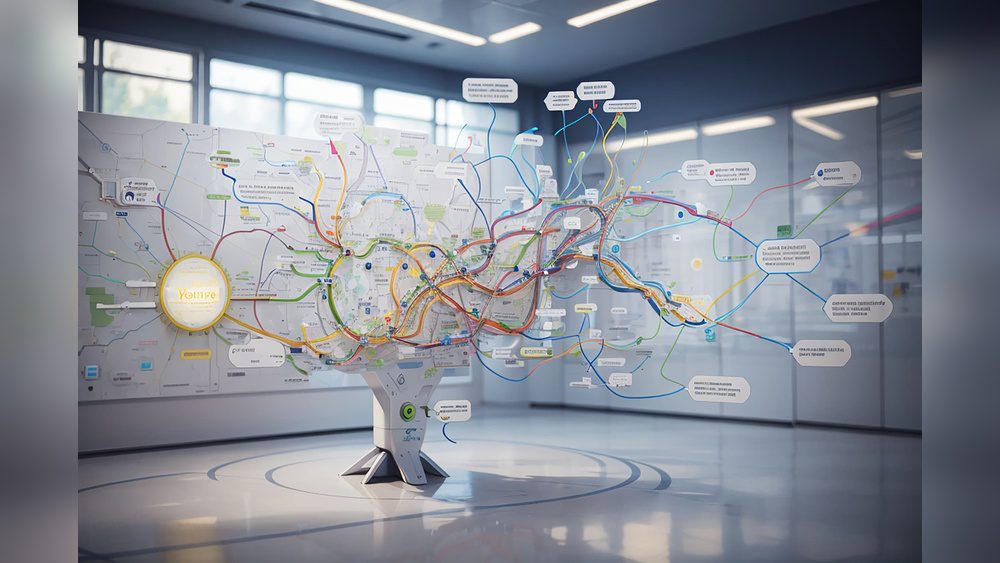
What is Nodeland? If you’ve ever struggled to keep your notes organized or wished your ideas could connect more naturally, Nodeland might be exactly what you need.
This innovative platform turns your notes into interactive mind maps, helping you visualize and expand your thoughts effortlessly. Imagine a workspace where every piece of information links seamlessly, making it easier for you to learn, create, and collaborate. Curious how Nodeland can transform the way you capture and use information?
Keep reading to discover how this tool can unlock your full potential.
Nodeland Basics
Nodeland is a platform that changes how you take notes and organize ideas. It uses a visual approach to help you see connections clearly. This makes learning and working easier. The system builds a map of your thoughts, showing how everything links together.
Understanding Nodeland starts with knowing its main features and how it works. It is designed to make note-taking active and interactive. This section explains what Nodeland is and the core concept behind it.
What Nodeland Is
Nodeland is a visual workspace for mind mapping and note-taking. It helps individuals and teams organize thoughts in a clear, connected way. Instead of plain text notes, it uses nodes and links to show relationships. This approach helps users understand and remember information better.
Core Concept
The core concept of Nodeland is connection-based thinking. Every note is a node that links to other notes naturally. This forms a dynamic map of your ideas. The map grows as you add more information, making your knowledge structure visible. This helps with learning, planning, and creative thinking.

Credit: www.teambasedlearning.org
Key Features
Nodeland offers a range of features designed to help users think clearly and organize ideas visually. Its key features focus on simplifying complex information and enhancing teamwork. These features make Nodeland a powerful tool for both individuals and groups.
Visual Mind Mapping
Nodeland uses visual mind maps to display ideas and notes. Users can create nodes that connect thoughts naturally. This helps to see relationships between concepts easily. The visual layout reduces clutter and improves understanding. Mind maps update dynamically as users add more information.
Ai Integration
Nodeland includes AI tools that assist in note-taking and idea organization. The AI suggests connections between nodes automatically. It can summarize content to save time. This feature helps users focus on creativity rather than formatting. AI makes the mind map smarter and more useful.
Collaboration Tools
Nodeland supports teamwork with real-time collaboration features. Multiple users can edit and comment on mind maps simultaneously. It improves communication and idea sharing among team members. Users can track changes and discuss ideas within the platform. Collaboration becomes smooth and efficient with these tools.
Templates And Customization
Nodeland offers various templates to start projects quickly. Users can customize layouts, colors, and node styles to fit their needs. This flexibility helps tailor the workspace to personal or team preferences. Templates save time and provide structure. Customization ensures every mind map looks unique and clear.
User Experience
User experience plays a key role in the effectiveness of Nodeland. It shapes how users interact with the platform and how easily they can organize their ideas. A smooth user experience encourages creativity and productivity. Here is a closer look at the key aspects that define Nodeland’s user experience.
Interface Design
Nodeland features a clean and simple interface. The layout helps users focus on their ideas without distractions. Visual elements are well spaced, making navigation intuitive. Icons and buttons are clear and easy to understand. This design approach supports quick learning and reduces confusion.
Ease Of Use
The platform is designed for users of all skill levels. Creating and connecting nodes is straightforward. Tools are placed where users expect to find them. Features like drag-and-drop simplify the organization process. Users spend less time figuring out the software and more time creating.
Cross-platform Access
Nodeland is accessible on various devices and operating systems. Users can switch between desktop, tablet, and mobile without losing work. The syncing feature ensures data is updated in real time. This flexibility allows users to work anytime and anywhere. It supports seamless collaboration and personal use alike. Here is a Nodeland Review.
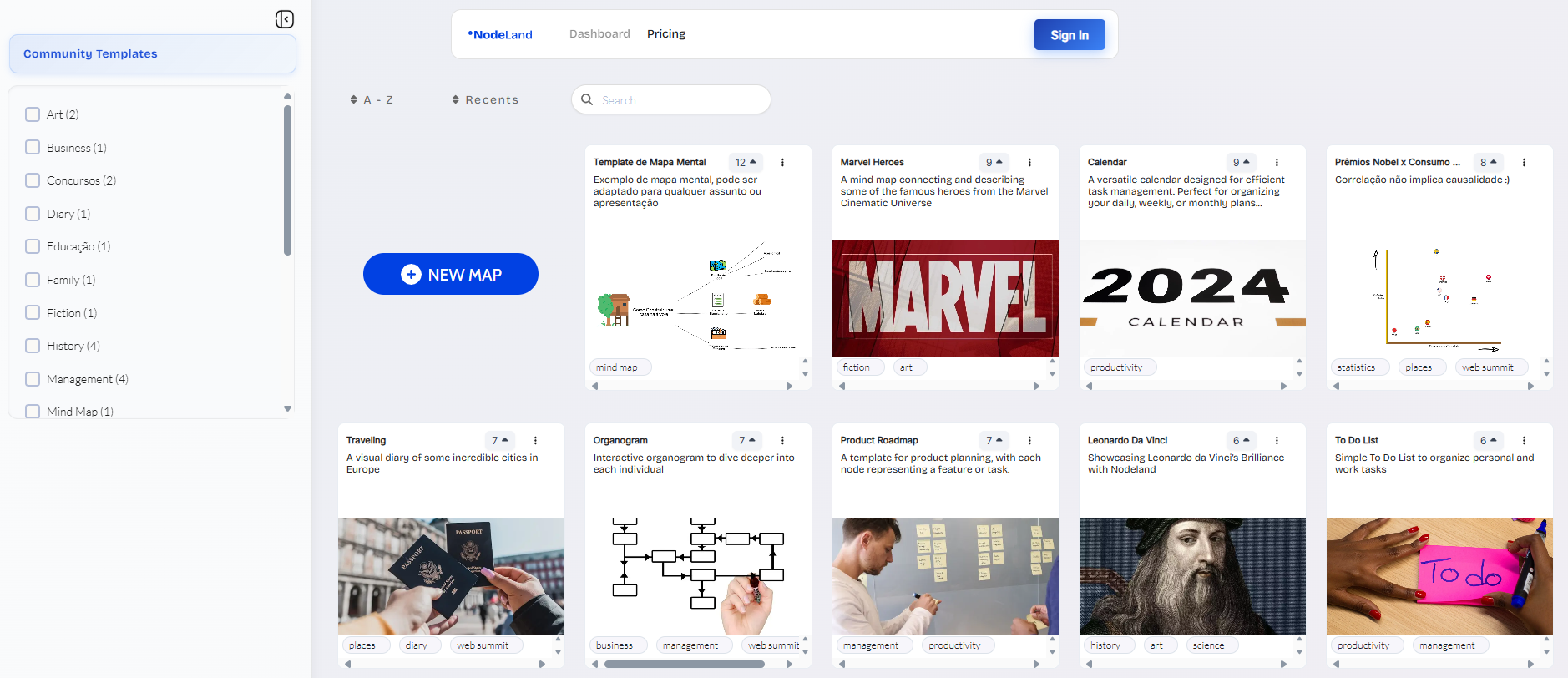
Credit: www.capterra.com
Benefits For Users
Nodeland offers many benefits for users, making note-taking and organizing ideas easier. It helps users learn better, keep information tidy, and work well with others. The platform fits both individuals and teams. Each feature works to improve how users think and create.
Enhanced Learning
Nodeland turns notes into visual maps. This helps users understand and remember information clearly. Ideas connect naturally, which makes studying less confusing. Users absorb knowledge faster and keep it longer. The visual style suits many learning types.
Improved Organization
With Nodeland, users arrange ideas in a clear structure. Notes do not get lost or mixed up. The mind map format shows how topics relate to each other. Users can easily find and update information. This saves time and reduces frustration.
Boosted Creativity
Nodeland encourages creative thinking by showing connections between ideas. Users explore new links they might not see otherwise. The visual workspace invites users to experiment and expand thoughts freely. This sparks fresh ideas and solutions.
Team Collaboration
Teams use Nodeland to share and develop ideas together. Everyone sees the same map and adds notes in real time. This keeps communication clear and projects moving forward. Collaboration becomes simple and productive for all members.
Use Cases
Nodeland serves many purposes across different fields. It helps users organize ideas and information visually. Its flexible design supports varied needs. From learning to teamwork and personal creativity, Nodeland adapts well. Below are key use cases that highlight its versatility.
Students And Education
Students use Nodeland to simplify study materials. It turns notes into clear mind maps. This visual aid improves memory and understanding. Teachers can also create interactive lessons. It helps explain complex topics step-by-step. Group projects become easier to manage and share. Nodeland supports effective learning and collaboration.
Professional Teams
Teams rely on Nodeland for project planning. It keeps ideas organized and visible to all. Members add notes and link related tasks. This reduces confusion and speeds decision-making. Remote teams find it useful for real-time updates. It enhances communication and teamwork efficiency. Many industries benefit from its structured workflow.
Personal Projects
Individuals use Nodeland for creative brainstorming. It maps out goals and steps clearly. Hobbyists plan and track progress visually. Writers outline stories and plot ideas. Entrepreneurs organize business plans and strategies. The platform helps keep focus and direction. It fits personal use with simple, flexible tools.
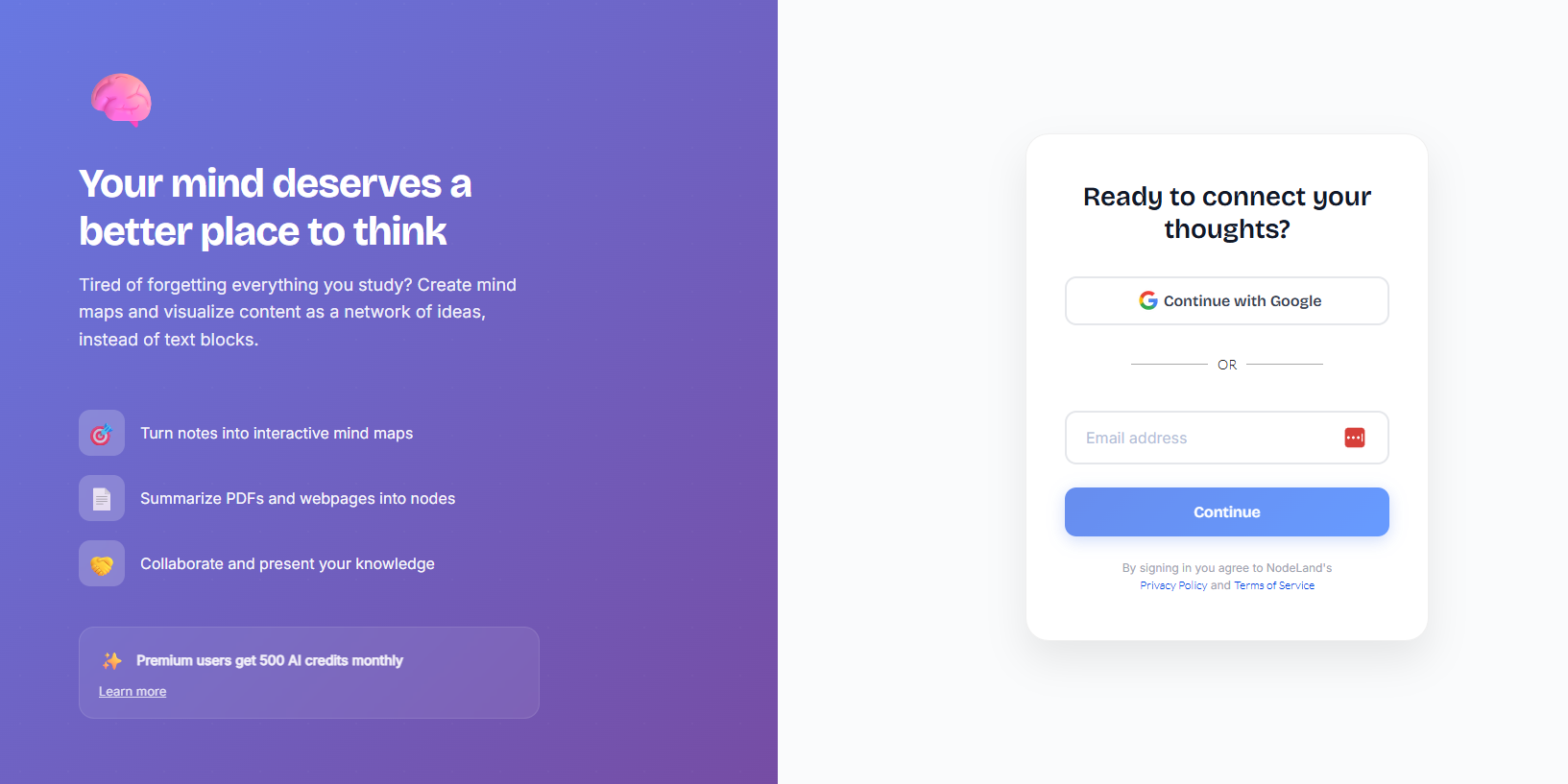
Credit: www.capterra.com
Pricing And Plans
Nodeland offers flexible pricing plans to suit different users. Whether you are an individual or part of a team, there is a plan for you. Understanding the features in free and paid versions can help you choose wisely.
Free Vs Paid Features
The free version of Nodeland provides basic tools for mind mapping and note-taking. Users can create simple maps and connect ideas visually. It supports unlimited nodes but has limited collaboration options.
Paid plans unlock advanced features such as real-time collaboration, custom templates, and priority support. You gain access to enhanced export options and integrations. These features improve productivity and teamwork significantly.
Subscription Options
Nodeland offers monthly and annual subscriptions for paid plans. Monthly plans provide flexibility with no long-term commitment. Annual plans save money by offering a discounted rate compared to monthly payments.
There are also team plans designed for groups who need shared workspaces and admin controls. These plans scale based on the number of users. Payment methods include credit cards and online payment systems for convenience.
Comparison With Other Tools
Comparing Nodeland with other note-taking and mind mapping tools helps highlight its distinct features and areas for improvement. Many tools focus on linear notes or static diagrams. Nodeland, instead, creates a dynamic and interactive visual workspace. This method changes how users organize and connect their ideas. Understanding these differences can guide users to choose the right tool for their needs.
Unique Advantages
Nodeland uses a connection-based model to link notes naturally. This approach mimics how the brain works, making it easier to remember and explore ideas. It supports collaboration, allowing teams to build maps together in real time. The interface is simple and intuitive, reducing the learning curve. Unlike many tools, Nodeland turns notes into interactive mind maps automatically. This saves time and enhances creativity.
Limitations
Nodeland may lack some advanced features found in specialized mind mapping software. The visual style is limited compared to highly customizable tools. Offline access is not always smooth, which can slow work without internet. Some users report that complex projects can become cluttered quickly. It may not support all file types or integrations that other tools offer. These factors can affect users who need more power or flexibility.
Getting Started
Getting started with Nodeland is simple and rewarding. This platform helps you organize your thoughts visually. It turns notes into connected mind maps. Visual learning becomes easier and more fun.
Below are key steps and useful tips to begin your Nodeland journey. These will guide you through setup and early use.
Setup Process
First, visit the Nodeland website and create an account. Use your email or social login for quick access. Once logged in, explore the dashboard to understand the layout. Start a new mind map by clicking the “Create” button. Add nodes by typing ideas and connecting them with lines. Customize each node with colors or icons to make it clear. Save your work often to avoid data loss. Nodeland also offers templates to speed up your start. Try a template that fits your project type. This helps you see how mind maps work in practice.
Tips For Beginners
Keep your nodes short and simple. Use one idea per node for clarity. Connect related ideas with clear lines to show relationships. Organize nodes by categories or themes to avoid clutter. Take advantage of drag-and-drop features to rearrange nodes easily. Explore keyboard shortcuts to work faster. Review your mind maps regularly to improve and expand them. Share your maps with friends or teammates for feedback. Practice creating different types of mind maps to build confidence. Start small and increase complexity as you get comfortable.
Frequently Asked Questions
What Is Nodeland Used For?
Nodeland is used to create visual mind maps for organizing and connecting ideas easily.
How Does Nodeland Improve Note-taking?
Nodeland turns notes into interactive maps, making learning and recalling information simpler.
Who Can Benefit From Using Nodeland?
Students, teams, and individuals who want to visualize and organize thoughts benefit most.
Conclusion
Nodeland offers a fresh way to organize and connect ideas visually. It helps users think clearly and remember information better. Whether working alone or with others, Nodeland makes note-taking more interactive and simple. This platform supports creativity and teamwork by turning thoughts into easy-to-understand maps.
Exploring Nodeland can improve how you learn and share knowledge every day.