
Are you looking for a way to make your team’s collaboration smoother and more creative? The Miro app might be exactly what you need.
Imagine having a digital whiteboard where you and your team can brainstorm, plan, and organize ideas together—no matter where everyone is located. Miro offers a powerful, easy-to-use workspace that brings your projects to life in real time. Whether you’re managing a project, designing a product, or running a workshop, Miro helps you stay connected and productive.
Keep reading to discover how Miro can transform the way you work and boost your team’s creativity.
Miro App Overview
Miro is an online tool designed to help teams work together easily. It acts as a virtual whiteboard where members can share ideas and plan projects. Teams use Miro to brainstorm, organize tasks, and create diagrams in real-time. This makes it ideal for groups that work from different locations.
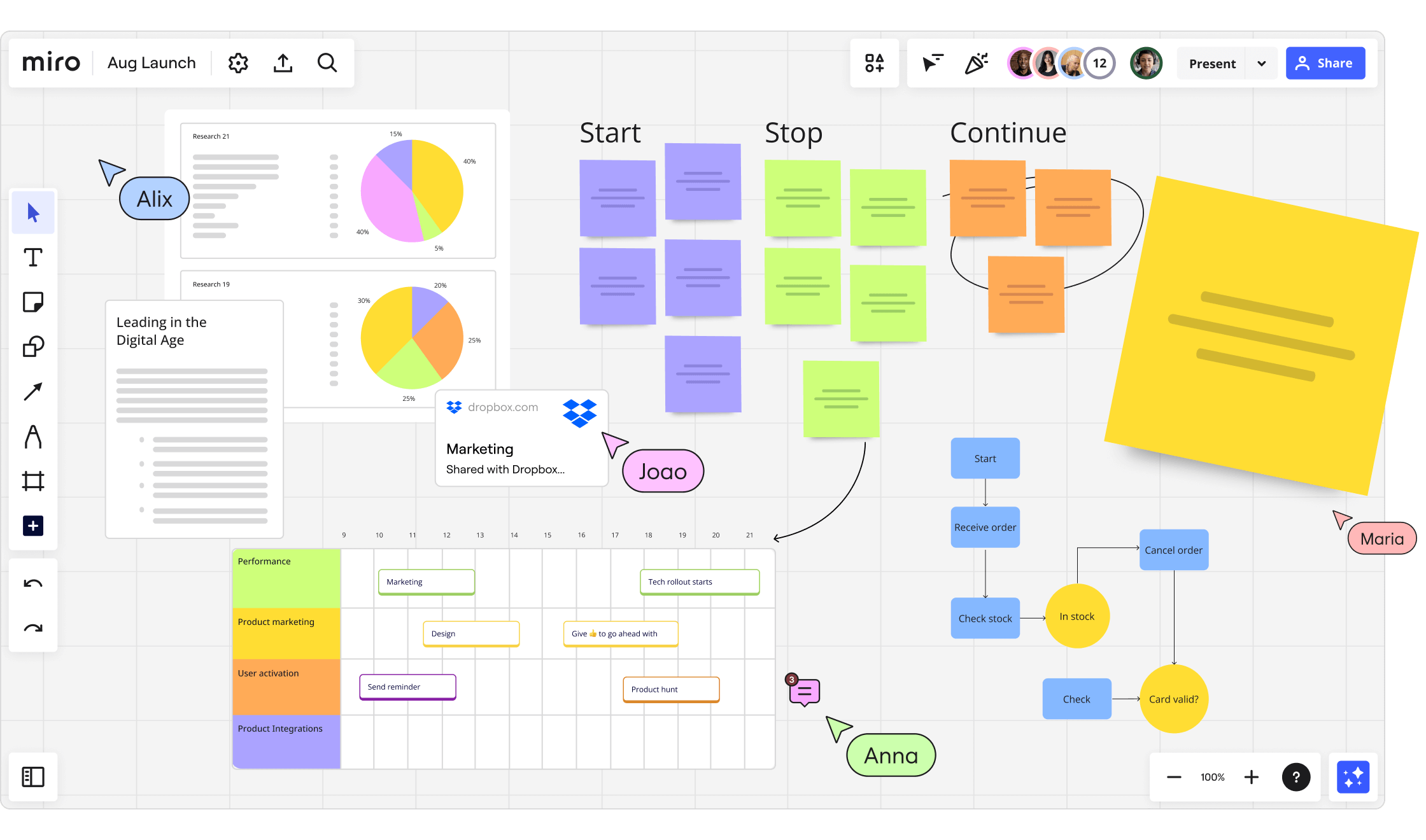
Miro supports many types of work. It helps teams manage projects, design products, and run meetings. Its simple interface allows users to add notes, drawings, and charts on a large digital canvas. This space grows as needed, so there is no limit to creativity.
What Is Miro Used For?
Miro is popular for brainstorming and idea sharing. Users place sticky notes and create mind maps freely. It also helps with project planning, such as tracking progress and setting deadlines. Designers use it to draft wireframes and gather feedback. Many hold workshops and meetings on Miro, using built-in templates. It supports user research by organizing data and insights clearly.
Key Features Of Miro
The infinite canvas offers endless room to work and think. Multiple users can edit the board at once, seeing changes live. Tools like video chat and comments improve communication. A large collection of templates helps start projects fast. Miro links with other apps like Jira and Slack to keep work connected.
Key Uses Of Miro
Miro is a versatile online tool used by teams worldwide. It helps teams work together in real-time on one shared digital space. This space acts like a big whiteboard where users can add notes, drawings, and diagrams easily. Its flexibility suits many tasks, making it popular across industries. Below are some key uses of Miro that highlight its wide application.
Brainstorming And Ideation
Miro provides a large canvas for teams to generate ideas freely. Users can add sticky notes, images, and drawings to capture thoughts. Mind maps and clusters help organize ideas visually. This makes it simple to see connections and develop concepts. Everyone on the team can contribute at the same time, boosting creativity.
Project And Product Management
Teams use Miro to plan and track project progress clearly. It supports sprint planning, roadmapping, and user story mapping. Project milestones can be set and monitored easily on the board. Miro connects with tools like Jira to keep workflows synced. This helps teams stay aligned and meet deadlines.
Design And Development
Miro aids the design process from early sketches to feedback. Low-fidelity wireframes and mockups can be created directly on the board. Teams gather input and make changes quickly during design sprints. This reduces delays and improves collaboration between designers and developers.
Diagramming
The app offers smart tools to build professional diagrams fast. Users create flowcharts, user journeys, and entity-relationship diagrams. These visuals clarify complex processes and ideas. Miro’s drag-and-drop interface makes diagramming simple for everyone.
Meetings And Workshops
Miro hosts interactive sessions like kickoffs, retrospectives, and workshops. Pre-made templates guide the flow and keep meetings productive. Participants can comment, vote, and share ideas live. This engagement helps teams align and solve problems together.
User Research
Teams collect and organize research findings efficiently with Miro. Templates support design thinking and analysis workshops. Researchers and designers can collaborate on insights and next steps. This leads to better decisions based on shared understanding. You can also read this article about Miro reviews.
Core Features
Miro App offers several core features that make teamwork easier and more productive. These features help teams plan, create, and communicate in one place. Each tool is designed to support different tasks and improve collaboration.
Infinite Canvas
The infinite canvas is a large digital workspace without limits. Users can add notes, drawings, images, and diagrams anywhere. This space grows as ideas develop. Teams never run out of room to brainstorm or organize thoughts.
Real-time Collaboration
Multiple users can work on the same board at the same time. Changes appear instantly for everyone. Features like video chat, comments, and voting make teamwork smooth. This helps teams stay connected and share feedback fast.
Templates
Miro includes many pre-made templates for different tasks. These templates guide users through processes like planning, design, and meetings. Templates save time and help teams start projects quickly. They support common workflows and best practices.
Integrations
Miro connects with popular tools such as Jira, Asana, Slack, and Trello. These integrations link tasks and data across platforms. Teams can sync workflows without switching apps. This keeps work organized and improves efficiency.
Credit: blog.arcweave.com
How Teams Benefit
Teams gain many advantages using Miro App. It helps groups work together smoothly and clearly. Communication improves, and tasks get done faster. The app suits all team types and sizes. Benefits include better remote collaboration, easier workflows, and more creativity.
Enhancing Remote Collaboration
Miro allows team members to join from any location. Everyone sees the same board and updates in real-time. This keeps all members connected and informed. Video chat and comments add clear communication. Teams avoid confusion and stay on the same page.
Streamlining Workflows
Miro helps organize tasks and projects visually. Teams can track progress with simple boards and templates. It integrates with tools like Jira and Slack. This reduces switching between apps and saves time. Teams work more efficiently and meet deadlines easier.
Boosting Creativity
The app offers an infinite canvas for ideas to grow. Sticky notes, drawings, and mind maps inspire fresh thinking. Teams can experiment without limits and share feedback instantly. This sparks innovation and leads to better solutions. Creativity flows naturally during brainstorming sessions.
Using Miro For Agile And Product Development
Using Miro for Agile and product development helps teams stay organized and aligned. The app offers tools to plan, track, and communicate throughout the product lifecycle. Teams can visualize workflows, assign tasks, and adapt quickly to changes. Miro supports collaboration across locations and time zones, making teamwork smooth and efficient.
Sprint Planning And Roadmapping
Miro simplifies sprint planning by creating clear boards for tasks and goals. Teams can break down work into user stories and prioritize them visually. Roadmaps become easy to build with timelines and milestones on an infinite canvas. Everyone sees progress in real time, reducing confusion and delays.
Design Sprints And Feedback
Design sprints work well on Miro thanks to its interactive tools. Teams sketch ideas, build wireframes, and gather feedback all in one place. Stakeholders can comment directly on designs, speeding up review cycles. This helps improve products faster and ensures everyone shares the same vision.
Scaled Frameworks
Miro supports scaled Agile frameworks like SAFe and LeSS effectively. It allows teams to map dependencies and align multiple teams on shared goals. Visual boards track features, releases, and program increments clearly. This coordination improves communication and helps deliver value consistently.

Credit: miro.com
Integrations With Popular Tools
Miro app offers seamless integrations with many popular tools. These connections help teams work smoothly and save time. Teams can link Miro with tools they already use. This makes managing tasks and communication easier.
Integrating Miro with other apps lets users keep all work in one place. It simplifies project tracking and team collaboration. Below are some key integrations that enhance Miro’s functionality.
Jira
Miro connects directly with Jira for better project management. Users can create, view, and edit Jira issues inside Miro boards. This keeps development tasks and visual planning in sync. Teams can track progress without switching apps. It helps reduce errors and speeds up workflows.
Asana
Integration with Asana allows users to link tasks with Miro boards. Teams can add Asana tasks to Miro for visual tracking. It provides a clear overview of project status. Updates in Asana reflect in Miro and vice versa. This keeps the team aligned and organized.
Slack
Miro’s Slack integration improves communication among team members. Users can share Miro boards directly in Slack channels. Notifications about board activity appear in Slack. Teams get instant updates on changes or comments. This keeps conversations and work connected.
Trello
Miro works with Trello to connect visual collaboration with task tracking. Users can embed Trello boards inside Miro or create cards from Miro boards. This helps teams plan visually and manage tasks efficiently. Changes in Trello sync back to Miro automatically. It supports smooth project workflows.
Tips For Maximizing Miro
To get the most out of Miro, use simple strategies that fit your team’s needs. Miro’s tools can support many ways of working, but smart use makes a difference. Focus on picking the best templates, running smooth workshops, and keeping everyone involved.
Choosing The Right Templates
Start by selecting templates that match your task. Miro offers many options like mind maps, flowcharts, and project plans. A good template helps organize ideas clearly. It saves time and guides your team during sessions. Change templates to fit your style and goals.
Facilitating Effective Workshops
Plan your workshop with clear steps. Use Miro’s tools to keep discussions focused. Assign roles like note-taker or timekeeper to stay on track. Encourage participants to add their thoughts directly on the board. Use timers and voting features to manage activities smoothly.
Encouraging Team Engagement
Make teamwork active and fun. Ask questions that invite ideas and feedback. Use sticky notes and drawings to express thoughts easily. Give space for everyone to contribute. Celebrate small wins and keep the energy positive. This builds trust and better results.

Credit: apps.microsoft.com
Frequently Asked Questions
What Is Miro Used For?
Miro is a virtual whiteboard used for real-time team collaboration, brainstorming, project management, design, and diagramming. It supports remote work and integrates with popular tools.
Is Miro Free To Use?
Miro offers a free plan with basic features for individuals and small teams. Paid plans unlock advanced tools and unlimited collaborators.
What Are The Downsides Of Miro?
Miro can overwhelm new users with its complex interface. It may slow down with large boards. Offline access is limited. Some advanced features require costly subscriptions. Integration setup can be challenging for beginners. So, you might need to check its alternatives too.
Conclusion
Miro app offers a simple way for teams to work together online. It helps people share ideas, plan projects, and solve problems visually. Users can draw, write, and organize thoughts on a large digital board. Teams can join from anywhere and work at the same time.
This tool fits many tasks like meetings, design, and project tracking. With easy features and templates, Miro keeps teamwork clear and smooth. Anyone wanting to improve how they collaborate will find Miro useful and easy to learn.