Looking for the best whiteboard tools to boost your creativity and teamwork? Whether you’re brainstorming ideas, planning projects, or collaborating with your team, the right whiteboard can make all the difference.
You want something easy to use, flexible, and packed with features that help your ideas flow smoothly. You’ll discover top whiteboard tools that fit your needs — from simple and intuitive to powerful and feature-rich. Ready to find the perfect tool that will transform your workflow and bring your ideas to life?
Keep reading, because your ideal whiteboard solution is just ahead.
Credit: www.canva.com
Top Whiteboard Tools
Top whiteboard tools help teams share ideas and work together easily. These tools fit many needs, from simple note-taking to complex project planning.
Choosing the right whiteboard tool can improve teamwork and boost productivity. Each tool offers unique features to support different tasks and styles.
Miro
Miro is a popular choice with many templates and integration options. It supports brainstorming, design work, and large team projects. Users can create detailed boards with ease.
Mural
Mural focuses on remote teams needing strong visual collaboration. It offers tools for meetings, workshops, and creative sessions. Multiple users can work simultaneously on the same board.
Stormboard
Stormboard allows users to create several whiteboards in one session. It is great for brainstorming with many participants. The interface is simple and easy to navigate.
Microsoft Whiteboard
This tool works well inside Microsoft Teams and as a standalone app. It offers basic features for quick collaboration. Microsoft Whiteboard is free and fits well in Microsoft environments.
Jamboard
Jamboard is a simple tool from Google for quick brainstorming. It integrates with Google Workspace apps. Teams use it to share ideas fast and keep work organized.
Figjam
FigJam supports design and prototyping projects with easy collaboration. It is favored by creative teams working on user interfaces and layouts. The tool helps visualize concepts clearly.
Lucidspark
Lucidspark is a flexible whiteboard tool for planning and brainstorming. It offers real-time collaboration and easy sharing. The tool adapts well to various team workflows.
Feature-rich Options
Feature-rich whiteboard tools offer powerful capabilities for teams and individuals. These options help with brainstorming, planning, and collaborating in real time.
They include various templates, integrations, and easy-to-use interfaces. Users can create detailed diagrams, organize ideas, and work together smoothly.
Miro
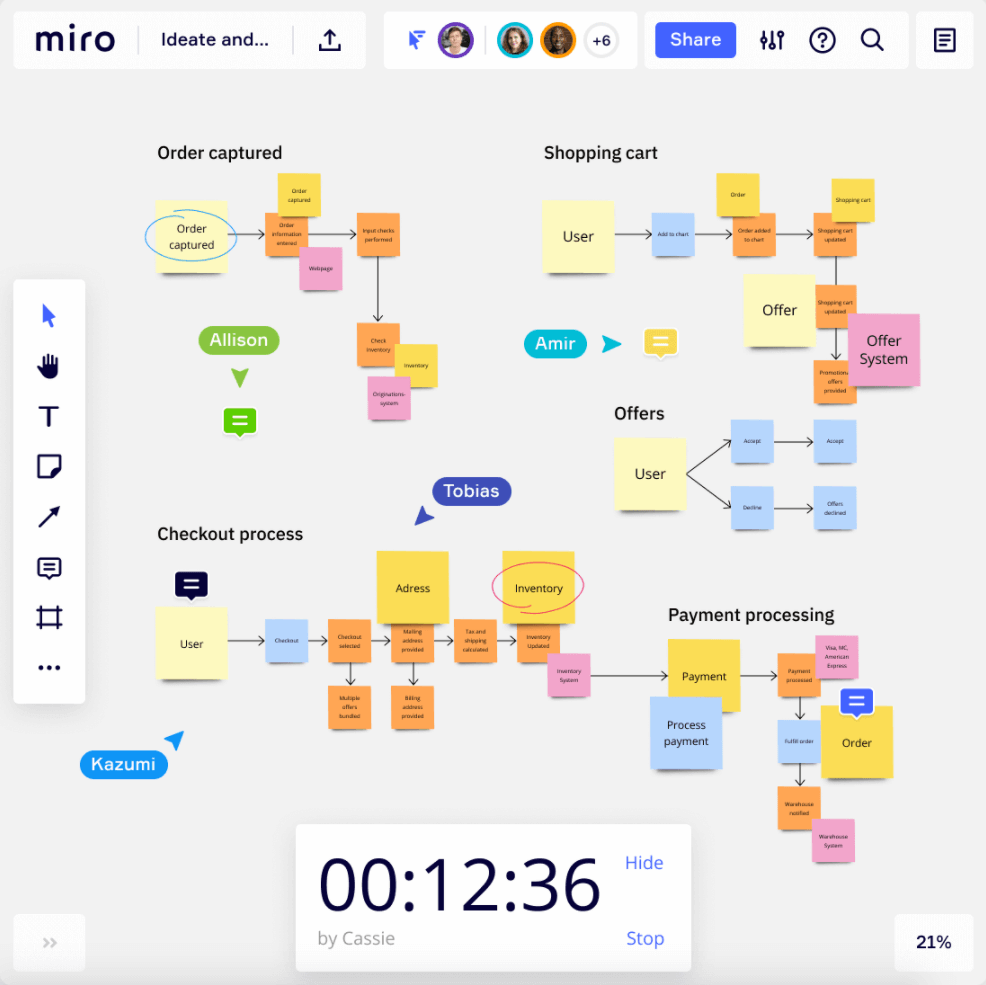
Miro provides a wide range of templates for different projects. It supports integrations with popular apps like Slack and Google Drive. The tool allows real-time collaboration with comments and video chat. Users can add sticky notes, shapes, and drawings easily. Its interface works well for teams of any size.
Mural
Mural is built for large remote teams needing visual collaboration. It offers a clean workspace with flexible canvas size. Features include voting sessions and timers to keep meetings focused. Teams can organize work with frameworks like SWOT and mind maps. Mural supports integrations with Microsoft Teams and Zoom.
Stormboard
Stormboard lets users create multiple whiteboards in one session. It organizes ideas with sticky notes, images, and videos. Teams can vote on ideas and generate reports automatically. The platform works well for brainstorming and project planning. Stormboard integrates with tools like Microsoft Office and Google Workspace.
Basic And Integrated Tools
Basic and integrated whiteboard tools offer essential features for smooth collaboration. They provide simple drawing, note-taking, and real-time teamwork functions. These tools fit well in everyday use and connect easily with popular software suites. Perfect for quick brainstorming and sharing ideas without complexity.
Microsoft Whiteboard
Microsoft Whiteboard is a free tool with core whiteboard features. It works as a standalone app or inside Microsoft Teams. This integration helps teams collaborate during meetings. Users can draw, add sticky notes, and insert images. It syncs automatically, keeping work saved and shared. The simple interface suits users new to digital whiteboards. It supports touch, pen, and keyboard input. Microsoft Whiteboard works across Windows, iOS, and web platforms.
Jamboard
Jamboard is Google’s digital whiteboard, part of Google Workspace. It offers a clean, easy-to-use space for team brainstorming. Users add drawings, sticky notes, and images in real time. Jamboard integrates with Google Meet and Drive for smooth sharing. It works on web browsers and mobile devices. This tool focuses on quick collaboration with minimal setup. Its simple design helps teams focus on ideas, not features. Jamboard is ideal for Google users needing basic whiteboard functions.
Credit: www.aha.io
Design And Prototyping Boards
Design and prototyping boards help teams bring ideas to life. They provide space to sketch, plan, and test concepts early. These boards speed up the creative process and improve collaboration. Teams can share feedback instantly and adjust designs quickly. They work well for UX/UI design, product planning, and wireframing.
Such boards often include tools like sticky notes, shapes, and drawing options. They allow easy import of images and files. Real-time collaboration features let users work together from anywhere. This makes design and prototyping boards essential for remote and hybrid teams.
Figjam
FigJam is a popular tool focused on design and prototyping. It offers an intuitive, flexible workspace for teams to brainstorm and plan. Users can draw freely, add shapes, and place sticky notes. FigJam supports smooth integration with Figma, the design app.
Teams can create user flows, wireframes, and diagrams easily. Its real-time collaboration lets multiple users edit the board simultaneously. FigJam also includes templates to speed up design tasks. The simple interface helps beginners start quickly.
FigJam’s tools suit both rough sketches and detailed prototypes. It helps gather feedback without switching apps. This keeps the design process fast and clear. FigJam works well for designers, product managers, and developers.
Other Notable Tools
Beyond the most popular whiteboard tools, several other platforms offer unique features and smooth collaboration. These tools cater to different needs, from simple sketching to team brainstorming. They provide reliable options for those who want a straightforward experience or something slightly different.
Lucidspark
Lucidspark is a virtual whiteboard designed for teamwork. It supports real-time collaboration with easy-to-use drawing and note tools. The platform helps teams organize ideas clearly and visually. It integrates well with other tools like Lucidchart, making it useful for planning and mapping.
Ziteboard
Ziteboard offers a minimalistic, zoomable whiteboard interface. It works well for quick sketches and teaching online. The simple design keeps distractions low and focus high. Users can share boards instantly with others for live collaboration. Ziteboard is great for visual explanations and brainstorming.
Limnu
Limnu provides a digital whiteboard that feels very natural to use. It offers smooth drawing and writing tools that mimic real whiteboards. Teams can join sessions and add notes or sketches together. Limnu supports file uploads and integrates with popular apps. It is ideal for teams needing a familiar whiteboard experience online.
Choosing Tools For Teams
Choosing the right whiteboard tools for teams is key to improving teamwork and productivity. The tool should fit the team’s size and work style. It must support easy sharing and real-time updates. Teams need features that help them work together smoothly. Understanding specific team needs helps pick the best tool.
Remote Collaboration
Teams spread across locations need whiteboards that work online. Tools must allow multiple users to edit at the same time. Real-time chat and video features boost communication. The tool should work well on all devices, including phones and tablets. Easy access helps keep everyone on the same page.
Brainstorming Sessions
Brainstorming needs flexible and visual tools. Whiteboards should let users add notes, drawings, and images quickly. Templates and sticky notes help organize ideas clearly. Tools that support voting or prioritizing ideas improve decision-making. The tool should save sessions for review and follow-up.
Integration With Workflows
Whiteboard tools must fit into existing work systems. Integration with apps like Slack, Teams, and Google Drive is helpful. Syncing with project management tools keeps tasks organized. Automating notifications saves time and reduces missed updates. A tool that works with your workflow makes teamwork easier and faster.
Comparing User Experience
User experience shapes how effective a whiteboard tool feels. It impacts creativity, collaboration, and overall satisfaction. Comparing popular tools reveals their strengths and weaknesses. This helps choose the best fit for your needs.
Drawing And Design Features
Drawing tools vary widely across whiteboards. Some offer rich pen options, shapes, and color palettes. Others focus on simplicity with basic lines and markers. Design features include layering, object grouping, and resizing. Advanced tools support sketching, freehand drawing, and precision shapes. These features enhance visual communication and creativity.
Templates And Customization
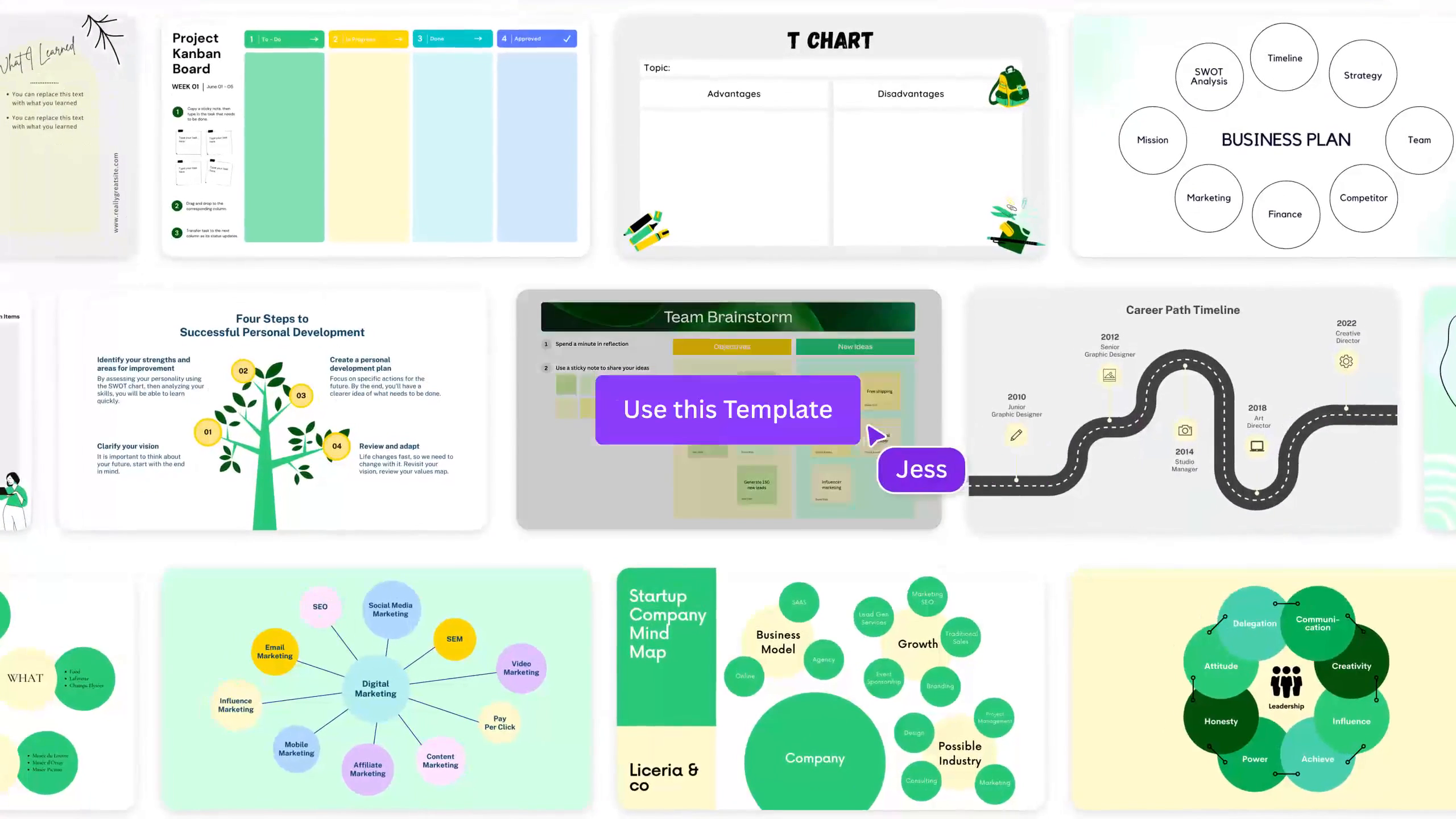
Templates speed up project setup by providing ready-made layouts. Many whiteboard tools include templates for brainstorming, flowcharts, and project planning. Customization lets users tailor boards to their style or brand. Options include changing colors, fonts, and backgrounds. Flexible templates and customization improve workflow and user satisfaction.
Ease Of Use
Ease of use affects how quickly users adopt a tool. Intuitive interfaces reduce learning time and frustration. Clear icons, drag-and-drop functions, and simple menus enhance usability. Some tools provide tutorials and guides to help beginners. Smooth performance and minimal lag also improve the experience. A user-friendly whiteboard keeps teams productive and engaged.
Pricing And Plans
Choosing the right whiteboard tool means understanding its pricing and plans. Each tool offers different packages to fit various needs and budgets. Some provide free versions with basic features, while others charge monthly fees for premium options. Knowing what each plan includes helps select the best fit for your team or project.
Free Plans And Basic Features
Many whiteboard tools offer free plans to start with. These usually include limited boards, users, and storage. Free plans work well for individuals or small teams. They allow basic drawing, note-taking, and simple collaboration. This option is good to test the tool before upgrading.
Monthly And Annual Subscriptions
Paid plans often come with more features and larger limits. Monthly subscriptions allow flexibility to cancel anytime. Annual plans are cheaper in the long run and often include extra perks. These plans add advanced tools like templates, integrations, and unlimited collaborators.
Enterprise And Custom Pricing
Large organizations may need enterprise plans. These offer custom pricing based on team size and needs. Enterprise plans provide dedicated support, security features, and custom integrations. They ensure smooth collaboration across multiple departments or locations.
Credit: www.dialpad.com
Frequently Asked Questions
Which Whiteboard Software Is Best?
Miro stands out for its features and templates, Microsoft Whiteboard integrates well with Teams, and Jamboard suits Google users. Mural excels with large remote teams, while FigJam fits design projects. Choose based on your collaboration needs and platform preferences. You can also learn more about Miro pricing reading this article!
Does Microsoft Have A Whiteboard Tool?
Yes, Microsoft offers Microsoft Whiteboard, a free, collaborative tool integrated with Microsoft Teams for seamless teamwork.
What Is The Highest Quality Whiteboard?
The highest quality whiteboards offer smooth writing, easy erasing, and durability. Brands like Quartet, U Brands, and Best-Rite lead in quality. Digital options like Miro excel for collaboration with rich features and integrations. Choose based on your specific needs for best results.
Conclusion
Choosing the right whiteboard tool can boost your teamwork and ideas. Each tool offers unique features for different needs. Simple tools fit small groups, while advanced ones help big teams. Try a few to find what suits your style best.
Good whiteboard software makes collaboration easier and more fun. Keep exploring to improve how you work and create together.