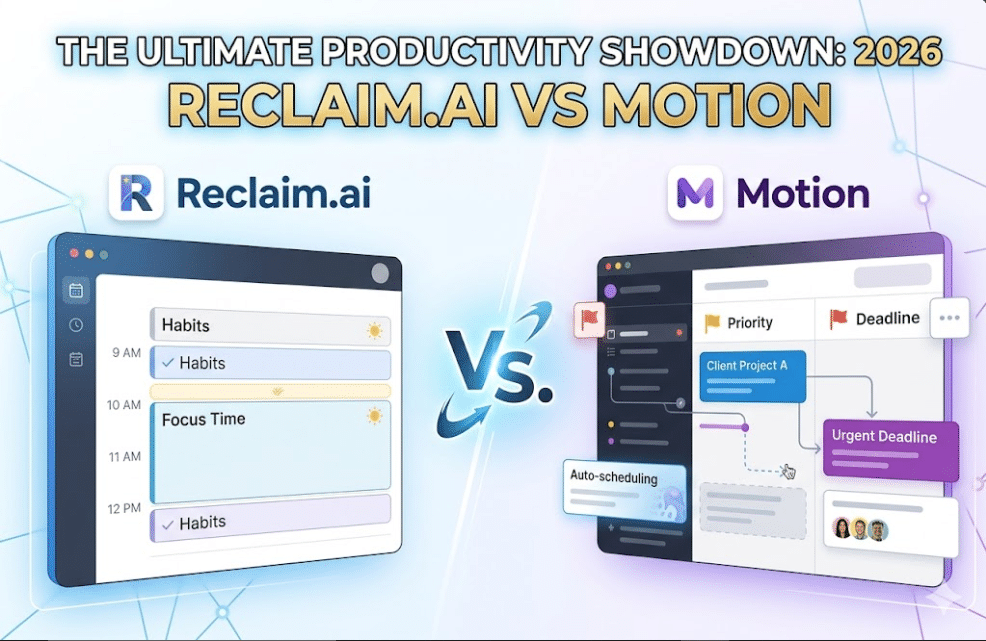
In the ultimate showdown of Reclaim.ai vs Motion, choosing the perfect tool to organize your day and boost your productivity can feel overwhelming.
But which one truly fits your style and needs? Whether you want more control over your focus time or need a powerful system to juggle complex projects, this comparison will help you decide. Keep reading to discover how Reclaim. ai and Motion differ, and find out which one can transform your work routine for the better.
Your next level of productivity might be just one decision away.

Ai Scheduling Approaches
AI scheduling tools use smart technology to organize your time. They help you balance meetings, tasks, and personal focus periods. Reclaim and Motion use different AI methods to schedule your day. Understanding their approaches helps you pick the right tool for your needs. If you are still using traditional link-based setups, check out our deep dive onCalendly vs x.ai alternatives. The fundamental variation between Reclaim.ai vs Motion comes down to whether you want a tool that builds around your existing calendar routines or one that completely builds your day from scratch based on strict deadlines.
Reclaim’s Flexible Calendar Layer
Reclaim works on top of your current calendar. It adds a smart layer that blocks time for habits and focus work. The AI adjusts your schedule automatically to avoid conflicts. You can also change, skip, or move blocks anytime. This flexibility keeps control in your hands.
Reclaim fits well if you want to protect your focus time. It works smoothly with tools like Asana or Jira. It does not manage tasks but reserves time to complete them. This makes it ideal for individuals or teams focused on habits and routines.
Motion’s Task-first Planning
Motion plans your day starting with your tasks. It schedules tasks first, then fits meetings around them. The AI packs your calendar to meet deadlines and priorities. It reshuffles your schedule aggressively to keep you on track.
Motion includes project management features like dependencies and workflows. It suits teams handling complex projects with changing deadlines. The tool automates most scheduling decisions, which may feel less flexible. It is best for managers and entrepreneurs managing many moving parts.
Ideal Users
When looking closely at the target audience for Reclaim.ai vs Motion, both tools are designed for busy professionals but cater to entirely different styles of workflow management. When evaluating Reclaim.ai vs Motion for fast-paced setups, entrepreneurs usually lean toward Motion’s aggressive auto-planning mechanics. Choosing the right productivity tool depends on who will use it and their work style. Both Reclaim and Motion serve different user groups with unique needs. Understanding their ideal users helps you pick a tool that fits your routine and goals.
Reclaim For Individuals And Teams
Reclaim works well for individuals and teams who want to protect focus time. It fits users who prefer to control and adjust their schedules manually. The AI helps automate routine tasks like habit tracking and meeting scheduling. Teams that use tools like Asana or Jira benefit from Reclaim’s integration. It blocks time for tasks but does not manage the tasks themselves. Users who want a flexible way to balance work and breaks find Reclaim useful. This makes the day-to-day choice between Reclaim.ai vs Motion highly dependent on how much collaborative task configuration your team actually requires.
Motion For Project Managers And Entrepreneurs
Motion suits project managers and entrepreneurs managing many tasks and deadlines. It plans the entire day around priorities and schedules automatically. Users needing strong project management tools with task dependencies will find Motion helpful. It reshuffles meetings and tasks aggressively to meet changing demands. Entrepreneurs running complex projects and teams needing detailed workflows can rely on Motion. It is designed for those who want a task-first approach to daily planning.
Project Management Features
When comparing the project management capabilities of Reclaim.ai vs Motion, Motion functions as a complete, independent project manager, whereas Reclaim relies on external connections to turn your existing task lists into real-time calendar blocks. Project management features define how well a tool supports organizing, tracking, and completing tasks. Both Reclaim.Ai and Motion offer unique approaches to manage projects efficiently. Understanding these features helps decide which tool fits your workflow best.
Motion’s In-depth Task Handling
Motion focuses on detailed project management. It lets you create tasks, set priorities, and track progress. Tasks can have dependencies, so you know which ones must finish first. The platform schedules work automatically, adjusting your calendar to meet deadlines. Team collaboration is easy with shared workflows and real-time updates. Motion suits users managing complex projects with many moving parts.
Reclaim’s Integration With Tools
Reclaim works by syncing with tools like Asana and Jira. It does not manage tasks directly but blocks time on your calendar for them. This helps protect focus periods dedicated to task completion. The AI adjusts your schedule around meetings and priorities. You keep control by manually changing or skipping blocks. Reclaim fits well for individuals or teams needing flexible time management without deep task tracking.
Calendar Control And Flexibility
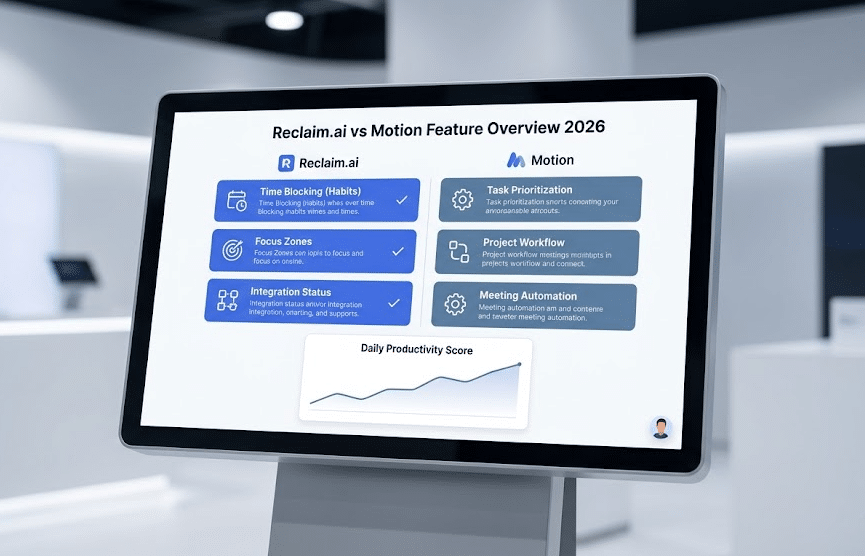
The daily control layout of Reclaim.ai vs Motion offers two opposite philosophies: Reclaim gives you the flexibility to manually drag, drop, and override time slots, while Motion uses aggressive AI automation to continuously reshuffle your hours for maximum efficiency. Calendar control and flexibility are vital for managing busy schedules effectively. Both Reclaim.ai and Motion offer unique ways to handle your calendar. They help you stay organized while adapting to changes. Understanding how each tool manages calendar adjustments can guide you in choosing the right fit.
Manual Adjustments In Reclaim
Reclaim lets you take full control of your calendar. You can manually move, resize, or delete scheduled blocks easily. This feature helps you customize your day exactly as you want. The AI supports your changes by automatically rescheduling conflicting events. This combination of control and automation keeps your calendar balanced and flexible.
Automatic Rescheduling In Motion
Motion focuses on automatic calendar management. It continuously reshuffles your tasks and meetings based on priorities. This means less manual work for you. Motion adapts quickly to new deadlines or interruptions. The downside: you might feel less control over specific time slots. Yet, this system ensures your most important tasks always get scheduled first.
Pricing And Cost-effectiveness
In terms of pure platform cost, analyzing Reclaim.ai vs Motion highlights a massive price gap. Reclaim offers an accessible free tier and affordable starter tiers perfect for solos, while Motion positions itself as a premium, higher-priced asset built for high-revenue teams. When looking at the cost-effectiveness of Reclaim.ai vs Motion, Reclaim delivers solid value with its simple pricing. Understanding their costs helps find the best value for your needs. Budget matters, especially for individuals and small teams. Cost-effectiveness depends on features and how well they match your workflow.
Reclaim.ai Pricing Structure
Reclaim.Ai offers a free plan with basic features. Paid plans start with a monthly subscription. Pricing scales with the number of users and added features. It focuses on flexible scheduling and habit tracking. Users get access to smart calendar automation. The cost remains reasonable for individuals and small teams. There are no complex tiers or hidden fees.
Motion Pricing Overview
Motion uses a subscription model with several pricing tiers. It includes a free trial period for testing. Higher plans unlock advanced project management tools. Motion suits teams needing aggressive task prioritization. The platform can be pricier for larger groups. Its cost reflects the full project management capabilities. The pricing might be steep for solo users.
Cost-effectiveness Comparison
Reclaim.Ai delivers solid value with its simple pricing. It fits users who want time-blocking and focus management. Motion provides more features but at a higher price. Its strength lies in handling complex projects and deadlines. For smaller teams, Reclaim.Ai often proves more affordable. Larger teams might benefit from Motion despite the extra cost. Evaluate your daily needs before deciding.
User Experience And Interface
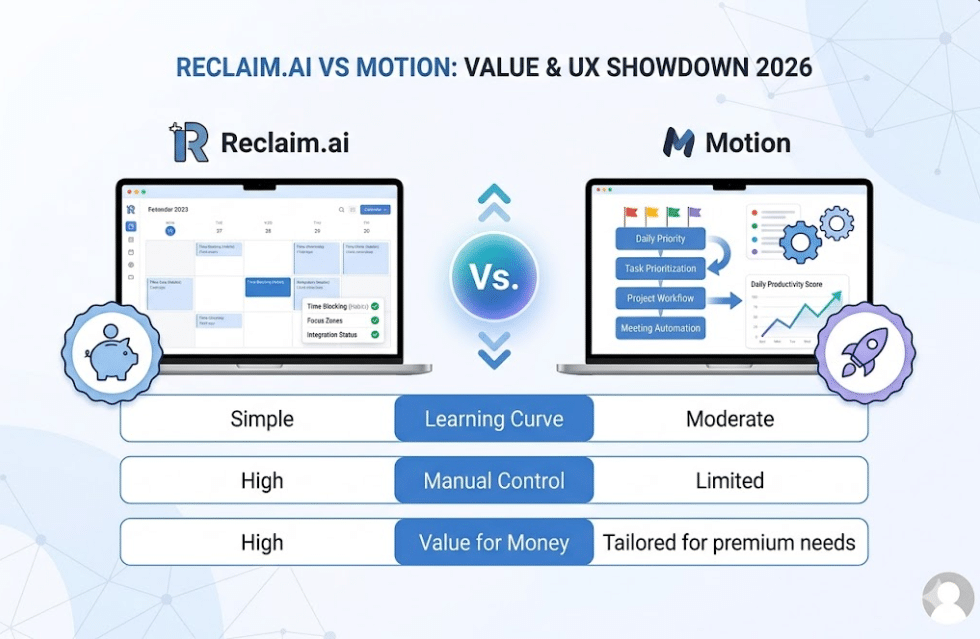
The overall learning curve of Reclaim.ai vs Motion varies significantly depending on your comfort level with deep algorithmic task inputs. Evaluating the user experience of Reclaim.ai vs Motion reveals that Reclaim focuses on a clean, minimalistic calendar layer that takes minutes to master, whereas Motion features a dense, data-rich command center designed to track massive workloads simultaneously. When looking at the user experience of Reclaim.ai vs Motion, Reclaim delivers solid value with its simple pricing. They affect how easily you can organize your tasks and time. Both Reclaim.Ai and Motion offer unique designs and features. Understanding their interfaces helps find the best fit for your needs.
Clear design saves time and reduces frustration. A simple layout with intuitive controls makes scheduling faster. Let’s explore how each tool handles user experience and interface.
User Interface Design
Reclaim.Ai has a clean and minimalistic interface. The dashboard shows your calendar with flexible time blocks. It focuses on clarity and easy navigation. You can quickly see your schedule and make changes.
Motion uses a more detailed and task-focused layout. It combines a calendar, task list, and project view in one screen. This design suits users managing many tasks and deadlines at once. The interface may seem busy but offers powerful control.
Ease Of Use
Reclaim.Ai is beginner-friendly. It lets you drag and drop events to adjust your schedule. The AI suggests time blocks but lets you override them easily. This balance gives you control without complexity.
Motion requires a short learning curve. Its task-first planning needs users to input priorities clearly. The interface guides you to organize tasks by urgency. This helps with heavy workloads but can feel overwhelming at first.
Customization And Flexibility
Reclaim.Ai offers strong customization. You can manually reorder or skip time blocks. The AI adjusts your schedule to avoid conflicts automatically. This feature keeps your plan flexible and adaptive.
Motion aggressively reschedules tasks based on priority. It reshuffles your day to fit new deadlines or meetings. This helps stay on track but offers less manual control. Users who prefer hands-on scheduling may find this limiting.
Integration With Other Apps
Integrations with other apps play a key role in choosing a productivity tool. They ensure smooth workflows and reduce the need to switch between platforms. Both Reclaim.Ai and Motion offer app integrations, but their approaches differ.
These differences impact how users manage their time and tasks. Understanding each tool’s integration capabilities helps pick the right one for your needs.
Reclaim.ai Integration Capabilities
Reclaim.Ai connects well with popular calendar apps like Google Calendar and Outlook. It also syncs with task management tools such as Asana and Jira. This lets users block time for specific tasks without managing tasks inside the app.
Reclaim’s integration focuses on protecting focus time and managing habits. It acts as a smart layer on top of existing calendars, automatically scheduling and adjusting time blocks.
Motion Integration Features
Motion offers deeper project and task management within its own platform. It integrates with calendars but also supports apps like Slack and Google Drive. This allows teams to coordinate tasks and documents alongside their schedules.
Motion’s integrations help manage complex projects with dependencies and team workflows. It aggressively reshuffles tasks and meetings to optimize daily planning.
Which Tool Suits Your Workflow?
Choose Reclaim.Ai if you want simple calendar syncing and habit tracking. Its integrations work best for individuals or teams focused on maintaining focus time.
Motion fits teams needing full project management and task prioritization. Its integrations support more complex workflows and team collaboration.

Performance In Real-world Use
Performance in real-world use shows how well Reclaim.Ai and Motion handle daily scheduling challenges. Both tools use AI to manage time but differ in approach and flexibility. Understanding their strengths helps users pick the best fit for their routines.
Task Scheduling And Adaptability
Reclaim.Ai acts as a smart layer on top of your calendar. It protects focus time and adjusts to changes smoothly. Users can manually move or skip tasks. The AI then reshuffles other blocks to avoid conflicts.
Motion plans your entire day by prioritizing tasks. It automatically fills open slots with high-priority work. The tool aggressively reshuffles your schedule if new tasks appear. This can feel less flexible but ensures deadlines stay on track.
Integration With Project Management
Motion includes built-in project management features. It supports task dependencies and team workflows. This makes it ideal for complex projects with many moving parts.
Reclaim.Ai integrates with tools like Asana or Jira. It focuses on blocking time for tasks rather than managing the tasks themselves. This suits users who want to protect work time without handling detailed project plans inside the app.
User Control And Experience
Reclaim.Ai offers strong user control. You can easily override AI decisions and reorder your schedule. The AI respects manual changes and adjusts accordingly.
Motion’s AI takes a more hands-off approach. It reshuffles your day automatically to fit priorities. This reduces manual effort but can limit control over your schedule.
Pros And Cons Summary
Comparing Reclaim.Ai and Motion reveals clear advantages and drawbacks. Both tools aim to improve productivity but differ in approach and features. Understanding their strengths helps decide which fits your needs best. Below is a summary of what each tool excels at.
Strengths Of Reclaim
Reclaim offers flexible, AI-driven scheduling layered on your existing calendar. It protects focus time by automatically blocking distraction-free periods. Users can manually adjust and reorder scheduled blocks easily. Reclaim integrates well with tools like Asana and Jira. It helps manage habits and routines effectively. Its cost-effective model suits individuals and small teams. The AI respects user control and avoids aggressive rescheduling. This balance keeps the calendar organized without feeling rigid.
Strengths Of Motion
Motion focuses on task-first planning, packing your day with prioritized tasks. It excels in managing complex projects with dependencies and team workflows. Motion automatically reshuffles your schedule to meet shifting deadlines. The tool suits project-heavy managers and entrepreneurs. It combines calendar and project management in one platform. Motion aggressively plans the entire day, including meetings and tasks. This helps users stay on top of fast-changing priorities. The AI-driven reshuffling ensures no time is wasted.
Choosing The Right Tool
Choosing the right productivity tool can shape how you manage your work and time. Both Reclaim.Ai and Motion offer smart scheduling, but they serve different needs. Understanding their strengths helps pick the best fit for your routine and goals.
When To Pick Reclaim
Reclaim works well for individuals or small teams aiming to protect focus time. It excels at managing habits and routines automatically. The AI schedules time blocks but lets you adjust or reorder them easily. This tool fits users who want control over their calendar with smart automation. It integrates smoothly with apps like Asana and Jira. Use Reclaim to guard your work hours and build consistent habits.
When To Opt For Motion
Motion suits project-heavy managers and teams handling many deadlines. It plans your entire day around tasks and meetings, constantly reshuffling to meet priorities. This tool offers strong project management features like task dependencies and team workflows. Choose Motion if you need aggressive scheduling that adapts to shifting priorities. It helps keep complex projects on track by automating task organization.
Frequently Asked Questions
What Are The Main Differences Between Reclaim.ai And Motion?
Reclaim. Ai focuses on protecting focus time and habits by managing your calendar flexibly. Motion prioritizes tasks and aggressively schedules your entire day, including projects and deadlines. They suit different needs: Reclaim for individual focus, Motion for project-heavy teams.
Which Tool Is Better For Team Project Management?
Motion offers strong project management features with task dependencies and team workflows. Reclaim integrates with tools like Asana or Jira but mainly blocks time for tasks rather than managing them. Teams with complex projects may prefer Motion.
How Flexible Is Scheduling With Reclaim.ai Compared To Motion?
Reclaim. Ai lets users manually adjust, reorder, or skip AI-scheduled blocks with easy rescheduling. Motion automatically reshuffles tasks more aggressively, which may reduce user control. Reclaim suits users wanting more control over their calendar changes.
Conclusion
Ultimately, the decision between Reclaim.ai vs Motion isn’t about finding the absolute best app overall, but rather picking the system that matches your personal philosophy of time tracking. Both Reclaim.ai and Motion offer strong scheduling solutions with different focuses. Reclaim. ai fits well for those needing flexible time blocking and habit management. Motion suits users managing complex projects and shifting priorities. Think about your work style and team needs before choosing.
Either tool can help organize your day better. The best pick depends on how you prefer to plan and control your schedule.