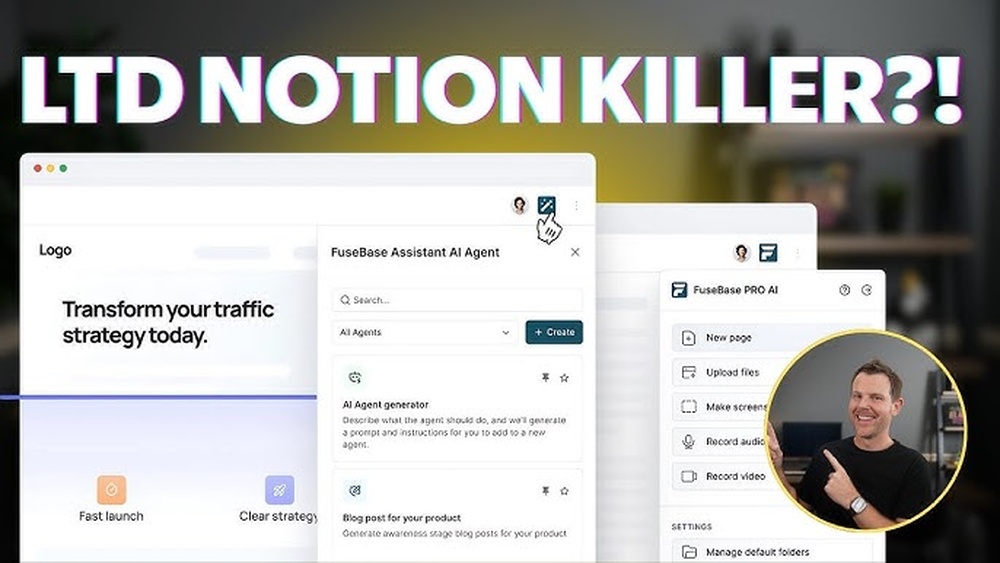
Are you struggling to choose the right tool to organize your projects and manage your work? Both Fusebase and Notion promise to boost your productivity, but which one fits your needs better?
Whether you’re a freelancer, a small business owner, or part of a larger team, picking the right platform can make all the difference.
Many teams rely on modern project collaboration platforms to organize tasks, manage communication, and improve productivity. You can explore the best tools in our Project Collaboration Platform guide. You’ll discover how Fusebase and Notion compare in features, ease of use, and pricing. By the end, you’ll know exactly which tool will help you work smarter, stay organized, and get more done—without the overwhelm.
Keep reading the Fusebase Vs Notion comparison to find the perfect match for your workflow.
Fusebase And Notion Overview
Fusebase and Notion are popular tools designed to boost productivity and organization. If you want a deeper look at Fusebase’s features, AI tools, and business capabilities, read our complete FuseBase Review.
They offer unique features to help users manage projects, notes, and workflows. Both platforms aim to simplify complex tasks and improve collaboration.
Understanding their core features and target users will help you decide which tool fits your needs better. Here is an overview of what each platform offers.
Core Features
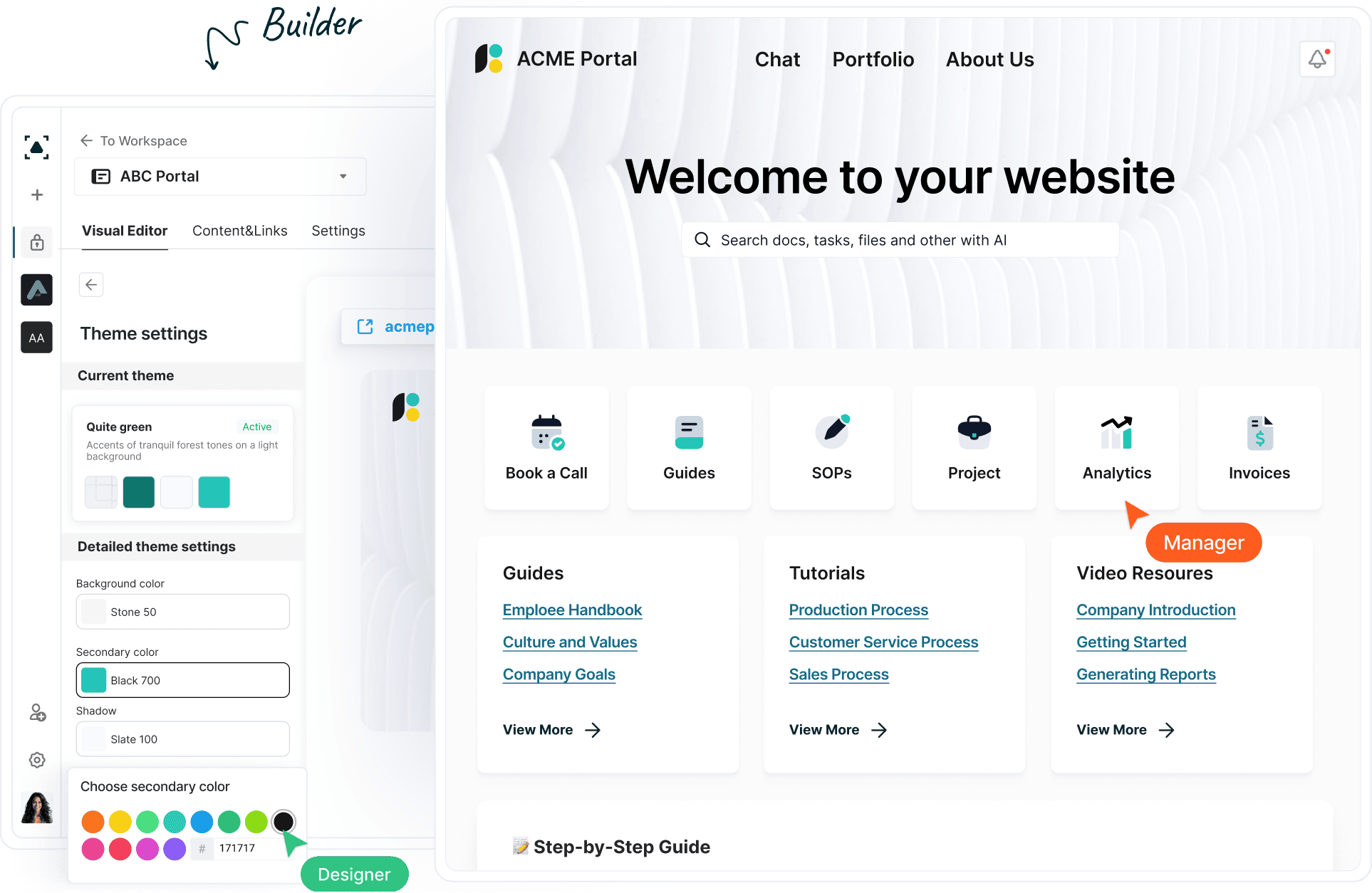
Fusebase focuses on combining project management and knowledge sharing in one place. It includes AI-powered client portals, task tracking, and document storage. Its smart agents help automate routine tasks and streamline workflows.
Notion is a flexible workspace that supports notes, databases, calendars, and task lists. It offers customizable templates and a drag-and-drop interface. Users can create wikis, manage projects, and collaborate in real time.
Target Users
Fusebase appeals mainly to professional service teams and agencies. It suits businesses that need client communication and project tracking in one tool. Its AI features attract users who want automation and enhanced organization.
Notion attracts a wide range of users, from students to large companies. It fits those who want a highly customizable workspace for notes and tasks. Freelancers, teams, and educators use Notion for its flexibility and easy setup.
Credit: thefusebase.com
User Interface And Experience
The user interface and experience shape how easily users interact with an app. Both Fusebase and Notion aim to offer smooth workflows but differ in design and usability. Understanding these differences helps choose the right tool for your needs.
Design And Layout
Fusebase uses a clean, professional design. It focuses on clear sections and simple navigation. The layout suits teams managing projects and client work. Fusebase’s interface highlights key tasks and data at a glance.
Notion offers a flexible, modular design. It lets users create pages with blocks of text, images, and databases. The layout is highly customizable but can feel cluttered for beginners. Notion’s design supports creativity and detailed organization.
Ease Of Use
Fusebase is easy to start using. It guides users with clear menus and minimal setup. The learning curve is gentle, making it ideal for busy professionals. Fusebase focuses on speeding up daily work without distraction.
Notion requires more time to learn. Its wide features need exploration to use fully. New users may find it overwhelming at first. Notion suits those who want deep customization and have time to explore.
Project Management Tools
Project management tools help teams organize work and meet deadlines. They keep tasks clear and simplify team communication. Choosing the right tool can improve productivity and reduce confusion.
Fusebase and Notion are popular options. Each offers features that support managing projects effectively. Understanding their differences in task tracking and collaboration is key.
Task Tracking
Fusebase provides clear task lists with deadlines and priorities. Users can assign tasks to team members easily. The interface is simple and focused on getting work done.
Notion uses customizable databases for task tracking. It allows adding details like tags, due dates, and progress status. This flexibility suits complex projects with many moving parts.
Fusebase emphasizes speed and simplicity in task updates. Notion supports more detailed task views and notes. Both help teams stay on top of their work but in different ways.
Collaboration Features
Fusebase integrates chat and comments directly into tasks. This keeps discussions linked to specific work items. Team members can share files and feedback quickly.
Notion offers shared workspaces where teams can edit pages together. It supports real-time collaboration and version history. This makes it easy to track changes and ideas.
Fusebase focuses on fast, task-based conversations. Notion provides a broader workspace for project documents and collaboration. Teams benefit from both but must choose based on their style.

Credit: www.youtube.com
Knowledge Management
Effective knowledge management is vital for individuals and teams to store, access, and use information efficiently. Both Fusebase and Notion offer tools to help manage knowledge but differ in approach and features. Understanding their note-taking and document organization capabilities can guide users to the right choice.
Note Taking
Notion provides a flexible note-taking system with rich text formatting and multimedia support. Users can create simple notes or complex pages with embedded databases and links. Its block-based editor allows easy rearrangement of content. Fusebase also supports note taking but focuses on integrating AI to enhance content creation. It offers smart suggestions and auto-tagging to keep notes relevant and organized. Fusebase’s AI can summarize and extract key points, saving time for busy professionals. Both tools support collaboration, allowing team members to comment and edit notes in real time.
Document Organization
Notion excels in document organization with nested pages, folders, and customizable databases. Users can build their own hierarchies and connect documents across projects. It offers templates to standardize organization and tagging for quick retrieval. Fusebase emphasizes a streamlined interface with AI-driven categorization. It automatically groups related documents and suggests links between content. Fusebase’s workspace is designed to reduce clutter and improve focus by prioritizing important files. Both platforms allow search across all documents, but Fusebase’s AI search adds context to improve accuracy and speed.
Ai And Automation Capabilities
AI and automation are key features in modern productivity tools. They help save time and reduce manual work. Both Fusebase and Notion offer unique AI and automation capabilities. These features improve how users manage tasks and projects. Understanding these options can help you choose the right tool for your needs.
Ai Agents In Fusebase
Fusebase includes AI agents that assist with tasks automatically. These agents can handle project updates and reminders without manual input. They analyze your workspace data and suggest actions to improve workflow. The AI agents also help organize information and track progress. This makes Fusebase useful for teams needing smart task management.
Notion’s Automation Features
Notion offers automation mainly through integrations and built-in tools. Users can create custom workflows using templates and linked databases. It supports automation via third-party apps like Zapier and Automate.io. Notion’s automation helps reduce repetitive tasks by connecting apps and syncing data. This feature suits users who want flexible, customizable automation options.
Integration And Compatibility
Integration and compatibility are key factors in choosing the right productivity tool. Both Fusebase and Notion offer various ways to connect with other apps. These connections help users streamline workflows and keep data synchronized across platforms. Understanding how each platform supports integrations can guide better decisions for teams and individuals.
Supported Apps
Notion supports many popular apps like Google Drive, Slack, and Trello. It allows embedding files and links from these services directly into pages. Fusebase focuses on core business tools and supports CRM, email, and calendar apps. It connects well with professional services tools for project and client management. Both platforms aim to reduce app switching and improve user efficiency.
Api Availability
Notion offers a public API that developers can use to build custom integrations. This API supports reading and writing data, allowing automation and syncing with other software. Fusebase also provides an API but targets specific use cases in client and project management. This API helps automate workflows and integrate with specialized tools. The availability of APIs makes both platforms flexible for tech-savvy users.
Pricing And Plans
Choosing between Fusebase and Notion often depends on their pricing and plans. Both tools offer free and paid options, but their features vary. Understanding these differences helps you pick the right fit for your needs. For a full breakdown of costs, tiers, and the AppSumo deal, check our detailed FuseBase Pricing guide.
This section breaks down the key points of pricing and plans for each platform.
Free Vs Paid Options
Notion provides a free plan with basic features. It includes unlimited pages and blocks. Team collaboration is limited but possible. Fusebase also offers a free tier. It focuses on client portals and workspace essentials. The free plan has fewer templates than Notion.
Paid plans on Notion start at affordable monthly rates. They unlock advanced features like version history and admin tools. Fusebase’s paid plans are designed for professional services. They include AI agents and enhanced project management tools. The cost reflects its specialized focus.
Value For Money
Notion’s paid plans suit individuals and small teams well. The pricing is flexible and scales with users. It offers many integrations and customization options. Fusebase gives strong value for businesses needing client portals. Its AI-powered features add efficiency. The investment benefits teams managing complex projects.
Overall, Notion fits those who want broad functionality at a lower price. Fusebase fits users who need tailored solutions for professional workflows. Both deliver value but target different user groups.

Security And Permissions
Security and permissions play a key role in choosing the right workspace tool. Both Fusebase and Notion offer features to keep your data safe and control who can access it. Understanding their differences helps you pick the best fit for your needs.
User Access Controls
Fusebase provides clear user roles to manage access easily. You can assign permissions based on team roles or projects. This helps keep sensitive information limited to the right people.
Notion allows you to share pages or databases with individuals or groups. You can set view, comment, or edit rights for each user. This flexibility supports collaboration while protecting data.
Data Protection
Fusebase uses encryption to protect your data in transit and at rest. This means your information stays secure from unauthorized access.
Notion also offers strong encryption and follows industry standards for data security. Regular backups ensure your content is safe even if issues occur.
Customer Support And Community
Customer support and community play a big role in choosing the right productivity tool. Both Fusebase and Notion offer ways to help users solve problems and learn from others. Good support speeds up work and reduces frustration. A strong community brings ideas and tips from real users. Let’s explore how these two platforms compare in these areas.
Support Channels
Fusebase provides email support and a detailed help center. Users can submit tickets and get responses from the support team. There is also live chat during business hours for faster answers. Notion offers email support and an extensive knowledge base. Their help center includes guides, FAQs, and video tutorials. Notion also has a system for reporting bugs and feature requests. Both platforms focus on quick and clear communication.
User Community Engagement
Notion has a large and active user community worldwide. It includes forums, social media groups, and user meetups. People share templates, tips, and custom solutions. Fusebase’s community is smaller but growing. It is focused on professionals and teams using the platform daily. Fusebase encourages feedback through surveys and user groups. Both communities help users feel connected and supported.
Use Cases And Industry Fit
Choosing the right tool depends on specific needs and industry demands. Fusebase and Notion each serve distinct purposes. Understanding their use cases helps select the best fit. Both platforms offer flexible solutions but target different user groups and workflows.
Professional Services
Fusebase caters strongly to professional services. It integrates project and knowledge management in one platform. Teams can manage clients, projects, and documents seamlessly. The AI features assist with task automation and data organization. Firms benefit from built-in workflows tailored for consulting, legal, and marketing sectors. Fusebase supports collaboration with a focus on client deliverables. It streamlines communication and project tracking in real time.
Personal Productivity
Notion excels at personal productivity and individual use. It offers customizable pages, notes, and task lists. Users create personal databases, calendars, and habit trackers easily. Notion’s drag-and-drop interface suits people who like visual organization. It supports various content types including text, images, and files. People use it to plan daily tasks, set goals, and store ideas. Notion’s flexibility allows adapting to many personal workflows.
Strengths And Weaknesses
Understanding the strengths and weaknesses of Fusebase and Notion helps in choosing the right tool. Both platforms offer unique features that suit different needs. Exploring their advantages and areas for improvement reveals which fits your workflow best.
Fusebase Advantages
Fusebase offers strong AI integration to automate tasks quickly. It is designed for professional services with tailored project management. The user interface is clear and easy to navigate. Collaboration tools help teams work smoothly together. Fusebase supports knowledge management in a structured way. It also provides client portals for direct communication. The platform is ideal for businesses that need efficient workflows.
Notion Advantages
Notion is very flexible and customizable for many uses. It combines notes, databases, and tasks in one space. The drag-and-drop feature makes organizing content simple. It supports rich media like images, videos, and files. Notion’s templates speed up setting up new projects. It works well for individuals and teams of all sizes. The platform integrates with many other apps easily.
Areas For Improvement
Fusebase can improve by adding more template options for users. Some users find AI features need better accuracy. Mobile app performance could be smoother and faster. Notion may overwhelm new users with many features. Offline access is limited, reducing use without internet. Performance can slow down with large databases. Both platforms need clearer pricing plans for some users.

Credit: thefusebase.com
Choosing Between Fusebase And Notion
Choosing between Fusebase and Notion depends on your specific needs and work style. If neither tool feels like the perfect fit, you can also explore other similar platforms in our FuseBase Alternatives article.
Both tools offer unique features that can boost productivity and organization. Understanding their differences helps you pick the right platform for your projects and team collaboration.
Decision Factors
Consider your primary goal. Fusebase focuses on professional services and project management. Notion excels in flexible note-taking and database management. Look at the user interface. Notion offers more customization options. Fusebase provides a streamlined experience for client work.
Evaluate integration needs. Notion supports many third-party apps. Fusebase integrates well within business workflows. Pricing plays a role too. Notion has a free tier with limits. Fusebase pricing suits growing professional teams better.
Best Fit Scenarios
Choose Fusebase if you need strong project tracking and client portals. It works well for consultants, agencies, and service teams. Opt for Notion if you want a versatile tool for notes, wikis, and databases. It fits freelancers, students, and small teams.
Fusebase suits users who prefer guided workflows and AI assistance. Notion fits those who want full control over content layout. Teams valuing structured project management may lean towards Fusebase. Users seeking creative freedom may prefer Notion.
Frequently Asked Questions
What Are The Main Differences Between Fusebase And Notion?
Fusebase focuses more on professional services with AI features, while Notion offers broad project and knowledge management. Notion is more customizable, whereas Fusebase is tailored for specific workflows. Both serve as all-in-one workspace tools but target different user needs.
Is Fusebase Better For Project Management Than Notion?
Fusebase provides built-in AI agents that simplify client portals and task tracking. Notion offers flexible project management but requires more setup. Fusebase suits users wanting ready-made tools, while Notion fits those who prefer customization.
How Do Pricing Plans Of Fusebase And Notion Compare?
Fusebase pricing often targets professional users with tiered plans including AI features. Notion has a free plan and affordable options for individuals and teams. The best choice depends on your budget and feature needs.
Conclusion
Fusebase and Notion both offer strong tools for organizing work and projects. Fusebase fits well with professional services and AI features. Notion provides broad flexibility with many templates and integrations. Your choice depends on your specific needs and team style.
Try both to see which feels easier and suits your workflow. Either way, both platforms help improve productivity and keep information clear. Simple, effective tools make managing tasks less stressful and more efficient.