When deciding between Zapier vs Make to automate your business workflow, you’ve likely arrived at a massive financial crossroads.
Most tech blogs will give you a generic answer: “Zapier is for beginners, Make is for advanced developers.“ But if you dig into the fine print of their 2026 update logs, you will find a massive financial trap. Choosing the wrong platform based on superficial pricing charts can accidentally inflate your software bill by hundreds of dollars a month.
Here is the unfiltered truth you need to know before you enter your credit card details.
The Quick Verdict: Which Should You Choose?
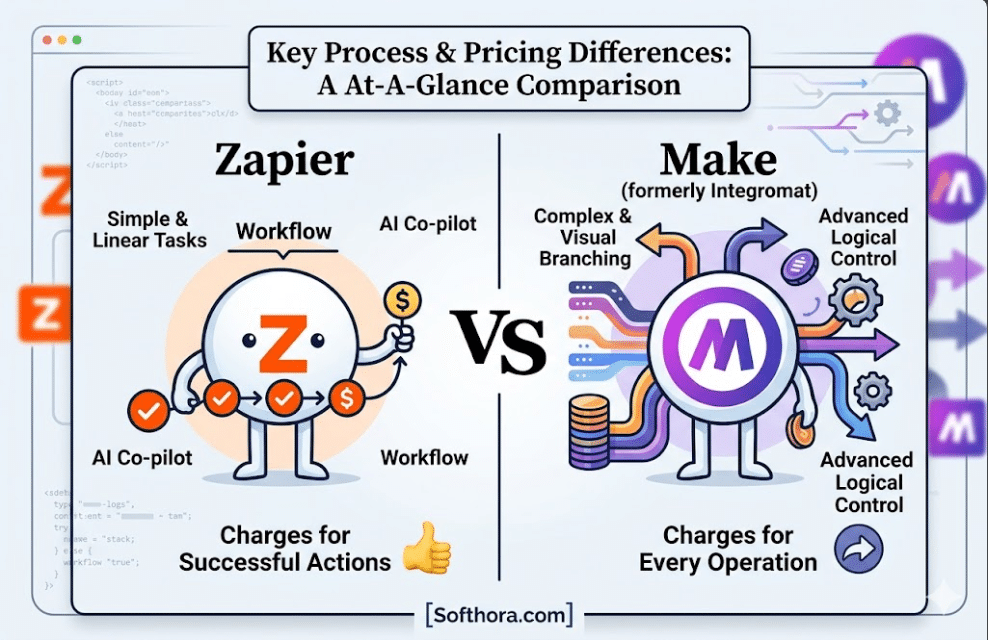
- Choose Zapier if: You have a flexible budget, you rely heavily on cutting-edge AI building features (like their upgraded AI Co-pilot), and you need your automations up and running in 5 minutes using mainstream or niche business apps. It is linear, bulletproof, and charges you only for successful actions.
- Choose Make if: You are building complex, multi-step workflows with visual branching paths, loops, and custom logic. Make is drastically cheaper for high-volume data processing—provided you know how to avoid its hidden credit traps.
The Core Trap: “Tasks” vs. “Operations”
To understand why people get burned by their automation bills, you have to look at the sneaky way these two platforms count your data usage. They use two completely different languages: Zapier counts Tasks, while Make counts Operations.
On paper, Make looks like an instant financial victory. For example, Make’s base plan gives you thousands of operations for a fraction of what Zapier charges for a few hundred tasks.
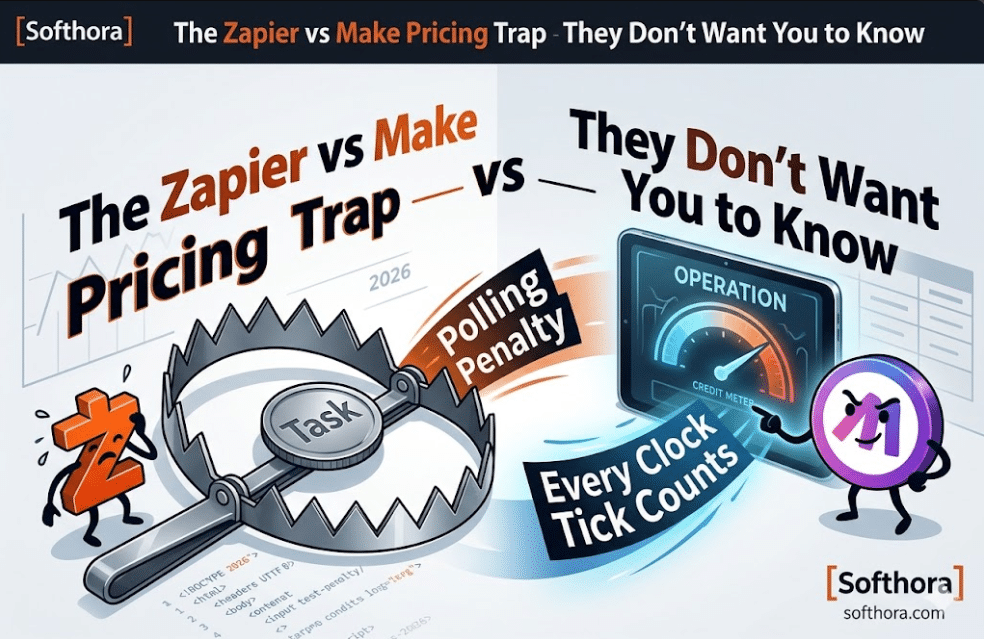
But here is what the official pricing pages hide in the dark: The Polling Penalty.
Zapier vs Make: How Zapier Handles Data Checking
When you build an automation (a “Zap”), it usually waits for something to happen—like a new email arriving in your inbox or a new row being added to a Google Sheet. Zapier uses background servers to constantly check (“poll”) your apps to see if there is new data.
If Zapier checks your Google Sheet 500 times today and finds nothing new, Zapier charges you 0 tasks. You are only billed when an automation actually triggers and successfully moves data.
Zapier vs Make: How Make Handles Data Checking
Make works entirely differently. In Make, every single time a scenario wakes up to look for new data, it uses an Operation—even if it finds absolutely nothing.
Imagine you set up a Make scenario to check an active Airtable base or Google Sheet every 5 minutes to see if a new customer signed up.
- 1 hour = 12 checks (12 operations)
- 24 hours = 288 checks (288 operations)
- 30 days = 8,640 operations
You could literally burn through 8,640 Make operations a month on a single workflow without a single customer actually signing up! If you have 5 or 10 different workflows checking apps throughout the day, your “cheap” Make plan will vanish into thin air before the middle of the month, forcing you to upgrade to an expensive tier.
The Human Verdict: Zapier is built on a “pay for what actually works” model. Make is built on a “pay for every single clock tick” model. If you build active, time-sensitive automations on Make without changing the webhook settings, you are walking straight into a subscription nightmare.
The 2026 AI Battle: Zapier’s Co-Pilot vs. Make’s Advanced Visual Routing
Artificial Intelligence has completely transformed how business automation works. You no longer need to manually map every single field if you don’t want to. However, Zapier and Make approach AI from two entirely different directions, and choosing the wrong one will dictate how much time you spend debugging errors.
Zapier’s AI Strategy: Natural Language to Automation
Zapier has doubled down on making automation accessible to everyone through its upgraded AI Co-pilot.
If you want to build a workflow, you don’t need to click buttons and search for apps. Instead, you can simply type a sentence like: “Whenever a new lead comes in from my Facebook Ads, analyze their company size using OpenAI, and if they have more than 50 employees, send a Slack message to our sales team and create a deal in HubSpot.”
Zapier’s AI will automatically draft the entire multi-step workflow for you, select the correct triggers, and map the data fields.
- The Advantage: It feels like magic. It reduces the time it takes to build a complex workflow from 30 minutes to about 60 seconds.
- The Limitation: Zapier’s AI prefers linear pathways. If you want to do highly advanced data formatting or loop through arrays of data, the AI co-pilot will often hit a wall, forcing you to manually configure the advanced steps anyway.
Make’s AI Strategy: Granular Control and Custom Heavy Lifting
Make doesn’t hold your hand as much as Zapier does, but its visual interface is a playground for advanced AI application building. Instead of a linear list, Make uses a drag-and-drop infinite canvas where you can visually see your data flowing through circular nodes.
Make treats AI as a powerful utility engine. It excels at:
- Iterating and Repeating: If an AI model outputs a bulk list of 50 blog article ideas, Make can instantly use an “Iterator” tool to split that bulk list into 50 individual items and process them one by one through different apps. Zapier requires complex, premium loops to achieve the same result.
- Advanced Error Handling: If your OpenAI API key hits a rate limit or times out, Make allows you to build a visual “Directive” path that tells the system: “If the AI fails, wait 3 minutes, try again, and if it fails a second time, log it into Google Sheets and keep running the rest of the automation.” Zapier will often just stop the entire workflow and throw an error.
The Human Verdict: If you want a conversational AI assistant that builds simple or moderately complex automations for you in seconds, Zapier wins hands down. If you want to build a highly complex, bulletproof AI data machine that handles thousands of background processes without breaking, Make is the superior engine.
The Integration Gap: 7,000+ Apps vs. 2,000+ Apps (The Illusion)
If you read any standard tech review or look at the marketing pages, you will see a massive statistic thrown in your face: Zapier integrates with over 7,000 applications, while Make hovers around 2,000 to 3,000.
On paper, this looks like a total blowout victory for Zapier. But let’s look at the reality of what those numbers actually mean for your business operations.
Why Zapier’s 7,000+ App Count is Misleading
When looking at the Zapier vs Make app directories, the numbers can be misleading. This means thousands of those 7,000 apps are incredibly niche, dead, or obscure pieces of software that 99% of businesses will never use.
For the core tools that run modern businesses—like Google Workspace, Slack, HubSpot, Notion, Airtable, Mailchimp, Shopify, and OpenAI—both platforms are completely identical. Both connect to them flawlessly.
Where Make Actually Beats Zapier on Features
This is a hidden feature that often gets left out of the Zapier vs Make debate. While Zapier has more apps, Make often has deeper integrations for the apps they do support.
When an app connects to an automation platform, it exposes specific “Triggers” (what starts it) and “Actions” (what it can do). Because Make is built for developers and power users, their engineering team exposes far more native API actions than Zapier does.
For example, if you are connecting to a tool like Airtable or a custom database:
- Zapier might only let you find a record, update a record, or delete a record.
- Make will often give you access to advanced backend calls, allowing you to modify database structures, download specific file types, or execute raw API queries natively without writing a single line of custom code.
Zapier vs Make: The UX and Power Showdown
The final piece of the puzzle is how it actually feels to work inside these platforms every single day.
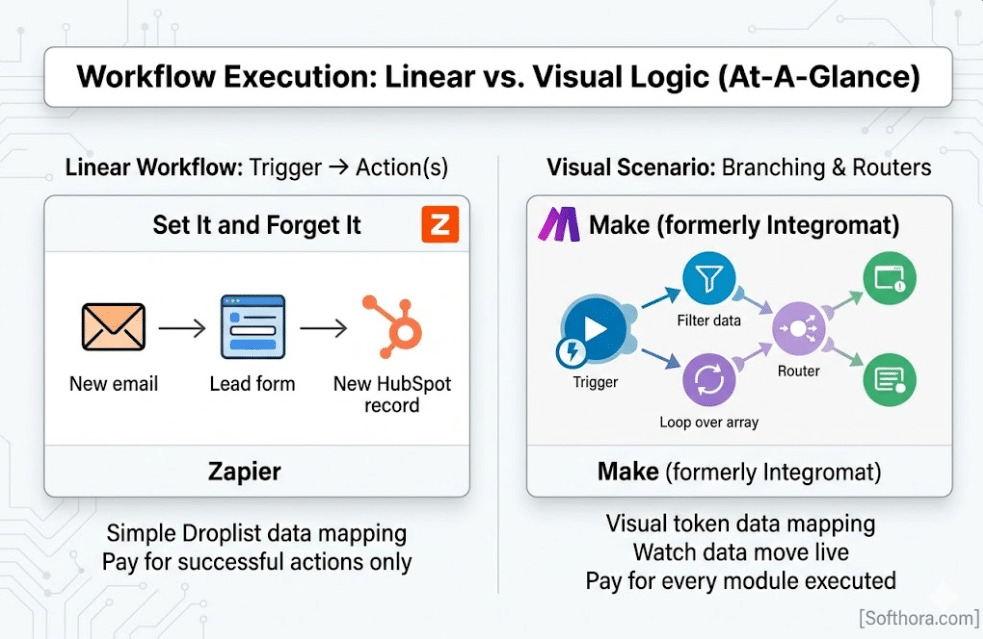
| Feature | Zapier | Make.com |
| Interface Style | Vertical, linear list (Step 1 $\rightarrow$ Step 2) | Infinite, drag-and-drop visual canvas |
| Learning Curve | Extremely low (Build a working automation in 5 mins) | Moderate to high (Requires understanding data structures) |
| Data Mapping | Simple dropdown menus | Visual tokens that you drag into fields |
| Testing | Step-by-step testing with clear data previews | Live execution where you watch data move through modules |
Zapier: The “Set It and Forget It” King
Zapier’s user interface is built like a form. Step 1 is your trigger, Step 2 is your action. It flows downward perfectly. If you are a solo entrepreneur, marketer, or business owner who doesn’t care about coding or complex engineering, this is a massive stress reliever. It prevents you from making mistakes because it restricts you to a safe, proven path.
Make: The Visual Operator
Make looks like a video game or a mind map. You can drag bubbles around, connect them with lines, and split one path into four different directions using a tool called a Router.
The coolest feature of Make is its live testing mode. When you click “Run Once,” you can literally watch a little glowing dot travel along the visual lines from module to module, showing you exactly how data moves in real-time. If a step fails, that specific bubble turns red, allowing you to instantly see where your workflow broke.
The Final Verdict: How to Protect Your Budget
To avoid the pricing traps and choose the absolute best platform for Softhora Insights, use this exact checklist:
Go with Zapier if:
- Time is money: You want your automations running immediately without learning how database arrays or webhooks work.
- You want predictability: You don’t want to monitor your dashboard daily to make sure a background script isn’t eating your budget via polling checks.
- You need niche apps: You use a highly specialized CRM or industry-specific software that only exists on Zapier’s massive directory.
Go with Make if:
- You have high data volume: You are processing thousands of rows of data every day, and Zapier’s premium tiers would break your bank account.
- You use Webhooks: Your apps support instant data pushing (Webhooks) rather than interval checking (Polling), completely bypassing the polling credit trap.
- You love visual layout: You want to see your entire business architecture mapped out on a single, beautiful visual canvas.
Frequently Asked Questions (FAQs)
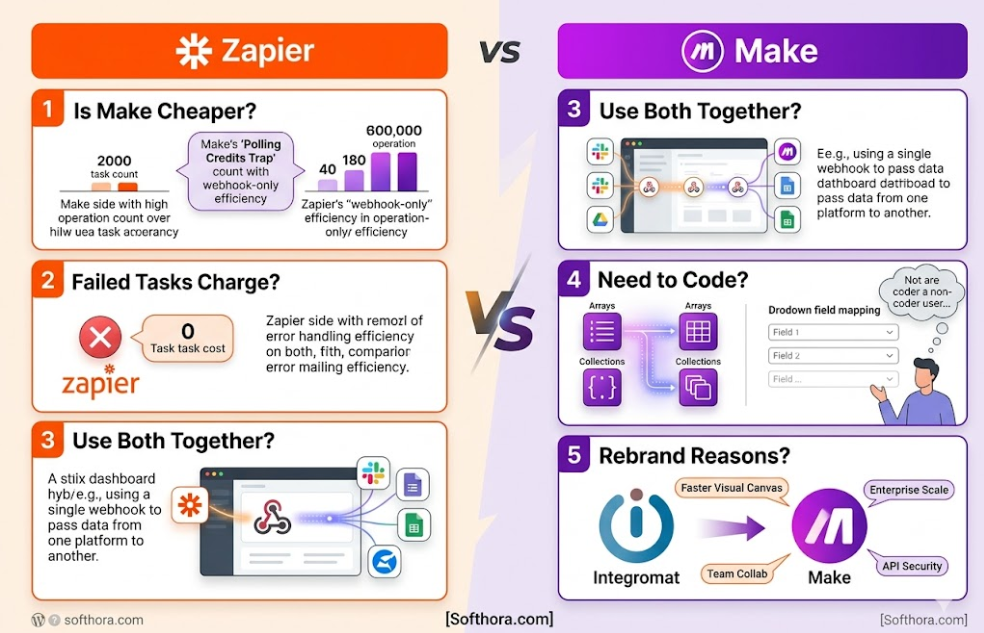
1. Is Make actually cheaper than Zapier?
Yes, but only if you use webhooks. If your apps instantly push data to Make, it is incredibly cheap. But if Make has to constantly check your apps for changes (polling), it consumes credits even when it finds nothing, which can drain your budget fast.
2. Does Zapier charge for failed tasks?
No. Zapier only counts tasks that successfully complete an action. If an automation errors out, or checks your apps and finds no new data, it costs you absolutely nothing.
3. Can I use both Zapier and Make together?
Yes. Many businesses use Zapier for simple, critical apps that need to work instantly, while routing massive, data-heavy tasks (like bulk AI processing) through Make to save money.
4. Do I need to know how to code to use Make?
No, but it requires a developer mindset. You don’t need code, but you must understand data structures like arrays and collections. Zapier is much simpler for non-technical beginners.
5. Why did Integromat change its name to Make?
It was a complete platform upgrade. The change to Make introduced a much faster visual canvas, better team collaboration, stronger security, and better handling of massive enterprise data.