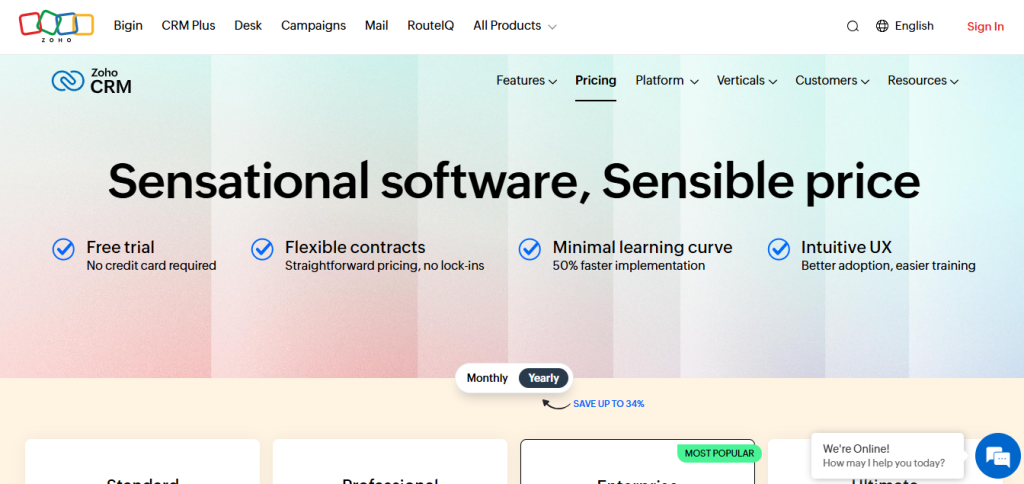
Are you wondering how much Zoho CRM will cost your business? Whether you’re just starting out or looking to upgrade your current system, understanding Zoho CRM pricing is crucial.
You want a solution that fits your budget but also gives you the features you need to grow. You’ll discover the different Zoho CRM plans, what each offers, and how to choose the right one for your team. By the end, you’ll feel confident about investing in a CRM that truly supports your sales and customer management goals.
Keep reading to find out how Zoho CRM pricing works and which plan matches your needs perfectly.
Free Plan Features
The Zoho CRM Free Plan offers essential features without any cost. It supports small teams and individuals just starting with CRM software. This plan lets users manage contacts, leads, and deals easily. Basic tools help keep sales processes organized and simple. Users get access to some automation and reporting, enough for straightforward tasks.
The free plan has limits but covers most fundamental needs well. It also connects smoothly with other Zoho products, expanding its usefulness. Understanding these features helps decide if the free plan fits your business.
User Limits And Core Tools
The free plan allows up to three users. This suits small teams or solo entrepreneurs. Core tools include contact and lead management. Users can track deals and sales opportunities. The interface is user-friendly and easy to navigate. Basic workflow automation saves time on repetitive tasks.
Basic Reporting And Automation
Users get access to standard reports that show sales data. These reports help monitor progress and understand customer behavior. Simple automation lets users create basic workflows. For example, sending follow-up emails automatically. These features improve efficiency without extra costs.
Integration With Zoho Products
The free plan integrates well with other Zoho apps. This includes Zoho Projects, Zoho Campaigns, and Zoho Desk. Integration helps manage tasks, marketing, and customer support together. It creates a smoother workflow across different business areas.
Ideal Users For Free Plan
The free plan fits small businesses and startups. It is best for those with simple CRM needs. Individual users can also benefit from the core tools. This plan works well for teams testing CRM software. It provides a no-cost way to get started and learn.
Credit: www.zoho.com
Paid Plans Overview
Zoho CRM offers a variety of paid plans tailored to different business needs. These plans provide enhanced features beyond the free version. Each tier adds more tools to improve your sales and customer management. Understanding the pricing and features helps choose the right plan for your business.
Standard Plan Details
The Standard plan includes essential CRM features for growing teams. It offers sales automation, workflows, and custom reports. Users can manage contacts, leads, and deals more efficiently. This plan supports multiple users and basic integration options. It is ideal for small businesses starting with CRM tools.
Professional Plan Advantages
The Professional plan adds advanced automation and inventory management. It supports email marketing and scoring leads based on activity. This plan allows deeper customization of modules and layouts. Users get access to role-based security and more integrations. It suits businesses needing more control over sales processes.
Enterprise Plan Capabilities
The Enterprise plan includes AI-powered sales assistant and advanced analytics. It offers multi-user portals and custom modules for complex workflows. Users get access to territory management and advanced customization options. This plan supports large teams requiring detailed reporting and automation. It fits businesses with diverse sales needs.
Ultimate Plan Features
The Ultimate plan is Zoho CRM’s most comprehensive offering. It provides enhanced storage and premium support. Users receive advanced BI analytics and higher API limits. This plan suits enterprises requiring maximum customization and scalability. It delivers full access to all Zoho CRM capabilities.
Pricing Breakdown
Understanding Zoho CRM pricing starts with a clear breakdown of its costs. This helps businesses plan budgets effectively. Zoho offers flexible pricing that adapts to different needs and team sizes.
Each plan comes with specific features and user limits. Knowing the pricing details ensures you pay only for what you need. Let’s explore the main aspects of Zoho CRM pricing below.
Monthly Vs Annual Costs
Zoho CRM provides options to pay monthly or annually. Monthly payments offer flexibility without long-term commitment. Annual plans come with a discount, reducing the cost per user.
Choosing the right payment option depends on your cash flow and commitment level. Annual payments save money over time but require upfront payment. Monthly plans suit teams that prefer shorter contracts.
Cost Per User Analysis
Pricing is calculated per user, making it easy to scale. Each user license includes access to the CRM features. Costs vary by plan, with higher tiers offering advanced tools.
Small teams may start with fewer users on a basic plan. Larger teams benefit from volume discounts and added functionality. Assess your team size and needs to pick the best plan.
Additional Taxes And Fees
Taxes and fees depend on your location and local laws. Some regions apply VAT, GST, or sales tax to the subscription cost. These charges are added during checkout.
Zoho clearly shows taxes before purchase, so you know the full price. No hidden fees mean better budgeting and transparency. Keep this in mind when comparing total costs.
Advanced Features In Paid Plans
Zoho CRM’s paid plans offer advanced features that help businesses manage sales and marketing more effectively. These tools provide deeper insights and automate complex tasks. They improve team productivity and customer engagement.
These features are designed for growing teams that need more than basic CRM functions. They help users track performance, run campaigns, motivate sales teams, and automate workflows efficiently.
Custom Reports And Dashboards
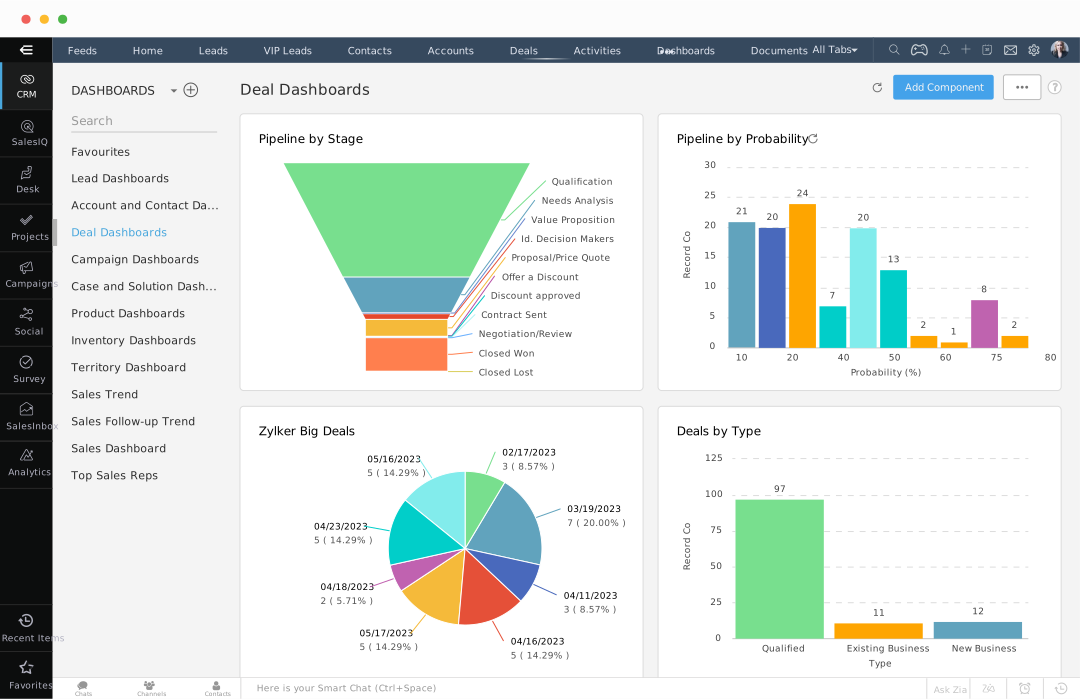
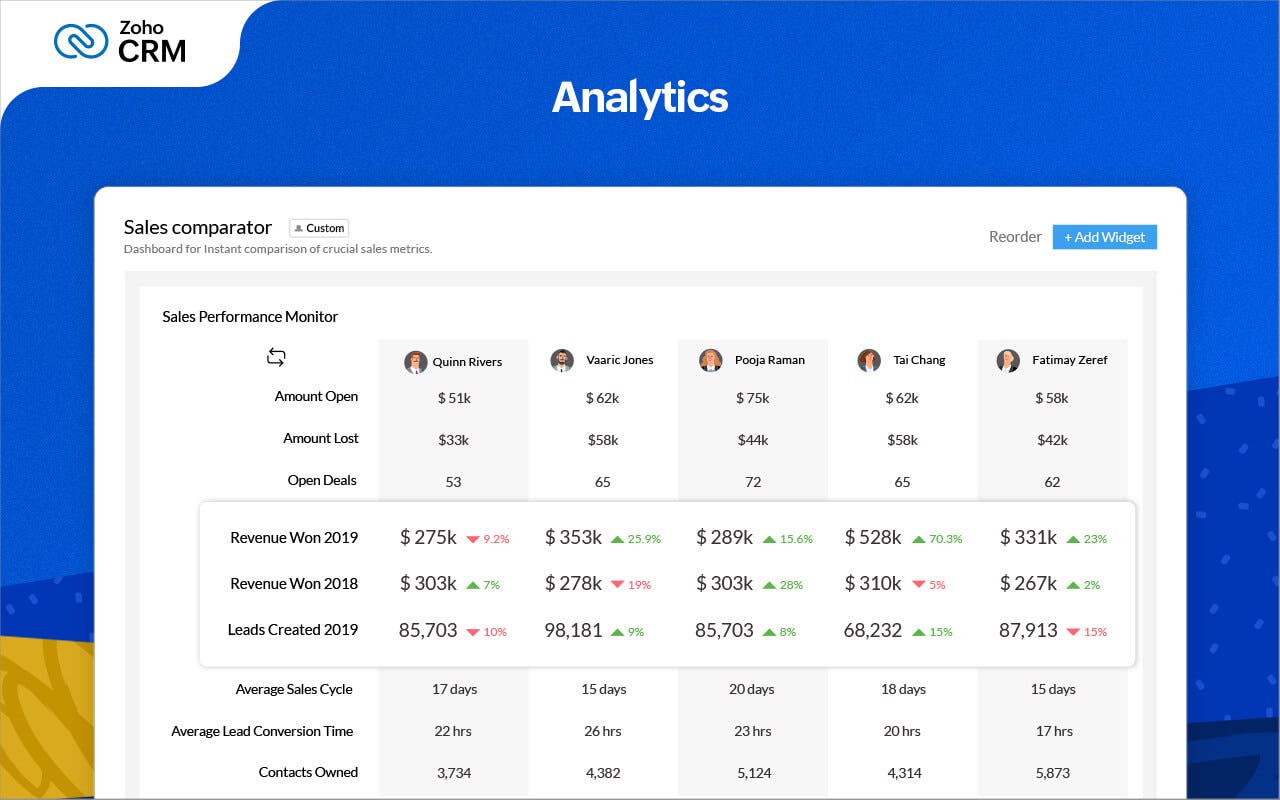
Paid plans include custom reports that show detailed data. Users can create dashboards to view key metrics at a glance. This helps teams understand sales trends and customer behavior. Reports can be tailored to specific business needs. Dashboards update in real time, keeping information current and useful.
Email Marketing Tools
Email marketing features in paid plans allow users to design and send targeted campaigns. Integration with CRM data helps segment contacts easily. Users can track open rates, clicks, and responses. This improves communication and boosts lead nurturing. Automated email sequences save time and keep prospects engaged.
Sales Gamification
Sales gamification adds fun and motivation to the sales process. Teams can earn points, badges, and rewards for meeting goals. Leaderboards show top performers and encourage friendly competition. This feature helps increase sales activity and drives better results. It keeps the team focused and motivated daily.
Enhanced Workflow Automation
Paid plans offer advanced workflow automation to streamline tasks. Users can set up multi-step processes without manual work. Automations include sending alerts, updating records, and assigning tasks. This reduces errors and saves time. Teams can focus on closing deals instead of repetitive tasks.
User Scalability And Customization
Zoho CRM supports businesses as they grow by offering flexible user scalability and rich customization. This allows companies to add more users without hassle and tailor the platform to their unique needs. Such features make Zoho CRM suitable for small startups and larger enterprises alike.
Increasing User Counts
Zoho CRM pricing plans allow adding users easily. The free plan supports up to three users. Paid plans increase this limit significantly, fitting growing teams. Users can be added anytime without interrupting workflow. This flexibility helps businesses expand their CRM usage smoothly.
Api Access And Limits
API access varies by plan and controls data integration capabilities. Higher-tier plans offer more API calls per day. This supports connecting Zoho CRM to other software and automating tasks. Limits ensure stable performance while giving enough room for customization.
Customization Options
Zoho CRM offers many customization features. Users can modify fields, layouts, and modules to match their workflows. Automation rules and custom reports enhance efficiency and insight. Customization is available across all paid plans, allowing businesses to tailor the CRM easily. You can also read this Zoho CRM Review.

Credit: www.emailtooltester.com
Comparing Zoho Crm With Competitors
Choosing the right CRM depends on features, price, and team size. Zoho CRM competes with many popular CRM tools. Comparing Zoho with competitors helps understand its strengths and weaknesses. This section breaks down key aspects to consider before deciding.
Feature Set Comparison
Zoho CRM offers lead management, sales automation, and analytics. Many competitors provide similar core functions but differ in extras. Some CRMs include built-in marketing tools or advanced AI features. Zoho balances essential tools with useful add-ons. It supports integrations with many apps. Competitors may focus more on niche industries or specific workflows. Zoho’s wide feature range suits general business needs well.
Pricing Competitiveness
Zoho CRM has a free plan for up to three users. Paid plans start at a low monthly fee per user. Competitors often have higher starting prices or fewer features in entry-level plans. Some charge extra for add-ons that Zoho includes. Zoho offers flexible pricing tiers to match business growth. This makes it cost-effective for small teams. Larger teams may find better volume discounts elsewhere. Overall, Zoho pricing is clear and straightforward.
Value For Small Vs Large Teams
Small teams benefit from Zoho’s free and basic paid plans. These plans cover common CRM needs without high costs. Zoho scales well as teams grow, adding features and users easily. Large teams get advanced tools like workflow automation and analytics. Some competitors target large enterprises with custom solutions. Zoho’s user-friendly interface helps teams adopt it quickly. It fits both startups and growing businesses with budget limits.
Choosing The Right Plan
Choosing the right Zoho CRM pricing plan is essential for maximizing your business efficiency. Each plan offers different features tailored to various business sizes and needs. Making the right choice helps you avoid overspending and ensures access to necessary tools.
Understanding your business requirements, budget limits, and testing options plays a key role in this decision. This section breaks down these factors to guide you toward the best plan.
Assessing Business Needs
Start by listing your business goals and challenges. Identify which CRM features matter most, like lead management or automation. Consider the number of users who will access the system. Think about future growth and whether you need advanced tools now or later. Choose a plan that fits your current needs but can scale with your business.
Budget Considerations
Set a clear budget for CRM expenses. Compare the costs of different Zoho CRM plans and what they include. Look for plans that offer good value without unnecessary features. Remember to factor in extra costs like add-ons or user upgrades. A balanced budget ensures you get essential features without overspending.
Trial And Demo Options
Take advantage of Zoho CRM’s free trial or demo versions. Testing the software helps you understand its interface and features. Trials allow you to see if the plan meets your daily business operations. Use this time to check ease of use and customer support quality. Trials reduce the risk of choosing the wrong plan.
Tips For Maximizing Zoho Crm Value
Maximizing the value of Zoho CRM depends on smart usage. Understanding key features and tools helps you get more from your investment. Small changes in how you use the platform can lead to big results.
Leveraging Integrations
Zoho CRM connects with many apps and services. Use integrations to streamline your workflow and reduce manual tasks. Sync with email, calendars, and marketing tools to keep data up-to-date. This saves time and cuts errors.
Integrations also allow combining Zoho CRM with other Zoho products like Zoho Projects or Zoho Campaigns. This creates a smooth experience across your business tools. Choose only the integrations that fit your needs to avoid clutter.
Using Automation Effectively
Automation in Zoho CRM handles repetitive tasks like sending emails or updating records. Set up workflows that trigger actions based on specific events. This frees up time for your team to focus on selling and building relationships.
Keep automation rules simple and clear. Too many complex rules can cause confusion and errors. Test workflows before full deployment to ensure they work as expected. Adjust them as your business needs change.
Training And Support Resources
Investing time in training improves how your team uses Zoho CRM. Use official tutorials, webinars, and help articles for learning. Regular training sessions keep everyone updated on new features and best practices.
Zoho offers customer support through chat, email, and phone. Reach out for help with technical issues or questions. A well-trained team supported by good resources will get the most out of Zoho CRM.
Credit: www.capterra.com.sg
Frequently Asked Questions
Is Zoho Crm Really Free?
Yes, Zoho CRM offers a free plan for up to three users with basic contact, lead, and deal management features. Advanced tools require paid subscriptions.
How Much Does Zoho Cost Per User?
Zoho CRM offers a free plan for up to three users. Paid plans range from $20 to $65 per user monthly.
Is Zoho Crm Free For 1 User?
Yes, Zoho CRM offers a free plan for up to three users. It includes basic contact, lead, and deal management features. Advanced tools and more users require a paid subscription.
Conclusion
Zoho CRM pricing offers options for all business sizes. The free plan suits small teams with basic needs. Paid plans provide more features and user capacity. Choose a plan based on your business goals and budget. Understanding pricing helps you make a smart CRM choice.
Explore features carefully before deciding. Zoho CRM can fit both simple and complex requirements. The right plan helps improve your sales and customer management.