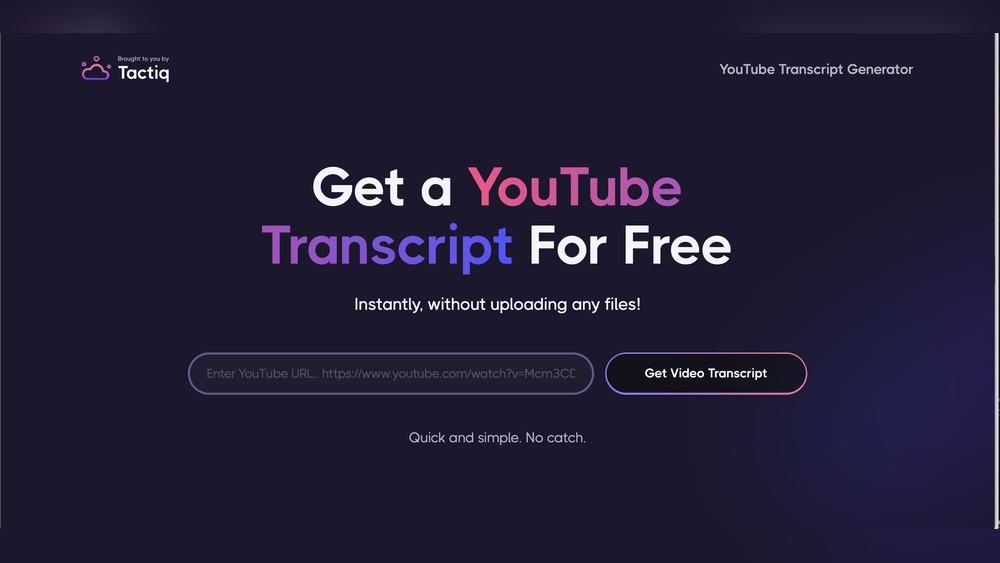
Are you tired of missing important details while watching videos on YouTube? Imagine being able to read every word spoken in your favorite videos instantly.
A YouTube transcription tool can make that happen for you. It turns spoken words into clear, easy-to-read text, saving you time and helping you understand content better. Whether you want to improve your learning, create captions, or boost your content’s reach, this tool is exactly what you need.
Keep reading to discover how it works and why it’s a game-changer for you.

Credit: www.reddit.com
Key Takeaway
A YouTube transcription tool helps you convert spoken words in a video into written text within minutes. If you’re exploring more advanced content repurposing options beyond basic transcription, you can check this guide on VideoToPage alternatives to compare different tools.
This makes it easier to create blog posts, captions, summaries, and searchable content from videos. For creators, marketers, students, and businesses, transcription tools save time, improve SEO visibility, and make video content accessible to a wider audience.
What Is a YouTube Transcription Tool?
A YouTube transcription tool is software that automatically converts the spoken dialogue in a YouTube video into text.
Instead of manually listening and typing everything from the video, the tool uses AI speech recognition to generate a transcript.
Some tools only generate raw text, while others go further. For example, VideoToPage doesn’t just transcribe videos — it turns them into structured articles. You can see a full breakdown in this VideoToPage review.
Why YouTube Transcription Is Important
This transcript can then be used for many purposes, including:
- Blog posts
- Video summaries
- Subtitles and captions
- Course notes
- Knowledge base articles
- Social media content
For example, if you have a 10-minute YouTube video tutorial, a transcription tool can generate a full written transcript in just a few minutes.
This makes it much easier to repurpose video content into other formats.
Why YouTube Transcription Is Important
Video is one of the most popular forms of content online. According to research from Wyzowl, over 90% of businesses use video as a marketing tool.
However, video content alone has some limitations.
Many people prefer to:
- Scan text quickly
- Search for specific information
- Read instructions instead of watching a long video
A transcription tool solves this problem by turning video into searchable, readable text.
Key benefits include
- Better SEO rankings
- Improved accessibility
- Faster content repurposing
- Easier note-taking and learning
This is why many creators now combine video + written content in their content strategy. If you want to understand how different tools compare in workflow and editing capabilities, this VideoToPage vs Descript comparison shows the key differences clearly.
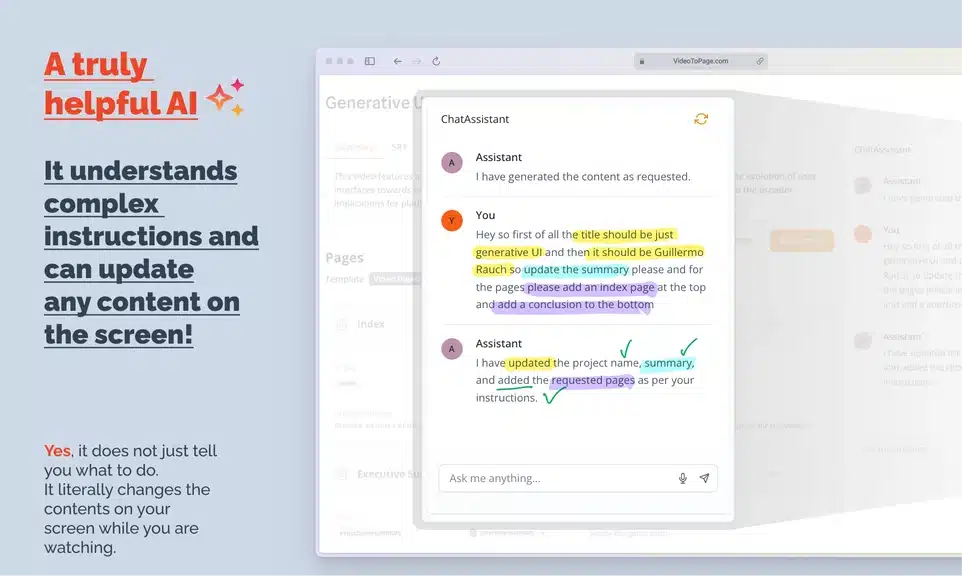
How a YouTube Transcription Tool Works
Most transcription tools follow a simple process.
1. Paste the YouTube Link
First, you paste the YouTube video URL into the transcription tool.
The system then scans the video and extracts the audio.
2. AI Converts Speech Into Text
The tool uses AI speech recognition to convert spoken words into written text.
Modern transcription tools can recognize:
- Different accents
- Multiple speakers
- Natural conversation
This makes the transcript more accurate.
3. The Transcript Is Generated
After processing the audio, the tool produces a full transcript of the video.
Some advanced tools also include:
- timestamps
- speaker labels
- automatic punctuation
4. Edit and Export
Once the transcript is ready, you can edit it and export it as:
- TXT
- DOC
- Blog content
Many creators also convert transcripts into articles or summaries.
Benefits Of Youtube Transcription Tools
YouTube transcription tools offer many benefits for content creators and viewers alike. They convert spoken words into text, making videos easier to understand. These tools help reach a wider audience and improve the overall viewing experience. Below are some key advantages of using transcription tools on YouTube videos.
Enhancing Video Accessibility
Transcriptions make videos accessible to people with hearing difficulties. They provide text versions of spoken content for better comprehension. Viewers can read along or watch silently in noisy places. Accessibility improvements also meet legal and platform standards. This way, more people can enjoy and benefit from your videos.
Improving Viewer Engagement
Text captions keep viewers focused and interested in the content. They make it easier to follow fast or complex speech. Viewers can pause and read parts they missed or want to remember. This interaction increases watch time and satisfaction. Engaged viewers are more likely to share and comment on videos.
Key Benefits of Using a YouTube Transcription Tool
Save Hours of Manual Work
Manually transcribing a video takes a long time.
For example:
- A 15-minute video can take 1–2 hours to transcribe manually.
With an AI transcription tool, this process can take just a few minutes.
This makes content creation much more efficient.
Improve SEO With Searchable Content
Search engines cannot fully understand video content without text.
Transcripts help search engines index your content.
This improves your chances of ranking for keywords such as:
- YouTube transcription tool
- convert video to text
- AI video transcription
- YouTube video transcript generator
Using related LSI keywords naturally throughout your content also helps improve search visibility.
Repurpose Video Content Into Blogs
One of the biggest advantages of transcription is content repurposing.
A single video can become:
- A blog post
- A newsletter
- A LinkedIn post
- A tutorial article
- Social media content
This allows creators to produce more content without creating everything from scratch.
Make Videos More Accessible
Not everyone watches videos with sound.
Some people prefer reading or need captions for accessibility reasons.
Transcripts help:
- People with hearing impairments
- Non-native speakers
- Users watching videos without sound
Adding transcripts also improves user experience.
Automatic Speech Recognition
Automatic speech recognition (ASR) converts spoken words into text instantly. A good tool uses advanced ASR to capture speech clearly. It reduces manual typing and speeds up transcription. Accuracy is vital. The tool should handle different accents and speech speeds well.
Editing And Customization Options
Editing options let you fix errors and improve text quality. You can add punctuation, correct names, or adjust timing. Customization helps match your transcript to your style. Look for tools that let you change fonts and layout. Easy editing saves time and improves the final output.
Multi-language Support
Multi-language support broadens your audience reach. Some tools transcribe in many languages and dialects. This feature is useful for global content creators. Choose a tool that recognizes your target language well. It ensures accurate transcriptions and better viewer understanding.
Export And Integration Capabilities
Export options let you save transcripts in different formats. Common formats include TXT, SRT, and VTT. Integration with platforms like YouTube or video editors speeds up workflow. It allows quick upload or subtitle addition. Check if the tool connects with your favorite apps.
Choosing The Right Tool
Choosing the right YouTube transcription tool helps save time and improves video accessibility. The perfect tool matches your needs and budget. It should offer accuracy and easy editing features. The right choice makes your content reach more viewers worldwide.
Comparing Popular Transcription Services
Popular services differ in speed and accuracy. Some use artificial intelligence, while others rely on human editors. AI tools work fast but may miss words. Human services cost more but deliver better quality. Review sample transcriptions before deciding.
Pricing And Subscription Models
Pricing varies by minutes transcribed or monthly plans. Some tools offer free tiers with limited use. Pay-as-you-go suits occasional transcriptions. Monthly subscriptions benefit frequent users. Check for hidden fees and cancellation rules.
User Interface And Ease Of Use
A simple interface speeds up your workflow. Clear menus and editing options reduce confusion. Look for tools with drag-and-drop uploads and instant previews. Mobile-friendly platforms help transcribe on the go. Choose one that fits your comfort level.
Popular YouTube Transcription Tools
There are many transcription tools available today. Here are some of the most popular ones used by creators and marketers.
1. Otter.ai
Otter.ai is widely used for meetings, interviews, and lecture recordings.
Key features
- Real-time transcription
- Speaker identification
- Meeting summaries
However, Otter is mainly designed for meetings and conversations, not for converting videos into blog content.
2. Descript
Descript is a powerful content creation tool used for audio and video editing.
Key features
- AI transcription
- Podcast editing
- Video editing
While Descript is great for editing content, it may be more complex and expensive for people who only need simple video-to-text conversion.
3. Rev
Rev is a popular transcription service offering both AI and human transcription.
Key features
- High accuracy
- Human transcription services
- Caption generation
The downside is that human transcription can be expensive, especially if you process many videos.
4. Sonix
Sonix is another AI transcription platform used by professionals.
Key features
- Automated transcription
- Translation support
- Subtitle creation
However, Sonix typically requires monthly subscriptions, which can become costly for frequent users.
VideoToPage: A Better Alternative for Content Creators
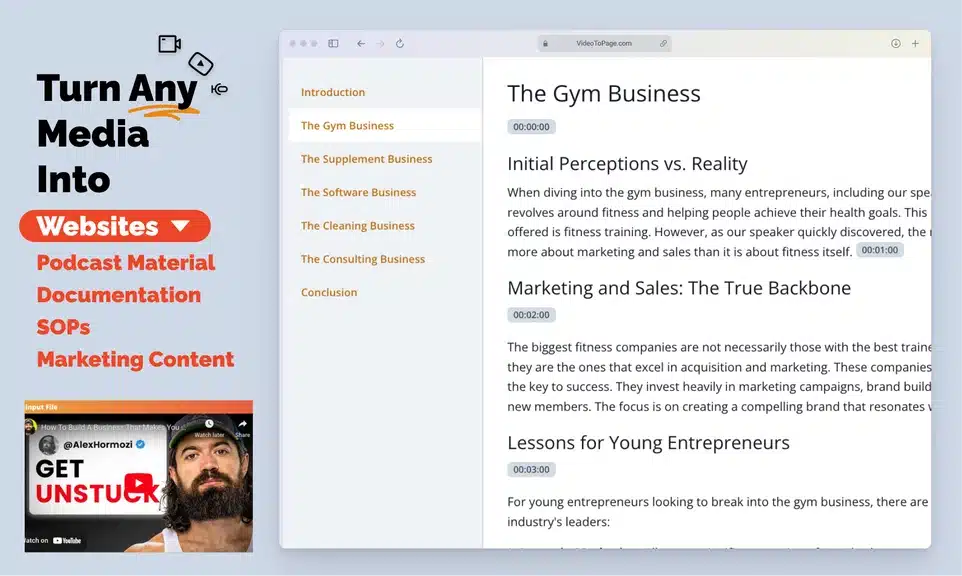
While most tools focus only on transcribing videos, VideoToPage takes things a step further.
Instead of just generating raw transcripts, VideoToPage converts videos into structured articles and readable content.
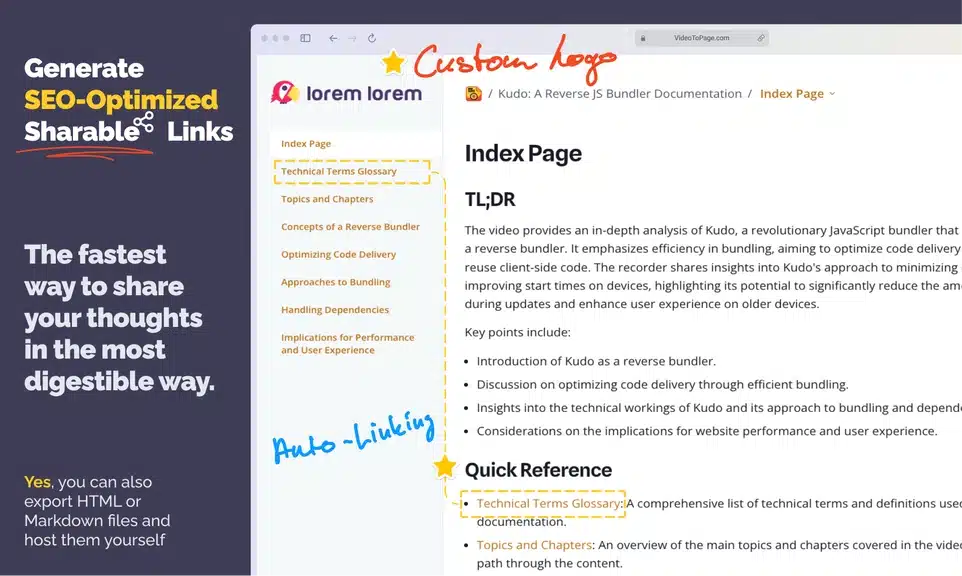
If you’re still comparing tools, this VideoToPage alternatives guide can help you decide which platform fits your needs best.
This makes it especially useful for:
- Bloggers
- YouTubers
- Content marketers
- Course creators
- Agencies
What Makes VideoToPage Different?
It Turns Videos Into Articles
Most transcription tools give you a block of raw text.
VideoToPage organizes the information into:
- headings
- sections
- readable paragraphs
This saves a lot of editing time.
Built for Content Repurposing
VideoToPage focuses heavily on content repurposing, which is one of the most important strategies in modern content marketing.
With one video, you can create:
- blog posts
- tutorials
- documentation
- newsletters
- social media content
Faster Content Creation
From experience working with content workflows, turning a video into a blog post manually often takes 2–3 hours.
You need to:
- transcribe the video
- structure the content
- write the article
VideoToPage speeds up this entire process by automatically structuring the transcript into a readable format.
Why Buying From AppSumo Is a Smart Choice
VideoToPage became popular when it appeared as a lifetime deal on AppSumo.
For those unfamiliar, AppSumo is a marketplace that offers lifetime deals on digital tools.
Instead of paying monthly subscriptions, users can pay once and use the software forever.
Advantages of buying through AppSumo
- One-time payment
- Lifetime access
- 60-day refund policy
- Early access to new tools
For creators and entrepreneurs, this can save hundreds of dollars in subscription fees.
Is VideoToPage Available on AppSumo Right Now?
Currently, VideoToPage is unavailable on AppSumo.
However, many popular tools return to the platform after their initial launch.
If the deal comes back, it could again become one of the best lifetime tools for video-to-article conversion.
Because of the value AppSumo deals offer, it’s worth keeping an eye on the platform in case VideoToPage returns.
Tips To Maximize Accuracy
Improving the accuracy of YouTube transcription tools is crucial for clear communication. Small changes can lead to big improvements in transcript quality. Follow these tips to get the best results.
Clear Audio Quality
Good audio is the foundation of accurate transcription. Speak slowly and clearly. Avoid background noise and echoes. Use a good microphone. Clear sound helps the tool understand words better.
Proper Speaker Identification
Mark who is speaking in the video. This helps separate different voices. It makes the transcript easier to follow. Label speakers by name or role. The tool can assign text to the right person.
Manual Corrections And Reviews
Always check the transcript for errors. Edit any mistakes you find. Watch the video while reading the text. Fix spelling and grammar. This step ensures the transcript matches the spoken words perfectly.
Saving Time With Automation
Saving time is crucial for content creators. Automation in YouTube transcription tools helps speed up the process. It cuts down manual work and lets creators focus on other tasks. This section explores how these tools save time through smart features.
Batch Transcription Features
Batch transcription allows users to transcribe many videos at once. No need to upload each file separately. This feature handles large projects quickly. It helps channels with many videos stay organized and efficient. Creators save hours by transcribing multiple files in one go.
Real-time Captioning
Real-time captioning shows subtitles as the video plays or records. This feature helps creators check captions instantly. It reduces the time spent fixing errors after transcription. Viewers benefit from immediate access to captions. Real-time captioning supports faster publishing and better accessibility.
Integration With Video Editing Software
Many transcription tools work well with video editors. This integration allows automatic transfer of captions into editing programs. Editors avoid retyping subtitles, saving time and effort. It ensures captions match the video perfectly. This seamless workflow speeds up post-production tasks.

Credit: www.youtube.com
Common Challenges And Solutions
Using a YouTube transcription tool can save time and help reach more viewers. Yet, it also comes with some common challenges. These issues can affect the accuracy and readability of the transcripts. Understanding these problems helps find the right solutions.
Many transcription tools face difficulties with speech clarity, background sounds, and special words. Fixing these problems improves the quality of your captions. This section explains common challenges and practical ways to handle them.
Handling Accents And Dialects
Accents and dialects can confuse transcription tools. Words may sound different from the standard form. This leads to mistakes in the text.
One way to improve accuracy is to use tools that learn from specific accents. Uploading sample audio helps the tool adjust. Also, speaking clearly and slowly can reduce errors. Some tools let users correct transcripts manually to fix mistakes.
Dealing With Background Noise
Background noise lowers transcription quality. Sounds like music, traffic, or chatter make it hard to hear the main speaker.
Using noise-canceling microphones helps during recording. Some transcription software includes noise reduction features. Removing noise before transcription can boost accuracy. Editing transcripts after transcription is another way to clean up errors.
Improving Transcription For Technical Terms
Technical terms, jargon, and names often cause problems. Tools may not recognize these words correctly.
Adding custom dictionaries or word lists helps the tool learn special terms. Repeating technical words slowly during recording also aids recognition. Reviewing and editing transcripts ensures the correct spelling of complex words.
Future Trends In Youtube Transcription
YouTube transcription tools are evolving fast. They help creators reach more viewers and improve video accessibility. The future holds exciting changes that will make transcriptions smarter and easier to use. These trends will shape how people watch and interact with video content.
Ai Advancements
Artificial intelligence will make transcriptions more accurate. AI can understand different accents and speech patterns better. This means fewer mistakes and clearer text. AI will also speed up the transcription process, saving time for creators.
Enhanced Multilingual Support
More languages will be supported in the future. Transcription tools will translate videos automatically. Viewers can watch videos in their own language with subtitles. This will help creators reach global audiences easily.
Interactive And Searchable Transcripts
Transcripts will become interactive and easy to search. Viewers can click on text to jump to specific parts of the video. Searching for keywords will be faster and more precise. This feature will improve user experience and content navigation.

Credit: www.reddit.com
Frequently Asked Questions
1. What is the best YouTube transcription tool?
Some popular options include Otter.ai, Descript, Rev, Sonix, and VideoToPage. If you want more than just a transcript and need structured blog content, VideoToPage can be a better option.
2. Can I convert a YouTube video into a blog post?
Yes. Many creators use transcription tools to convert videos into SEO-friendly blog posts, tutorials, and articles.
3. Are AI transcription tools accurate?
Most AI transcription tools are 80–95% accurate, depending on audio quality, accents, and background noise.
4. Do transcripts help with SEO?
Yes. Transcripts create searchable text content, which helps search engines understand your videos and improves your chances of ranking on Google.
5. Is VideoToPage better than regular transcription tools?
For simple transcripts, many tools work well. However, VideoToPage goes further by turning videos into structured articles, which saves time for bloggers and marketers.
Final Thoughts
A YouTube transcription tool can dramatically improve how you use video content.
Instead of letting videos exist only on YouTube, you can transform them into:
- blog posts
- written tutorials
- knowledge base articles
- SEO content
While tools like Otter, Descript, Rev, and Sonix offer solid transcription features, VideoToPage stands out because it converts videos directly into structured articles. VideoToPage doesn’t just transcribe videos — it turns them into structured articles. You can see a full breakdown in this VideoToPage review.
Although the AppSumo deal is currently unavailable, it may return in the future.
If it does, it could be a great opportunity to grab a powerful video-to-content tool at a lifetime price, making it an excellent investment for creators, bloggers, and marketers.