
Are you trying to choose the best tool for turning your videos into engaging content? Videotopage and Descript are two popular options, but which one suits your needs better?
Whether you want to save time, boost creativity, or simplify editing, knowing the key differences can make a big impact on your results. Keep reading, and you’ll discover which platform fits your style and goals perfectly. Don’t miss out on making your video projects easier and more effective!
Key Takeaway
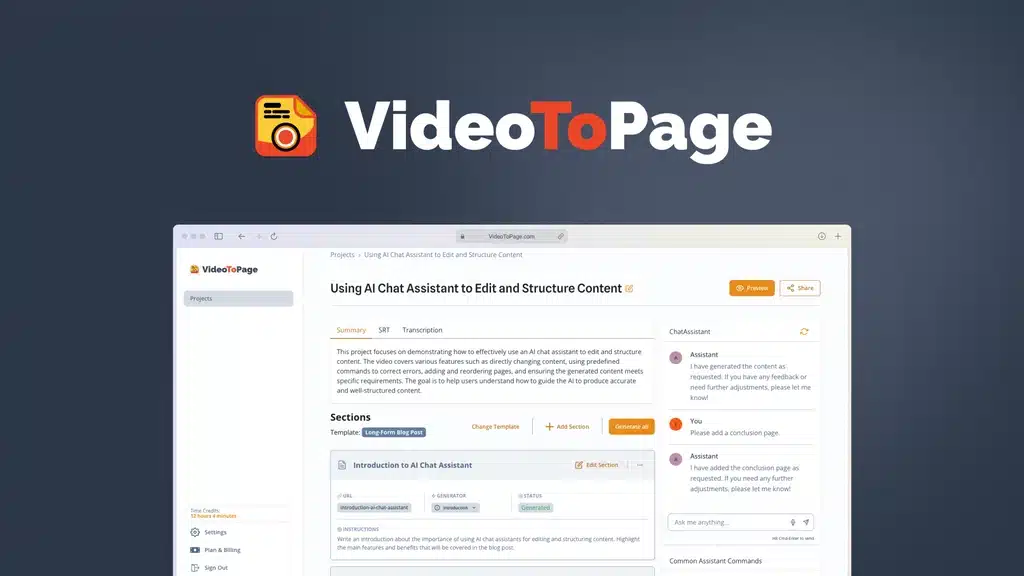
Both VideoToPage and Descript are powerful tools for content creators, but they serve slightly different purposes. Descript is primarily an audio/video editing and transcription tool, while VideoToPage focuses on turning videos into structured, publish-ready articles automatically. If you’re still exploring similar tools, you can check this list of VideoToPage alternatives to compare other options in the same space.
For bloggers, marketers, and educators who want content repurposing with minimal editing, VideoToPage often has the edge.
Overview of VideoToPage Vs Descript
| Feature | VideoToPage | Descript |
|---|---|---|
| Primary Function | Converts videos into structured articles/blog posts | Video/audio editing and transcription |
| Content Output | Readable, SEO-ready articles | Transcripts and editable audio/video |
| AI Features | Auto-organizes content into headings, paragraphs, sections | AI transcription, voice cloning, Overdub for edits |
| Ease of Use | Very simple for text generation | Slightly more complex, geared towards editing |
| Best For | Bloggers, marketers, course creators, agencies | Podcasters, video editors, interview content creators |
| Pricing | Lifetime deal via AppSumo (currently unavailable); subscription TBD | Monthly or annual subscription ($12–$30+/month depending on plan) |
| Editing Required | Minimal for readable articles | Required for converting transcript to blog or article |
Videotopage Features
Videotopage offers a set of features designed for quick video creation and editing. It fits well for beginners and casual users. The platform focuses on simplicity while keeping essential tools accessible.
Below is a detailed look at Videotopage’s key features that help users create videos with ease and efficiency.
User Interface And Ease Of Use
Videotopage has a clean and simple user interface. Buttons and menus are clearly labeled. Users can find tools without confusion. The platform requires little to no learning time. Beginners can start editing videos quickly. Navigation is smooth and intuitive throughout the process.
Editing Tools And Effects
The platform includes basic editing tools like trimming, cutting, and splitting. Users can add text, images, and simple transitions. There are preset effects for quick enhancements. The focus is on straightforward edits rather than complex effects. This keeps the editing fast and easy to manage.
Export Options And Formats
Videotopage supports popular video formats for export. Users can save videos in MP4, AVI, and MOV formats. The export settings allow control over resolution and quality. This flexibility suits different needs from web to offline use. Exporting is fast and hassle-free.
Collaboration Capabilities
Videotopage allows simple sharing options for team work. Users can invite others to view or edit projects. It supports real-time collaboration with basic commenting features. This helps small teams work together without extra tools. The platform keeps collaboration easy and direct.
Descript Features
Descript offers a set of tools designed to make audio and video editing simple. Its features help users edit media quickly without deep technical skills.
If your interest is more around converting spoken content into text first, a YouTube transcription tool might help you understand the foundation both tools rely on.
The platform blends powerful functions with ease of use. This makes it a favorite among podcasters, video creators, and teams.
Interface And Accessibility
Descript has a clean, easy-to-navigate interface. The layout is simple, so beginners can start editing fast. Menus and buttons are clear and straightforward. The software works on both Windows and Mac. There is also a web version for remote access. Accessibility features help all users work comfortably.
Transcription And Text-based Editing
Descript converts audio to text automatically and quickly. Users can edit audio by changing the transcript. Deleting words removes the audio parts. This text-based method saves time and simplifies editing. The transcription is accurate for many languages. It also allows easy corrections and fine-tuning.
Multimedia Integration
Descript supports importing various media types. Users can add images, video clips, and audio tracks. It allows layering and mixing of different media. This helps create rich, engaging content. The software also supports exporting in popular formats. It fits well into many content workflows.
Collaboration And Sharing
Teams can work together easily on Descript projects. The platform supports real-time collaboration and comments. Users can share projects with simple links. It offers permission controls to manage access. This makes group editing and feedback smooth. Sharing final files is quick and hassle-free.

Performance And Speed
Performance and speed are key factors when choosing video editing tools. Users want quick results without waiting too long. Both Videotopage and Descript offer different speeds and system demands. Understanding these helps pick the right tool for your work.
Processing Time
Videotopage processes videos fairly fast. It handles basic edits quickly. Complex tasks may take longer but stay reasonable. Descript also offers quick processing. Its transcription feature runs smoothly and fast. For longer videos, Descript may slow down. Overall, both tools are efficient but vary by task.
System Requirements
Videotopage runs well on average computers. It does not need high-end specs. This makes it suitable for most users. Descript requires more powerful hardware. A strong CPU and plenty of RAM improve its speed. Users with older machines might face delays on Descript.
Stability And Reliability
Videotopage is stable during editing and exporting. It rarely crashes or freezes. This reliability helps keep work safe. Descript is also reliable but can slow on large projects. Minor bugs appear occasionally but updates fix them quickly. Both tools perform steadily for daily use.
Credit: free.theresanaiforthat.com
Detailed Comparison
1. Purpose and Focus
VideoToPage:
- Designed to repurpose videos into written content.
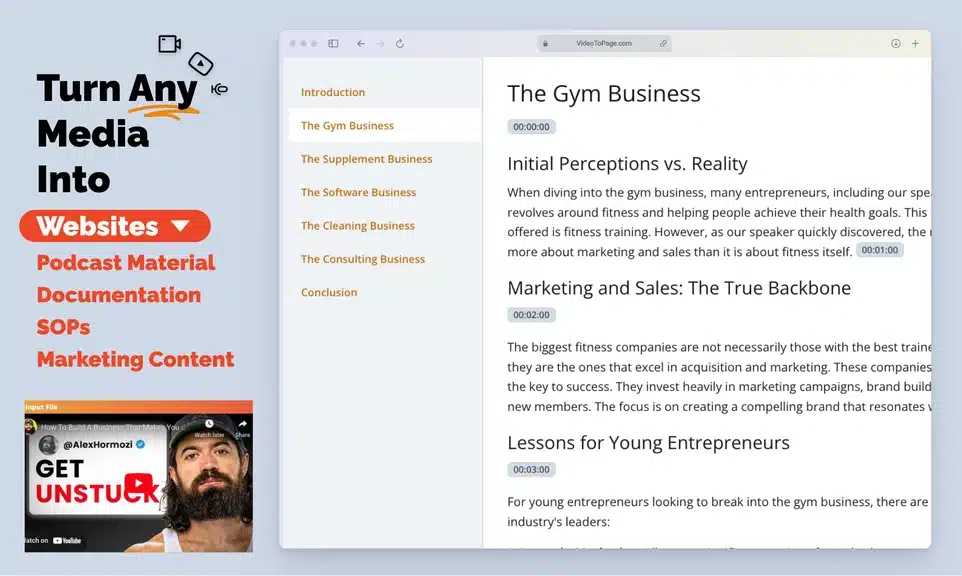
- Automatically structures transcripts into articles with headings and sections, saving hours of editing.
- Ideal for creating SEO content, blog posts, and tutorials directly from video.
Descript:
- Primarily a video/audio editing platform with AI transcription.
- Allows creators to edit audio/video by editing the transcript, produce podcasts, and make subtitles.
- While it can generate transcripts, additional steps are needed to turn them into structured blog posts.
2. Ease of Use
VideoToPage:
- Paste the video link, and the AI generates the article.
- Minimal learning curve; designed for fast content creation.
Descript:
- Powerful but comes with a steeper learning curve.
- Designed for creators who want full control over audio/video editing as well as transcription.
3. Content Output
VideoToPage:
- Produces publish-ready text with clear headings, subheadings, and sections.
- Ideal for SEO-friendly blog posts and tutorials.
Descript:
- Produces raw transcripts that require manual editing to convert into readable articles.
- Excellent for captions, podcasts, or voiceover edits, but not optimized for blog-ready content.
4. Pricing Comparison
VideoToPage:
- AppSumo lifetime deal (previously available) made it extremely affordable for heavy users.
- Future subscription pricing is unknown.
If you want a breakdown of how VideoToPage is structured financially, you can check this VideoToPage pricing guide.
Descript:
- Subscription-based:
- Free version with limited transcription
- Creator plan: ~$12/month
- Pro plan: ~$30/month
If your goal is to save time converting video content into articles, VideoToPage is likely more cost-effective long-term, especially if the lifetime deal returns.
5. Best Use Cases
VideoToPage Is Best For:
- YouTubers wanting blog posts from videos
- Marketers repurposing content for SEO and social media
- Course creators converting lessons into text modules
- Agencies creating client tutorials or knowledge base articles
Descript Is Best For:
- Podcasters and video editors
- People who need precise audio/video editing
- Teams creating captioned videos and tutorials
6. Summary: Which One Should You Choose?
| Scenario | Recommended Tool |
|---|---|
| You want structured blog posts automatically from video | VideoToPage |
| You need audio/video editing + transcription | Descript |
| You want quick SEO content from videos | VideoToPage |
| You produce podcasts, interviews, or complex video edits | Descript |
| Budget-conscious, one-time payment potential | VideoToPage (AppSumo lifetime deal) |
| Subscription-friendly, ongoing updates | Descript |
Value For Money
VideoToPage’s plans are cost-effective for simple video projects. It provides good features at a low price. Descript is pricier but offers powerful editing and transcription. It fits users who need detailed audio and video control. Choosing depends on your workload and feature needs. VideoToPage works well for straightforward videos. Descript excels in complex editing and team work.
User Support And Resources
User support and resources are vital for any software tool. They help users solve problems fast. Good support means less downtime and more productivity. Both Videotopage and Descript offer various support options. Understanding these can guide your choice.
Customer Service
Videotopage provides email support with a quick response time. Their team answers questions clearly and politely. Descript offers live chat support during business hours. They also have email support that handles complex issues well. Both services aim to help users quickly.
Tutorials And Documentation
Videotopage has step-by-step tutorials for beginners. Their documentation covers all basic and advanced features. Descript offers video tutorials and written guides. These help users learn fast and use the tool effectively. Both platforms keep their materials updated regularly.
Community And Forums
Videotopage hosts an active user forum where people share tips. Users can ask questions and get answers from experts. Descript has a large online community on several platforms. It includes forums, social media groups, and user meetups. Both communities provide support beyond official channels.
Best Use Cases
Choosing the right tool depends on your project needs. Both Videotopage and Descript serve different purposes. Knowing their best use cases helps pick the right one.
Ideal Projects For Videotopage
Videotopage is great for creating video websites quickly. It suits users who want to share many videos in one place. Perfect for video bloggers and educators.
It works well for online courses or video libraries. Users can organize videos by categories easily. Ideal for those who need simple video hosting with a website.
Small businesses can use Videotopage to showcase products or tutorials. It helps build a video portfolio without complex tools. Great for users wanting straightforward video presentation.
Ideal Projects For Descript
Descript excels in video and audio editing with text-based tools. It fits podcasters and video editors who want fast edits. Users can remove filler words or mistakes by editing the script.
It is useful for creating podcasts, interviews, and detailed video content. It also supports screen recording and transcription. Ideal for content creators needing precise editing and transcription.
Descript suits teams working on collaborative projects. It offers easy sharing and feedback options. Perfect for marketers and educators producing polished video and audio.
Pros And Cons Summary
Understanding the pros and cons of Videotopage and Descript helps in choosing the right tool. Both offer unique features and limitations. Comparing their strengths and weaknesses gives clear insight.
Pros Of Videotopage
Videotopage is easy to use for beginners. It allows quick video creation without complex steps. The tool supports multiple video formats. It offers good customization for video pages. Users can add interactive elements to videos. It works well for simple video projects.
Cons Of Videotopage
The interface can feel basic to advanced users. It lacks some advanced editing features. Collaboration options are limited compared to other tools. Exporting videos may take longer in some cases. Support resources are fewer than bigger platforms.
Pros Of Descript
Descript provides powerful video and audio editing. It uses text-based editing which is easy to follow. Collaboration is smooth with shared projects. The tool offers transcription and screen recording. It supports multi-track editing and overdubbing. Perfect for detailed and professional content.
Cons Of Descript
Descript has a steeper learning curve for new users. Some features require a higher-priced plan. It may be overwhelming for simple video tasks. Export options can be complex for beginners. Occasional bugs may affect editing speed.

Credit: www.capterra.ie
Frequently Asked Questions
What Are The Main Differences Between Videotopage And Descript?
Videotopage focuses on video editing with easy web publishing. Descript offers advanced audio and video editing with transcription. Each tool serves different user needs for content creation.
Which Tool Is Better For Beginners, Videotopage Or Descript?
Videotopage is simpler and more user-friendly for beginners. Descript has more features but may need time to learn. Choose based on your comfort with editing tools.
Can Videotopage And Descript Be Used Together Effectively?
Yes, you can use Videotopage for video hosting and Descript for editing. Combining them helps improve content quality and distribution. This approach suits creators wanting more control.
Final Thoughts
Both Videotopage and Descript offer useful video tools. Videotopage suits those wanting quick webpage creation. If you want a deeper breakdown of how VideoToPage performs in real use cases, you can read this full VideoToPage review.
Descript works well for editing and transcribing videos. Think about your needs and skill level first. Test each tool to find the best fit. This helps you save time and effort later.
Choose the one that feels easier and meets your goals. Simple tools often lead to better results. Keep your projects clear and focused. That way, your videos will stand out and connect with viewers.
Both tools are excellent in their own domains:
- Descript is more versatile for editing audio/video content, podcasts, and subtitles.
- VideoToPage excels at turning videos into readable, structured articles with minimal effort, making it the better choice for bloggers, marketers, and content repurposing.
If your goal is publish-ready text from videos, VideoToPage saves time, effort, and editing hassle—especially for SEO-focused content workflows.